TrustRadius: an HG Insights company

IBM Verify

Score7.4 out of 10

90 Reviews and Ratings

What is IBM Verify?

IBM Verify, formerly known as IBM Cloud Identity, is an identity-as-a-service (IDaaS) offering that aggregates dynamic user, device and environmental context to automate risk protection and continuously authenticate any user to any resource.

Media

Screenshot of IBM Verify (for CIAM) - Privacy and Consent
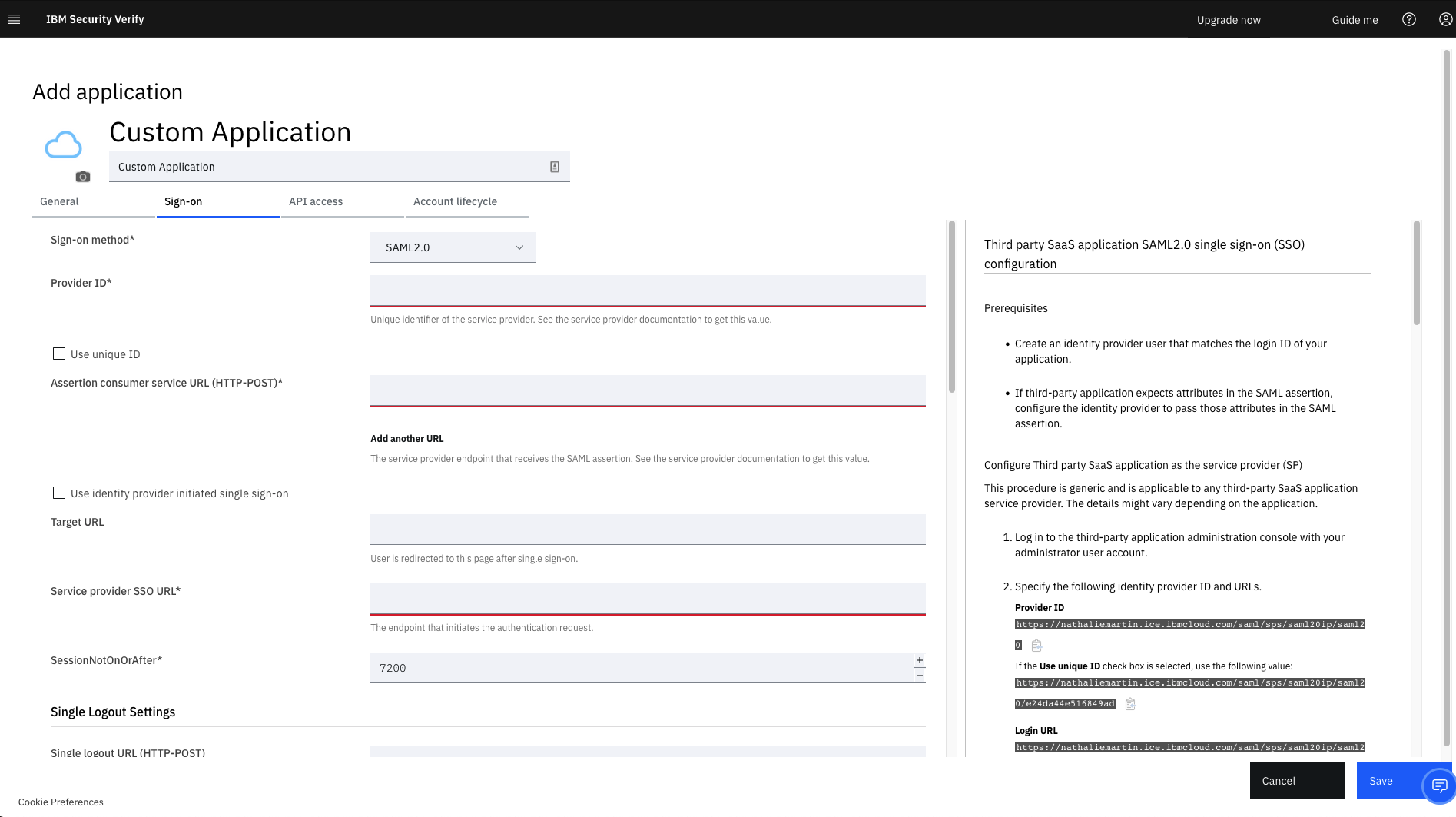
Screenshot of IBM Verify - Custom Application Template
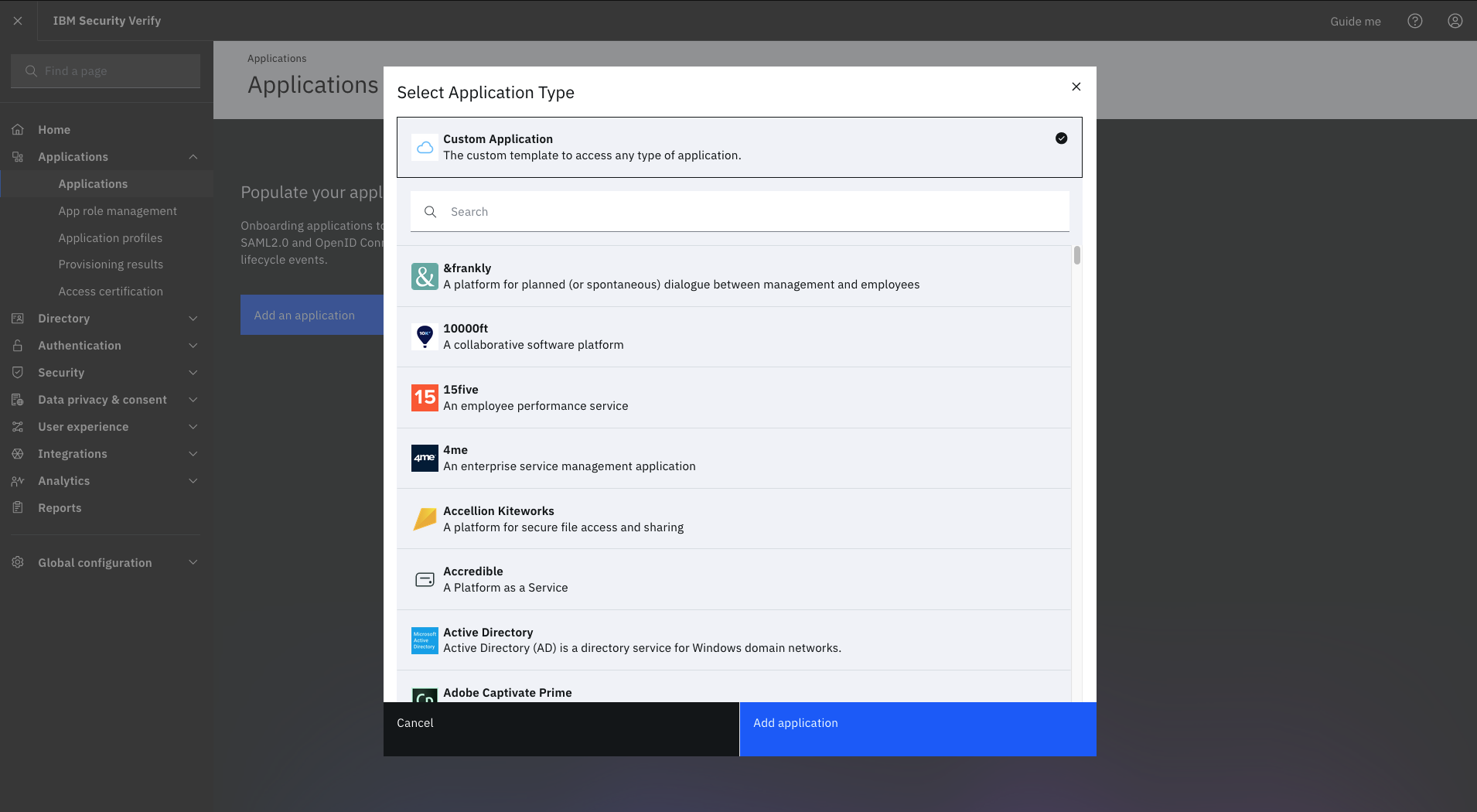
Screenshot of IBM Verify - Select Application Type
Screenshot of IBM Verify - Privacy Policy

1 / 4

Screenshot of IBM Verify (for CIAM) - Privacy and Consent

Top Performing Features

  • Password Management

    Self-help capabilities the help users recover forgotten passwords, etc.

    Category average: 8.6

  • Multi-Factor Authentication

    Using multiple, independent components to gain access

    Category average: 8.5

  • ID-Management Access Control

    Authorization or restriction of access to information depending on role

    Category average: 8.8

Areas for Improvement

  • ID Management Single-Sign On (SSO)

    The ability to login to the system once, gaining access to all systems without the need for logging in again

    Category average: 9

  • Account Provisioning and De-provisioning

    Capabilities for creating user accounts based on roles, group memberships and business processes

    Category average: 8.4

  • ID Management Workflow Automation

    Automated sequence of tasks to simplify processes

    Category average: 8

IBM Verify is there to last

Use Cases and Deployment Scope

We needed to get a complete solution to manage our identify lifecyle. So, e decided to use IBM Verify as the main main identify provider and then manage the whole lifecycle user management for our company. As we host and manage solutions for our clients, we also use it in certain cases as a cloud identify broker to surface other IdP our clients and partner. IBM Verify allows us to do JiT or SCIM integration which provides us the flexibility to address our needs.

Pros

  • Allows to surface Entra ID and provide an enterprise level SCIM provider
  • Allows you to create a Cloud directory to manage multiple identify sources
  • Allows you to provide SSO service to your enterprise applications
  • Allows you to manage the full user lifecycle

Cons

  • Documentation...the use cases are hard to find sometime
  • Confusion around the product names of all the modules

Return on Investment

  • Save time to manage users
  • Facilitate on-boarding and off-boarding
  • Ability to surface Entra ID and allows to bridge the gap on their missing features.

Alternatives Considered

IBM FileNet Content Manager and IBM Cloud Pak for Business Automation

Other Software Used

IBM FileNet Content Manager, IBM Cloud Pak for Business Automation, IBM WebSphere Hybrid Edition

My Experience With IBM Verify

Use Cases and Deployment Scope

We use IBM Verify to manager access across our on premises and cloud environments. It is a great way to protect our business data and apps from attacks that results from unauthorized access. Besides boosting security, IBM Verify also ensures fast access to apps and data thanks to features such as password-less access and MFA.

Pros

  • Passwordless access.
  • Security posture management.
  • Protects user identity.
  • The MFA works perfectly.
  • Works on premises and in cloud.
  • Protects data/apps.

Cons

  • High cost of deployment.
  • Longer learning curve.

Return on Investment

  • It ensures fast access to apps/data.
  • It protects our data/apps both in cloud and on premises.

Other Software Used

Cisco Secure Endpoint, Avast Email Security

IBM verify

Use Cases and Deployment Scope

We use IBM Verify for single sign ons using multiple MFA methods like SMS, email, voice and push notifications. We like it because it helps to reduce the dependency on passwords with adaption of WebAuthn. We also use it to grant access request, approvals, onboarding and offboarding user. The ability for this platform to integrate with our legacy applications are a plus as well.

Pros

  • Access for production systems and operational technology.
  • Remote or hybrid work access
  • Compliance and audit obligation can be verify with logs and trails or reports
  • Helps to secure governed access to our vendor and partners.

Cons

  • Initial setup and configuration can be a little complexed.
  • Mobile app UI is not as user friendly as we would like
  • Cost for licensing are not cheap, so pretty large investment there

Return on Investment

  • Configuration can be a little complexed
  • Overhead can be a little costly, especially for smaller operations
  • Mobile user interface is not that easy for navigation
  • Strong security and governance for compliance
  • Integration flexibility is a plus, especially with legacy systems

Alternatives Considered

Okta Workflows and Microsoft Entra ID

Other Software Used

Microsoft Entra ID, Okta Workflows, Auth0

Smart Authentication Made Easy by IBM Verify

Use Cases and Deployment Scope

My company has improved data security and streamlined agent and customer logins since implementing IBM Verify. It decreased fraud, shortened user access times, and made compliance easier for us. In general, it improved the safety and effectiveness of our system for day to day insurance work.

Pros

  • Remote work access
  • Compliance and audit needs
  • CIV for banking and insurance

Cons

  • The system is a bit complicated for new users.
  • It requires a stable internet connection.

Return on Investment

  • Most importantly, IBM Verify reduces our manual verification and password reset tasks through automation.

Alternatives Considered

Okta

Other Software Used

Microsoft Entra ID

Its a reliable and user-friendly solution overall with very few limitations

Pros

  • Provides push notifications, QR codes, and one-time passcodes, making login fast and secure without disrupting users.
  • Effectively prevents credential theft, phishing, and account takeover attempts by adding an extra layer of protection beyond passwords.
  • The mobile app is intuitive and lightweight, reducing friction for employees and clients compared to traditional token or hardware-based methods.
  • Works well with a wide range of corporate resources, VPNs, and cloud applications, making it easy to roll out across different use cases.

Cons

  • More flexibility in branding and customization (e.g., logos, themes, and user messaging) would help organizations provide a more tailored authentication experience.
  • Offline authentication options could be improved for users in low-connectivity or no-network environments.
  • Setting up integrations with some third-party or legacy applications can be complex and time-consuming, requiring more technical expertise than expected.

Return on Investment

  • By enforcing MFA, we’ve minimized the risk of unauthorized access and phishing-related breaches, which could have cost substantial time and money to remediate.
  • The solution helps us meet regulatory requirements more efficiently, reducing audit preparation time by an estimated 20–30%.
  • Automated authentication workflows and reduced password reset requests have cut IT support tickets related to access issues by roughly 15–20%, saving both staff time and user downtime. Which is really great to keep the users engaged to our platform.

Alternatives Considered

Microsoft Entra ID Governance and Google Authenticator

Other Software Used

Google Authenticator, Microsoft Entra ID Governance
