TrustRadius: an HG Insights company

PanTerra Networks

Score6.3 out of 10

98 Reviews and Ratings

What is PanTerra Networks?

PanTerra is a provider of unified cloud-based services for communications, enterprise file sharing and mobility solutions for mid-market enterprises (MME), headquartered in Santa Clara. The Company's Streams service provides - Unified Communications and SmartBox - Communications-Enabled Content Management solutions which are delivered securely from the cloud through a browser-based client as well as mobile apps for smartphones and tablets, are designed to eliminate any on-premises deployed hardware or software.

Read more details.

Media

Screenshot of some of the advanced collaboration features. Streams is an end-to-end cloud communications, collaborations, and file sharing suite.
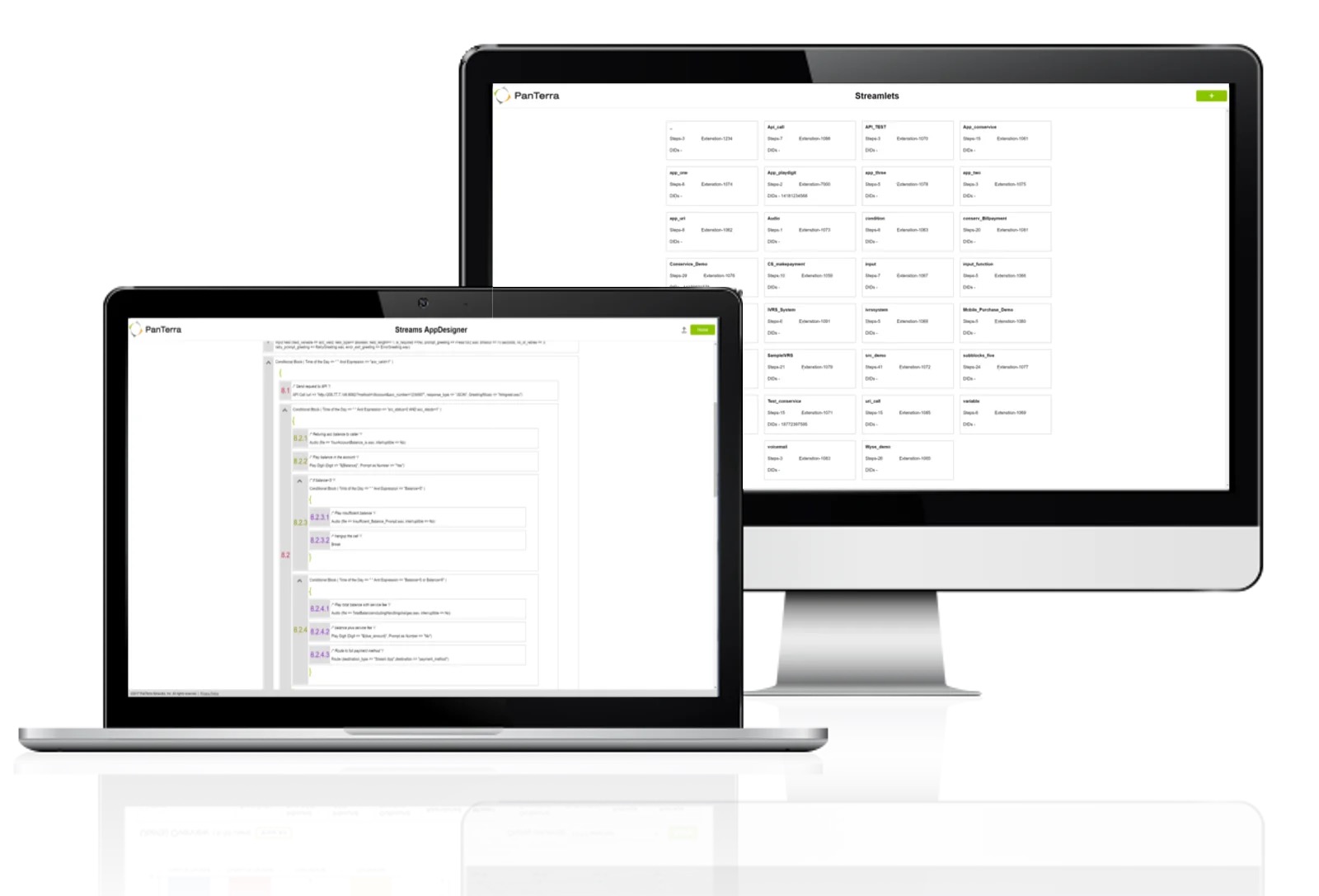
Screenshot of the AppDesigner. PanTerra can set up the platform before deployment, but turn-key tools are offered to do more with its open API.
Screenshot of analytics and reporting dashboards. These offer access to analytic performance data that is customizable and available for the life of an open account.
Screenshot of some device safeguards. PanTerra IP Phones utilize TLS, HTTPS certificate management, call server redundancy, and SRTP for voice. Additionally, PanTerra's built-in mobile security features allow lockout of stolen devices and admin tools support immediate reassignment of user content.

1 / 4

Screenshot of some of the advanced collaboration features. Streams is an end-to-end cloud communications, collaborations, and file sharing suite.

Top Performing Features

  • High quality audio

    High quality audio connection is consistently available, with few or no interruptions.

    Category average: 8.7

  • High quality video

    High quality video connection is consistently available, with few or no interruptions.

    Category average: 8.6

  • User authentication

    Administrators can require users to authenticate their identities before joining a meeting.

    Category average: 8.9

Areas for Improvement

  • Mobile app for Android

    Android app

    Category average: 8.6

  • Team messaging

    Team members can send each other messages.

    Category average: 8.6

  • Business SMS/External Messaging

    Unlimited SMS and/or MMS with clients

    Category average: 8.3

Need a reliable and easy to use phone system with great data points PanTerra Networks is right for you.

Use Cases and Deployment Scope

We used PanTerra Networks as our main phone system for handling customer inquiries and internal communication. Overall, we saw nearly no downtime and had great call quality. Our only "problem" was we needed our phone system to integrate with a specific software application to link all of our customer service systems together. We had a great experience with PanTerra Networks.

Pros

  • Call / System reliability.
  • Quick resolutions from support.
  • Plenty of data points for analytics
  • Ease of updating system (holiday hours, audio messages for auto-attendant, etc.)

Cons

  • Integration with Gorgias software
  • Accounting had asked me to mention the way the bills are shown in the invoices can be confusing as to how it is broken out and what each charge is for. She mentioned wishing it was a little more detailed.
  • Virtual test environment would be nice. When testing if there is an outage or testing updates, it would be cool to either be able to hear what a customer would hear and make sure things are working in the system without interrupting customer service. This is small, but a feature that would be cool to utilize.

Return on Investment

  • Positive: Data analysis for anticipating volume, and planning for the future.
  • Positive: Reliable. We didn't have to wonder if our customers were going to be able to get ahold of us. It was always up and running.
  • Positive: Flexibility. Owners and managers love to pivot at the last second. Streams made it easy to switch phones for new employees, adjust hours for sales and holidays, adjust auto-attendant messages and more. Being able to adjust things quickly was a huge factor for keeping me sane throughout the week.

Alternatives Considered

Net2Phone

Other Software Used

Gorgias, Shopify Plus, Microsoft 365, NetSuite ERP

Happy with the change

Use Cases and Deployment Scope

We use it for our clients for inbound calls from them as well as their customers. We have special numbers assigned to each client so we can answer the phone based on the number dialed making it very customer oriented. We have the SMS enabled and use it on occasion, it's nice to have that way to connect with patients in a HIPAA compliant fashion. Before we had no way to communicate pictures with them. Initially we just answered the calls generically and now can address by the business name.

Pros

  • Support is very easy to use and connect with. And they are quick to help!
  • Setup was pretty quick and easy.
  • They offer month-to-month at a higher price but doesn't lock you into the contract year+.

Cons

  • Billing support is not easy to reach.
  • Being online and on app is a bit confusing. You have to set each to ring or not.
  • We would love if you could change the outbound caller ID faster than in settings. Like when you dial out.

Return on Investment

  • Decreased expenses
  • Better support
  • Easy to configure

Alternatives Considered

RingEX

Other Software Used

Microsoft Teams, Slack

PanTerra Networks Use Review and Recommendation

Use Cases and Deployment Scope

We are a church/non profit and we've had the PanTerra Networks System for 3 years. I've been here for 2 years and the system and features have been pretty easy to use. I like the voicemail to email feature. They offer us an affordable service and I think that is the biggest benefit because the monthly cost is very affordable.

Pros

  • Call Transfers
  • Voice Recording Quality and Delivery
  • Easy to Use Automation System/Auto Attendant

Cons

  • I don't like having to login to download invoices

Return on Investment

  • Affordable Pricing
  • Consistent Pricing

Usability

Happy I made the switch to PanTerra Networks

Use Cases and Deployment Scope

Currently we use PanTerra Networks to allow work from home staff and traveling staff to have access to their office lines while traveling. This allows for us not to miss important client calls and business opportunities. In the past we struggled with meeting our clients needs during times when our teams were out the office. we also use the ring all feature to help with maximizing reach across our teams.

Pros

  • Ring all access to all staff.
  • Customer servicer has been very responsive and helpful
  • Receiving emails of voicemails is very helpful
  • The ability to text and access lines on the app is great

Cons

  • Additional features can be helpful
  • At times my desktop app logs out, for what seems to be no reason.
  • The user interface on desktop can use a bit of a more friendly design

Return on Investment

  • Higher level of access to inbound calls
  • The ability for all our staff to receive or forward calls with ease has been great
  • PanTerra Networks allowed us to ditch our local phone company and still have access to inexpensive services.

Alternatives Considered

Verizon Connect

PanTerra Networks for your Communication Needs

Use Cases and Deployment Scope

For nearly 20 years, we have relied on PanTerra Networks Streams as our call center solution. Streams has proven to be a reliable platform for our call center needs. We offer back-office support to our clients, acting as their remote office team. This means that the phone system we utilize not only assists us but also supports all of our clients. This is why Streams play an essential role in our operations.

Pros

  • Uptime - Streams are consistently reliable, with very few instances of downtime.
  • Price - The pricing has been very effective for us.
  • Customer Support - The support team is excellent.
  • Features - Streams provide a wide range of features.
  • Integration - We initially integrated with Salesforce, and when we transitioned to Zoho a few years later, Streams seamlessly integrated with Zoho.

Cons

  • The process for qualifying to send SMS requires enhancement.
  • Training and documentation on the platform's use are limited.
  • The Single-Sign-On feature using OneLogin functions well in a browser but fails to operate correctly in the desktop version.

Return on Investment

  • In comparison to other services that provide call center platforms, our expenses have been considerable, resulting in a substantial return on investment (ROI).
  • Bringing new users on board is straightforward. We have options that suit our different types of users.

Alternatives Considered

Zendesk Suite, Nextiva and Five9

Other Software Used

Zoho One, Microsoft 365, ClickSend