TrustRadius: an HG Insights company

Kintone

Score7.4 out of 10

54 Reviews and Ratings

What is Kintone?

Kintone is a customizable digital workplace platform that lets the user manage data, tasks, and communication in one central place. Over 30,000 customers use Kintone’s no-code platform with more than 1.5 million database and workflow applications custom built for their businesses.

The no-code drag-and-drop interface can be used to create custom database applications. Whether it’s sales leads, customer quotes, or inventory management, it can be organized in Kintone and viewed from the centralized workplace platform.

Kintone’s collaboration tools let users organize conversations by topic, project, or even by record, making it easy to refer back to past team discussions and decisions. And Kintone’s workflow tools make it easy to spot bottlenecks or see opportunities to reduce redundancies for a more streamlined work experience.

Kintone’s functionality is extended with APIs or integrations with the third-party services that supports other parts of the business. Kintone offers a library of 100+ integrations.

Spaces in Kintone are like a floor in a company’s building set aside just for a particular team. They’re digital “floors” in Kintone where teams can organize, manage, and track everything that matters to them—from tasks and deadlines to weekly reports and project conversations.

Kintone’s mobile app means provides access to work from just about anywhere with an internet connection. It can be used to stay up to date on a running conversation, add new data from the field, or approve a task that needs a sign-off.

Kintone is provided by Cybozu Inc., a Tokyo-based public company founded in 1997.
Boasting users among the largest F500 companies, Kintone's no-code platform with granular governance aims to empower citizen developers in SMBs and team leaders in larger orgs to centralize and streamline workflows.

Media

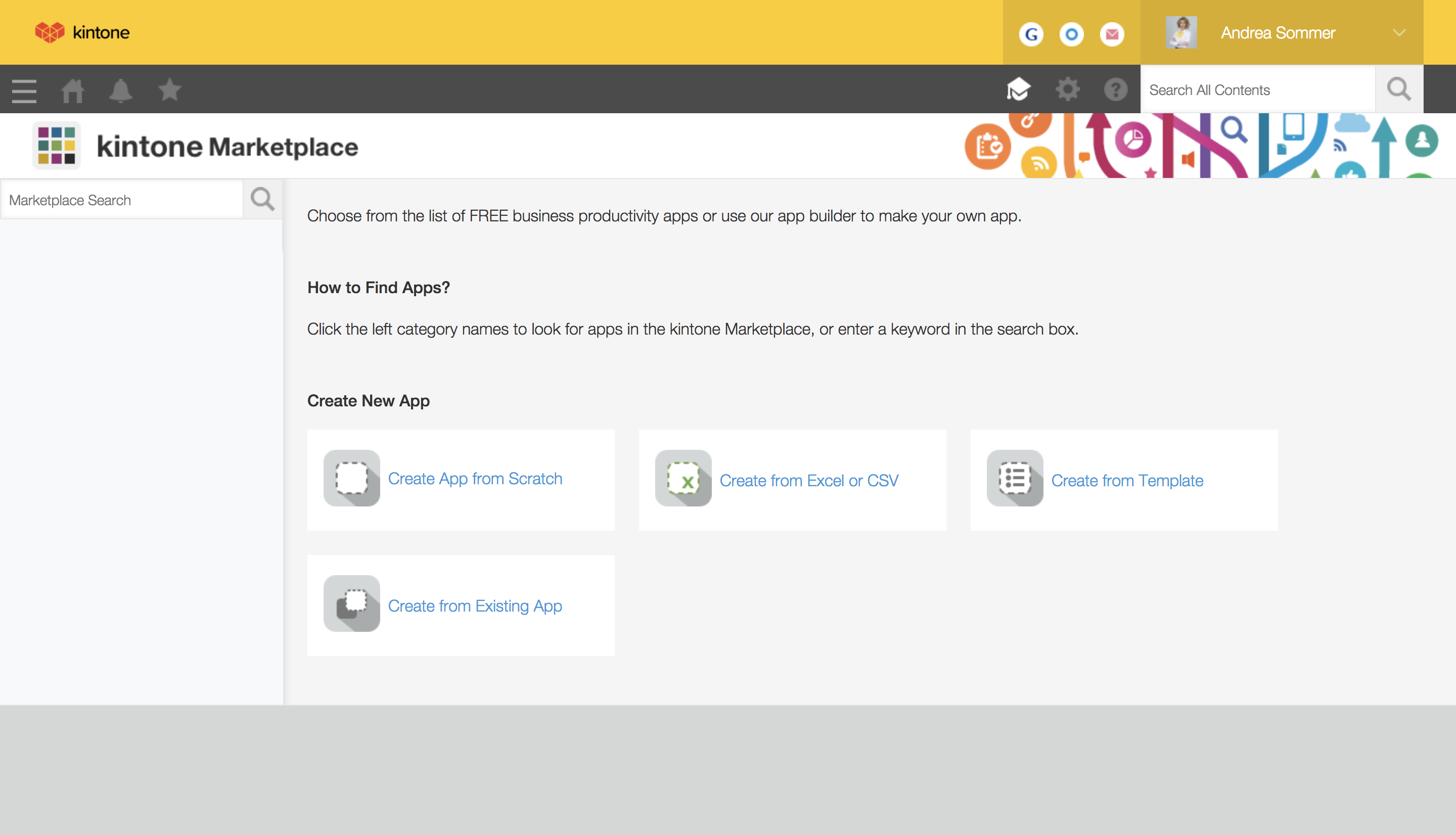
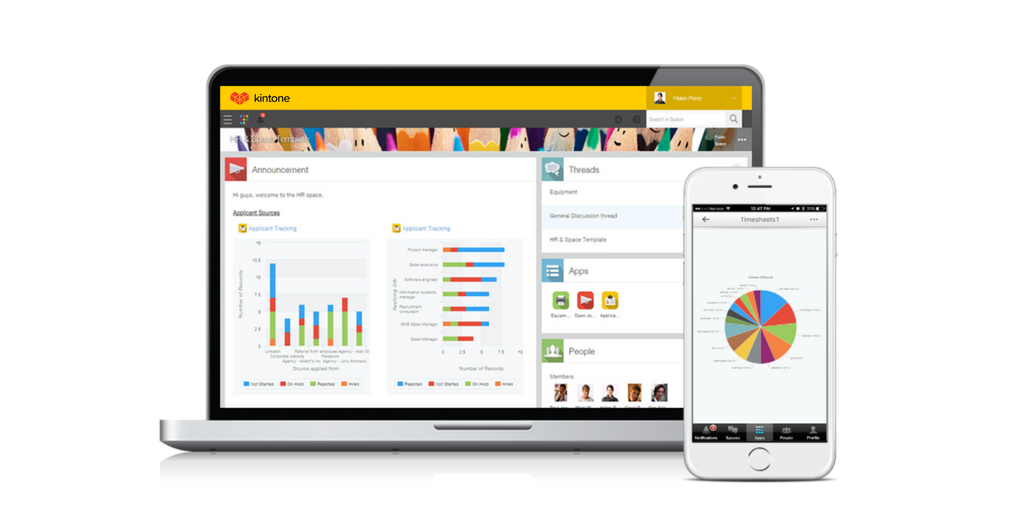
a view of apps from the portal
4 ways to build an app
mobile access
the drag and drop interface
business app views

1 / 5

Top Performing Features

  • Platform User Management

    Tools enabling admins to control user access and on-board and off-board users

    Category average: 9.1

  • Platform Scalability

    Apps developed by low-code platform must be scalable and capable of supporting large numbers of users

    Category average: 9

  • Platform Security

    Security guardrails in place to help prevent malware, data breaches etc.

    Category average: 9

Areas for Improvement

  • Reusability

    An internal repository where assets, modules, and even entire applications can be reused

    Category average: 9.1

Game changer software

Use Cases and Deployment Scope

We use Kintone to help manage our inventory. We use it to track incoming material, material that has been sold but is not yet shipped out and material that has been sent out. We also use it to create invoices for our clients. It really helps us quickly and accurately look at our data to see what material is needed.

Pros

  • It’s very accurate at its calculations and provides a worry free experience. I know as long as I enter the correct data it will give me accurate out puts.
  • The customer service is top notch. It allows you to customize things just how your company needs.

Cons

  • There is so much you can do with kintone which makes it hard at times to customize. It can get confusing for some of the employees to navigate because it can do complex things. This is solved at times with the help of the customer service rep.
  • Kintone focus on the quality of the products functionality and not necessarily how pleasing it is to the eye.

Return on Investment

  • It has helped us reduce the amount of people we need to track our inventory. We’ve saved time and money using less people.
  • We are able to see our data much better now and have a spot that we can all look at the database on the go.

Alternatives Considered

QuickBooks Commerce

Drag and Drop Interface is excellent! Great software to imagine what you want something to look like and see it happen in realtime!

Use Cases and Deployment Scope

An easy straightforward way to drag and drop fields where you need them which allowed for a great-looking presentation. Using Kintone for sorting information was great.

Pros

  • Organization.
  • Easy to Use.
  • Great for Presentations.

Cons

  • Cannot attach images to templates.
  • Limits on how many fields can be added.
  • Pricing too high.

Return on Investment

  • It was great to show concepts of data collection.
  • Nothing came to fruition with Kintone as it was too expensive for upper management to approve while I was testing it for potential future use.

Alternatives Considered

Google Sheets

Other Software Used

Google Sheets

Usability

We need software which does everything else but email and calendar, that is why we have Kintone.

Use Cases and Deployment Scope

Other than our email through Outlook. Kintone is the primary online software that our office uses to manage the office. This includes a document library, a CRM-like system for constituent casework, a project management tracker, and communication software. The document library is simply a holder of our documents. The constituent casework portion tracks staff actions taken in assisting constituents with the issues they ask about. The project management tracker is for when we file bills and keep track of the changes made and wherein the process of a bill is. Lastly, we will use the messaging feature for communications that are not time-sensitive.

Pros

  • Document library.
  • Being able to @ someone and link them to a specific item.
  • Segment work into different "apps".
  • Announcements page.

Cons

  • The settings menus are complicated.
  • The settings menus and the system admin pages are separated.
  • The UI is often a bit clumsy.
  • The notifications/reminders are difficult to setup and calibrate.

Return on Investment

  • Since using the software, our office has had 686 constituent case files.
  • We have used it to track and draft 70+ bills.
  • It holds all of our stuff in one place.

Other Software Used

Microsoft 365 (formerly Office 365), Google Calendar, Constant Contact

The Best Decision we Ever Made

Use Cases and Deployment Scope

We use Kintone on a daily basis for sales leads, quoting, purchasing, and client management. It is thoroughly ingrained in our day-to-day operations. It helped take us from a position where we needed to keep track of paper copies moving around our shop to a point where every piece of information is digital. We track the time it takes to complete projects, who was involved, what steps were taken, etc. Kintone may be the most powerful tool we use.

Pros

  • Automation
  • Reduction of Redundancy
  • User History

Cons

  • Developer Documentation
  • Styling without CSS
  • Better form output without the need for 3rd party plugins

Return on Investment

  • It used to take us 15-20 minutes to create a quote for a client. It now takes less than 3.
  • It allows a few of our employees to work remotely, which was essentially impossible prior.
  • We can see raw data for success/failure rates, which we actively use in our employee review process.

Alternatives Considered

Quickbase and FileMaker Pro

Other Software Used

Adobe Illustrator CC, Adobe PhotoShop

Kintone delivers and some!

Use Cases and Deployment Scope

We utilize it to document client information to then use for reporting.

Pros

  • User friendly.
  • Structural design.
  • Data capture.
  • Reporting capabilities.

Cons

  • Integration between apps could be easier.

Return on Investment

  • We have been able to customize apps to capture the exact data we need for reporting.

Other Software Used

Axiom Sales Force Development

Usability
