TrustRadius: an HG Insights company

Keap

Score6.5 out of 10

380 Reviews and Ratings

What is Keap?

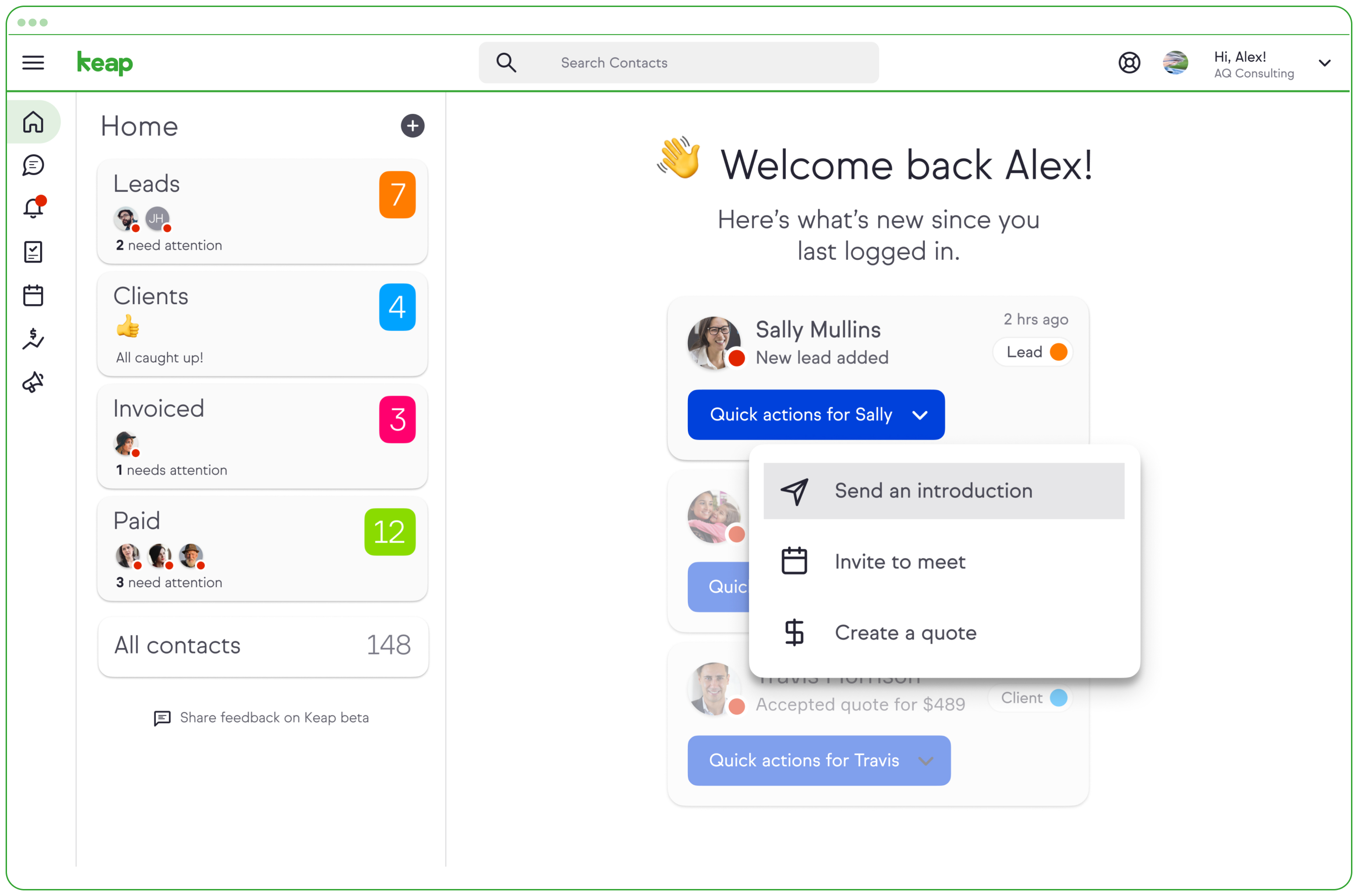
Keap is a small business-focused, comprehensive sales and marketing platform which combines basic contact management, CRM, marketing automation, and e-commerce capabilities into a single, subscription-based SaaS product.

Media

a Keap invoice
the entire sales pipeline displayed in one view.

1 / 3

Top Performing Features

  • Automated follow-ups

    Email or text follow-up messages are automatically sent in response to buying signals from potential customers. Contacts may be segmented and tagged for auto-replies with personalized messaging.

    Category average: 9.6

  • Sales pipeline management

    Sales funnel automation with triggered actions at different stages, pipeline visualization, and performance tracking for revenue forecasting, conversions, duration, etc.

    Category average: 9.7

  • WYSIWYG email editor

    Users can create html emails through a drag-and-drop interface, without html coding knowledge.

    Category average: 8.2

Areas for Improvement

  • Custom reports

    Users can create custom reports.

    Category average: 4.6

  • API

    An API (application programming interface) provides a standard programming interface for connecting third-party systems to the software for data creation, access, updating and/or deletion.

    Category average: 5.8

  • Standard reports

    The software offers pre-built reports with metrics standard to the category.

    Category average: 4.6

Keap: Affordable, Supportive, and Rich with Resources

Use Cases and Deployment Scope

Keap serves as our CRM, our email communications platform, and a place to manage our e-commerce. We previously had an ineffective patchwork of cheap tools, and Keap has been worth every penny in preventing all the loss of information translation between those. I love the automation available as it provides us with plenty of opportunities to streamline our processes, nurture campaigns, and follow up. It provides us with better ways to track our income as well as the effectiveness of our marketing. Along with AccessAlly, we have recently been able to integrate Keap into our website processes as well, further automatic our customer journey for both members of the organization and new leads.

Pros

  • Pricing: Keap Max Classic (formerly Infusionsoft) is affordable for nonprofits and small businesses and includes all the automation features we need!
  • Customer Support: Our onboarding and success coaches have been so helpful, taking into account some unique processes we have and finding solutions.
  • Updates: Keap is constantly providing more and better solutions!

Cons

  • Analytics: They have recently added some analytic reports and dashboards, but I believe they still have a lot to be desired here. Because they are still rather new, I do have faith these will be updated.
  • Membership: Our organization and e-commerce include membership to our Institute, which isn't quite something that Keap was designed to support, so we have to get creative to automate processes or are stuck with some manual things.
  • Shopping Cart: The Keap shopping cart leaves something to be desired with UX, especially for our international customers.

Return on Investment

  • Drastically reduced the time we spend nurturing new leads.
  • Converting more leads to customers by allowing us to automate nurture and follow-up.
  • Provided reporting that we previously lacked on our marketing efforts.

Alternatives Considered

HubSpot Academy, HubSpot CRM, Constant Contact and Mailchimp

Other Software Used

Drupal, Givebutter, WordPress

Super powerful as long as you can handle learning superpowers

Use Cases and Deployment Scope

We use Keap as our primary CRM for both prospects and current customers, housing data about the marketing and sales process as well as current plans, team members, invoices, subscriptions, and anything needed to describe a customer account. We also use it as our primary email marketing and automation tool building evergreen campaigns, one-time campaigns and blasts, or triggering 3rd party integrations for things like direct mail and text messaging.

Pros

  • Highly customizable - fields in contact records can be created and integrated with many different tools
  • Automation - this takes a learning curve to do really well but is very powerful if you know how to use it. Well beyond cheaper email campaign solutions
  • Reports (mostly) - There are probably hundreds of reporting options in different parts of Keap, and the most useful ones can be highly customized with all custom fields, saved, and used on a recurring basis. Some reports I wish had more capabilities like their main ones, but for the most part it works very well.
  • Integrations

Cons

  • Detailed logic building in campaigns can be somewhat challenging for new users. After 5 years I don't feel limited by this but when it's time to train new team members they're prone to mistakes for quite a while.
  • Some reports lack the ability to combine with custom fields/other search parameters which requires some work arounds like tagging the results of one report to open in a different report and narrow down.
  • Change history on company records, contact records, subscriptions etc is difficult to see. This doesn't come up often but sometimes we need to see who changed a setting or subscription and can't find that right within Keap
  • Quickbooks integration. This applies mainly to Keap Max Classic, but connecting invoices to quickbooks now requires a zapier connection which is not as simple as most zapier connections to make work cleanly, especially with multiple products on an invoice.

Return on Investment

  • We use it to build out months of content at a time or leverage evergreen campaigns for new leads, sales funnels, etc. and that saves a lot of time for our team

Other Software Used

Zapier, ConvertFlow, Leadpages, WordPress

Simple, intuitive automation software

Use Cases and Deployment Scope

We use Keap for all sales and customer service automation, in addition to marketing campaigns. Keap helps us stay in regular and easy contact with leads, clients, and partners by scheduling out communication cadences with automated tasks. We also send all one-off communications and newsletters through Keap. The reporting and functionality are exactly what we had in mind for our business when we began pursuing joint CRM/marketing software.

Pros

  • Newsletter sends
  • Automated sales cadences
  • Detailed contact records

Cons

  • Pipeline reporting and modification
  • Sometimes when they roll out updates, things get buggy.
  • Lead scoring in Keap Pro

Return on Investment

  • Save time while doing follow-up.
  • Grow new sales revenue by nurturing contacts and closing more deals.
  • Grow renewal revenue with newsletters and engagement emails.

Alternatives Considered

Salesloft

Other Software Used

Tidio, RollWorks, Mailchimp

Wonderful for small businesses

Use Cases and Deployment Scope

We use Keap primarily for all email marketing across the entire organization. The tools we use are email broadcasts, campaign builder, and CRM (as a basic look into [the] behaviors of our members). Keap allows the organization to automate sequences and provide a personalized relationship with our members to increase engagement and retention. It also is the perfect tool for nurturing potential members and users across the organization.

Pros

  • Community forums, customer support, and training/tutorials. If there is an issue you're running into, chances are you'll find the answer in one of those three places.
  • Analytics for the Campaign Builder is in-depth and provides our team with what we need.
  • Contact dashboard.
  • The drag-and-drop email builder is very intuitive. There is an option to add your own email code in as well. If you're looking for a robust drag and drop email builder, I'd recommend looking at other options.

Cons

  • Keap used to allow email recipients to click on a link within the email to pull up an HTML version. This was huge for our organization, as it allowed our global members to translate an email easily into their native language. This has been a huge pain point since they removed this option.
  • Spam issues keep you from sending an email broadcast. For example, we were sending a lot of resources and free webinars to our members for COVID-19, as well as conducting industry research on how the pandemic is affecting the profession. "COVID-19" was marked as a spam word in their system, and because of it, we weren't allowed to send out emails with that word, even though it was specifically what we were talking about. You can usually work around these issues by rewording, but it still makes it a bit clunky. I'm a big fan of having the spam filter to keep you aware of issues in your copy, but it shouldn't keep you from sending an email. Keap customer support said to work around this, send via the Campaign Builder.
  • Email broadcast reporting now only shows the first link clicked, rather than all links clicked. Ever since this has been implemented we have not been able to track ad clicks reliably.

Return on Investment

  • Using the Campaign Builder to create personalized and robust renewal campaigns has allowed us to increase our retention year after year.
  • Simple drag and drop email builder makes putting together a quick, last-minute email easy.

Usability

Alternatives Considered

GetResponse and Klaviyo

Other Software Used

Asana, Trello, Google Drive

Keap - reliable campaign automation.

Use Cases and Deployment Scope

Keap is being used in several different ways. Primarily in lead nurture. We use a Keap form to collect lead contact info. From there, we have automated email sequences to build a relationship with the lead. We also use Keap for customer testimonials. After a lead has been purchased, we send them an automated sequence that asks for feedback.

Pros

  • Automated emails.
  • Lead database.
  • Application integration.

Cons

  • More price options.
  • More done for you templates.
  • More onboarding tutorials.

Return on Investment

  • Save time.
  • Gain testimonials.
  • Gain feedback.

Alternatives Considered

Mailchimp, AWeber, SendFox and Typeform

Other Software Used

Nifty, WordPress, LastPass for Business