HubSpot's Marketing Hub is an all-in-one inbound marketing engine that includes tools for email marketing, landing page creation, social media marketing, content management, reporting & analytics, search engine optimization (SEO), and more.
$15
per month per seat
Keap
Score6 out of 10
N/A
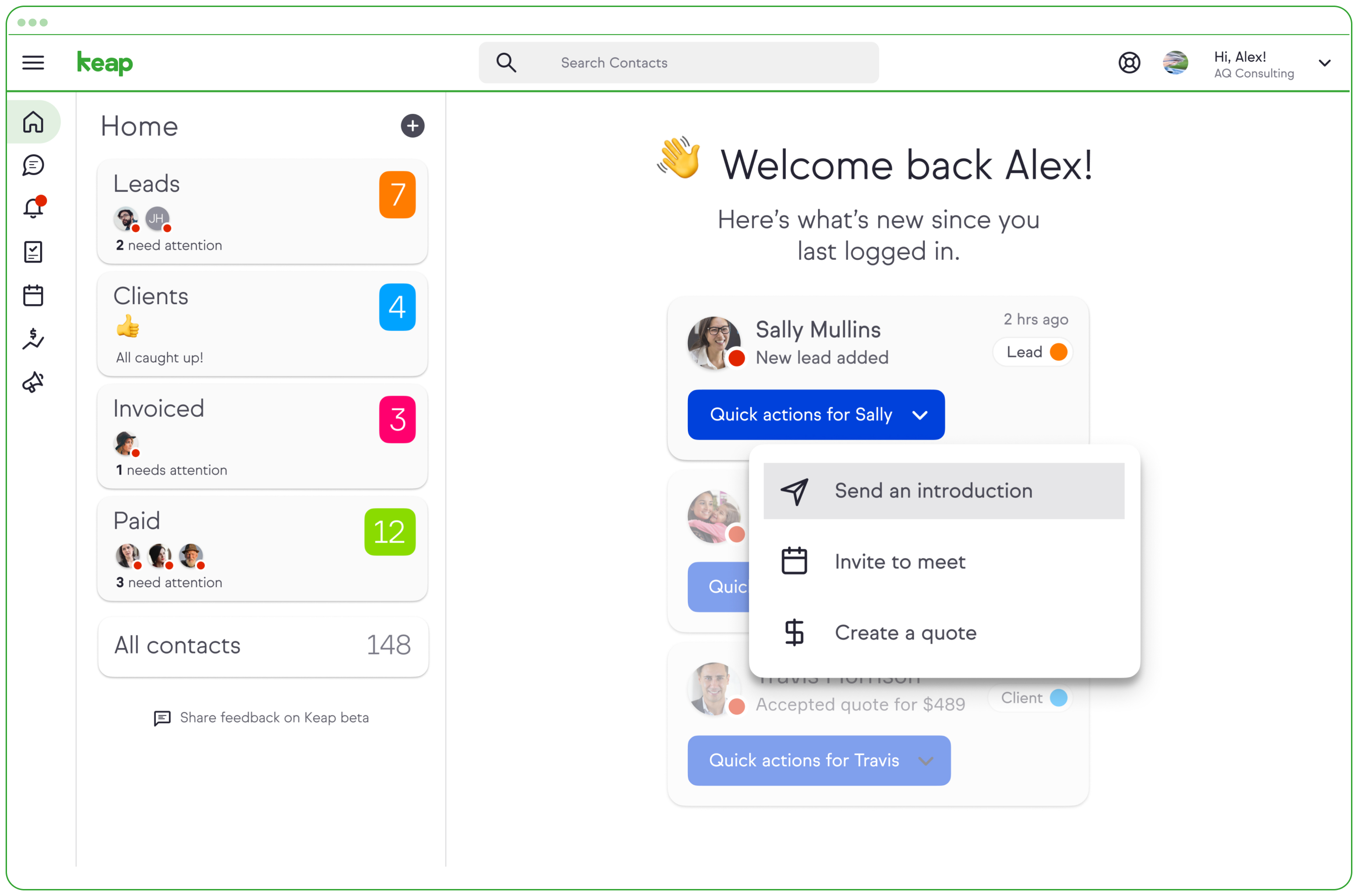
Keap is a small business-focused, comprehensive sales and marketing platform which combines basic contact management, CRM, marketing automation, and e-commerce capabilities into a single, subscription-based SaaS product.
$199
per month
Pricing
HubSpot Marketing Hub
Keap
Editions & Modules
Marketing Hub Starter
$15
per month per seat
Marketing Hub Professional
$890
per month Includes 3 Core Seats (Additional Core Seats start at $50)
Marketing Hub Enterprise
Starts at $3,600
per month Includes 5 Core Seats (Additional Core Seats start at $75)
Pro
$199.00
per month
Max
$289.00
per month
Max Classic
Contact Us
per year
Offerings
Pricing Offerings
HubSpot Marketing Hub
Keap
Free Trial
Yes
Yes
Free/Freemium Version
Yes
No
Premium Consulting/Integration Services
Yes
Yes
Entry-level Setup Fee
Required
Optional
Additional Details
—
All plans with 1 user and 500 contacts. The price is $30.00 for each additional user.
Small Business Owner in Corporate at Alcheme (Marketing & Advertising, 11-50 employees)
Chose HubSpot Marketing Hub
I love the simple workflow on Keap, it's very streamlined and can easily connect different aspects on the marketing. However, HubSpot Marketing Hub has so much more with the ads, social media, campaigns, & SEO. I started off with HubSpot over 10 years ago but tried Keap for a …
A de minimis incentive was given to thank the reviewer for their time. The incentive was not used to bias or drive a particular response, nor was the incentive contingent on a positive endorsement. More Info
Verified User
Chose HubSpot Marketing Hub
Hubspot offers a much larger portfolio of products and services than Infusionsoft. HubSpot's inbound marketing software allows businesses to transform the way that they market online. Its service portfolio includes social media publishing and monitoring, blogging, SEO, website …
A de minimis incentive was given to thank the reviewer for their time. The incentive was not used to bias or drive a particular response, nor was the incentive contingent on a positive endorsement. More Info
Search Engine Optimization Analyst in Marketing at Agile CRM (Computer Software, 51-200 employees)
Chose HubSpot Marketing Hub
I think HubSpot has a uniqueness among all of them. HubSpot is very famous and used by so many customers all over the world. So HubSpot knows how to maintain a healthy relationship with the customers and provide an excellent service to them. This was the main reason to select …
A de minimis incentive was given to thank the reviewer for their time. The incentive was not used to bias or drive a particular response, nor was the incentive contingent on a positive endorsement. More Info
IT Manager and marketing support in Information Technology at BMW (UK) Manufacturing Ltd (Publishing, 1-10 employees)
Chose HubSpot Marketing Hub
SharpSpring seemed cheaper, but it did not have the same functionalities as HubSpot and it looked a lot harder to learn and use. We were also told that the analytics are completely unreliable.
Infusionsoft, again, didn't have all the tools HubSpot offers, so we couldn't keep …
A de minimis incentive was given to thank the reviewer for their time. The incentive was not used to bias or drive a particular response, nor was the incentive contingent on a positive endorsement. More Info
Inbound Marketing Consultant in Marketing (Design, 1-10 employees)
Chose HubSpot Marketing Hub
In my opinion, HubSpot provides much better support, it's easier to understand, it educates its users and provides them with educational content all the time. Moreover, I think HupSpot is a more complete tool and focus on all aspects of your online digital strategy while Infusio…
A de minimis incentive was given to thank the reviewer for their time. The incentive was not used to bias or drive a particular response, nor was the incentive contingent on a positive endorsement. TR verified that a representative sample of customers was invited. More Info
Business Owner in Marketing at CreatedRed Media (Marketing and Advertising, 1-10 employees)
Chose HubSpot Marketing Hub
We chose HubSpot because of the ease of use of the tool compared with other products and its ability to bring together all our end-to-end marketing activities and report on them as a whole. However, the big advantage that HubSpot has over its competition is the sheer level of …
A de minimis incentive was given to thank the reviewer for their time. The incentive was not used to bias or drive a particular response, nor was the incentive contingent on a positive endorsement. More Info
Marketing Assistant in Marketing at Purple Frog (Marketing and Advertising, 1-10 employees)
Chose HubSpot Marketing Hub
Hubspot is more simple, and because it's a lot more simple and clear it's more professional. Hubspot also offers training as I mentioned in some other sections, the training is so useful in my every day work life and makes you a lot more valuable as a business person. Hubspot …
A de minimis incentive was given to thank the reviewer for their time. The incentive was not used to bias or drive a particular response, nor was the incentive contingent on a positive endorsement. More Info
Marketing Executive in Marketing at Purple Frog (Marketing and Advertising, 11-50 employees)
Chose HubSpot Marketing Hub
Much more complete and professional.
Reporting is much stronger and a lot more geared towards inbound marketing, rather than general marketing automation. It's a more complete solution with everything you need in regards to inbound marketing, whereas the others all miss some …
A de minimis incentive was given to thank the reviewer for their time. The incentive was not used to bias or drive a particular response, nor was the incentive contingent on a positive endorsement. More Info
Project Director in Marketing at Vividfish Ltd. (Internet, 1-10 employees)
Chose HubSpot Marketing Hub
We have found the overall usability of HubSpot much much better than Infusionsoft. It's obvious much more thought has been given to the user interface and how the different tools integrate with each other.
A de minimis incentive was given to thank the reviewer for their time. The incentive was not used to bias or drive a particular response, nor was the incentive contingent on a positive endorsement. More Info
A de minimis incentive was given to thank the reviewer for their time. The incentive was not used to bias or drive a particular response, nor was the incentive contingent on a positive endorsement. More Info
VP of Marketing Automation in Marketing at 1 on 1 Lessons (Market Research, 1-10 employees)
Chose HubSpot Marketing Hub
Infusionsoft has a great campaign builder as it uses modules and workflows that are easy to build without previous experience or knowledge. However, Infusionsoft's CRM is wildly unorganized and inefficient compared to HubSpot. HubSpot's interface as a whole is also extremely …
A de minimis incentive was given to thank the reviewer for their time. The incentive was not used to bias or drive a particular response, nor was the incentive contingent on a positive endorsement. More Info
Consultant in Marketing at WSI - JREGOnline, Inc. (Marketing and Advertising, 1-10 employees)
Chose HubSpot Marketing Hub
We have used Infusionsoft supporting some of our clients, and found it to be more of a toolkit for lead nurturing, and less of a methodology for attracting and developing new clients. But it is serviceable in its proper role. We also found Infusionsoft to be very confusing to …
A de minimis incentive was given to thank the reviewer for their time. The incentive was not used to bias or drive a particular response, nor was the incentive contingent on a positive endorsement. More Info
President and Founder in Marketing at Marketing Ninjas (Marketing and Advertising, 1-10 employees)
Chose HubSpot Marketing Hub
Infusionsoft is a platform that we started using before HubSpot and we still use today. There are specific features that I like better with Infusionsoft than with HubSpot. The biggest feature that Infusionsoft has that HubSpot is missing is the integrated eCommerce and order …
Verified User
Chose HubSpot Marketing Hub
One of the key points for us was its analytics power and all the potential of its automation processes. There is a huge impact of a whole "inbound marketing" culture and values.
President at The Stage 2 Solution (Financial Services, 1-10 employees)
Chose HubSpot Marketing Hub
We don't do subscription services which is where Infusionsoft shines. We do marketing, social and web presence work. That is where HubSpot shines. We choose HubSpot because it solves our sales and marketing needs in both functionality and the amount of human cost it takes to …
President in Marketing at JoltCMS (Marketing and Advertising, 1-10 employees)
Chose HubSpot Marketing Hub
I chose HubSpot mostly because of the reputation in the industry as the leader. I've had clients/prospects ask me to compare to InfusionSoft, in particular, and I say it's just not the service we use. I don't spend a ton of time comparing. HubSpot works great and we have proof …
Director of Business Development in Marketing at Pones, Inc. (Marketing and Advertising, 1-10 employees)
Chose HubSpot Marketing Hub
GreenRope had a difficult user interface. It had an CRM which was appealing, but HubSpot has since added a CRM. InfusionSoft did not have any SEO added into the product. That was a huge part of our decision. We spoke with a business acquaintence who uses InfusionSoft, and she …
Marketing Operations Manager in Marketing at Marketing Ninjas (Marketing and Advertising, 1-10 employees)
Chose HubSpot Marketing Hub
When comparing costs, HubSpot's functionality and ease of use came out as the clear winner. Other products do the same things HubSpot does, but not necessarily all of them, or at a comparable price point. Some may not cost as much but we lose a lot of the options we have with …
A de minimis incentive was given to thank the reviewer for their time. The incentive was not used to bias or drive a particular response, nor was the incentive contingent on a positive endorsement. More Info
Senior Internet Marketing Manager in Marketing at Webolutions (Marketing & Advertising, 11-50 employees)
Chose Keap
Keap is a cost-effective, powerful CRM and marketing automation tool for those who have the time and resources to learn all of its intricacies. For any other system, you will be paying for a better user interface, better reporting and visualizations, more intuitive everything, …
A de minimis incentive was given to thank the reviewer for their time. The incentive was not used to bias or drive a particular response, nor was the incentive contingent on a positive endorsement. More Info
Chief Whispering Officer in Sales at The Sales Whisperer® (Marketing and Advertising, 1-10 employees)
Chose Keap
Most any sales and marketing automation platform you use will create a positive ROI for you IF you'll use it. So you have to look at the user experience, support, ecosystem, certified partner community, user community, development, third-party integrations, API, and licensing …
A de minimis incentive was given to thank the reviewer for their time. The incentive was not used to bias or drive a particular response, nor was the incentive contingent on a positive endorsement. More Info
Digital Media Consultant in Professional Services at Vogue Media (Marketing & Advertising, 1-10 employees)
Chose Keap
I actually prefer to use some of these other platforms over Keap/Infusionsoft, however for this particular client we had implemented Keap more than 5 years ago when it was the only platform available to choose from. The problem now is that there are over 200,000 people on the …
A de minimis incentive was given to thank the reviewer for their time. The incentive was not used to bias or drive a particular response, nor was the incentive contingent on a positive endorsement. TR verified that a representative sample of customers was invited. More Info
Verified User
Chose Keap
Out of everything listed, Keap (formerly Infusionsoft) would be my least preferred option. When we first decided to work with it, we were enthusiastic about its new look and features they added, but we ended up encountering many similar issues that we had with Infusionsoft. …
A de minimis incentive was given to thank the reviewer for their time. The incentive was not used to bias or drive a particular response, nor was the incentive contingent on a positive endorsement. More Info
A de minimis incentive was given to thank the reviewer for their time. The incentive was not used to bias or drive a particular response, nor was the incentive contingent on a positive endorsement. More Info
Marketing Technologist in Marketing at Full Cycle Marketing (Marketing and Advertising, 11-50 employees)
Chose Keap
Infusionsoft is the most robust marketing automation platform that we have used. Though it is not for beginners, this is more of a strength than a weakness. We selected Infusionsoft because it is scalable and adaptable to a variety of clients. Other platforms seem to be geared …
A de minimis incentive was given to thank the reviewer for their time. The incentive was not used to bias or drive a particular response, nor was the incentive contingent on a positive endorsement. More Info
Verified User
Chose Keap
Infusionsoft is basically an old, cheap version of HubSpot. The products have high-level similarities but in execution aren't comparable. HubSpot isn't inexpensive, however.
ActiveCampaign is much stronger across marketing automation and CRM. The downside is they don't offer …
A de minimis incentive was given to thank the reviewer for their time. The incentive was not used to bias or drive a particular response, nor was the incentive contingent on a positive endorsement. More Info
Verified User
Chose Keap
Infusionsoft offers some of the same features and options as the other systems but every system has its pros and cons. Infusionsoft worked best for our business model, while the other systems had technical constraints that hindered our ability to streamline our marketing …
A de minimis incentive was given to thank the reviewer for their time. The incentive was not used to bias or drive a particular response, nor was the incentive contingent on a positive endorsement. More Info
Verified User
Chose Keap
Infusionsoft is simplier to use and do limited customizations of. It is definitely not as robust as Salesforce and Infusionsoft doesn't handle managing accounts with multiple contacts. That has been a big limitation for us. The web page/landing page and forms are not as good on …
A de minimis incentive was given to thank the reviewer for their time. The incentive was not used to bias or drive a particular response, nor was the incentive contingent on a positive endorsement. More Info
Holistic Health Practitioner / Personal Trainer / Essential Oil Expert at Naturally Ashlie (Health, Wellness and Fitness, 1-10 employees)
Chose Keap
The only one that even comes close would be ONTRAPORT, as none of the others do everything in terms of CRM, e-commerce, affiliate, autoresponder, etc. I chose Infusionsoft since I already knew and trusted them through use with another business.
A de minimis incentive was given to thank the reviewer for their time. The incentive was not used to bias or drive a particular response, nor was the incentive contingent on a positive endorsement. More Info
A de minimis incentive was given to thank the reviewer for their time. The incentive was not used to bias or drive a particular response, nor was the incentive contingent on a positive endorsement. More Info
Verified User
Chose Keap
We dropped Infusionsoft for another company as we could not get a good API integration for an economic sum.
A de minimis incentive was given to thank the reviewer for their time. The incentive was not used to bias or drive a particular response, nor was the incentive contingent on a positive endorsement. More Info
Marketing Operations Manager in Marketing at Marketing Ninjas (Marketing and Advertising, 1-10 employees)
Chose Keap
To be honest, if we had the option we would work exclusively with HubSpot. However, HubSpot doesn't have the e-commerce feature. That alone outweighs the headaches from working with Infusionsoft. The drip campaign sequences are a great plus too though, and the tagging feature …
A de minimis incentive was given to thank the reviewer for their time. The incentive was not used to bias or drive a particular response, nor was the incentive contingent on a positive endorsement. More Info
Digital Marketing Manager in Marketing at EnerBank USA (Computer Software, 11-50 employees)
Chose Keap
To be strait forward, I love HubSpot and use it in another organization. I also love InfusionSoft. There is a lot of overlap, and some differences. The biggest differences between the two are that HubSpot has more robust reporting. For smaller organizations this may not be a …
A de minimis incentive was given to thank the reviewer for their time. The incentive was not used to bias or drive a particular response, nor was the incentive contingent on a positive endorsement. More Info
As I said previously, I was not a fan at the beginning because, like everyone, I don't take change so well. Once I started following leads through HubSpot Marketing Hub, I integrated it with my email and created templates for what I needed, I started to see the positives immediately. My time working was better spent as I eliminated time put in routine tasks. I was able to track all communication in HubSpot Marketing Hub, we created systems in the office assigning tasks to one another and, through HubSpot Marketing Hub, our leads were able to book meetings in my calendar automatically. To be honest, if you are in sales and marketing, I cannot think of scenarios where HubSpot Marketing Hub cannot help. All I would like to say is, when using templates, pay attention to where you send them - you may need some personalization. I would encourage the management of HubSpot Marketing Hub to create short tutorials for beginners like me who need to configure and start using various features: setting up deals, templates, and dashboards.
A de minimis incentive was given to thank the reviewer for their time. The incentive was not used to bias or drive a particular response, nor was the incentive contingent on a positive endorsement. More Info
Keap is very good at contact management and automation creation but weaker at email campaign creation. I was particularly interested in a function where when manually entering a new contact, you are then able to email that contact using a premade HTML template. It will currently not do this. There is a workaround, but it is unnecessarily ponderous.
A de minimis incentive was given to thank the reviewer for their time. The incentive was not used to bias or drive a particular response, nor was the incentive contingent on a positive endorsement. More Info
A de minimis incentive was given to thank the reviewer for their time. The incentive was not used to bias or drive a particular response, nor was the incentive contingent on a positive endorsement. More Info
A de minimis incentive was given to thank the reviewer for their time. The incentive was not used to bias or drive a particular response, nor was the incentive contingent on a positive endorsement. More Info
While Hubspot has added some collaborative tools, I think this could improve. I'd like to see more options to comment on emails and ways of being able to share out changes as well as approval channels.
The ability to update ads via the calendar is pretty cumbersome. There's no good way to bulk edit or update. You have go into each one individually.
Real time edits would be nice. If you have multiple people working on the same thing, you'll get kicked out and your changes might not be saved.
A de minimis incentive was given to thank the reviewer for their time. The incentive was not used to bias or drive a particular response, nor was the incentive contingent on a positive endorsement. More Info
More articles and videos on how to use the various functions of Keap
Having representatives designated to certain regions or companies for a point of contact when help is needed
More options when building the emails. While the click and drop options can be a plus, they can also be negative because you are limited to image and text sizing and positions
Our business relies on the HubSpot platform to manage our marketing, sales and CRM processes. HubSpot marketing automation helps us define our activities and streamlines them in a cohesive and efficient way. Without HubSpot, we will have to revert to the 'old way' of doing everything with a variety of disparate systems.
A de minimis incentive was given to thank the reviewer for their time. The incentive was not used to bias or drive a particular response, nor was the incentive contingent on a positive endorsement. More Info
We have invested a lot into Infusionsoft and are using it to automate our processes and marketing. Changing CRMs would have a HUGE cost for us and based on our evaluations, the grass isn't greener elsewhere. Infusiosoft fits most of our needs and is slowly getting better each year. Their support is great and we will continue to use them until something much better comes around or our company outgrows a small business CRM.
While there are some frustrating things that pop up unexpectedly ("wait... I can't do X?"), I have found HubSpot to be easy to use and extremely helpful to my daily work. The documentation is really good, and when it's not helpful, the support staff have been amazing.
A de minimis incentive was given to thank the reviewer for their time. The incentive was not used to bias or drive a particular response, nor was the incentive contingent on a positive endorsement. More Info
You do need to spend some time on-boarding and implementing the software in order to have full functionality. We were lucky - we had colleagues at the university with experience with Keap and then hired an intern familiar with the software to get us set up and ready to use it. We've had some functionality issues with it along the way and that has frustrated myself and the other uses in our department.
A de minimis incentive was given to thank the reviewer for their time. The incentive was not used to bias or drive a particular response, nor was the incentive contingent on a positive endorsement. TR verified that a representative sample of customers was invited. More Info
They have had issues with system availability over the course of days. Sometimes the system is unusable, other times updates simply take a long time to show up. It's better now but, from a reliaibility standpoint, HubSpot is not Salesforce.com yet. Still great software though.
With all the new features in HubSpot, the system can get a tad slow sometimes... That said, most of the time it is lightning fast and I have no problems. Because most of the integrations are API, they silently work in the background. I have not had trouble with lag due to HubSpot integration
OMG, it's all in one and that compromises everything, fundamentally. If you want a race car, invest in a race car. If you want a dune buggy, get that. If you want a boat that floats, go for it.
During the few times I've needed it, HS support has been accessible, helpful and efficient. Often rolling up their sleeves to make changes for you as opposed to leaving you with a list of instructions to decipher on your own.
Generally, very responsive support for even our more complicated issues. We do have some open issues that we need resolutions on and that I understand are complicated and will take longer to resolve but the open issues are significantly impacting to our business.
A de minimis incentive was given to thank the reviewer for their time. The incentive was not used to bias or drive a particular response, nor was the incentive contingent on a positive endorsement. TR verified that a representative sample of customers was invited. More Info
I did the 2-day classroom at HubSpot's corporate office in Cambridge. First off, it was amazing to see their corporate office in general. They have such a cool office environment. But it was also great to have the ability to learn in a workshop format with other HubSpot users and meet my Account Manager/ Inbound Marketing Consultant in person.
I have been to a number of in-person training sessions over the years with Keap and all of them have been FANTASTIC. They really put a lot of time and effort into these sessions. Staff and facilitators go out of their way to ensure that participants are getting what they need.
A de minimis incentive was given to thank the reviewer for their time. The incentive was not used to bias or drive a particular response, nor was the incentive contingent on a positive endorsement. More Info
I went through Inbound Marketing University in 2006. Great training and helped my transition from traditional (outbound) marketing to inbound marketing that I've been able to apply to a number of businesses from wastewater and water reuse, to professional services and SaaS. Share information of value to build awareness and trust. Answer customers' questions in a transparent way to generate more qualified leads. Understand the difference between a marketing qualified lead and a sales qualified lead and put together a lead nurturing program. Your sales and marketing efforts will see significant ROI.
The results of training online are often based on how people learn. The training was great but with feature updates, you just have to get in there sometimes and do it! The training definitely lays a firm enough foundation for you to be successful even if its can't be updated with every feature update.
My biggest piece of advice for those who are implementing Hubspot is that you need to devote the time up front and learn how to use the product. Once you learn how to use Hubspot, it will be much more effective as well as much easier to use in the long run
Don't let the fear of implementing a new software solution keep you from unleashing the power of automation that Infusionsoft provides. With the right implementation partner, the process can not only be smooth and painless, it can actually help you get a better understanding for how your current communication process can be improved upon.
Other competing software such as Zoho and Boomtown may have more bells and whistles, but it is too cumbersome and has many parts that only advanced users can operate. With HubSpot, each function is within reach of the average agent. It doesn't overpromise and then makes you feel incompetent when you can't use it all...
A de minimis incentive was given to thank the reviewer for their time. The incentive was not used to bias or drive a particular response, nor was the incentive contingent on a positive endorsement. More Info
Keap is fast. The learning curve is shorter and they have an academy for learning with videos quite extensive that explain a lot of different scenarios, specially when you need to customize scenarios of automations and segments. Is cheaper if you consider that this services CRM + Mailing don´t come often in one package and the realiability to send mails is quite good.
A de minimis incentive was given to thank the reviewer for their time. The incentive was not used to bias or drive a particular response, nor was the incentive contingent on a positive endorsement. More Info
HubSpot is addressing this more and more. Currently you can assign tasks to designated sales teams, which grow as you grow. They've added free baseline products for those just getting started. These and more contribute to the scalability of HubSpot - so I gave it an 8 and am hoping for more in the future!
You get a lot of features included, but you don't need to use them all at once to start seeing an effect. When you are ready to use them, they are there. It also scales without costing too much money.
A de minimis incentive was given to thank the reviewer for their time. The incentive was not used to bias or drive a particular response, nor was the incentive contingent on a positive endorsement. More Info
Automation has allowed us to be more engaged and invested in our customers by reminding us about birthdays and other important events in their lives so that we can celebrate with them.
We lacked the manpower to sell and distribute orders online before setting up the payments and automation features. We now collect $5k+ a week in lost sales through online ordering.
List cleaning functionality and engagment settings have allowed us to run a 40-50% email open rate that allows us to create an engaged community around local events and opportunities as well as sales and special offerings.
A de minimis incentive was given to thank the reviewer for their time. The incentive was not used to bias or drive a particular response, nor was the incentive contingent on a positive endorsement. More Info