TrustRadius: an HG Insights company

Workzone

Score9.8 out of 10

42 Reviews and Ratings

What is Workzone?

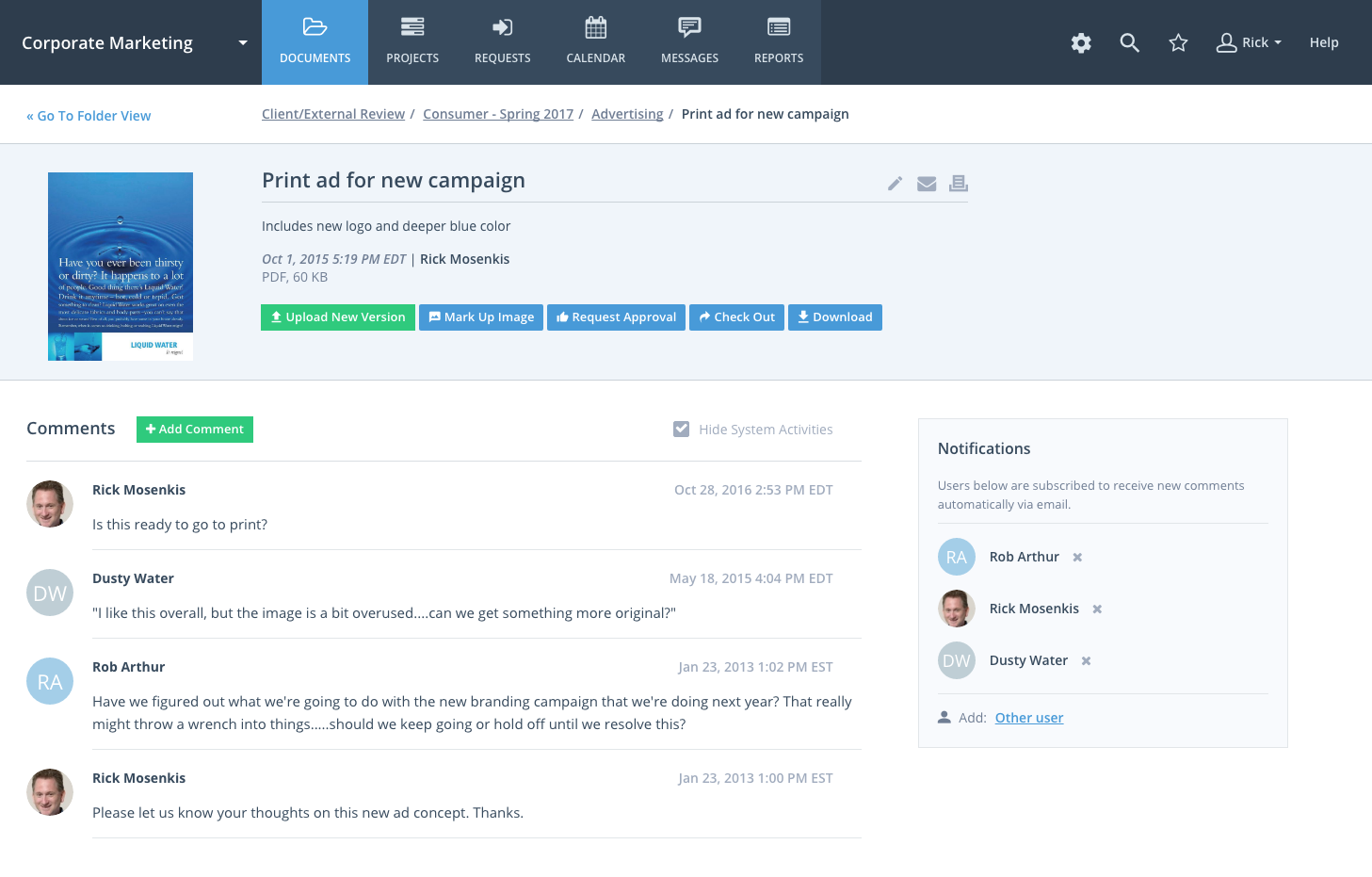
Workzone is a web-based tool for project management and collaboration from Workzone in Norristown, PA, that contains a full array of the features needed for project management. It's hub is the project dashboard, which provides a platform for team communication and tracking tasks over time as they progress towards completion. An automated to-do list can be sent to each user. Alerts flag issues nearing a critical moment or events of which team members need be aware. Templates classify projects and save time, task dependencies keep events happening in the proper order. The central dashboard allows team members to view new project requests, and the familiar Gantt chart organizes projects and their events over time. Workload reports see that tasks are assigned to the personnel best positioned to take them on. Furthermore it includes a calendar, document uploading and sharing capability, assigning permissions, email integration, a discussion board, and other features.

Live unlimited support is available to all customers, a demo is available as well. Pricing is variable.

Categories & Use Cases

Media

Project Dashboard
Document Management
Collaboration

1 / 3

Top Performing Features

  • Change request and Case Management

    Change request and change management enables tracking of all customer requests including priority and timeframe.

    Category average: 8.8

  • Task Management

    This includes the ability to plan, track, collaborate and report on tasks.

    Category average: 9.1

  • Resource Management

    Resource management is workload planning to maximize resources.

    Category average: 8.6

Areas for Improvement

  • Support for Agile Methodology

    Agile is a time boxed, iterative approach to development that builds software incrementally instead of trying to deliver it all at once near the end.

    Category average: 8.1

  • Project & financial reporting

    Ability to analyze project and financial data based on custom criteria to gather insights and improve business performance

    Category average: 8.4

  • Email integration

    Email integration allows work requests to be made directly from email.

    Category average: 8.3

The power to transform ideas into strategies, plans and actions is right here in Workzone platform

Pros

  • Provides real time insight on the status of project and breaks down the project column task dependencies, due dates and resources.
  • Real-time updates on project changes and organizing tasks according to priority and date.
  • Producing reports of time spent on each project and these reports can be exported via PDF or Excel
  • A timeline of the whole organization events such as occasions and vacations are visible on the Group Calendar

Cons

  • The accounting and budgeting features that this software offers are not advanced
  • The software sends numerous number of emails everyday which can be disturbing although this can be changed in the preferences section
  • The overall appearance of this software can be improved although it still gets work done perfectly

Return on Investment

  • We have been able to identify under-utilized resources within the company and balance workload resulting to increased productivity.
  • We have customized the Workzone background logos and colors to reflect the company brand
  • Breaking down of task into subtasks for faster completion and accuracy

Alternatives Considered

Clarizen One and Asana

Other Software Used

Campaign Monitor, Zendesk Support Suite

User friendly and easy to use software with tons of interesting features

Pros

  • This is the most professional Project Management tool.
  • It is [a] most versatile tool.
  • It comprises of many powerful features such as time tracking, resource planning and client management.
  • It plays a very significant role in managing files and controlling version.

Cons

  • Its interface and usability needs some improvement.
  • There is little bit learning curve.
  • Sometimes the slight delay that occurs while updating tasks causes irritation to me.

Return on Investment

  • Managing workload of the team is easy through this.
  • It offers excellent support and value.
  • It keeps all things well organized and also it keeps all things on right track.

Other Software Used

WebEngage, Sapling, Animoto

Workzone Cohesiveness

Pros

  • Organizes the list of projects
  • Clearly states who is responsible for the project
  • Clearly shows when a project is due. Makes outstanding projects that are overdue very noticeable

Cons

  • The design isn’t very eye-catching, but it gets the job done
  • The program sends a lot of emails, but you can change that in Preferences

Return on Investment

  • Keeps everybody on the same page
  • Shows what the department has going on A whole

Alternatives Considered

Asana and Harvest

Other Software Used

Slack, Skype for Business (formerly Lync), Sprout Social

Great solution, Great support and affordable

Pros

  • Workzone is a very secure channel which guarantees 100% security of the user data to prevent it from landing in unwanted hands
  • Workzone has a very attractive user interface which makes it very easy for new users to adopt
  • Workzone allows creation of templates from existing projects, which saves time when dealing with similar projects

Cons

  • The document manager module for this software has not been linked to the project tracker, hence completed projects cannot be automatically archived
  • Projects which are delayed by one task are affected as whole, independent tasks which were completed in time are also affected.

Return on Investment

  • The customer support offered by this software is fantastic to increase the organization's reputation
  • With this software, the organization has realized a simple tracking of all the uploaded files.
  • It saves the cost of processing payrolls because of its ability to facilitate processing of all the payrolls including the international ones.

Usability

Alternatives Considered

ADP Streamline Payroll

Other Software Used

LiveChat HelpDesk, AdGear Advertiser, AceProject

Enhance your project management w/ WorkZone!

Pros

  • The to-do list gives a great overview of tasks do, keeping me on track for the day and allowing me to prioritize easily.
  • It's a great way to move projects along between different members of our work team and we're able to customize by placing comments in the notes section of each task.
  • Email reminders help to move things along when other duties take us away from WorkZone. Despite using it daily, sometimes we need a reminder to check in on a project!
  • It's easy to customize templates if a task or group of tasks need to be added to a particular project or multiple similar projects. This makes making changes faster!

Cons

  • I'd like to have additional features where we can add URL's and contact information for each project. This way, folks could go to one place to get all of the information for one project.
  • The overall visual impact of WorkZone could be improved. Nothing too busy, but the ability to color code notes (highlighting, etc.) would be helpful to draw attention to urgent items.
  • Making WorkZone more intuitive may assist folks - pop-ups regarding dependencies, simpler explanations when trying to build projects and mistakes are made, etc.

Return on Investment

  • It has positively affected our workflow - keeping projects moving without requiring constant back and forth of emails and other communications.
  • It has helped our team to avoid missing crucial steps in project and client management.
  • We are definitely more efficient when WorkZone is being used and updated properly!

Other Software Used

Salesforce.com, Hootsuite Pro
