TrustRadius: an HG Insights company

Paligo

Score9.4 out of 10

39 Reviews and Ratings

What is Paligo?

Paligo, headquartered in Stockholm, offers their component content management system (CCMS), supporting the creation and publishing of technical documentation and help systems.

Media

branching in Paligo
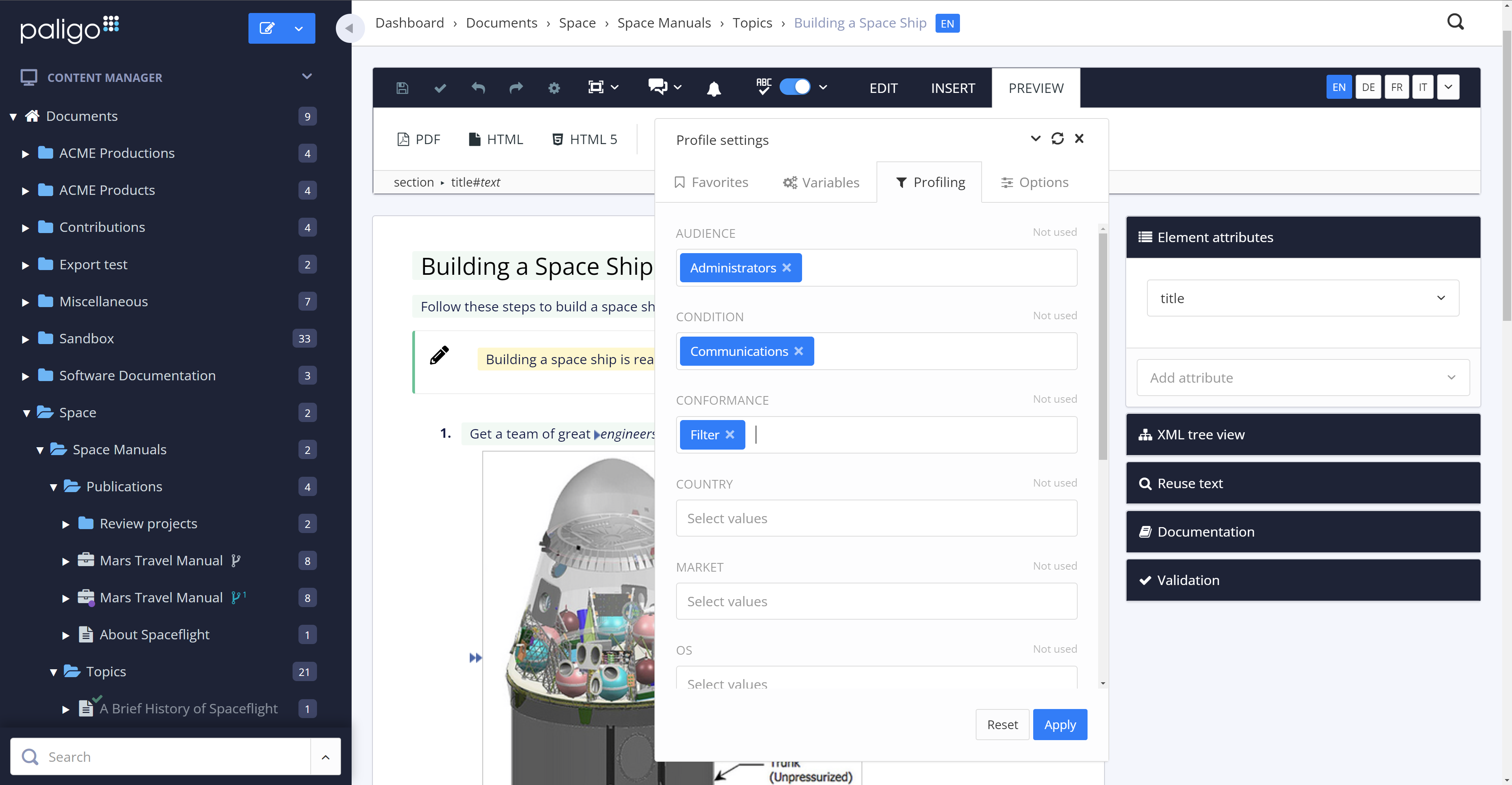
conditional filters in Paligo
the contributor editor in Paligo
some of the integration options in Paligo
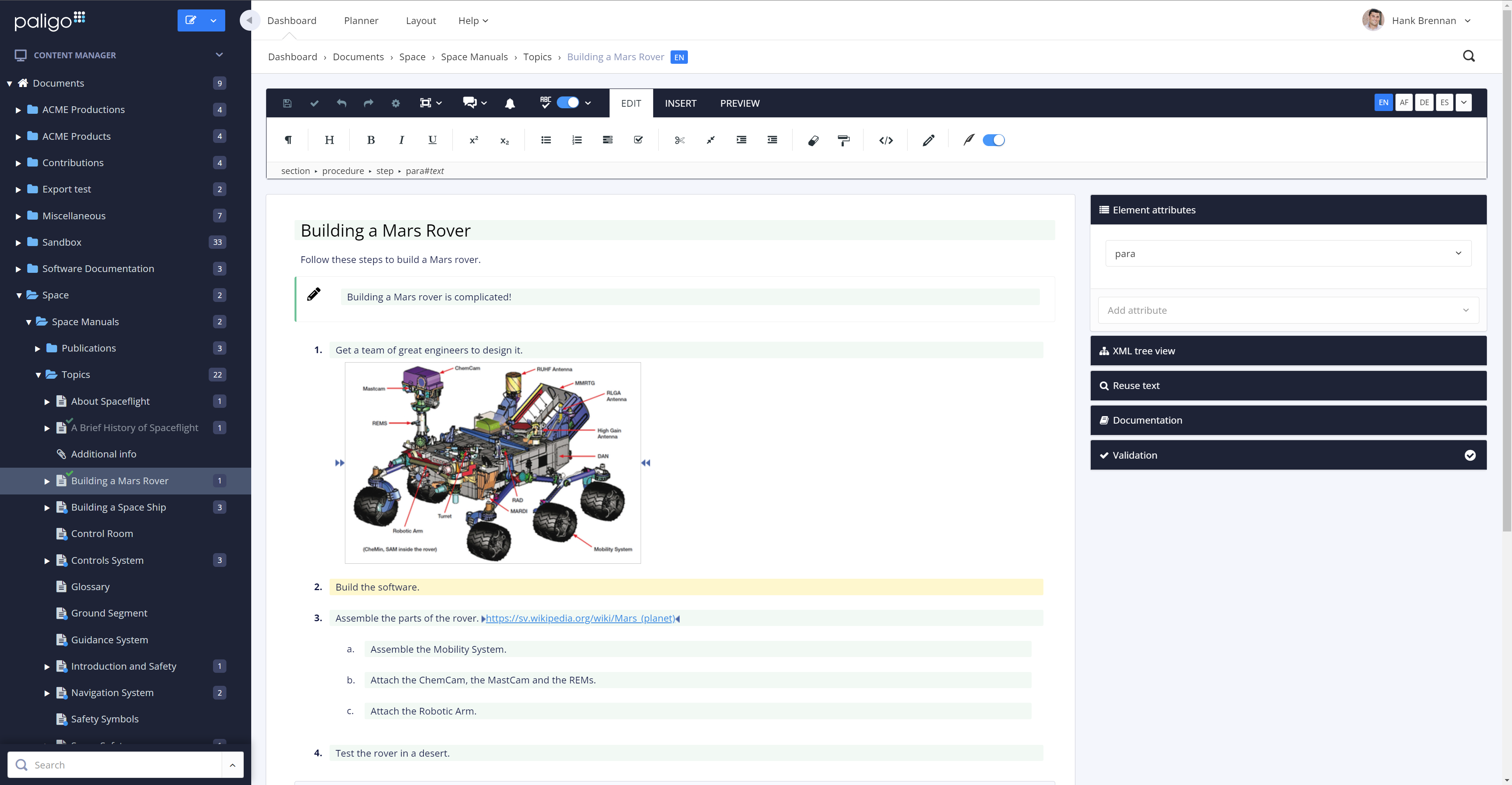
the main editor in Paligo
multi-channel publishing options in Paligo
the assignment planner in Paligo
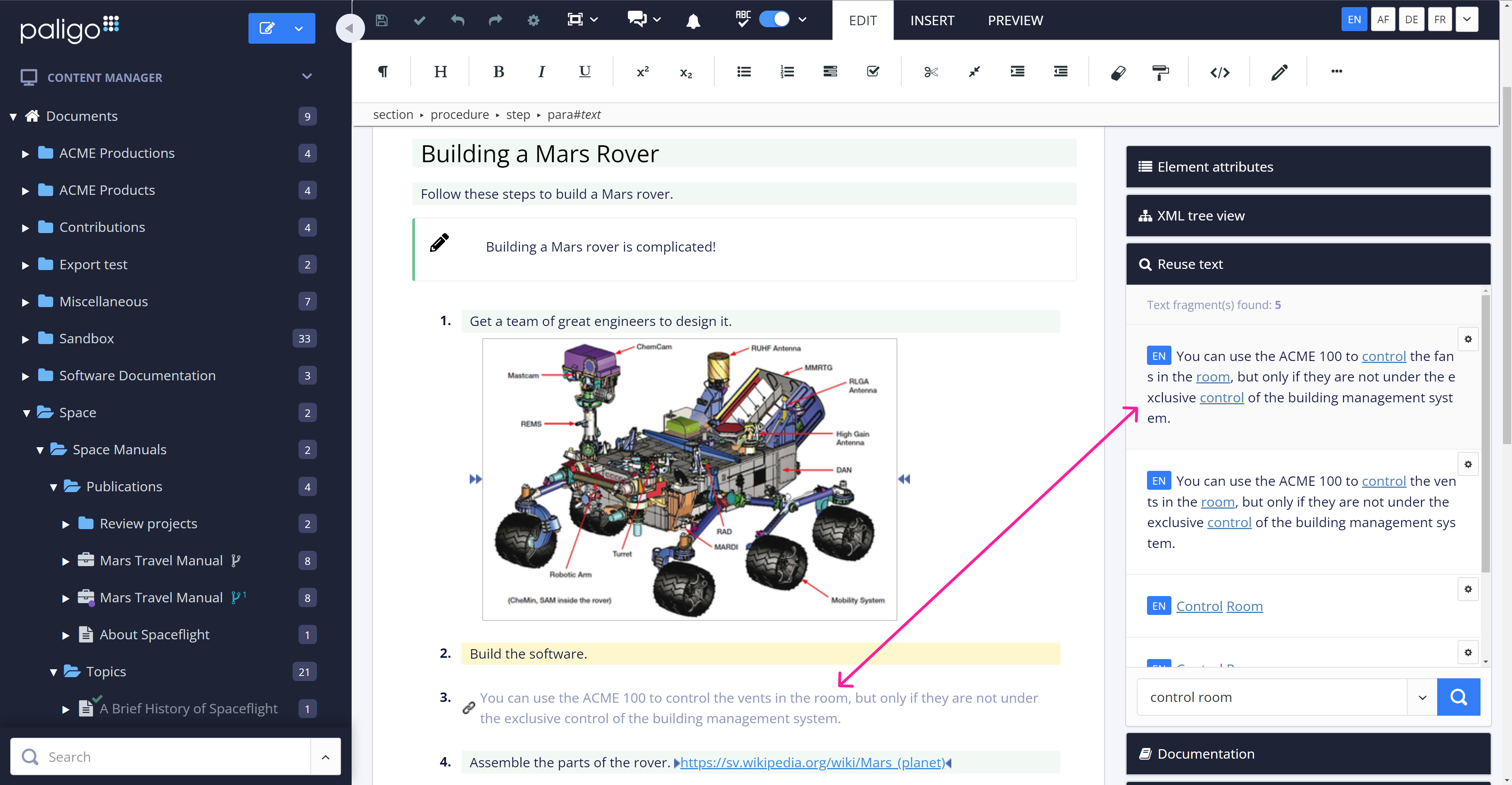
content reuse in Paligo
SME reviewing in Paligo
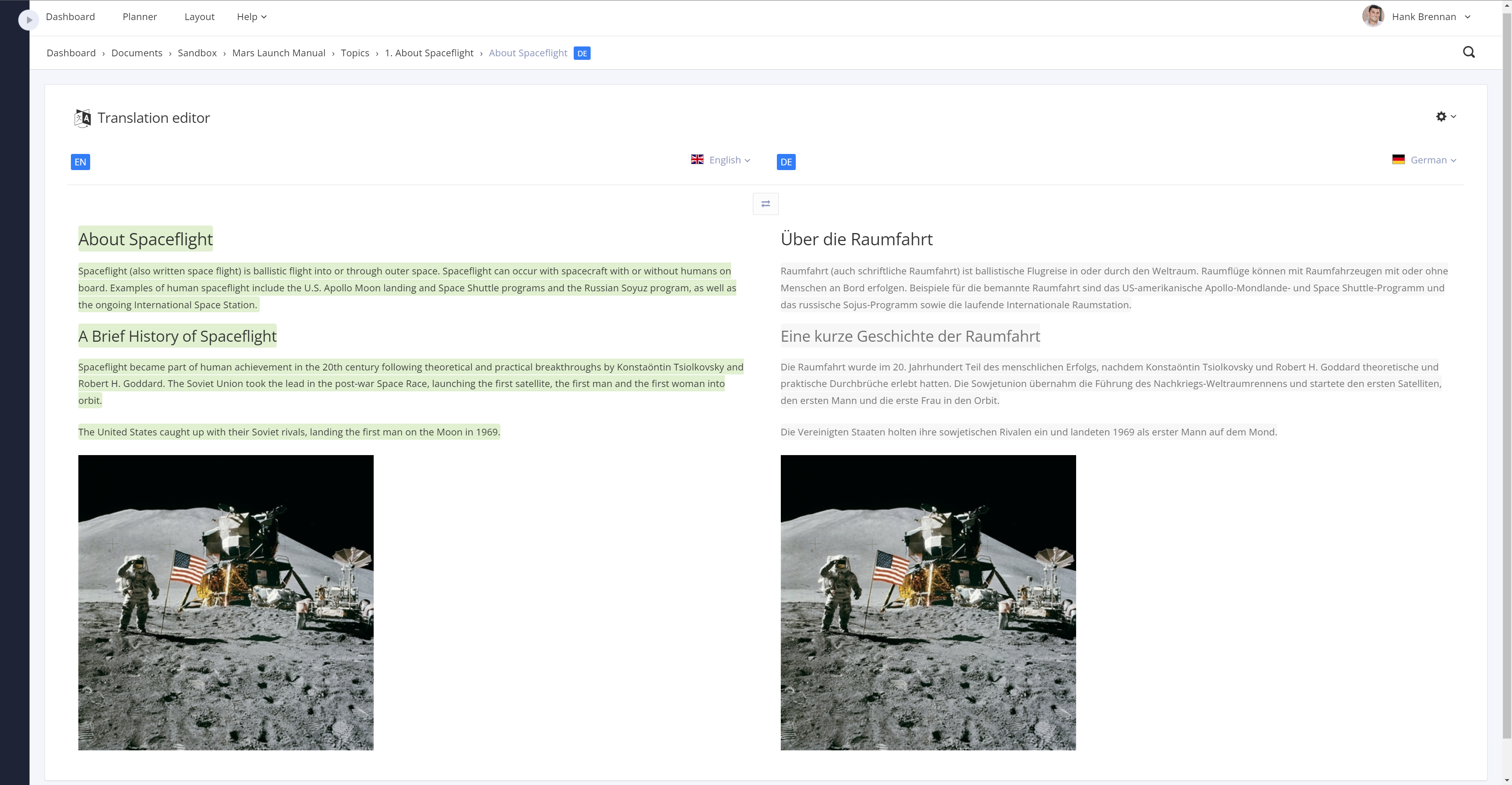
translations in Paligo
versioning in Paligo

1 / 11

Paligo does what it says it can do and more.

Use Cases and Deployment Scope

Content management to develop, and publish regulatory compliance documentation. Addresses the turn-around time needed to publish documentation to provide to the customers. Needed the ability to reuse content, a method to organize content, and an easy method to have content reviewed.

Pros

  • Ability to re-use content.
  • Ability to filter content to specific needs.
  • Ability to tag content using variables.

Cons

  • Better table functionality.
  • Move variable table buttons to prevent scrolling to add new variables.
  • Ability to locate profiles when a change is needed.

Most Important Features

  • Re-use content.
  • Filtering (profiling).
  • Easily publish manuals in multiple formats.

Return on Investment

  • Reduced time in publishing content and number of personnel needed.
  • Excellent collaboration when SMEs need to provide content, review, and approve documentation.
  • Easily managed by one person while allowing multiple users access to perform their job tasks.

Usability

Other Software Used

Microsoft 365, Egnyte, Adobe Acrobat

Single sourcing should also be fun!

Use Cases and Deployment Scope

We use Paligo mainly for making instructions for use at the moment. Translation administration included.

Pros

  • GUI
  • Filtering
  • Taxonomies
  • Image handling

Cons

  • Want have a more hard version handling; workflow via a baseline
  • Possibility to export and save all preferences made for PDF rendering

Most Important Features

  • Re-use of objects with simplicity
  • Support for unlimited languages
  • Easy to learn and understand in a relatively short time

Return on Investment

  • We are quicker to produce a very complex user manual and we believe our products are quite complex to describe
  • Re-use to a very high extent, almost 60% more or less guarantees that we reduce the risks by reusing already approved content to a large extent
  • Check-in and check-out of objects is done easily and there is no or very low risk of mistakes due to several people working at the same time

Usability

Alternatives Considered

MadCap Software, PTC Arbortext and Adobe FrameMaker

Other Software Used

Adobe Acrobat, Adobe Illustrator CC, Adobe PhotoShop, Adobe InDesign

Hard time choosing? Go with Paligo

Use Cases and Deployment Scope

As a software company that creates software for all kinds of businesses, we want our documentation to be easily available to customers. This documentation consists of product-related content; how to use and set up TOPdesk. We use Paligo to manage the content of this documentation and to publish it to a help center.

Pros

  • Good editor
  • Great support
  • Easy to manage the application
  • No performance issues
  • Good templates to quickly make your content publishable

Cons

  • Our HTML5 publication needed some accessibility improvements
  • More options to grant specific permissions to users
  • Would like a way to easily create a translation file with only the changed topics

Most Important Features

  • Content reuse
  • Translation Management
  • HTML5 publication

Return on Investment

  • Much less resources and time needed for application management
  • Public documentation

Usability

Other Software Used

Crowdin

Paligo is not only improving all our ways of working with technical documentation, it is also fun to work in!

Use Cases and Deployment Scope

Creating technical documentation for our customers has dramatically improved since we started working in Paligo. Using topics, and the possibility of reusing content, is a great advantage compared to before.

Pros

  • Reuse
  • Structure content
  • Intuitive interface
  • Great online support

Cons

  • Difficult to identify which text to reuse if the text is used in many places
  • Filter columns in a table

Most Important Features

  • Reuse
  • Easy to use
  • Publishing content

Return on Investment

  • I am sure we will discover other positive impacts along the way, but all the steps in creating technical documentation are so much easier and more fun now. We will be able to save a lot of time when we are up and running 100%.

Usability

Another happy customer

Use Cases and Deployment Scope

We use Paligo for our technical documentation (not the rest of our website). This includes:

<ul><li>HTML output for our public website (help center)</li><li>PDF output for selected customers or internal use.</li><li>In the future, we plan to allow users to log in to the doc portal so they see only the documentation that is relevant to them.</li></ul>

Pros

  • Content re-use
  • Full flexibility in HTML (and other) output

Cons

  • In my opinion, the user dashboard has minor issues
  • In my opinion, reviewing is clumsy - reviewers need changes highlighted and view everything in preview mode only
  • Better documentation - In my opinion, we have to rely too much on our customer service rep

Most Important Features

  • content re-use
  • unrestricted content
  • accessible XML source files

Return on Investment

  • Hard to gauge at this early stage - our new layout is much more user-friendly than what we had before

Usability

Alternatives Considered

ReadMe, Contentful, PTC Arbortext, Flare, Acquia DAM (Widen), Drupal and 360dialog