Document360 by Kovai is presented by the vendor as a knowledge base software that scales with a product. Document360 helps users' teams create, collaborate and publish self-service knowledge base.
N/A
Paligo
Score9.3 out of 10
N/A
Paligo, headquartered in Stockholm, offers their component content management system (CCMS), supporting the creation and publishing of technical documentation and help systems.
$4,800
per year per seat
Pricing
Document360
Paligo
Editions & Modules
No answers on this topic
Professional
from $4800
per year
Business
Contact Sales
per year
Enterprise
Contact Sales
per year
Offerings
Pricing Offerings
Document360
Paligo
Free Trial
Yes
No
Free/Freemium Version
No
No
Premium Consulting/Integration Services
Yes
Yes
Entry-level Setup Fee
No setup fee
Optional
Additional Details
—
—
More Pricing Information
Community Pulse
Document360
Paligo
Considered Both Products
Kovai.co
No answer on this topic
Paligo
Verified User
Chose Paligo
We selected Paligo over the alternatives for a variety of reasons: It was cloud-based (usable on a Mac) It had the features we needed: Content reuse Variables Easy restructuring and maneuverability of content
A de minimis incentive was given to thank the reviewer for their time. The incentive was not used to bias or drive a particular response, nor was the incentive contingent on a positive endorsement. More Info
A de minimis incentive was given to thank the reviewer for their time. The incentive was not used to bias or drive a particular response, nor was the incentive contingent on a positive endorsement. More Info
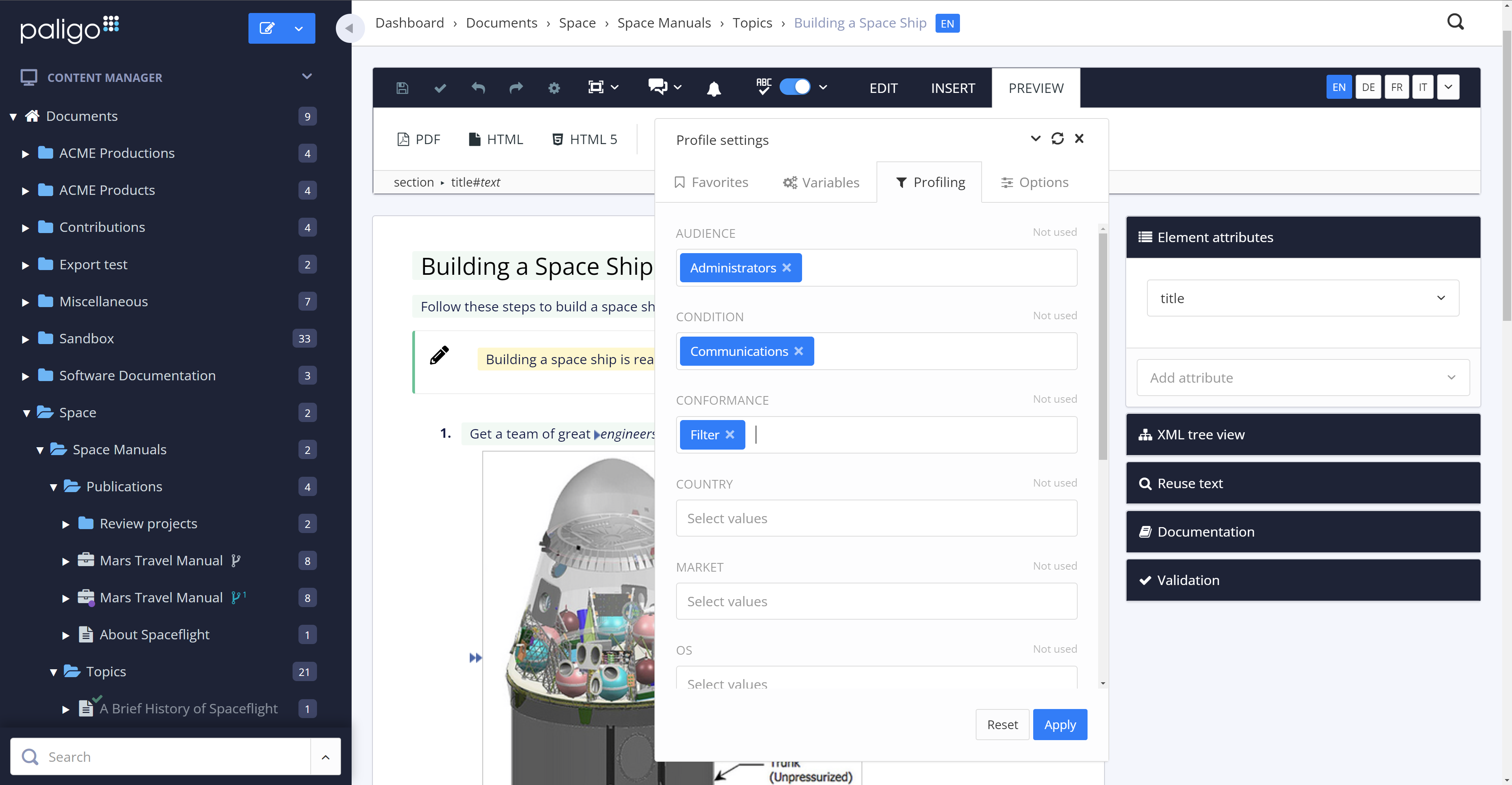
The review mode is super convenient. Comparing a snapshot of the previous versions with the current one clearly outlines the respective changes and reduces the necessary content to review tremendously.
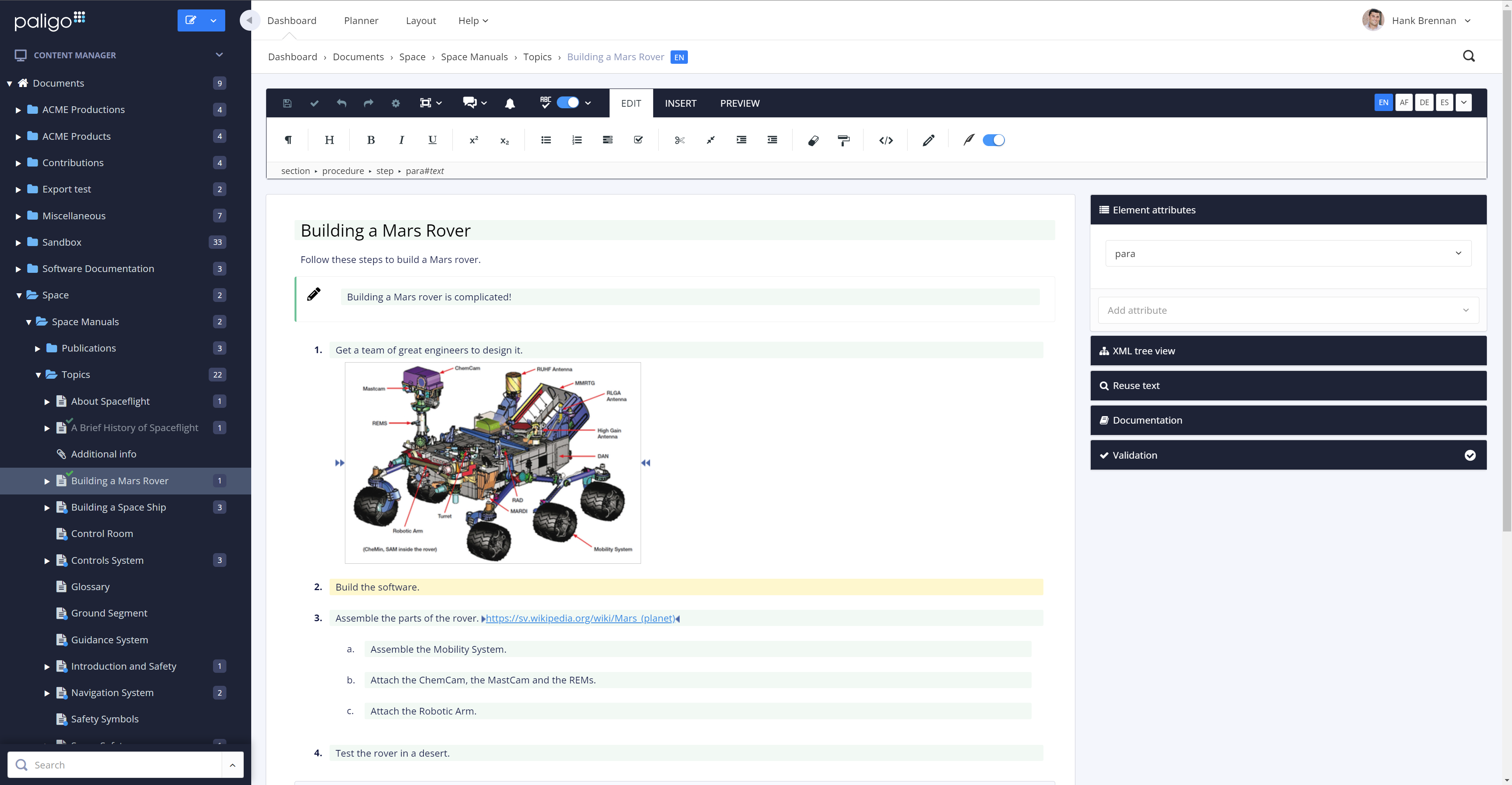
The option to reuse text fragments is another handy feature. Text fragments will be updated whenever the original text fragment is altered is also extremely helpful.
Managing a content's structure was never easier. An intuitive drag & drop functionality allows you to design your document's structure however you like.
You can also fork content, in addition to reuse text fragments. This is another helpful option that no longer requires you to create repetetive chapters over and over.
A de minimis incentive was given to thank the reviewer for their time. The incentive was not used to bias or drive a particular response, nor was the incentive contingent on a positive endorsement. More Info
A de minimis incentive was given to thank the reviewer for their time. The incentive was not used to bias or drive a particular response, nor was the incentive contingent on a positive endorsement. More Info
A de minimis incentive was given to thank the reviewer for their time. The incentive was not used to bias or drive a particular response, nor was the incentive contingent on a positive endorsement. More Info
All the support requests I've submitted have been resolved in one way or another. Sometimes it takes some back and forth, which is to be expected. This is where being on a different continent becomes a drawback. Since we became Enterprise users, we've also had an additional level of help and support from a dedicated account manager in the US, and the resolutions seem to come more quickly
A de minimis incentive was given to thank the reviewer for their time. The incentive was not used to bias or drive a particular response, nor was the incentive contingent on a positive endorsement. More Info
A de minimis incentive was given to thank the reviewer for their time. The incentive was not used to bias or drive a particular response, nor was the incentive contingent on a positive endorsement. More Info
Document360 is the first knowledge base customer support tool that our organization implemented, and this tool has increased our team's productivity drastically. One of the reasons we purchased this tool was the price. Document360 has a lot of online video tutorials which again helped our decision to purchase this tool.
I am not involved in the financial decisions for my company regarding Paligo; the decision to migrate our content to this environment predates my hiring. However, I know that the migration effort from WordPress to Paligo was an initially heavy lift, but any content migration effort would be. I believe that ultimately, getting our content out of WordPress was a positive move, and I look forward to seeing what Paligo will help us accomplish in the future. Sorry, no hard numbers from me. :)