NinjaOne
121 Reviews and Ratings
What is NinjaOne?
NinjaOne automates the hardest parts of IT, delivering visibility, security, and control over endpoints. The NinjaOne endpoint management platform increases productivity for IT teams and managed service providers, and comes with unlimited onboarding, training, and support.
Categories & Use Cases
Media



1 / 6
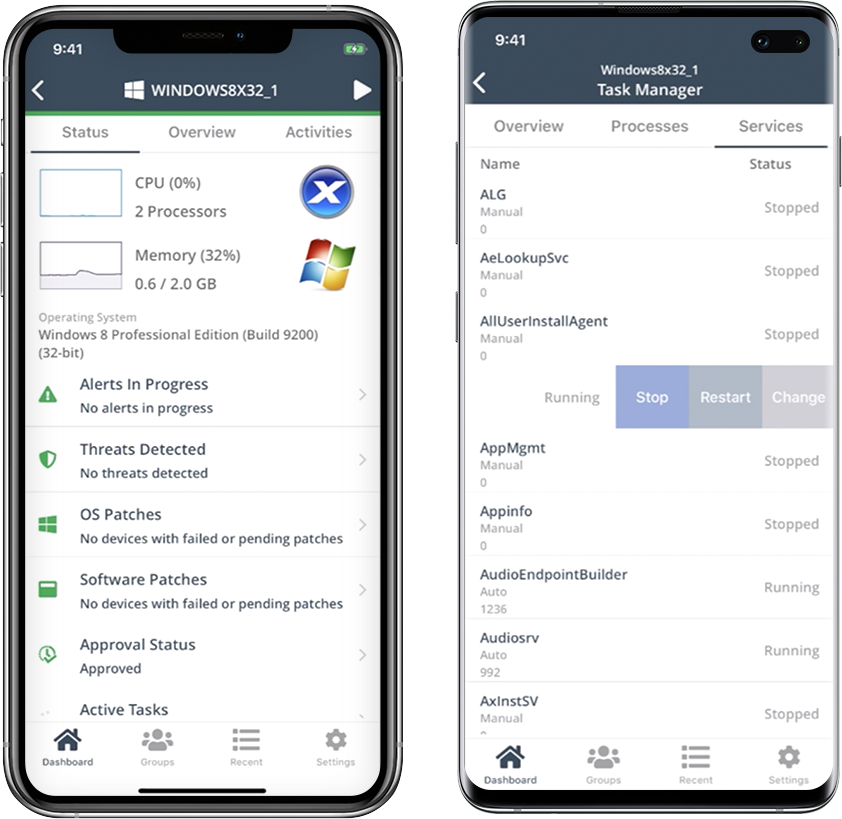
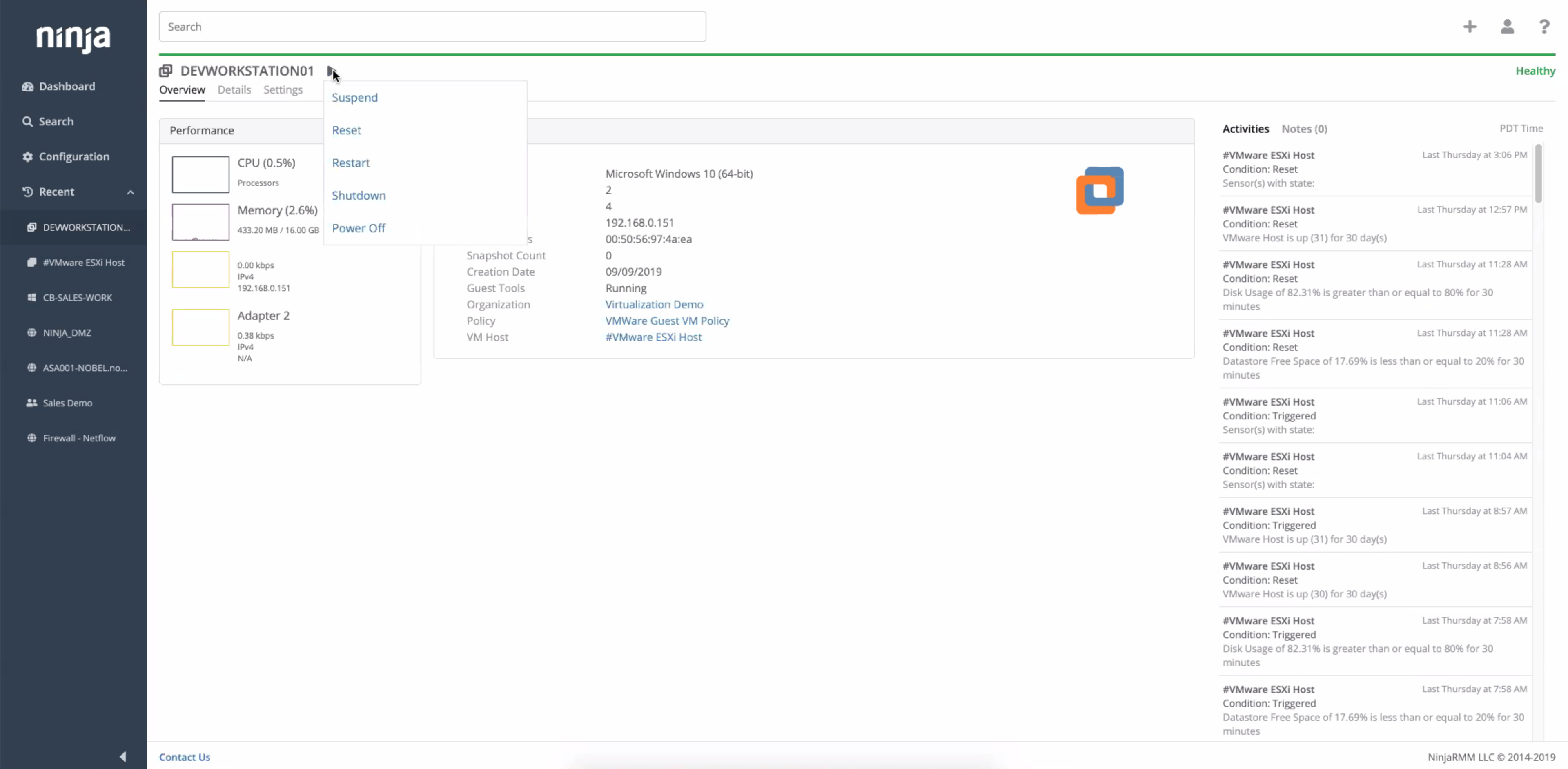
Screenshot of the NinjaRMM dashboard
Top Performing Features
Patch Management
Patch management involves acquiring, testing, and installing multiple patches (code changes) to an administered computer system.
Category average: 8.5
Remote monitoring
Monitoring of network operational activities through the use of remote devices known as monitors or probes
Category average: 9
Policy-based automation
Policy-based management is an administrative approach used to simplify the system management by drafting rules to deal with common situations
Category average: 8.2
Areas for Improvement
Activity Monitoring
The product's ability to monitor the activity of individual users, devices, or other entities.
Category average: 8.1
Network device monitoring
Monitor the real-time performance and health of devices on your network
Category average: 8.6
Who Buys & Uses NinjaOne

Ninja is number One.

Use Cases and Deployment Scope
NinjaOne serves as our platform for managing thousands of customer endpoints, providing invaluable support and sales capabilities to our teams. For sales purposes, we obtain all the necessary information to effectively notify clients when upgrades or replacements are required. By providing proactive support, we ensure that our clients remain operational and efficient.
Pros
- Proactive management.
- Endpoint assess management.
- Back end support.
Cons
- Better integration with RepairShopr would be nice.
Return on Investment
- Sales use to determine client upgrades is essential.
Alternatives Considered
RepairShopr
Other Software Used
RepairShopr, CYRISMA
Great product and would recommend to anyone. NinjaOne has been a game changer.
Use Cases and Deployment Scope
I have been using NinjaOne for about 3 years now and can't imagine not having it help support me in my IT Manager role. I am the only IT person in our company of over 500 employees and over 100 laptops and over 100 mobile devices. There was a little bit of a learning curve to get everything up and running the way I wanted but with their webinars and online videos it was not hard at all. I also love the fact that scripts and resources are available from other end users like myself. I had demonstrations from various other competitors but not one of them offered everything under the same roof. Being able to manage everything from Helpdesk Ticketing to device patching, servers, workstations, and MDM for all our Apple and Android devices is fantastic. We even added the Webroot antivirus package as well as the Splashtop remote software and NinjaOne backup. There literally is no other software you require to run the whole organization.
Pros
- Device Management
- Software Patching
- Ticketing
- Remote Support
- Backup
- Reporting
Cons
- Nothing
Return on Investment
- Time Savings Is Huge
- Onboarding Made Easy
- Backup Hassle Free
- Remote Management With Click Of Button
- Scripting and Automation Simple
Alternatives Considered
Atera, Syncro and Microsoft Intune
Other Software Used
Microsoft 365, DX Spectrum, Parallels Desktop for Mac, Xcode
NinjaOne helping you take control of your Companies PCs and Servers

Use Cases and Deployment Scope
We use NinjaOne to manage our PCs and servers. We brought in NinjaOne to help automate software installations, patch management and generally the ability to manage our PCs and servers. We currently have NinjaOne deployed to all our PCs and servers, which are running either Windows or a flavor of Linux. We have our PCs to auto patch windows updates and we are making use of the built in software patching of other products as well. We have some of the servers auto patching that are not as critical. We have also written a number of scripts to make changes to the PCs or add software as the need has arised.
Pros
- Windows Patch management
- Generally gaining access to the systems either through cli or splashtop
- Script management to be able to address setting configuration items
Cons
- They need to continue to expand their library of scripts
- They can continue to improve integration like hardware warranty lookup vs us having to try to script it ourselves
Return on Investment
- Windows patching as we cannot get employees to do it themselve so that alone is making an impact
- having data about our pcs all the time which we did not have before
- remote access to pcs in a variety of ways vs hoping remote desktop would work
Alternatives Considered
Microsoft Intune, ManageEngine Patch Manager Plus and N-able N-central
Other Software Used
ThreatLocker, Rapid7 InsightVM, SolarWinds Observability
NinjaOne RMM Review

Use Cases and Deployment Scope
I use NinjaOne to connect remotely to our clients' individual workstations and servers. NinjaOne allows me to diagnose and fix issues that are not hardware related. I am able to provide admin credentials when software is needed to be installed. It's a great tool to have. We can also use it for the clients to connect to their offsite machines while at home, thus eliminating the need for a VPN.
Pros
- Connect to remote machines
- Allow software installation and removal
- Allow tasks to be completed using a command line
- Allow scripts to be pushed to machines
Cons
- Software removal could be easier
- There are sometimes issues connecting to some machines
- It does tend to be slow at times
Return on Investment
- Time Saving
- Able to reset passwords quietly
- Increased Remote Productivity
- Increased Ability To Perform Crucial Patches or Updates
Other Software Used
Datto Autotask PSA, Datto Endpoint Backup, Cove Data Protection