TrustRadius: an HG Insights company

ActiveCollab

Score7.5 out of 10

36 Reviews and Ratings

What is ActiveCollab?

Active Collab is a project management solution built around features such as task management, collaboration, time tracking, and invoicing.

Media

the dashboard with an overview of projects.
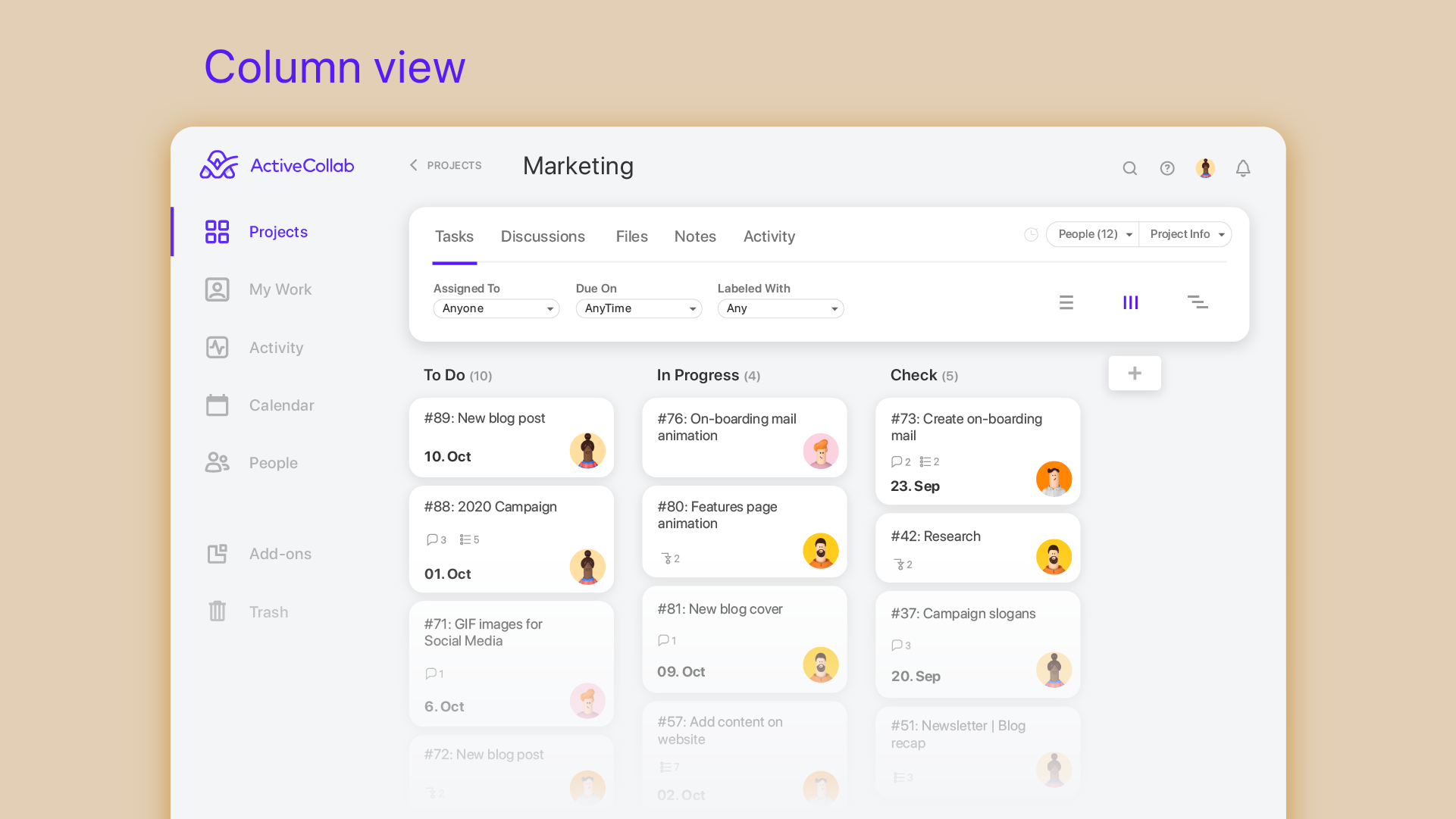
multiple task views currently showing a Kanban view of the tasklists and tasks.
Overview of all recent activity.
Calendar view with task dependencies.
Permission settings (owner, member, client, client+).
List of available Add-ons.
Online payment options.
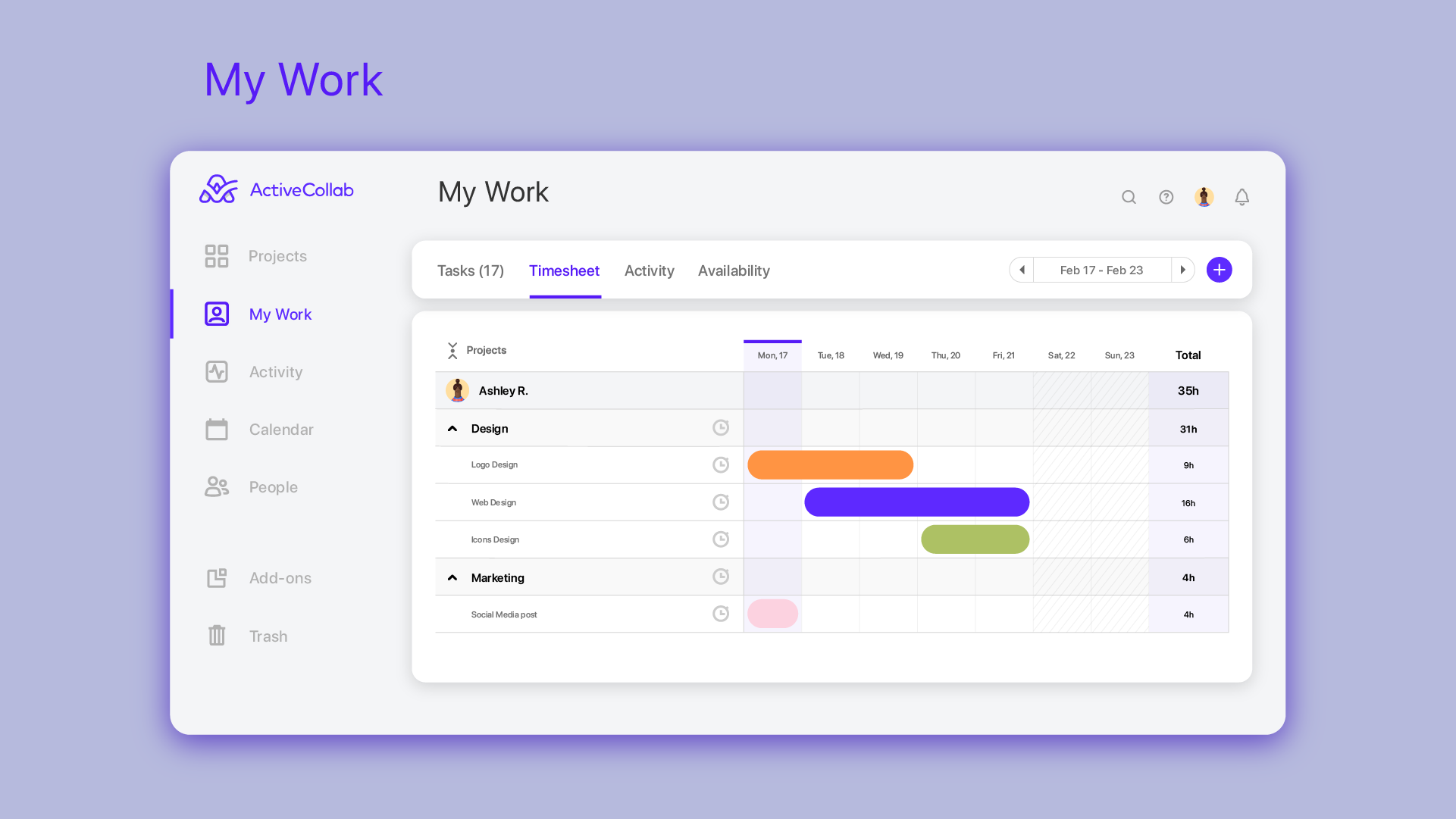
ActiveCollab Workload is a visual resource management tool built for agencies and creative professionals
Everyone’s availability at a glance. You'll know immediately who's available and who's not. Say no to updating spreadsheets! Everyone will be on the same page.
Multiple task views currently showing a Kanban view of the task lists and tasks
List of tasks with high priority options, assignees, due dates, and task dependencies
Break down your entire work into tasks your team can tackle right away. Deadlines will never surprise you again. Actual priorities are given priority, and everyone is accountable for their work.

1 / 12

Top Performing Features

  • Integration with accounting software

    Real-time, two-way sync with accounting or financial software to facilitate project and financial reporting

    Category average: 8.3

  • Workflow Automation

    Workflow automation is the ability to route work requests along an approval process automatically.

    Category average: 8.6

  • Support for Agile Methodology

    Agile is a time boxed, iterative approach to development that builds software incrementally instead of trying to deliver it all at once near the end.

    Category average: 8.1

Areas for Improvement

  • Scheduling

    Scheduling capabilities allow users to set schedules on tasks, and create timelines and milestones.

    Category average: 8.2

  • Change request and Case Management

    Change request and change management enables tracking of all customer requests including priority and timeframe.

    Category average: 8.8

  • Project & financial reporting

    Ability to analyze project and financial data based on custom criteria to gather insights and improve business performance

    Category average: 8.4

A lot to be improved but better than nothing

Use Cases and Deployment Scope

Our team attempts to use ActiveCollab to keep track of tasks allocated/in progress/delivered across a number of project types and clients - as the workload/scheduling function, in my opinion, is impractical and has a number of issues preventing its usefulness, we primarily use ActiveCollab as a store of task briefs and a place to communicate about tasks and share related files that is simpler to relocate things in than email threads/slack threads.

Pros

  • Notifications when people comment on tasks
  • Ability to upload files to tasks
  • Can assign tags to tasks in order to filter
  • Can manually enter time off so that team recieves OOO updates

Cons

  • It isn't possible to set members of staff as part time, so if someone is unavailable on certain days you must manually enter them as OOO every single day that they are not in, that other teammates work. Hours also can't be edited individually - everyone is treated as working the same hours in a day, rendering capacity planner useless for flexi working teams
  • Subtasks cannot be assigned their own hours and deadlines, meaning the To Do list view can't be seen in actual date order and capacity planner does not reflect all time allocated to an individual's schedule unless every task is set up as a separate task rather than subtask
  • There is no way to see all tasks of a certain type across multiple campaigns (e.g all copywriting tasks vs all technical tasks) - support team suggested exporting data and making spreadsheets
  • Kanban view isn't available for people's own task lists ('board' view here shows a list)
  • Not possible to have one task be assigned to more than one person
  • Notifications are not sent when tasks are updated, so you have to leave comments and tag people each time

Most Important Features

  • Ability to store and manage tasks in a central location

Return on Investment

  • Con: A lot of time is spent on avoidable admin tasks due to lack of certain features
  • Pro: We can provide clients with access to task lists to reduce comms

Alternatives Considered

Teamwork.com, monday.com, Rindle, Scoro, Klipfolio and Redbooth

Other Software Used

citrusHR, Otter.ai, BuzzStream, Roxhill Media

Great option for small businesses

Pros

  • Easily add clients as guests and control the amount of access.
  • Clients can start discussions and respond to existing discussions via email.
  • Discussions have good formatting options to allow for improved readability.

Cons

  • Individual comments cannot be linked to. This makes it more difficult to reference a comment or question.
  • Unnecessary features cannot be turned off. Since we use it primarily for communication, it would be ideal to turn off tasks etc. that are not needed or be able to move discussions as the first screen.
  • There isn't an easy way to set up different projects under the same client.

Return on Investment

  • A central communication portal is used to keep all members of the team informed as to the status of specific projects. All staff have access to read past discussions to enable contribution to the current discussion.
  • We have found it difficult to get our clients to adopt usage of ActiveCollab for communication on a reliable basis.
  • The cost per person is high when using it as a communication center.

Alternatives Considered

Basecamp

Strong project management tool that provides a great set of features

Pros

  • Simple interface.
  • Flexible setup of tags and categories.
  • Handles agile and waterfall type workflows well.

Cons

  • Could use more flexibility in setting up categories.
  • It would be nice to have multiple Kanban boards inside a project.
  • The search functionality could be improved.

Return on Investment

  • It was a cost-effective way to bring in a good project management tool.
  • It has helped us track billable hours and catch projects that are going over budget.
  • Has greatly improved communication.

Alternatives Considered

ClickUp, Basecamp and Asana

Other Software Used

ClickUp, SharpSpring, Affinity

Works great for our sprint/scrum tasks, just be aware of limitations and avoid the mobile app

Use Cases and Deployment Scope

ActiveCollab allows us to manage each of our sprints (which last two weeks) and our tasks within those sprints. Tasks are assigned accordingly, and we can track our time as well as the progress of each task and any impediments if necessary. We can also see tasks that other people are working on and add time to those (or view the status) if needed. We can categorize tasks where appropriate and get an idea of how long future tasks in that type of category will take.

Pros

  • Track time for projects
  • See which tasks are easily assigned
  • Move tasks over from one project to another
  • Add notes for a particular project that carry over
  • Categorize tasks appropriately

Cons

  • Does not maintain default categories for tasks
  • Makes information difficult to share with others not on AC
  • Relies on other people to track their time correctly in categories for estimates
  • Mobile app is very hard to use and not user-friendly if you are working with multiple projects

Most Important Features

  • Tracking time
  • Categorizing time
  • Assigning tasks
  • View status of tasks

Return on Investment

  • Able to see what tasks each team member is working on
  • Able to get an idea of where our time is going
  • Able to estimate upcoming projects better on how long they will take
  • Able to see what tasks were worked on in a specific period of time (over the past 6 months, etc.)

ActiveCollab or Actively looking for another solution?

Pros

  • Simple project management
  • Organized task lists
  • Solid user management tools

Cons

  • Uninspired design
  • Very basic text editing features, minimal support for screenshots (you get 1 per task/message update)

Return on Investment

  • It's allowed transparent communication between multiple team members
  • The archives keep track of team communications.
  • The system stays organized, if you can wrap your mind around their organization style.