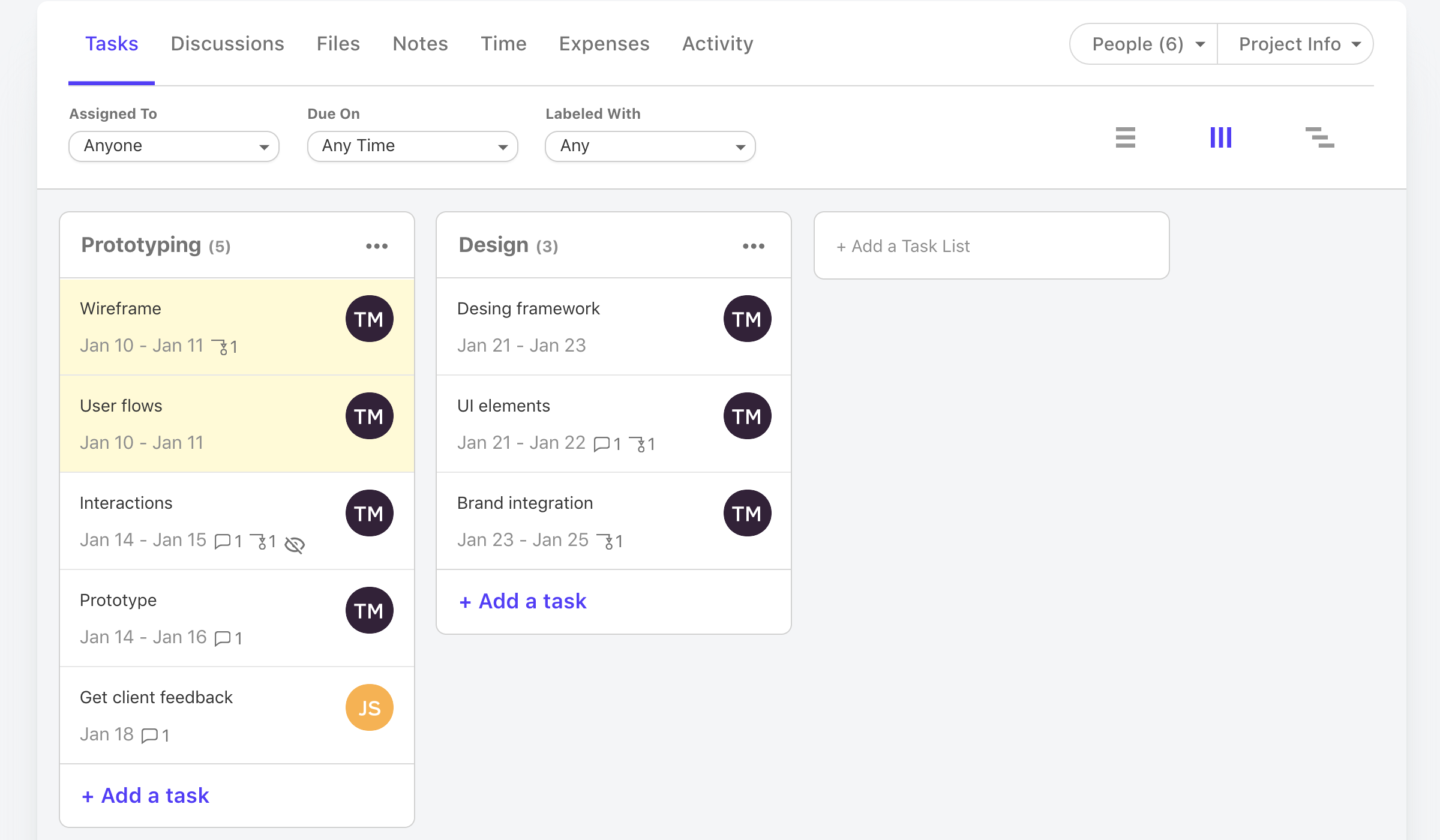
Active Collab is a project management solution built around features such as task management, collaboration, time tracking, and invoicing.
$8
per member/per month
Asana
Score 8.4 out of 10
N/A
Asana is a web and mobile project management app. With tasks, projects, conversations, and dashboards, Asana lets an entire team know who's doing what by when, enabling workload balancing. Users can also add integrations for GANTT charts, time tracking and more.
ActiveCollab is easier to use and simpler in its setup. It has the right mix of features and simplicity. It's also project-oriented which is important for our workflow. Other tools are often too task-oriented, making it hard to track projects. Overall, ActiveCollab has a great …
ActiveCollab is 100% better than any of the other tools we have used. We had previously spent thousands of dollars trying out different software that was comparable, but this has been one of the best decisions we have made as a company. It's also the cheapest ongoing option, …
ActiveCollab has all the functions that are in these services, unlike them. Not everywhere there is a diagram of gantt. And somewhere the interface is very rewarded and in general looks obsolete.
We also use Active Collab to track tasks and issue work tickets. I find this to be a much harder tool to use vs. Asana. It was not in the drop down menue above but its a tool we actively use and I can tell you its hard to find tickets once you have created them and assigned …
Features
ActiveCollab
Asana
Project Management
Comparison of Project Management features of Product A and Product B
ActiveCollab
3.6
13 Ratings
72% below category average
Asana
8.2
174 Ratings
7% above category average
Task Management
5.112 Ratings
9.2174 Ratings
Resource Management
1.08 Ratings
8.1147 Ratings
Gantt Charts
3.07 Ratings
8.956 Ratings
Scheduling
1.011 Ratings
8.5157 Ratings
Workflow Automation
7.01 Ratings
8.8129 Ratings
Team Collaboration
6.113 Ratings
9.1173 Ratings
Support for Agile Methodology
7.07 Ratings
8.57 Ratings
Support for Waterfall Methodology
7.01 Ratings
8.57 Ratings
Document Management
3.08 Ratings
7.5147 Ratings
Email integration
4.09 Ratings
7.5138 Ratings
Mobile Access
1.110 Ratings
8.7145 Ratings
Timesheet Tracking
2.09 Ratings
6.16 Ratings
Change request and Case Management
1.08 Ratings
8.44 Ratings
Budget and Expense Management
2.07 Ratings
7.274 Ratings
Professional Services Automation
Comparison of Professional Services Automation features of Product A and Product B
Scenarios where ActiveCollab works well 1) ActiveCollab works well for small teams specifically T&M teams.Its invoicing feature is unique & can make your life easy. 2) It is very easy to use & posses good range of filters like on the task list, we can drag/drop tasks, Filter by assignee's, tasks lists, due dates, or completed tasks. 3) It has some simple but awesome features like when you're in the middle of writing something i.e a comment on story and get interrupted, it retains what you wrote. 4) It allows you to tag team members in threads of comments to grab their attention, its really needed when teams are distributed. Thus helping team members to collaborate easily & stay on same page. 5) It integrates pretty well with other web apps like quickbooks , Slack, Trello, HubSpot, Zapier etc Scenarios where ActiveCollab did not work well 1) Tasks can not have multiple assignee's here so if two members are working on same task it did not allow you to reflect that. 2) Sorting capability is not their under invoicing 3) It did not work well for larger teams 4) Search option is not very detailed & you may end up wasting lot of time searching one particular bug or issue.
The usability of Asana is broad since it's available in a variety of platforms that are widely used nowadays. I think that it would be great for people who are constantly on the move and switching devices, since it has allowed me to work from my phone, too. I also think that Asana has proven itself to handle a large quantity of work
Through it, we were able to communicate and cooperate with the rest of the team to complete the work in the required manner and at the appropriate time.
It isn't possible to set members of staff as part time, so if someone is unavailable on certain days you must manually enter them as OOO every single day that they are not in, that other teammates work. Hours also can't be edited individually - everyone is treated as working the same hours in a day, rendering capacity planner useless for flexi working teams
Subtasks cannot be assigned their own hours and deadlines, meaning the To Do list view can't be seen in actual date order and capacity planner does not reflect all time allocated to an individual's schedule unless every task is set up as a separate task rather than subtask
There is no way to see all tasks of a certain type across multiple campaigns (e.g all copywriting tasks vs all technical tasks) - support team suggested exporting data and making spreadsheets
Kanban view isn't available for people's own task lists ('board' view here shows a list)
Not possible to have one task be assigned to more than one person
Notifications are not sent when tasks are updated, so you have to leave comments and tag people each time
It is very user-friendly. Takes a new employee an hour to start figuring out how the system works. That's an important factor. You don't want to encounter the issue where employees need a week to understand how the system works. For example, JIRA, I tried using it for a week and I still don't understand the complicated layout. Asana has a simple interface. Once you see it, you get it type of program.
We have not required support for ActiveCollab as it works pretty seamlessly. We didn't have any issues with using the platform or with any billing issues. The self-service aspect of the platform is robust and easy to navigate so we have not encountered any errors that required assistance from the support team.
I haven't had to use their support so I can't rate it. The fact that I haven't needed them reflects the ease of use of the product. I would recommend that any new users schedule a complete demo of the product to ensure that they are using it to it's fullest (there's a lot of useful features).
ActiveCollab is easier to use and simpler in its setup. It has the right mix of features and simplicity. It's also project-oriented which is important for our workflow. Other tools are often too task-oriented, making it hard to track projects. Overall, ActiveCollab has a great mix of simplicity with good features.
Asana is a top-tier project management software that helps us organize and track projects from start to finish. It allows us to apply tasks/to-dos to multiple projects without duplication, divide complex projects into smaller tasks, and track project progress. It also helps us organize work on Kanban boards or linear lists. It stands out from the crowd in a big way compared to the competition.