
TrustRadius: an HG Insights company

Bitrix24

Score7.2 out of 10

102 Reviews and Ratings

What is Bitrix24?

Bitrix24 is a local-hosted or cloud-based social intranet and project management platform that also contains core HR (HRMS) and CRM features. Bitrix24 also provides time management services and employee self-service.

Media

Bitrix24 Video Call.
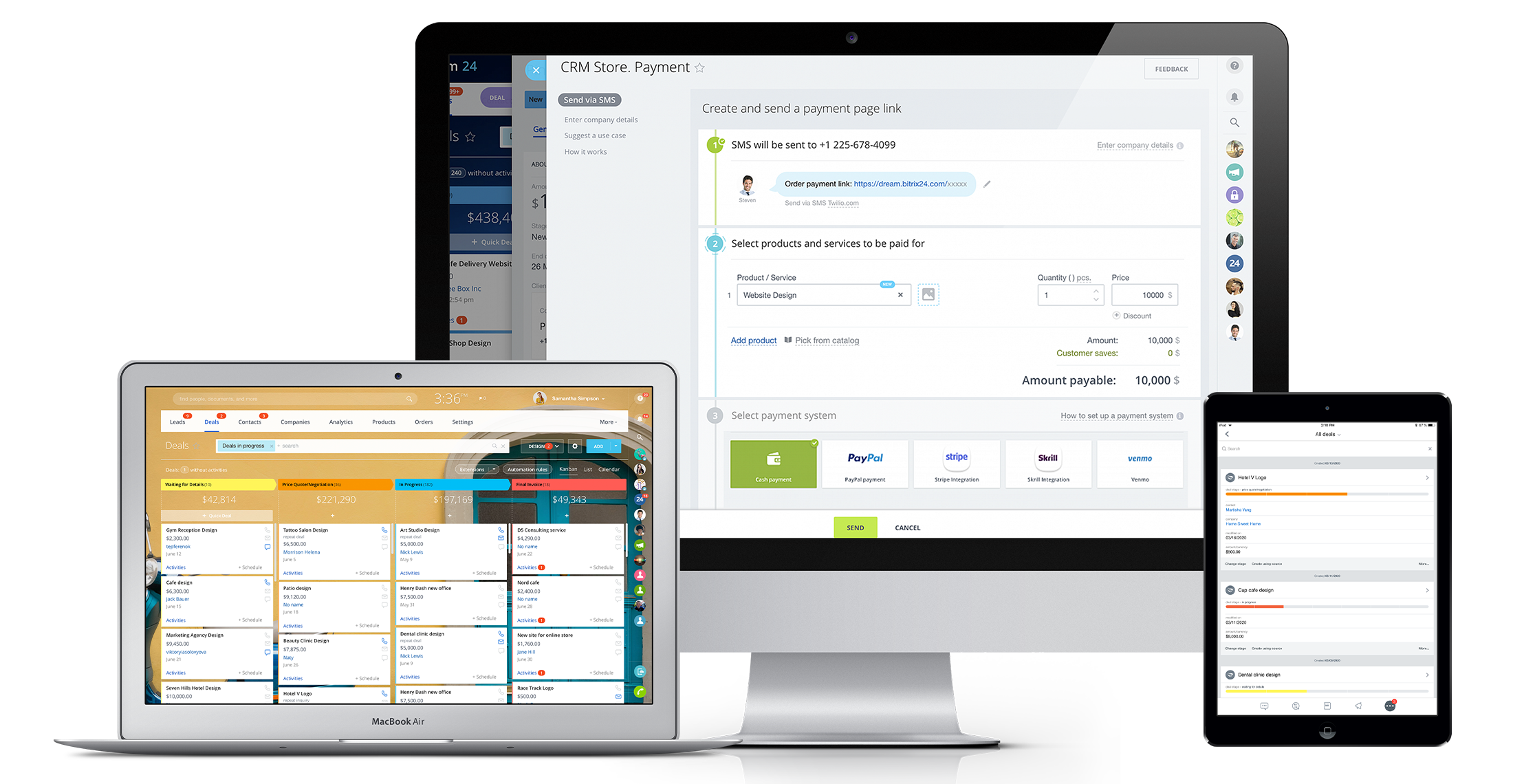
Bitrix24 Unlimited CRM.
Bitrix24 Tasks.

1 / 4

Top Performing Features

  • Scheduling

    Scheduling capabilities allow users to set schedules on tasks, and create timelines and milestones.

    Category average: 7.6

  • Mobile Access

    Mobile access is the ability to access the software from a smartphone or tablet.

    Category average: 8.2

  • Notifications

    Users can follow other users and/or join specific projects, electing to receive notifications when there are changes and updates.

    Category average: 8.2

Areas for Improvement

  • Integrates with Google Drive

    Integrates with Google's cloud storage platform, Google Drive.

    Category average: 6.2

  • Audio files

    Supports audio file types, such as .mp3, .mp4, and .wav

    Category average: 7.8

  • Video files

    Supports video file types

    Category average: 7.5

Essential CRM for B2C, Mid and large sized, High customer churn businesses

Use Cases and Deployment Scope

Bitrix24 is the central CRM (customer relationship management) system currently deployed by a major B2B client of hours. The client is the educational consulting segment where there is constant acquisition of new customers (1 time customer lifetime value). Bitrix24 empowered us the drive greater revenues through referrals as well as new customer acquisitions. The overall tactical uses are (1) addition and dynamic updation of leads (2) dynamic assessment of lead handling on both fronts - sales and marketing. It is central to weekly and monthly review meetings where aggregate pipeline data are available for tracking marketing ROI and individual, office-wise and country-wise sales handling (3) At a more strategic level, it also enables decision making on core products to focus on. A recent meeting clearly indicated a trend (backed by marketing investment sync as well) where certain service lines were clearly seen growing faster and accordingly a decision on investing was made within 2 weeks (4) It is also useful managing collection data and ensuring no missed payments (5) Overall a very flexible system that can be tailored to specific requirements

Pros

  • Lead record management - A variety of pre-set fields are present with the flexibility to add more
  • Sales and marketing performance tracking (as detailed in earlier response)
  • Visual view of sales funnels is especially useful for higher management presentations and decision making
  • Data security and access controls are also quite easy to handle with easy click-and-click options to grant or restrict or revoke access

Cons

  • Email marketing: Broadcast and autoresponder features are present but we find very sharp learning curves there. Our earlier experience with getresponse for this specific requirement was much better
  • Overall, too, the software does have a steeper learning curve. Bitrix24 could do well by now adding AI chatbots to quickly handle smaller queries and integrate them with human support for escalations

Return on Investment

  • Its has been a no-brainer on overall ROI. The system pays back for itself in less than a year
  • On sales monitoring front, it helped us increase lead to sale conversion by a crucial 5%
  • On the marketing budgeting front, it has been an indispensable tool for allocating budgets, monitoring ROAS (return on ad spend) and priortizing right campaigns and products

Usability

Alternatives Considered

Zoho CRM

Other Software Used

ChatGPT, Anthropic Claude, Spybot, CCleaner, Mozilla Firefox, FileZilla, Google Meet, Skype, WinRAR, WordPress, Google Ads

Bitrix 24 Critical Review

Use Cases and Deployment Scope

I use Bitrix a lot to control all processes within the company, calendar, shared tasks, events, feed, conversations between team members from all regions. I work as an outsourcer within a company with a large number of employees, on average there are 1000 employees online on Bitrix every day, carrying out all data processing and controlling all scheduling and tasks to be resolved within deadlines.

Pros

  • Scheduling
  • Task Control
  • Diversity Of Options

Cons

  • Filters With Specific Times
  • Calendar System Separate Agenda
  • Group Alone For Essential Notes

Return on Investment

  • Service agility
  • Multiple functions in one place
  • Ease

Alternatives Considered

monday.com

Other Software Used

monday.com

Usability

Streamlining Communication, Collaboration, and Project Management for Effective Teamwork"

Use Cases and Deployment Scope

Additionally, Bitrix24 simplifies operations by offering a consolidated solution for communication and project management. This eliminates the complexities that arise from using multiple tools. With Bitrix24, teams can save valuable time and energy by accessing all the necessary features from a single platform, eliminating the need to switch between various applications. This integration not only streamlines workflows but also ensures that critical project information and discussions are readily available. Consequently, this enhances the decision-making process and promotes more efficient collaboration throughout the organization.

Pros

  • Real-Time Collaboration: Bitrix24 facilitates instant communication through features like instant messaging, group chats, and video conferencing. This enables teams to connect and share information in real time, promoting effective collaboration and timely decision-making.
  • Task Management: Bitrix24 offers comprehensive task management capabilities, allowing teams to assign tasks, establish deadlines, and monitor progress. This ensures that team members are aligned, promoting organization and focus on project objectives.
  • Social Intranet: Bitrix24 provides a social intranet platform that serves as a centralized space for employees to interact, exchange updates, and collaborate on projects. This fosters a collaborative environment, promotes knowledge sharing, and enhances teamwork across the organization.

Cons

  • User Interface and Learning Curve: Bitrix24's user interface can be overwhelming, particularly for new users who are not familiar with similar business management platforms. Simplifying the interface and providing more user-friendly tutorials or guides during onboarding would help reduce the learning curve and enhance the overall user experience.
  • Mobile Experience: Although Bitrix24 offers mobile apps for iOS and Android, some users have found that certain features or functionalities are not as seamlessly accessible or user-friendly compared to the desktop version. Improving the mobile app's usability and ensuring feature parity with the desktop version would greatly benefit users who heavily rely on mobile devices.

Return on Investment

  • Positive Impact:
  • Bitrix24's comprehensive communication and collaboration features have a positive impact on businesses by streamlining workflows, enhancing team coordination, and boosting productivity. By offering a centralized platform for project management and communication, Bitrix24 helps teams save time, minimize inefficiencies, and make well-informed decisions. This improved efficiency and collaboration result in better project outcomes, quicker time-to-market, and increased customer satisfaction, all of which contribute to a positive return on investment (ROI).
  • Negative Impact:
  • Despite the range of features and benefits, Bitrix24's complexity and learning curve can present challenges for new users. The initial investment of time and effort required for onboarding and becoming familiar with the platform may temporarily impact productivity. Additionally, if organizations do not fully leverage all the available features or if Bitrix24 doesn't align well with their specific business processes, it may result in a negative impact on the return on investment (ROI).

Alternatives Considered

Asana

Usability

The BEST looking CRM that saves your team and business time.

Pros

  • Unser Interface. You can even change the theme of the application.
  • You can see everything visually well.
  • Connecting with your email platform.

Cons

  • Technical support option with longer reply times for all users, not just commercial accounts.
  • Payment Options integration.

Return on Investment

  • Time saver
  • Helps to see everything visually when working daily
  • Communication (internal and external)

Alternatives Considered

HubSpot CRM and Pipedrive

Other Software Used

HubSpot CRM, Pipedrive, Freshworks CRM (formerly Freshsales)

Usability

Intuitive tool for customer relationship management.

Pros

  • It is an efficient tool in project management and we can track time spend on a project.
  • Its file-sharing feature is so helpful as I can share important files with colleagues.
  • Its integration is simple.

Cons

  • Its Audio conferencing doesn’t work well.
  • Some of its functions don’t operate perfectly.

Return on Investment

  • I profoundly admire its mobile application that provides ease.
  • [I feel] Customer service is quite pathetic.

Alternatives Considered

1CRM

Other Software Used

Asana, Zoho Books, HubSpot CMS Hub

Usability
