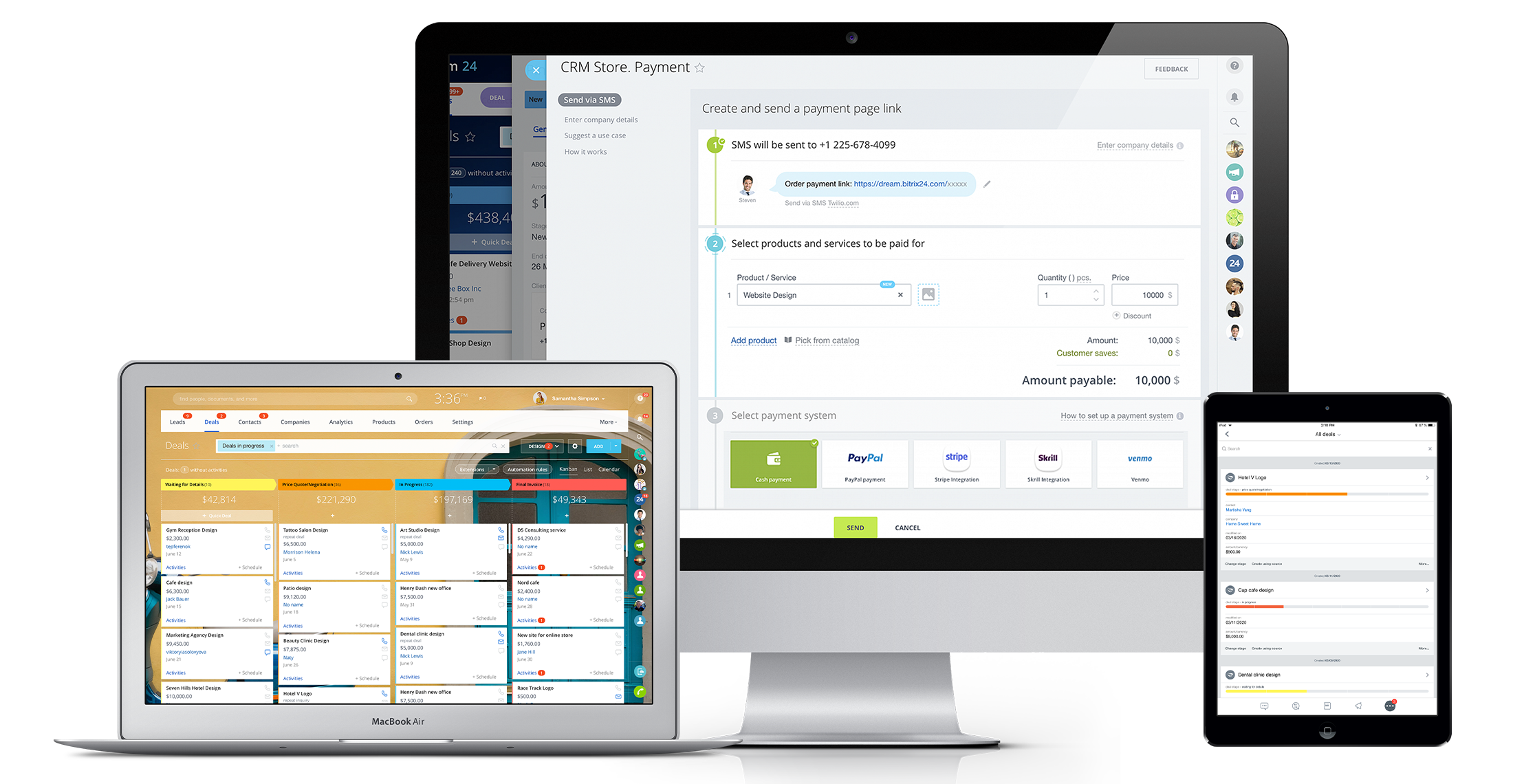
Bitrix24 is a local-hosted or cloud-based social intranet and project management platform that also contains core HR (HRMS) and CRM features. Bitrix24 also provides time management services and employee self-service.
$61
per month up to 5 users
SharePoint
Score 7.5 out of 10
N/A
Microsoft's SharePoint is an Intranet solution that enables users to share and manage content, knowledge, and applications to empower teamwork, quickly find information, and collaborate across the organization.
$5
Per User Per Month
Pricing
Bitrix24
Microsoft SharePoint
Editions & Modules
Basic
$61
per month up to 5 users
Standard
$124
per month up to 50 users
Professional
$249
per month up to 100 users
Enterprise 250
$399.00
per month 250 Users
Enterprise
$499
per month up to 250 Users
Enterprise 500
$639.00
per month 500 Users
Enterprise 1000
$799.00
per month 1000 Users
Plan 1
$5.00
Per User Per Month
Plan 2
$10.00
Per User Per Month
Office 365 E3
$20.00
Per User Per Month
Offerings
Pricing Offerings
Bitrix24
SharePoint
Free Trial
Yes
Yes
Free/Freemium Version
No
No
Premium Consulting/Integration Services
Yes
No
Entry-level Setup Fee
No setup fee
No setup fee
Additional Details
Price per month when paying for 1 year.
—
More Pricing Information
Community Pulse
Bitrix24
Microsoft SharePoint
Considered Both Products
Bitrix24
Verified User
Analyst
Chose Bitrix24
Bitrix24 is very well suited to our oranization as per our busineess function. We need something which partly does CRM function, share function, chat, meetings. In all, we found Bitrix24 better and cheaper than Sharepoint. Sharepoint is very good but it has his own way [of …
Bitrix24 is highly beneficial for teams that are geographically dispersed or working remotely. Its real-time communication tools, including instant messaging and video conferencing, enable seamless collaboration regardless of physical location. The centralized document management feature ensures that team members can easily access and collaborate on shared documents from anywhere, facilitating efficient teamwork in a remote or distributed environment.
SharePoint Document Management excels as a central repository for storing, organising, and retrieving documents. It supports version control, metadata tagging, secure access, and integration with tools like Power Automate. At our organisation, it's used for managing contracts, policies, and supplier documents. SharePoint Workflow Automation integrates with Power Automate to streamline approvals, gather feedback, and automate recurring tasks. This reduces reliance on email chains and manual trackers.
It's user interface can use some work. Although it doesn't take as long as some other software to learn, there is still a bit of a learning curve when it comes to day to day usage.
Bitrix offers a lot of features. It would be nice to have those features laid out in an easier-to-read layout, versus the long list at the side of the page.
It's mobile app functionality is quite limited. It can be difficult to work with other team members, solely off of their mobile app.
Windows Explorer users have some difficulty having to constantly UPLOAD / DOWNLOAD files. Specifically on the DOWNLOAD when they are used to Drag & Drop in & out of LOCAL folders via Window's explorer.
Microsoft SharePoint supports multiple "library" types. When implementing our "image" library the search function is done via "tags" and boolean logic. This is challenging to most end users. I'd like our users to be able to search our Microsoft SharePoint image library without having to enter KEYWORD or other BOOLEAN logic.
Microsoft SharePoint can also be an internal website for each department or company wide communication tool but I believe these features are geared for much larger organizations. Since we are a SMB we really aren't using these features. So maybe something more useful to SMBs would be nice.
It has become the central nervous system of the business and has constantly proven to be of value. We are not just renewing but might even upgrade to advanced Bitrix24 plans and will be adding more user licenses in the next 3 months. Bitrix24 has a sharper learning curve initially. However once it is surpassed, it opens doors to a range of creative deployment strategies
It's integral to our business. It's already included with most of the Office 365 licensing we buy, so the cost is effectively zero. It stores our files, it is the foundation for custom applications, and Microsoft only continues to enhance its functionality and its connections to other Microsoft tools. SharePoint just keeps getting better and better.
It is a time-saving CRM that will help save time by using one application for all your business needs. Our brain sees colors, images, drawings, it is very visual, and so is Bitrix24. You can plan visually and easily see how everything is progressing. It has tasks, projects management, chat and video, CRM (as you know), visual staff structure, calendar, shared drive, mobile app. You can't ask for anything better out on the market for what you get with their free version and also their step-up plan is $20/month, all the way up to $200, they have a plan for your business. Get your free account and try it out for a few weeks.
No usability issues reported. Individual teams also have allocated areas which replace legacy shared drives on local LANs. Access to Sharepoint resources is fully integrated with corporate Active Directory with additional two-factor authentication required for administrative users. Users have access to Microsoft Services Hub which allows you to create, manage, and track support requests while staying current on Microsoft technologies with access to select self-paced learning paths
I can't recall any instance of unplanned outages over the past 1 year of use. Likewise for application errors. However note that, advanced users will have a learning curve
The absolute worst! Your only contact method is via the paid version and via a chat window. They will take days to answer and when they finally do answer, they will provide nothing but a half baked canned help file.
The face to face training I received was on SharePoint Administration. It was rushed as there was a lot of information to cover and the application of the labs weren't that great either. I like to be able to relate what I am learning to what I am currently doing.
Overall the training was very comprehensive. The trainer did provider necessary additional reading materials as well. However the general approach at Bitrix24 is to divert users to self-help documentation and videos. It is recommended that atleast 1-2 personnel in the organization be "Bitrix24 experts" so that lower phases of training requirements are covered internally itself. Also the best part about Bitrix24 is that not all users need to go very deep while using it. We have multiple counsellors who started using it on day 2 without any major hiccups
I like to learn at my own pace and online training allows for that. Additionally, you can skip through pieces of content that you already know or are already comfortable with. Microsoft actually offers great videos on their website for basic fundamental SharePoint Training. I have used these training videos in some of my own training sessions with end users.
In fact, I use both, but in different ways, monday to control the internal agenda, Bitrix for all other parts within the company, such as task control, chat with employees and with calendar also for control in two systems. Bitrix is more complete and has many more features, but its purpose is also different from monday.
The reasons for selecting MS SharePoint are: SharePoint provides ease of use and web design assistance and support SharePoint helps you schedule your content for publishing. enables users to share documents with external parties and offers a better internal structure of the content and better indexing and searching capabilities.
The scalability and reliability is almost 9.5/10 to be honest. We istarted with Bitrix24 for just 2 functions and now have expanded its usage to 2 more. In terms of users, every full-time employee (FTE) now uses Bitrix24 without fail. We are also working on giving limited/partial access to external service providers