TrustRadius: an HG Insights company

Xactly AlignStar

Score5.9 out of 10

17 Reviews and Ratings

What is Xactly AlignStar?

Xactly AlignStar® utilizes a map-based interface to enable territory planning that equips sales organizations to build and optimize balanced territories that align with company goals.

Categories & Use Cases

Media

Optimizer and "What If" Analysis
Visualize optimal sales territory alignment, leveraging securely uploaded data and "what if" scenarios.
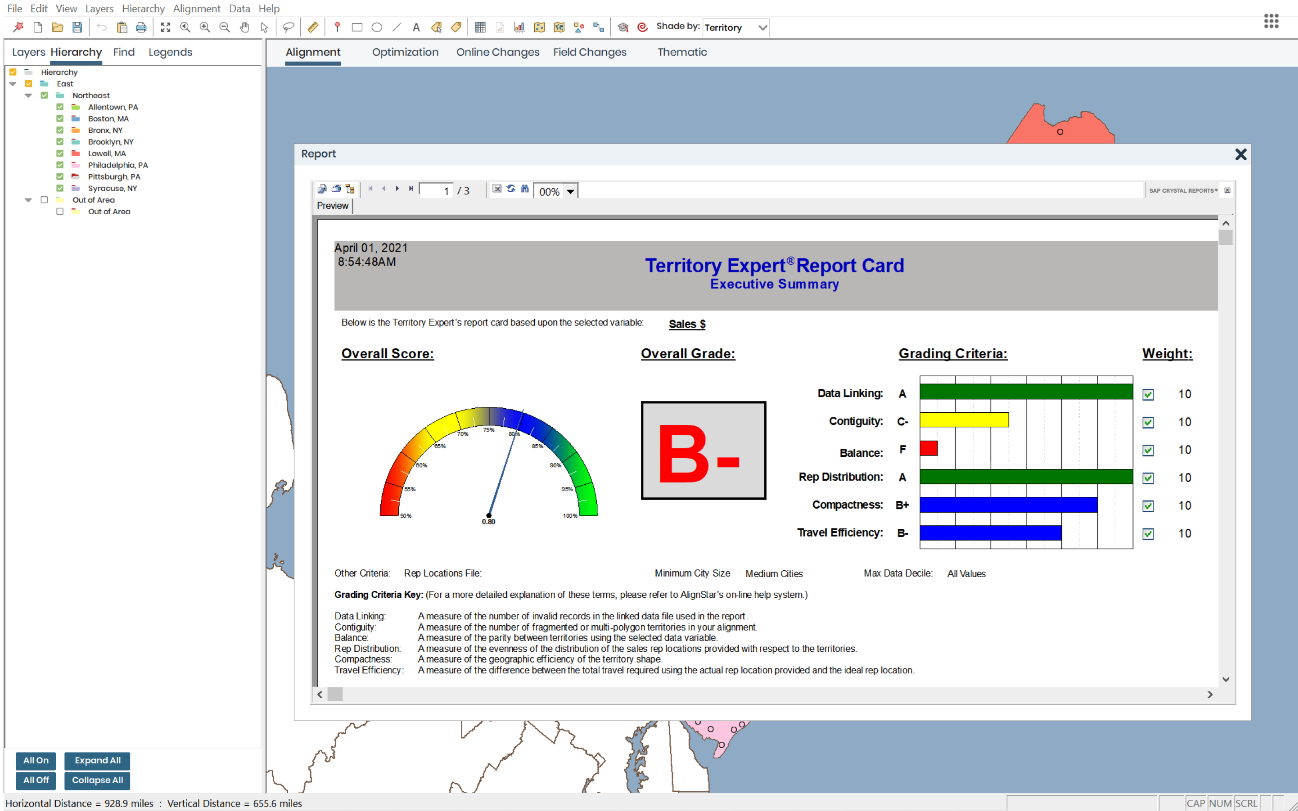
Alignment Report Card
View a grade of current sales territory alignment based on set metrics to see if current alignment is optimized for company goals.
Interactive Map-Based Interface
Visualize customer and prospect potential in order to place sales reps in the highest concentration locations.

1 / 3

Great tool for Territory Management

Pros

  • Optimize Territories
  • Manually Adjust Territories
  • Visualizing territories

Cons

  • User interface is more akin to a 1990s product
  • Difficulty when needed to base territories on more than 1 criteria
  • Crystal Reporting is not flexible

Return on Investment

  • Reps know their accounts and can sell more effectively
  • Automated territory management

Little Old and Slow, but Great Product Overall

Pros

  • Detailed label options by ZIP code. I know the immediate impact of moving a single ZIP code.
  • Territory Optimizer. If we are having trouble figuring out the correct configuration for a particular area, its helpful to see what the program suggests. It may come up with something we hadn't thought of yet.
  • Custom layers. I am able to mark the previous territory boundaries, so if we want to undo a change, I know exactly where we started from.

Cons

  • After making a change, I have to zoom in or out in order to get the territory labels to update.
  • I would love to be able to have two different instances open at once. Sometimes we need to compare two different scenarios side by side.
  • Overall, the product looks and feels a bit slow and out-dated.

Return on Investment

  • We are able to quickly and efficiently run our territory realignments without needing to hire and work with outside consultants.

Align "Catch a" Star

Pros

  • territory realignment
  • realign accounts to sales team
  • geographic representation
  • territory scorecard

Cons

  • updates on territory maps to the field is sometimes slow.

Return on Investment

  • Positive ROI. Optimizing account alignment by territories equates to better account support by sales team. When you have better support for your accounts, the results are higher revenue streams.

Alternatives Considered

Javelin

thanks for a great product

Pros

  • Supports zip to terr
  • Makes good suggestions for possible realignments
  • Reports on summary data

Cons

  • Would like more than 2 sort dimensions
  • Would like more than 2 weightings
  • Better maps on PPT

Alternatives Considered

Javelin Incentive Manager and TerrAlign 4

I'm an Align Star with our territory management in Salesforce

Pros

  • Drawing territory lines as needed. We currently draw our territories at the zip code level which easily helps us align them with accounts in Salesforce.
  • Exporting territory files for external systems. We currently use other tools for forecasting and reporting in other manners than Salesforce. The exported file allows us to sync territories on those systems as well.
  • Creation of territory and regional maps. We consistently create territory and regional maps used for all divisions such as marketing and sales. We also have used it to produce a territory map that aligns our sales reps with our clinical development team.

Cons

  • Easier functionality to label the territories. We currently still use the desktop app and labels for any feature are rather small and not intuitive.
  • Speed of the application. The desktop version we currently use tends to be a bit slower and runs into the "application not responding" issue quite often.
  • Ability for the desktop version to automatically update Salesforce. It would be nice if I could have Alignstar update a field on an account record in Salesforce when I make updates in Alignstar.

Return on Investment

  • It allows us to make updates to territories as needed.
  • Generation of maps is extremely useful for our organization as we use several.
  • Integration with the desktop app to Salesforce would greatly reduce my workload and time to update territories.
