

SolarWinds Engineer's Toolset
57 Reviews and Ratings
What is SolarWinds Engineer's Toolset?
SolarWinds® Engineer’s Toolset (ETS) helps users monitor and troubleshoot a network with over 60 tools for network management. ETS allows users to monitor and receive alerts in real time on network availability and health, and perform network diagnostics for faster troubleshooting and resolution of complex
network issues. With ETS users can deploy an array of network discovery tools including Port Scanner, Switch Port Mapper or advanced Subnet Calculator, manage Cisco®
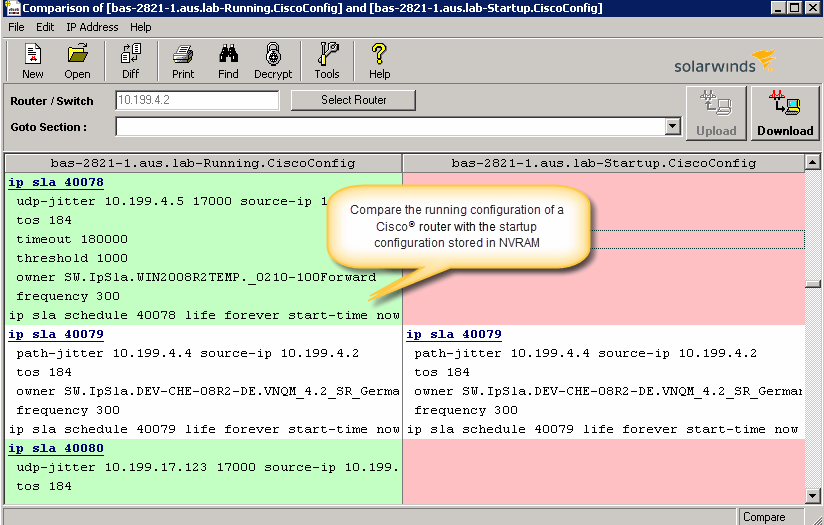
devices with specialized tools such as Real-time NetFlow Analyzer, Config
Downloader, and Config Compare. SolarWinds Orion
integration is offered to make troubleshooting a network easier and faster, allowing users to start tools contextually from
any monitored element in Orion and significantly cut resolution time.
Categories & Use Cases
Screenshots



1 / 5
Screenshot of Perform network stress tests with Engineer's Toolset WAN Killer. You don’t need to use real traffic for studying network activities, like testing traffic and load balancing. Instead, deploy Engineer's Toolset WAN Killer to help interactively test connections and adjust the IP traffic generated to achieve the desired network load based on your requirements.
Technical Details
| Deployment Types | On-Premise |
|---|---|
| Operating Systems | Windows, Windows Server® 2008 R2, 2008 R2 SP1, 2012, 2012 R2 or later, » SQL Server 2005 SP4, SQL 2008 without SP, 2008 SP1, 2008 SP2, 2008 SP3, SQL 2008 R2 without SP, 2008 R2 SP1, 2008 R2 SP2, SQL 2012, SQL 2012 SP1, SQL Server 2014, Block installation SQL 2005 SP1, SP2, SQL 2000 and MSDE |
| Mobile Application | No |
| Supported Countries | Global |
| Supported Languages | English |
FAQs
What are SolarWinds Engineer's Toolset's top competitors?
PRTG Network Monitor, Zabbix, and LogicMonitor are common alternatives for SolarWinds Engineer's Toolset.