TrustRadius: an HG Insights company

monday.com

Score8.6 out of 10

4,830 Reviews and Ratings

What is monday.com?

monday.com Work OS is an open platform designed so that anyone can create the tools they need to run all aspects of their work. It includes ready-made templates or the ability to customize any work solution ranging from sales pipelines to marketing campaigns, CRMs, and project tracking.

Media

Screenshot of Work OS
Screenshot of Ready-Made Templates
Screenshot of Mobile
Screenshot of Visual Boards
Screenshot of Real-time Notifications
Screenshot of Automations
Screenshot of Integrations
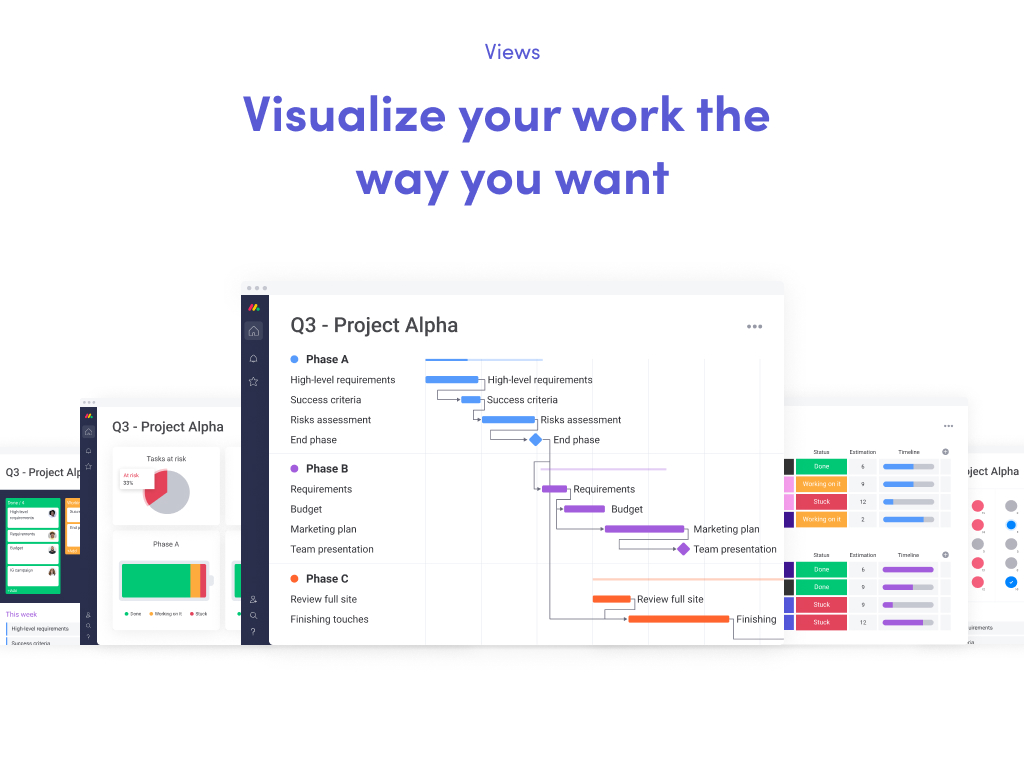
Screenshot of Views
Screenshot of File Sharing
Screenshot of Dashboards
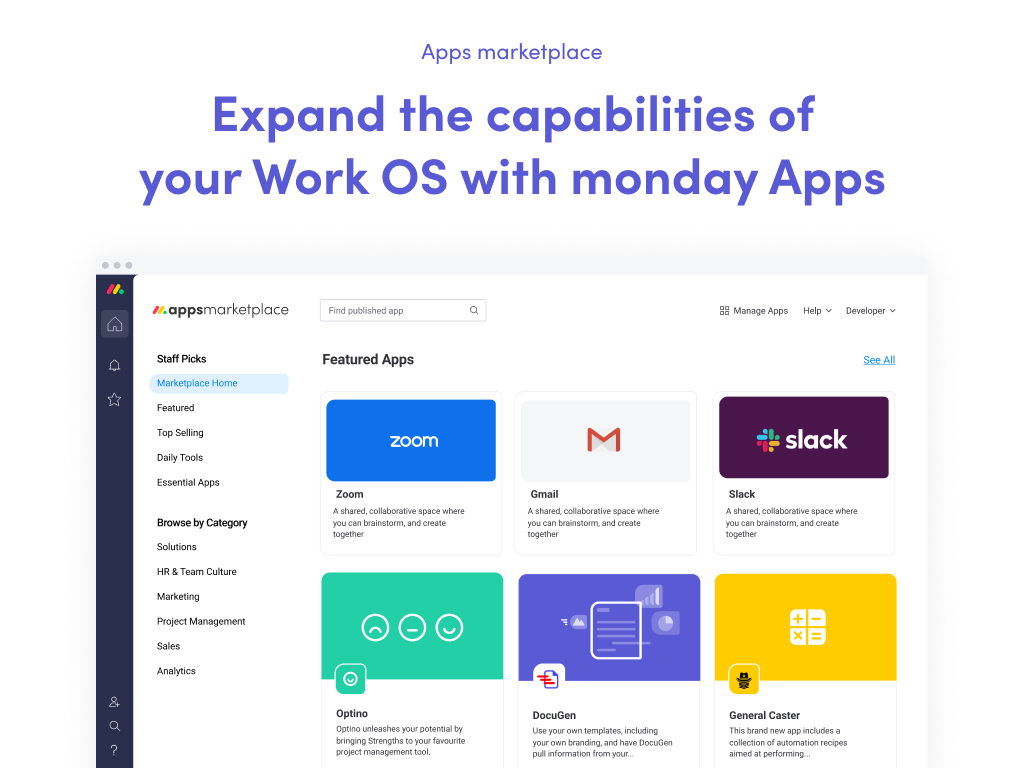
Screenshot of App Marketplace
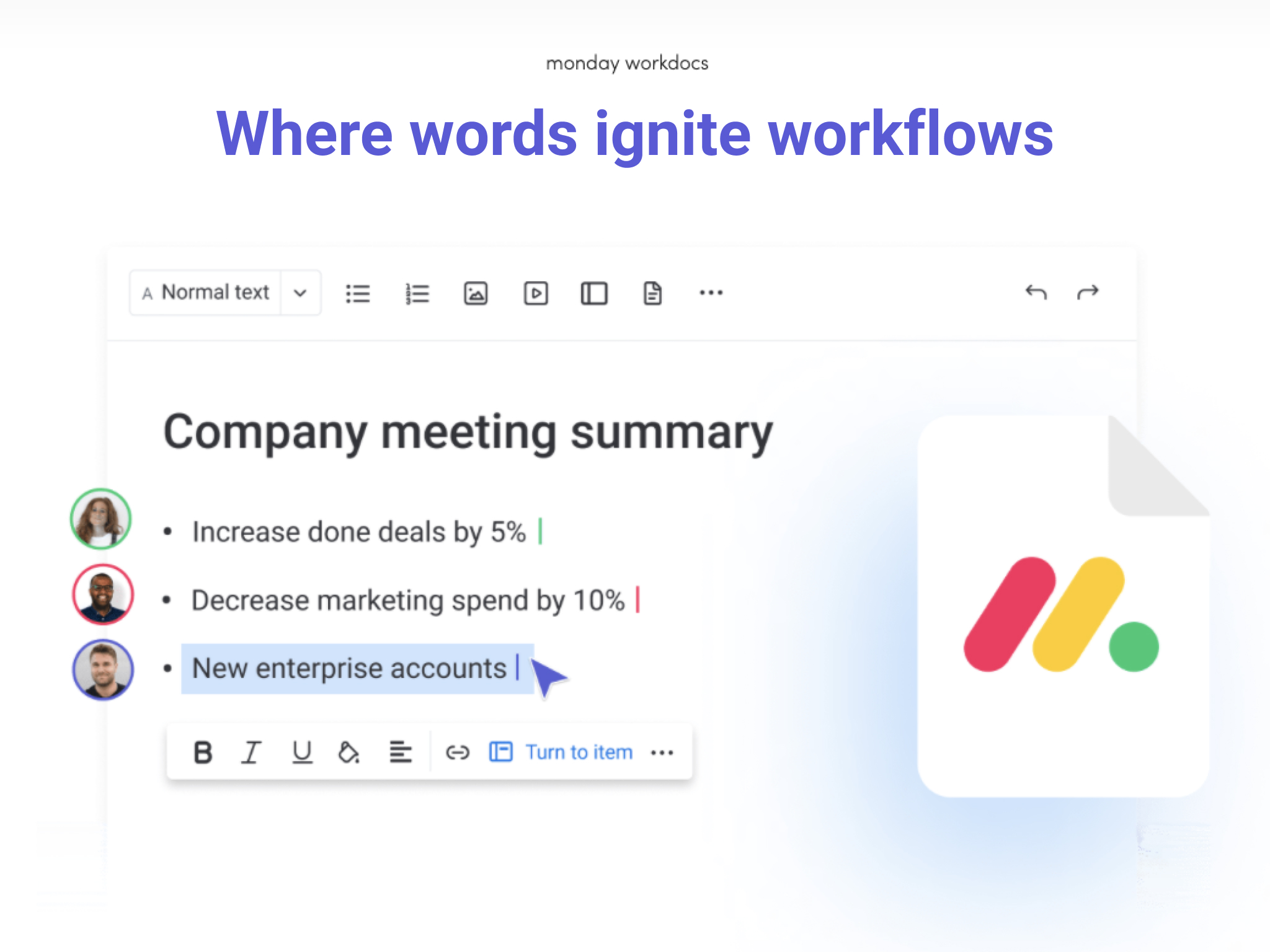
Screenshot of Docs

1 / 12

Screenshot of Work OS

Top Performing Features

  • Quotes/estimates

    Ability to create, manage and send project fee proposals to customers

    Category average: 8.6

  • Project & financial reporting

    Ability to analyze project and financial data based on custom criteria to gather insights and improve business performance

    Category average: 8.5

  • Integration with accounting software

    Real-time, two-way sync with accounting or financial software to facilitate project and financial reporting

    Category average: 8.4

Areas for Improvement

  • Gantt Charts

    Gantt charts are charts that show tasks or events along the y-axis displayed against time along the x-axis.

    Category average: 8.3

  • Document Management

    Document management provides for centralized management of all project documents.

    Category average: 7.9

  • Support for Waterfall Methodology

    Waterfall methodology is a tradition development method that is linear and sequential.

    Category average: 7.9

Best Product Ever - Can't Function Without It

Use Cases and Deployment Scope

I use monday.com to manage projects, drive process efficiency, decrease inbox clutter, track productivity and allow for transparency across the organization. One of the biggest problems it addresses is transparency. By creating project boards that are shared across departments and the org. managers can easily see what it is teams are working on. Updates are at your fingertips. No wait time to get answers and no emails cluttering your inbox.

Pros

  • Project tracking
  • Organize to-dos
  • Automate workflows
  • Remind and keep people on track

Cons

  • Hate that you can't have different headers within the same board or between items and sub items

Return on Investment

  • It's hard to measure time saving but for sure it saves hundreds of hours reading emails
  • Visibility across teams
  • Improved workflow and process improvement

Usability

Other Software Used

Insperity

Tie Up All Your Loose Ends

Use Cases and Deployment Scope

We use monday.com as a way to keep track of our manufacturing process. From customer order until it is delivered monday.com helps us keep track of where it is and how long it will be until completion. It has many features like notes and status visuals that make it simple to use and very useful. I definitely recommend it for any company that manufactures goods and has a lot of moving parts to keep track of.

Pros

  • Inner company messaging
  • Keeps everything updated real time
  • Helps track inventory

Cons

  • Moving between workspaces can be confusing
  • The constant info bar at the top gets annoying though hardly an issue
  • I am really reaching here, all in all I can't say I'd change anything

Return on Investment

  • Time saving
  • Employee communication
  • Order tracking

Usability

monday.com to simplify cross organizational work

Use Cases and Deployment Scope

monday.com is managing cross team tasks and data flow between different engineering, product, and GTM teams

Pros

  • monday.com helps organize complex systems
  • monday.com simplify task management
  • monday.com remove barriers between different teams processes

Cons

  • At times monday.com can be more flexible
  • Defining specific columns types for automation can be limiting
  • monday.com support is great on the surface but can be improved for advance use cases

Return on Investment

  • Time saving
  • Filled gaps between parallel processes
  • Increase visibility of impact
  • Increased productivity

Usability

Alternatives Considered

Trello, Atlassian Jira and Asana

Other Software Used

Superset, Microsoft 365, Adobe Premiere Pro, AWS Backup

LoveHate Relationship Some Excellent Features and Some Baffling Shortcomings

Use Cases and Deployment Scope

I don't use monday.com in my own organization, but I've helped deploy and train users on it—plus build a bunch of monday.com automations to support their business processes—for my biggest client. That client benefits from the increased org-wide visibility into other teams' work and progress on shared tasks, and the ease of commenting on tasks and tagging others in context. They've adopted it for basic task management and collaboration, and I'm in the process of helping migrate several automated request intake and management systems into monday.com too.

The IT team has started using it to track computer inventory and assignments, the HR team for tracking new hire onboarding tasks, and more! Another client of mine uses it for tracking program participants and their medical claim status, as well as their staff and contractors' contact information and assignments.

Pros

  • Relational database functionality (via Connect Boards and Mirror Columns)
  • The UI is reasonably user-friendly - not too overwhelming, compared to other platforms in this space
  • Making automation more accessible to non-technical folks using natural language for the recipe builder

Cons

  • The sales process was rocky and almost felt like a bait-and-switch (rep promised various features we needed were possible natively, but ended up being wrong about some big ones)
  • The reliance on third-party apps to fill some fundamental functionality gaps is frustrating—monday.com support seems to think that if there's an app that does what the user is asking for, that's the solution (even when that app may carry its own cost and/or fail to meet security benchmarks). monday.com also pushes third-party apps far too much, popping up and recommending them to users "proactively" even in HIPAA-compliant orgs that cannot use them
  • It feels like monday.com nickels-and-dimes its customers—when a new feature is developed, it seems like the first thing they ask themselves is "how much extra can we get people to pay for this?" while other platforms take a more holistic approach to dividing features between subscription tiers
  • I feel the quality of support is usually terrible (at least for power users. I could see it being okay for new people with very basic questions)
  • The notification of an automation or workflow failing is severely lacking, and when you look at an automation's run history, virtually no helpful troubleshooting information is made visible
  • Its integrations are typically EXTREMELY limited and non-customizable, making many of them useless in practice

Return on Investment

  • Positive: makes it easier for different teams/departments to collaborate and provide visibility into task progress
  • Positive: connected boards allow for agile matching of static items with often-changing items (e.g., computer inventory with assigned users)
  • Negative: sometimes automations fail for no reason whatsoever, and there is insufficient notification when this happens. This can lead to something important falling through the cracks!
  • Positive: Dashboards make it very easy to display helpful metrics that update themselves in realtime—this wasn't possible at all for my client before adopting monday.com

Usability

Alternatives Considered

Asana, Basecamp, Microsoft Planner, Trello, Zendesk Suite and Slack

Other Software Used

Zapier, Microsoft Power Automate, Microsoft Teams, Slack, Google Workspace, FreshBooks

monday.com will add value to your organization

Use Cases and Deployment Scope

My organization uses monday.com as a CRM but also for so much more. In addition to keeping track of our members (we are a membership organization), we also use it to track projects, timelines, organizational goals, communications, and keep ourselves organized. The product has simplified how we keep track of things. Previously, we had spreadsheets and documents everywhere for our events and projects, and were constantly confused. Now we keep our project plans in monday.com and send reminders through it, as well as being able to mark things done!

Pros

  • Company contacts- I like the ability to have the company as well as various tags, documents, and contact types
  • Tracking communications- I love that I can see both my communications and the communications of my coworkers with company contacts
  • Project plans- the ability to manipulate project plans has been especially helpful

Cons

  • messaging within the app to coworkers
  • connections with other apps
  • I find the addition of different services confusing

Return on Investment

  • It saves us time as we don't have to work as hard tracking our projects, and we can also copy and reuse them for repeat events.
  • We were able to integrate it with our website so our members pull to our website which has saved a lot of time and effort.
  • Because it is a web portal we have trouble getting everyone to use it so sometimes it isn't quite as effective as it could be.

Usability

Alternatives Considered

CRM and Deals for Zendesk

Other Software Used

Constant Contact, Webflow, Jotform