TrustRadius: an HG Insights company

SolarWinds Dameware Remote Support (DRS)

Score7.3 out of 10

129 Reviews and Ratings

What is SolarWinds Dameware Remote Support (DRS)?

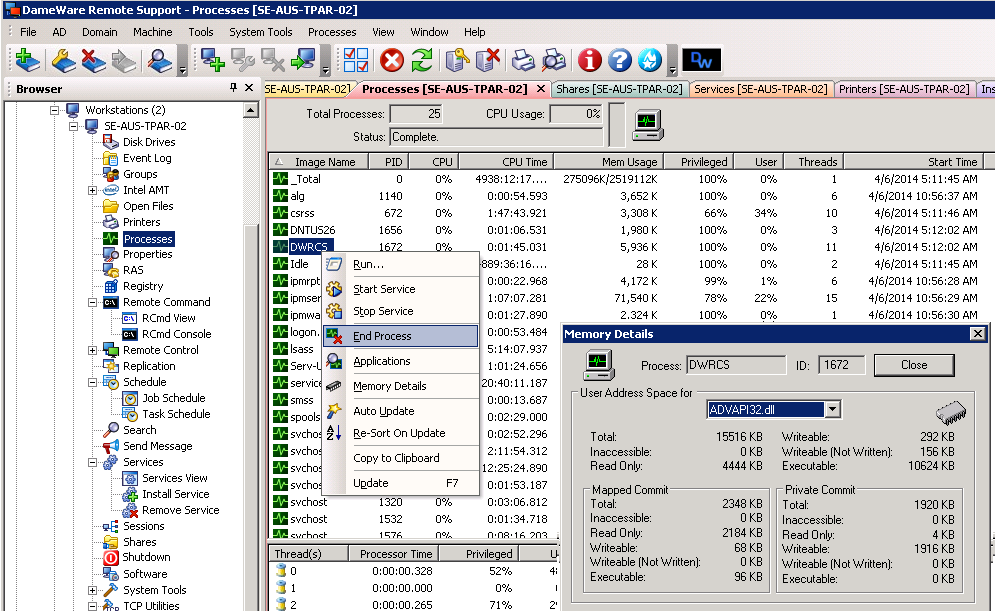
DameWare Remote Support from Austin IT company SolarWinds is remote administration software for the remote control of desktops, laptops, and servers behind or outside the firewall, allowing registry editing, restart services, logging activity, account and password management, and more. The mobile app also provides access from a phone or tablet. DameWare Remote Support licensing is per technician, the number of end-user remote machines is irrelevant; one technician may receive a license for $349. Discounts are available for multiple license purchases. The DameWare Mini Remote Control is a lesser version of SolarWinds' Remote Support software, and can be licensed for $259 for one technician. SolarWinds also sells a patch manager under the DameWare brand, for managing and deploying patches from a single console.

Categories & Use Cases

Media

DameWare Remote Support Management Console
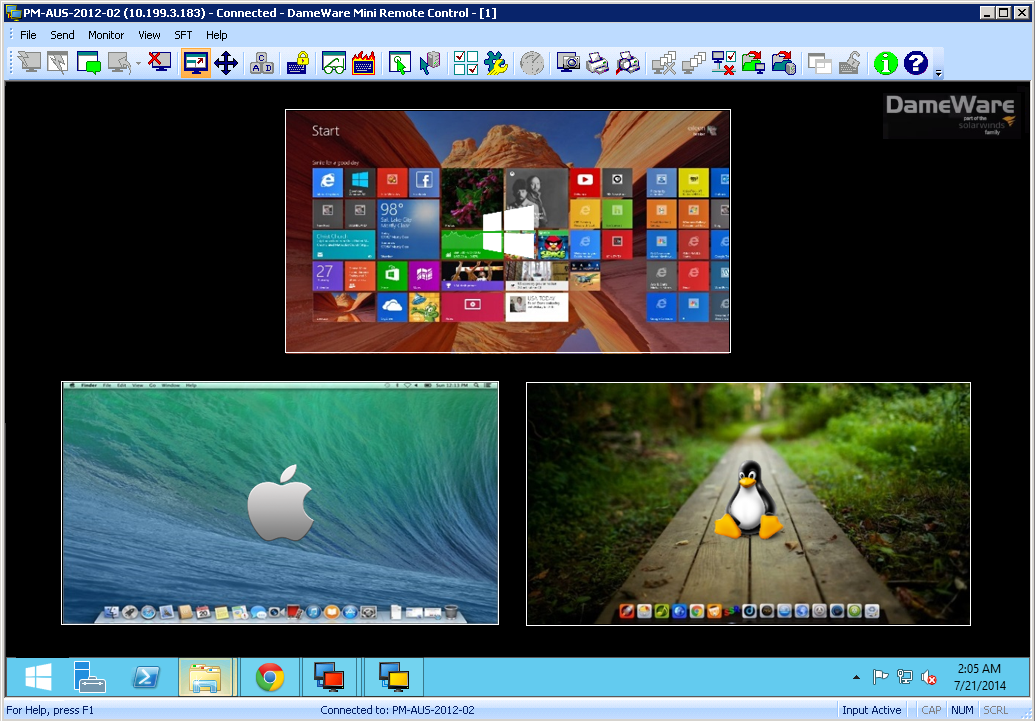
Remotely Connect to Windows, Linux, and Mac OS X Computers
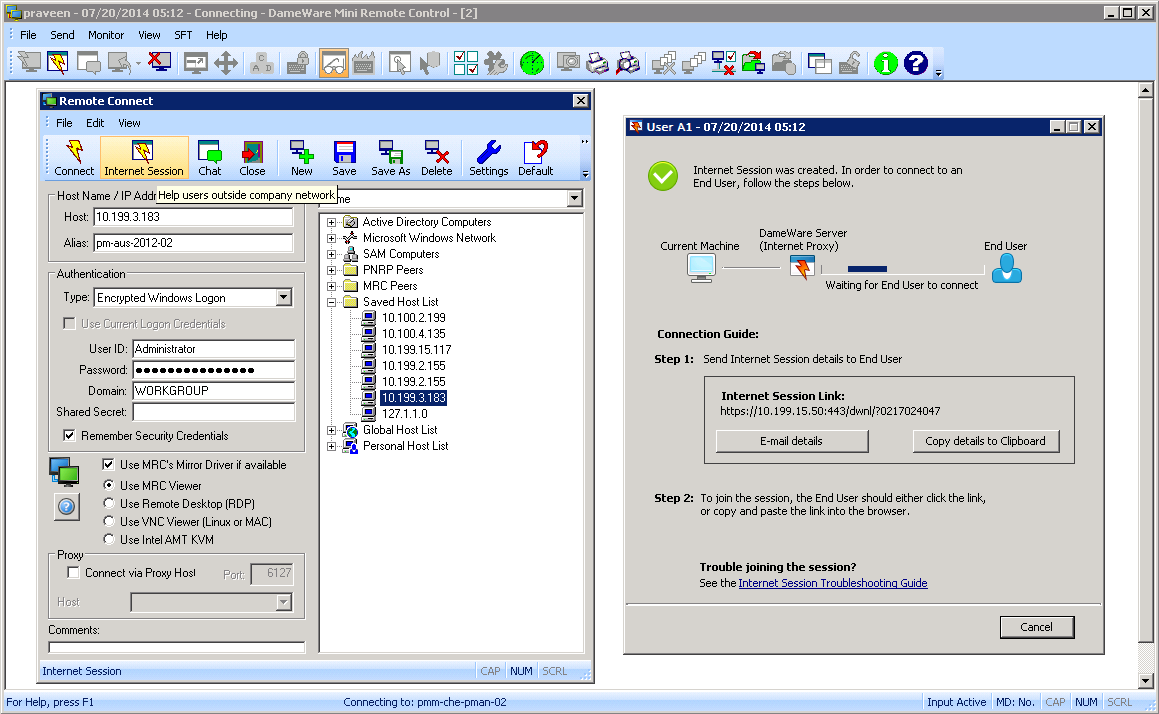
Over-the-Internet Remote Session via Secure Proxy Server
Connect to Remote Computers from iOS and Android Mobile Devices

1 / 4

Top Performing Features

  • Screen sharing

    Category average: 9.3

  • File transfer

    Category average: 8.6

  • Remote management of servers & workstations

    Category average: 8.4

Areas for Improvement

  • Annotations

    Category average: 6.6

  • Remote Active Directory® management

    Category average: 6.7

  • Multi-platform remote control

    Category average: 6.5

Good remote support tool

Use Cases and Deployment Scope

SolarWinds Dameware Remote Support is our tool to allow us to control a desktop or laptop for users working from home. When staff were all on site this was less of an issue but increasingly more staff are working from home so a desk visit is not possible anymore.

Pros

  • Remote access to sleeping and powered-off computers
  • Secure Multi-factor authentication
  • Flexible user access control
  • Remote session tools and utilities

Cons

  • Ability to switch users

Return on Investment

  • Remote support has reduced site visits to remote offices

Alternatives Considered

Microsoft Teams

Other Software Used

SolarWinds Kiwi Syslog Server, SolarWinds Network Configuration Manager (NCM), SolarWinds Network Performance Monitor (NPM)

Does it all and does it well

Use Cases and Deployment Scope

In our Organization we have several locations and hundreds of portable devices, but only one location for the Support Group. Dameware allow us to provide proper support to our employees remotely whenever they have an issue. Since 2020, there is also much work from home around the Organization, so it has become even more indispensable for us. It works perfectly in our environment, it feels like simply having another monitor connected to those devices, the fact the the user do not need to be logged in (or that it can be logged out) fr it to work makes this a great tool for administrators; most of our users do not have the permissions to install/uninstall applications or running Powershell scripts for example, so, being able to log them off, login as administrator, do anything that is needed and have them log back in while we watch to confirm that the issue is fixed has really saved a lot of time and effort.

Pros

  • Troubleshooting computers remotely without the need for the user to even be around.
  • Install software that needs to be installed manually without having to travel.
  • Viewing what the user is doing specifically that triggers the issue, making replicating issues way simpler.

Cons

  • Multimonitor setup. I can see multiple monitors at once, but they show as a long individual screen on my computer, very hard to correctly split in my local monitors; it would be great to be able to get a single application screen per remote monitor so I can bind them to my own monitors individually.
  • Catch/Release mouse. whenever my mouse moves over the remote screen the remote computer reacts to it, so, when I am watching a user I cannot move my mouse, it would be great to be able to "request" the remote computer to accept my mouse when I want and release it when I need.

Return on Investment

  • Positive impact mostly in time saved by Analysts, they do not need to travel to the users' locations and do not have to be guessing what is happening or having to describe solutions step by step over the phone.
  • Positive impact in reduced time frames for solving issues, meaning users can go back to their duties sooner and perform better overall.

Alternatives Considered

Microsoft Endpoint Manager (Microsoft Intune + SCCM)

Other Software Used

Notepad++, Microsoft Teams

Full Features Remote Support Solution

Use Cases and Deployment Scope

I've used Dameware Remote Support and its predecessor, Dameware NT Utilities, for over a decade. I love the interface and the face that I have multiples options for connecting to servers and PC's. I've liked it even more now that SolarWinds has taken over. It allows us a single contact for support, and simple update lifecycle, and central billing.

Pros

  • Allows for desktop mirroring for remote support
  • Allows for console access to servers
  • Allows for multiple protocols for connections to servers and desktops.

Cons

  • Sometimes the client can go sideways and cause issues.
  • Smaller client deployment would be helpful for remote locations
  • Automation and scripting support

Return on Investment

  • Very short learning curve to use the remote capabilities.
  • Having a single vendor for support
  • Having a single vendor for billing

Alternatives Considered

Microsoft Endpoint Manager (Microsoft Intune + SCCM), mRemoteNG and Microsoft Remote Desktop Connection Manager (RDCMan)

Other Software Used

SolarWinds Virtualization Manager (VMAN), SolarWinds IP Address Manager (IPAM), SolarWinds NetFlow Traffic Analyzer (NTA)

Dameware Remote Everywhere - I'd have it no other way!

Use Cases and Deployment Scope

I presently use the toolset of Dameware Remote Everywhere. The problem this helps address is the move to remote users. It allows us to easily connect to a remote user from no matter where they are located, just as long as they have a stable internet connection. The DRE tool also allows us to provide certain users access to Computers in the organization by setting them up as a User. We can provide them with a list of computers (from the admin console) that will display in their console. from here, they can manage Signage, or assist other staff.

Pros

  • Remote Support is great.
  • Constantly improving the software.
  • Tech Support has been very helpful.

Cons

  • Deployment of the DRE Toolset has been a pain point with our current Deployment tool.
  • In DRE, In the Technician Area (For a User), A Search function would be handy. At first, I was looking for this, then resorted to Control+F to "find" the computer I wanted to add to the user so I did not have to scroll through hundreds of computer options.
  • In DRE When a Technician is "Configure as End User " It would be nice to see a list of existing computers the "Tech" already has access to.

Return on Investment

  • The best topic this software has been able to provide to us is response time to assist users. We can assist a user no matter where they are located in the world.
  • This tool also has another great feature that the original Dameware did not, and that is the ability to allow more than 1 Technician to connect and manage the device. This has been great in training scenarios or multi-tech troubleshooting.

Alternatives Considered

TeamViewer, ManageEngine Desktop Central and AnyDesk

Other Software Used

ManageEngine Desktop Central, SysAid, BeyondTrust Privileged Remote Access, Qualys Cloud Platform (formerly Qualysguard), AlienVault USM, Sophos Intercept X, Sophos Intercept X for Server, KnowBe4 PhishER, Lansweeper, SOTI MobiControl

A "Must" for any IT/helpdesk support technician

Use Cases and Deployment Scope

We use SolarWinds DRS for providing IT support to our users who work from home. DRS works better than any remote support platform we have tried. It makes it easy to hop on someone's computer anywhere in the world and control it as if we were sitting at their desk. Before, we were using screen sharing in Teams/Zoom and, due to security features on those platforms, we were very restricted as to what we could do as far as changing settings and using tools like the command prompt. We especially like the drag and drop file transfer functionality and being able to download a user's logs very quickly.

Pros

  • The remote support connections are very reliable. I've never had a connection drop.
  • The experience is very polished and is dead simple to use.
  • The ability to transfer files using drag and drop is awesome.
  • It allows us to pull event logs very easily.

Cons

  • File transfer can be very slow at times.
  • Better integration with Solar Winds Service Desk would be great (i.e. syncing user info from Service Desk to DRE's console).

Return on Investment

  • We are a small organization, so I am unable to provide real numbers here.

Other Software Used

SentinelOne, Huntress, Cisco Umbrella, Microsoft 365 (formerly Office 365), Perimeter 81, OneDrive, Microsoft SharePoint, Microsoft Azure Active Directory, Microsoft Exchange