TrustRadius: an HG Insights company

ClickUp

Score8.3 out of 10

1,312 Reviews and Ratings

Get Started for Free

Contact about ClickUp

Please fill out the form below to get in touch.

ClickUp

Connect with ClickUp

What are you interested in?

Already have an account?

You hereby consent to have TrustRadius share the information supplied on this form with ClickUp so that ClickUp and TrustRadius may contact you in regard to the information requested.

What is ClickUp?

ClickUp is an all-in-one productivity platform.

It’s a hub where teams can come together to plan, organize, and collaborate on work using tasks, Docs, Chat, Goals, and Whiteboard. Customized with just a few clicks, ClickUp helps teams of all types and sizes deliver work more effectively, to boost productivity to new heights.

ClickUp aims to make the world more productive by removing friction caused by using many different applications. The platform boasts millions of users and over 200,000 teams at companies like Samsung, IBM, Twitter, Uber, and Ubisoft.

Media

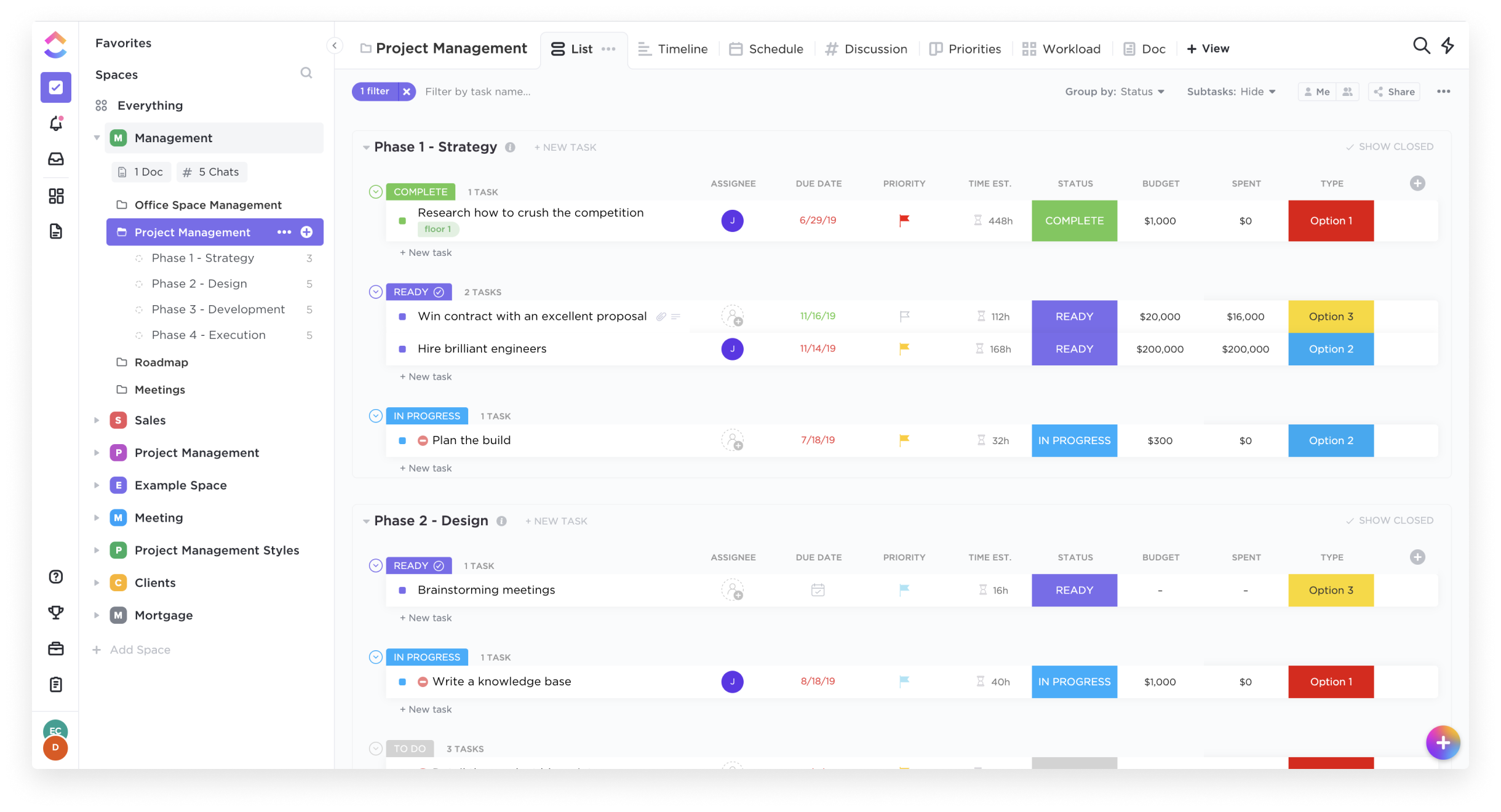
List View
Box View
Board View
Calendar View

1 / 4

Top Performing Features

  • Task Management

    This includes the ability to plan, track, collaborate and report on tasks.

    Category average: 9.1

  • Team Collaboration

    Team collaboration capabilities let team members work directly with each other and provide team updates.

    Category average: 9

  • Support for Agile Methodology

    Agile is a time boxed, iterative approach to development that builds software incrementally instead of trying to deliver it all at once near the end.

    Category average: 8.1

Areas for Improvement

  • Project & financial reporting

    Ability to analyze project and financial data based on custom criteria to gather insights and improve business performance

    Category average: 8.4

  • Timesheet Tracking

    Timesheet tracking is the ability to track all billable and non-billable hours for each project.

    Category average: 8.3

  • Mobile Access

    Mobile access is the ability to access the software from a smartphone or tablet.

    Category average: 8

Clickup Best

Use Cases and Deployment Scope

ClickUp in your organisation

Pros

  • ClickUp
  • Particallrly
  • Well

Cons

  • Improvemennt

Return on Investment

  • Test

Usability

Other Software Used

Atlassian Jira

One You Use It You Will NEVER Go Back

Use Cases and Deployment Scope

We use ClickUp for many things! We have a ClickUp form for promotional requests (project intake), which is where the majority of our work stems from. This makes it easy to turn requests into task lists and actionable workflows immediately. We use task lists and tasks to manage our daily work, establish priorities, and keep other departments updated on project progress. We use ClickUp documents for our meeting agendas, meeting notes, etc. This allows us to create tasks, communicate with other team members, and keep everything organized right from a single location. We also use ClickUp dashboards to monitor the team's workload, efficiency, and provide visibility to stakeholders on what our team is working on. We also have a wiki that is being used as a ClickUp Knowledge Base. This is a powerful tool for other departments in the organization to learn about ClickUp and quickly start using it. ClickUp is the BEST! It is so much more than a project management tool.

Pros

  • Customizable setup and views for any personal preference (works for EVERYONE)
  • The communication tools inside of ClickUp help reduce emails
  • The ability to share ClickUp forms and documents with people outside of ClickUp is powerful
  • Unlimited file size for form attachments is amazing

Cons

  • I would LOVE to be able to nest folders within folders
  • The ability to create more than one Wiki would be great
  • The ability to set up an automation where a form is converted to a task list and have it carry over everything in the form (turned into tasks) would be amazing

Return on Investment

  • Reduced walk-up work and miscommunications
  • We have been able to actually document time spent doing specific tasks, when before we were just guessing
  • We have been able to implement a rating system for projects that allows us to prioritize work more effectively

Alternatives Considered

Asana, Trello, monday.com and Airtable

Other Software Used

Canva, Iterable, vidIQ

The Most Capable Productivity Software

Use Cases and Deployment Scope

ClickUp is the single source of truth in our content marketing company. It drives our project flows, holds relevant documentation, and automates communication and task distribution. The ability to track time, hand-off sub-tasks, and organize details without needing to perform 5 "housekeeping" tasks in the middle of project productivity is a massive win for our business.

Pros

  • Time tracking
  • Live commenting
  • Document storage

Cons

  • Clickup is a tank! It's feature-set is extremely robust and can overload a new user.
  • Account wall/Guest access. I'd love to be able to send people more info through ClickUp without them needing an account.
  • Settings navigation: It is sometimes unclear what things need to be handled in the main settings or in specific task cards.

Return on Investment

  • Shortened our average project duration by 50%
  • Reduced our necessary operations software portfolio by 90%
  • Decreased emails by 50%

Alternatives Considered

Todoist and Google Tasks

Other Software Used

Google Tasks, Todoist, ServiceTitan

Simple and straightforward task management

Use Cases and Deployment Scope

I need a tool where I can put all my tasks in a simple way and take notes about them. I manage a lot of things and I need to order my mind writing down everything so I don't forget anything. ClickUP is really good at showing tasks and details about each one. Even relations between them, so I feel I'm in control.

Pros

  • Task Management
  • The user interface is friendly
  • Multiple user views so you use the one you like.

Cons

  • The mobile app is ok, but can be better
  • The screen shows a lot of information, which is good, but until you get used to it, it may be overwhelming
  • Recurring tasks are not much intuitive

Return on Investment

  • Collaboration is simple and straight forward.
  • There is control and order in everything.

Alternatives Considered

Asana

Other Software Used

Slack, Asana, Google Sheets, Microsoft Powerpoint, AppSheet, Google Meet, Adobe Illustrator CC, Adobe PhotoShop, BBEdit, Supermetrics, Dropbox, Google Drive

Why ClickUp Became Our All-In-One Productivity Hub.

Use Cases and Deployment Scope

We use ClickUp to manage our project workflows starting from task assignments to timelines. It's used in team collaboration as well as documentation. It helps us to track progress and priorities and keep the projects aligned with their timeline. Before ClickUp we struggled with scattered tools mostly excel and there was no visibility into project status. No everything is centralized and easy to access. Our use span across multiple departments including product design, development, PMO and we even share it with client to have full visibility for them.

Pros

  • Easily create custom task statuses to match our process.
  • Link Tasks using dependencies or related tasks. Create subtasks where required.
  • Log hours directly into the tasks without needing any third party tools.
  • Use of comments, mentions to keep communication within task.

Cons

  • The mobile app lacks the smoothness and full functionality.
  • Sometime we get bombarded with notifications, clubbing of notification can be done.
  • Small glitches sometimes like task status not updating right away or filters not getting saved.

Return on Investment

  • 25-30% Faster Project Completion due to improved task tracking.
  • 5-7 hours saved per team member per week by easy collaboration.
  • 40% reduction in scattered communication by centralized collab within tasks.
  • Stronger accountability and goal tracking, helping teams stay focused on KPIs and deadlines.

Alternatives Considered

Asana and Atlassian Jira