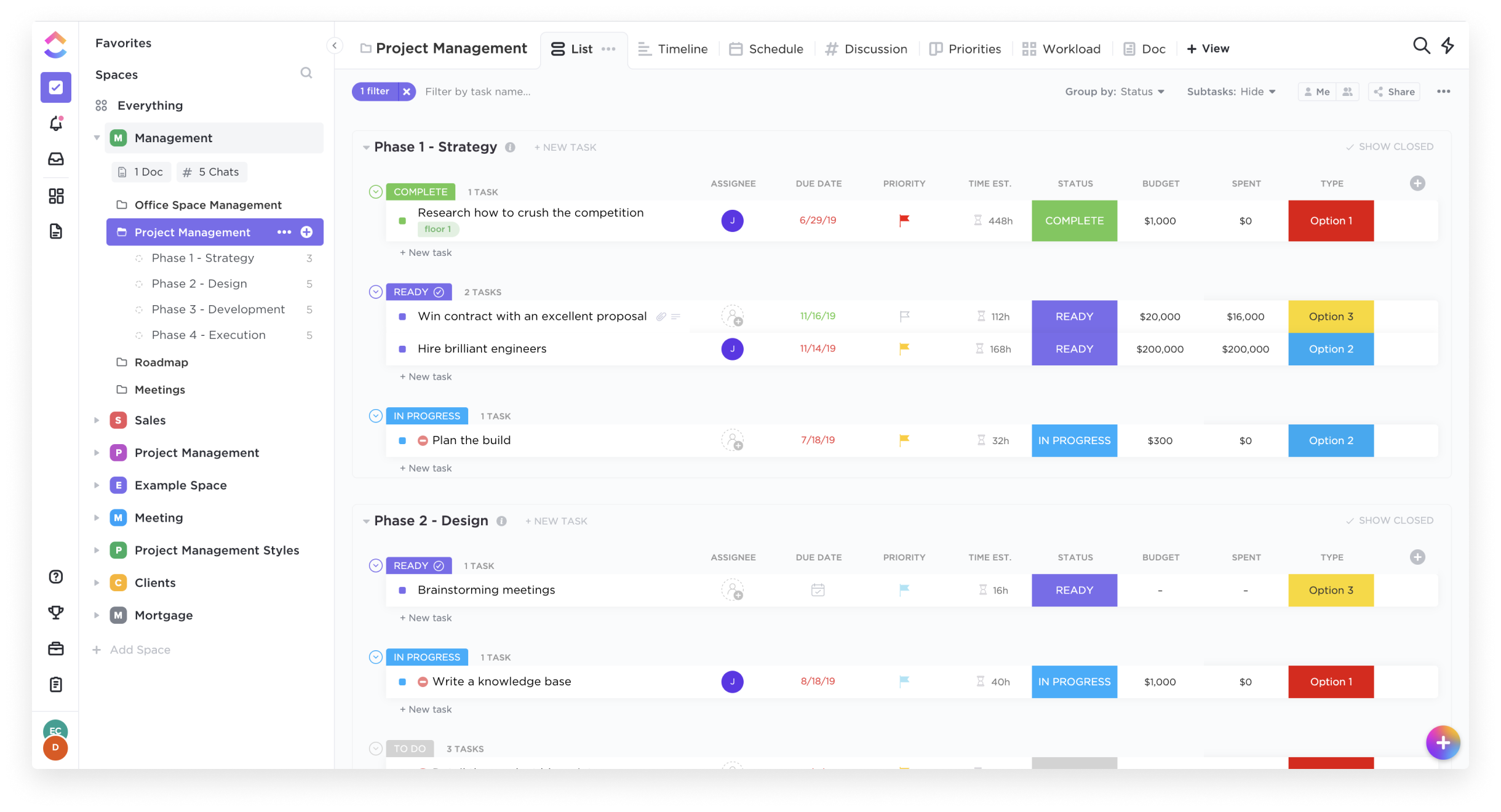
ClickUp is an all-in-one productivity platform. It’s a hub where teams can come together to plan, organize, and collaborate on work using tasks, Docs, Chat, Goals, and Whiteboard. Customized with just a few clicks, ClickUp helps teams of all types and sizes deliver work more effectively, to boost productivity to new heights. ClickUp aims to make the world more productive by removing friction caused by using many different applications. The platform boasts millions…
$0
per month per seat
monday.com
Score8.6 out of 10
Mid-Size Companies (51-1,000 employees)
monday.com Work OS is an open platform designed so that anyone can create the tools they need to run all aspects of their work. It includes ready-made templates or the ability to customize any work solution ranging from sales pipelines to marketing campaigns, CRMs, and project tracking.
System Manager at Wazoogles Superfood (Health, Wellness and Fitness, 11-50 employees)
Chose ClickUp
Love how ClickUp allows tasks to be opened in their own little window, where you can then see additional info. monday.com forced us to have every field visible as a column, which lead to really complicated and difficult to navigate boards. ClickUp's Lists are cleaner, more …
A de minimis incentive was given to thank the reviewer for their time. The incentive was not used to bias or drive a particular response, nor was the incentive contingent on a positive endorsement. More Info
Director in Marketing at Webhive Digital (Marketing & Advertising, 1-10 employees)
Chose ClickUp
ClickUp's features were far superior in terms of what we could do for project management and flexible enough we could adjust it to our use case. We found Notion too basic and monday.com too restrictive. ClickUp is the perfect blend of what we need and their new features often …
A de minimis incentive was given to thank the reviewer for their time. The incentive was not used to bias or drive a particular response, nor was the incentive contingent on a positive endorsement. More Info
Operations Manager at Jews of Color Initiative (Non-profit Organization Management, 1-10 employees)
Chose ClickUp
monday.com is more user friendly and it is easier to set up Automations. But it isn't as robust in features. There are many that I miss -- like time tracking, the ability to embed previews of files, the ability to add in emails and Slack messages as comments, and the AI fields.
A de minimis incentive was given to thank the reviewer for their time. The incentive was not used to bias or drive a particular response, nor was the incentive contingent on a positive endorsement. More Info
Head of Project Division in Information Technology at PATH Product & Software House (Computer Software, 51-200 employees)
Chose ClickUp
Jira is really good and maybe it works better in big projects. But for a department that serves multiple customers at the same time, ClickUp stands out. monday.com seems difficult and complicated to use.
A de minimis incentive was given to thank the reviewer for their time. The incentive was not used to bias or drive a particular response, nor was the incentive contingent on a positive endorsement. More Info
Verified User
Chose ClickUp
ClickUp is quickly moving up the ranks to surpass other project management software options that aren't readily available to whole teams. For the past two years, I've witnessed close competition between ClickUp and monday.com for the top spot as the foremost emerging project …
A de minimis incentive was given to thank the reviewer for their time. The incentive was not used to bias or drive a particular response, nor was the incentive contingent on a positive endorsement. TR verified that a representative sample of customers was invited. More Info
Verified User
Chose ClickUp
Slack was very limited in what we can do, besides we have G chat for that. Zendesk is how we track tickets, but thats about it. Lattice was introduced to establish goals and performance reviews. monday.com was similar but much pricier than ClickUp. ClickUp does all the above. …
A de minimis incentive was given to thank the reviewer for their time. The incentive was not used to bias or drive a particular response, nor was the incentive contingent on a positive endorsement. TR verified that a representative sample of customers was invited. More Info
Verified User
Chose ClickUp
I think monday.com is a bit easier to uise and a bit more user friendly and cleaner looking. ClickUp is similar but I think takes some more time to get used to and to learn how to use it effectively. I think monday.com is better for groups and ClickUp is a bit better for …
A de minimis incentive was given to thank the reviewer for their time. The incentive was not used to bias or drive a particular response, nor was the incentive contingent on a positive endorsement. TR verified that a representative sample of customers was invited. More Info
Owner of Copper Cabbage Studios at Copper Cabbage Studios (Entertainment, 1-10 employees)
Chose ClickUp
I walked away from so many other products that I tried primarily because I wanted to have a task and productivity tool that allowed me to re-envision my 'data' at the task level. I wanted to be able to have Gantt views and dashboard views and then dive in deeper with comments …
A de minimis incentive was given to thank the reviewer for their time. The incentive was not used to bias or drive a particular response, nor was the incentive contingent on a positive endorsement. More Info
Verified User
Chose ClickUp
We liked ClickUp for the flexibility, the ease of set up, ClickUp university, and the price.
A de minimis incentive was given to thank the reviewer for their time. The incentive was not used to bias or drive a particular response, nor was the incentive contingent on a positive endorsement. More Info
Systems Specialist in Professional Services at IT Visionists (Information Technology & Services, 1-10 employees)
Chose ClickUp
The best feature of ClcikUp over others is it's customization as well as hierarchy. Departments, clients, operations become easier to manage if the hierarchy is setup in a good way that can allow your business scale without altering it repeatedly. Customization is another …
A de minimis incentive was given to thank the reviewer for their time. The incentive was not used to bias or drive a particular response, nor was the incentive contingent on a positive endorsement. More Info
A de minimis incentive was given to thank the reviewer for their time. The incentive was not used to bias or drive a particular response, nor was the incentive contingent on a positive endorsement. More Info
Verified User
Chose ClickUp
Because ClickUp simply aggregates all the best features from all those solutions.
A de minimis incentive was given to thank the reviewer for their time. The incentive was not used to bias or drive a particular response, nor was the incentive contingent on a positive endorsement. More Info
Head of Paid Search in Marketing at Understory (Marketing & Advertising, 11-50 employees)
Chose ClickUp
ClickUp can do basically all of the various things those tools can do, but in one platform that's more intuitive and has a lot more integrations so it has the potential for way more use cases and to solve more problems depending on how advanced you want to get with it.
A de minimis incentive was given to thank the reviewer for their time. The incentive was not used to bias or drive a particular response, nor was the incentive contingent on a positive endorsement. More Info
Verified User
Chose ClickUp
ClickUp was the best option for us given its low price, ease of use, and clean appearance. We moved from Zoho Projects, which was functional, but required advanced development knowledge to fully customize. Zoho Projects also was not as attractive or easy to use as ClickUp has …
A de minimis incentive was given to thank the reviewer for their time. The incentive was not used to bias or drive a particular response, nor was the incentive contingent on a positive endorsement. More Info
Verified User
Chose ClickUp
To keep it short, no other platform could keep up with my workflow, and meet all my business needs, like ClickUp does.
A de minimis incentive was given to thank the reviewer for their time. The incentive was not used to bias or drive a particular response, nor was the incentive contingent on a positive endorsement. More Info
Verified User
Chose ClickUp
We ended up going with another so for us it was #2 on the final decision. We found the automations easier with one of the other systems.
A de minimis incentive was given to thank the reviewer for their time. The incentive was not used to bias or drive a particular response, nor was the incentive contingent on a positive endorsement. TR verified that a representative sample of customers was invited. More Info
Verified User
Chose ClickUp
I personally think ClickUp has the best flexibility and user interface of any similar programs i have used.
A de minimis incentive was given to thank the reviewer for their time. The incentive was not used to bias or drive a particular response, nor was the incentive contingent on a positive endorsement. TR verified that a representative sample of customers was invited. More Info
Verified User
Chose ClickUp
ClickUp does more than the other competitors in their industry and the costs are very reasonable. It is easy to set up and most people do not need an extensive training on the tool. It has powerful connections which make it a great central tool that all teams can store …
A de minimis incentive was given to thank the reviewer for their time. The incentive was not used to bias or drive a particular response, nor was the incentive contingent on a positive endorsement. TR verified that a representative sample of customers was invited. More Info
Survey Manager at Atheneum (Research, 1001-5000 employees)
Chose ClickUp
The subscription price offers a very complete package compared to other similar products, so in terms of value for money, it is, in my opinion, the best deal. Even the free version is very complete, allowing you to get an excellent idea of how it would impact a person's …
A de minimis incentive was given to thank the reviewer for their time. The incentive was not used to bias or drive a particular response, nor was the incentive contingent on a positive endorsement. More Info
Head of Product in Product Management at Best10 (Health, Wellness and Fitness, 11-50 employees)
Chose ClickUp
ClickUp's value for the cost is a lot higher for our company. It is intuitive to use, and the configurability is unmatched by its competitors. The sleek look and feel makes this product enjoyable to work with, and ClickUp balances simplicity in design with complexity in the …
A de minimis incentive was given to thank the reviewer for their time. The incentive was not used to bias or drive a particular response, nor was the incentive contingent on a positive endorsement. More Info
Verified User
Chose ClickUp
Choosing ClickUp, teams often gain a balance of powerful features, flexibility, and affordability, making it an attractive option for a wide range of use
A de minimis incentive was given to thank the reviewer for their time. The incentive was not used to bias or drive a particular response, nor was the incentive contingent on a positive endorsement. More Info
Technical Writer in Professional Services at ANIME TOONS LTD. (Animation, 1-10 employees)
Chose ClickUp
Simple interface, good communication, and tagging system. The tool is robust beneath the mask, as it lets us share multiple things and hasn't reached a limit on the number of projects we handle at once. Also, the interface is lovely, as it keeps things simple enough for anyone …
A de minimis incentive was given to thank the reviewer for their time. The incentive was not used to bias or drive a particular response, nor was the incentive contingent on a positive endorsement. TR verified that a representative sample of customers was invited. More Info
A de minimis incentive was given to thank the reviewer for their time. The incentive was not used to bias or drive a particular response, nor was the incentive contingent on a positive endorsement. More Info
A de minimis incentive was given to thank the reviewer for their time. The incentive was not used to bias or drive a particular response, nor was the incentive contingent on a positive endorsement. More Info
Customer Experience Team Manager in Customer Service at Accelevents (Computer Software, 51-200 employees)
Chose ClickUp
They are all very similar, but ClickUp was easier to use. The UX design is great, everything falls into place. I didn’t have to train anyone from the team on how to use it. They easily understood how it works. It’s simple, clear and straightforward. Every move you make, it’s …
A de minimis incentive was given to thank the reviewer for their time. The incentive was not used to bias or drive a particular response, nor was the incentive contingent on a positive endorsement. More Info
Consultant in Corporate at Agile Consulting and Coaching (Management Consulting, 1-10 employees)
Chose monday.com
monday.com is simpler and easier to grasp, apply and navigate than ClickUp, but the ClickUp free version has so much more functionality available than the monday.com free / low-cost options (sorry, but it's true!). Google Tasks is really simple and I shouldn't really compare …
A de minimis incentive was given to thank the reviewer for their time. The incentive was not used to bias or drive a particular response, nor was the incentive contingent on a positive endorsement. More Info
Managing Director in Professional Services at Insodus Technologies OÜ (Information Technology & Services, 1-10 employees)
Chose monday.com
I'd put monday.com and Asana on par, then ClickUp and lastly Jira. Jira would be more appropriate for exclusively technology engineering teams. Jotform offers better choices for forms use cases especially ones with complexity. Zoho makes more sense when you have the full suite, …
A de minimis incentive was given to thank the reviewer for their time. The incentive was not used to bias or drive a particular response, nor was the incentive contingent on a positive endorsement. More Info
Regional Manager in Marketing at Dotcom Zambia (Consumer Services, 11-50 employees)
Chose monday.com
ClickUp is a competitor but Monday's design is much better and user experience is superior. Also, export functions are a class above those of ClickUp. Asana is trying to compete with a lot more project management apps by picking the best features and making them available to …
A de minimis incentive was given to thank the reviewer for their time. The incentive was not used to bias or drive a particular response, nor was the incentive contingent on a positive endorsement. More Info
Executive Director at Kabod House International (Non-profit Organization Management, 1-10 employees)
Chose monday.com
We decided to go with monday.com because they offered a free tier for nonprofits and because they are easier to use and offered additional features that we could not find on the other choices. Hands down, there was no better choice for us than monday.com.
A de minimis incentive was given to thank the reviewer for their time. The incentive was not used to bias or drive a particular response, nor was the incentive contingent on a positive endorsement. TR verified that a representative sample of customers was invited. More Info
Solution Engineer in Customer Service at Msquare Automation Solutions (Information Technology & Services, 11-50 employees)
Chose monday.com
As a developer, I have utilized the mentioned apps to integrate processes for clients, and I have found monday.com to be superior due to its abundance of features compared to others. Choosing monday.com provides enough capabilities for teams and managers to handle work in one …
A de minimis incentive was given to thank the reviewer for their time. The incentive was not used to bias or drive a particular response, nor was the incentive contingent on a positive endorsement. More Info
General Manager in Corporate at Prairie Industrial Group LLC (Oil & Energy, 11-50 employees)
Chose monday.com
monday.com has the only interface that is 100% customizable, can use public and private boards, can be shared with customers, produce Gantt charts, and has THE MOST integrations "in house". The professional relationships that monday.com has established to be "on board" with …
A de minimis incentive was given to thank the reviewer for their time. The incentive was not used to bias or drive a particular response, nor was the incentive contingent on a positive endorsement. More Info
Gerente de Projetos in Marketing at Escola de Investimentos (E-Learning, 11-50 employees)
Chose monday.com
Is far away the best!! With monday.com I find everything I need easily. As I said before, its user-friendly interface, which is intuitive and easy to navigate.
A de minimis incentive was given to thank the reviewer for their time. The incentive was not used to bias or drive a particular response, nor was the incentive contingent on a positive endorsement. More Info
Founder+CEO in Corporate at Wild Me (Apparel & Fashion, 11-50 employees)
Chose monday.com
overall, the diverse views and customization put monday.com ahead of the other platforms because its tailored for each individual. Asana is a great to do list platform, but lacks features that are needed to manage a project. click up is a great free platform, but lacks the …
A de minimis incentive was given to thank the reviewer for their time. The incentive was not used to bias or drive a particular response, nor was the incentive contingent on a positive endorsement. More Info
Great for project management, reoccurring task management, building trackers and keeping track of what everyone is up to. Like all software that has great functionality, having solid governance and control over access is essential. I recommend ensuring that your admins/owners have a close eye on what is going on across the space or it can turn into an unmanageable nightmare.
The platform is very well suited for our nonprofit programs that serve low-income clients who need diapers, wipes, and period products. It has helped us run our programs, capturing information and allowing us to view the data for reporting purposes. The ability to filter data is very helpful by allowing us to categorize information to get a better picture of the progress of our programs.
A de minimis incentive was given to thank the reviewer for their time. The incentive was not used to bias or drive a particular response, nor was the incentive contingent on a positive endorsement. TR verified that a representative sample of customers was invited. More Info
A de minimis incentive was given to thank the reviewer for their time. The incentive was not used to bias or drive a particular response, nor was the incentive contingent on a positive endorsement. More Info
I like summary of subitems, especially with subitasks as subitems and add item tracking for each subtask it can show total tracked in parent item. Similar with other columns, like numbers, status, date.
Dashboard features, Many kinds of dashboard view available, we can utilize on the basis of requirements.
monday.com workform is very powerful, easily share form link when submitted it will create line item in board with provided data.
monday.com automation is very helpful in order to automate steps with specific rules and easy setup.
monday.com also provides integrations in order to automate processes if need to integrate multiple app together. or need to transfer data between multiple apps.
A de minimis incentive was given to thank the reviewer for their time. The incentive was not used to bias or drive a particular response, nor was the incentive contingent on a positive endorsement. More Info
The desktop app for Mac seems to have a few issues with visual glitches appearing on screen, it only seems to go away when I close the tool and reopen it
Subtasks don't show on the individual users to-do list, only main level tasks
A de minimis incentive was given to thank the reviewer for their time. The incentive was not used to bias or drive a particular response, nor was the incentive contingent on a positive endorsement. TR verified that a representative sample of customers was invited. More Info
It has been a game-changer in terms of project tracking, as animation is a demanding product that requires multiple layers of analysis, revisions, tracking, scheduling, etc. ClickUp simplifies many approvals as anyone can easily add items, and you can tag the people who need to look at them.
A de minimis incentive was given to thank the reviewer for their time. The incentive was not used to bias or drive a particular response, nor was the incentive contingent on a positive endorsement. TR verified that a representative sample of customers was invited. More Info
Teams involved in content creation, such as marketing or editorial teams, could use monday.com to manage the entire content lifecycle. Boards might track content ideas, assignments, drafts, reviews, approvals, and publication schedules, helping teams collaborate and keep content production on track.
A de minimis incentive was given to thank the reviewer for their time. The incentive was not used to bias or drive a particular response, nor was the incentive contingent on a positive endorsement. More Info
Far easier to use than any other PM tool. ClickUp is incredibly intuitive and had us saving time and energy within the first week of implementation. In my opinion, PM software should make it easier to focus on the deliverables - it shouldn't take all your time and energy to learn how to use the tool in the first place. ClickUp is a user-friendly tool that actually helps us focus on what's important.
A de minimis incentive was given to thank the reviewer for their time. The incentive was not used to bias or drive a particular response, nor was the incentive contingent on a positive endorsement. More Info
I give monday.com a 10/10 because I almost never encounter any lag or connectivity issues despite all of the many templates, boards, and automations we have. As a matter of fact, I feel like the last issue I encountered was over a year ago... and I'm in monday.com every single work day. Not only is monday trustworthy, it is easy to find what I'm looking for... making the overall usability extremely hard to beat.
A de minimis incentive was given to thank the reviewer for their time. The incentive was not used to bias or drive a particular response, nor was the incentive contingent on a positive endorsement. TR verified that a representative sample of customers was invited. More Info
For over a year ClickUp was unavailable to us just twice for a couple of hours. I would say for a system this big and working globally that was a minor issue. They managed to fix all the issues within a couple hours and then it was back up and running perfectly fine.
A de minimis incentive was given to thank the reviewer for their time. The incentive was not used to bias or drive a particular response, nor was the incentive contingent on a positive endorsement. More Info
A de minimis incentive was given to thank the reviewer for their time. The incentive was not used to bias or drive a particular response, nor was the incentive contingent on a positive endorsement. More Info
The speed of ClickUp is average to be honest. This is one of the biggest flaws of the system, sometimes it's also lagging a little bit but we also have a lot of documents, lists etc. on our workspace. However, with the next version of ClickUp I've seen they are planning to increase the speed by almost 500%, probably by changing the technology, so I am more than looking forward to it.
A de minimis incentive was given to thank the reviewer for their time. The incentive was not used to bias or drive a particular response, nor was the incentive contingent on a positive endorsement. More Info
Everything performs fairly well. Every now and then there are user errors where an employee will not click "ok" on a note they've created and simply exit out (I do wish that something was in place to prevent this, such as a pop "are you finished?")
A de minimis incentive was given to thank the reviewer for their time. The incentive was not used to bias or drive a particular response, nor was the incentive contingent on a positive endorsement. More Info
I started using ClickUp when it was what most would consider a baby company. There were the occasional bugs that made working in ClickUp a little bit of a headache, but the support feature allowed me to chat with a real persona and communicate my issues. I would always get prompt support and someone willing to really help me, not just point me to FAQ pages. Not feeling like a number really makes a difference.
A de minimis incentive was given to thank the reviewer for their time. The incentive was not used to bias or drive a particular response, nor was the incentive contingent on a positive endorsement. More Info
monday.com only really care about accounts that have 20 seats or more. While this is great for monday.com, it pushes smaller organisations to evaluate alternatives. We rate monday.com highly in our organisation because key staff have already got good experience with the application and we know we will get to 20+ seats one day. But, till then the billing model and lack of permanent enterprise features is a dread.
A de minimis incentive was given to thank the reviewer for their time. The incentive was not used to bias or drive a particular response, nor was the incentive contingent on a positive endorsement. More Info
There are multiple guides on literally all of the functions you can find within the system, therefore it's easy to learn anything you'd really like to use, starting from project and people management, down to Gantts, mind maps, time tracking, inviting Clients as guests to work with you on the projects and so much more.
A de minimis incentive was given to thank the reviewer for their time. The incentive was not used to bias or drive a particular response, nor was the incentive contingent on a positive endorsement. More Info
To have someone walk you thru the features and capabilities of Monday.com is priceless. Someone also coming along later in the contract to see if you are maximizing the program to suit your company needs is beyond helpful. The staff that have provided this training are fun, creative and very patient.
A de minimis incentive was given to thank the reviewer for their time. The incentive was not used to bias or drive a particular response, nor was the incentive contingent on a positive endorsement. More Info
Start small. Don’t try to build the most elaborate plans first. Resist the urge to get into Gantt charts if no one is used to them. Just get work written, add dates and assignees, and start getting used to it. If you did not use a work management tool before, you need to be gracious with yourself about the fact that you likely do not have the muscle memory for working this way yet. But you will get there.
And leverage people who know it if possible. Look for ClickUp experts and vendors. They can really supercharge your effectiveness at building the tool out and speed up the process.
A de minimis incentive was given to thank the reviewer for their time. The incentive was not used to bias or drive a particular response, nor was the incentive contingent on a positive endorsement. More Info
We signed up for the accounts. Created the accounts. Ran the trial version and tested it live while we were running multiple projects and found that it was fitting our needs perfectly. When the trial ended and we were asked to purchase the full version, we did. We have found other ways to use it and it's a breeze.
A de minimis incentive was given to thank the reviewer for their time. The incentive was not used to bias or drive a particular response, nor was the incentive contingent on a positive endorsement. More Info
I did not make the decision to move to ClickUp, but I did provide feedback and hear feedback from our internal team about how ClickUp centralizes a lot of the company wides resources into one space. I feel that ClickUp provides more dynamic workflow building beyond Jira and Karbon, and tasks and questions are more searchable cross team, causing more time saved and less time reaching out to ask for an update. All Apps have their individual strengths, but ClickUp has it all live together in one space, making it easier overall for searching and updating items internally as a team.
monday.com is simpler and easier to grasp, apply and navigate than ClickUp, but the ClickUp free version has so much more functionality available than the monday.com free / low-cost options (sorry, but it's true!). Google Tasks is really simple and I shouldn't really compare them - it's just really nice to be able to see my tasks right next to my Google Calendar or Gmail (widget) - the "all on one" view on the screen is really nice ease of access, but the power of monday.com outweighs the nice-to-have of an all-in-one screen layout - it feels clumsy to bring in all my Calendar items from Google to monday.com, so an integration app to the Google screen where you can see monday.com tasks would be amazing.
A de minimis incentive was given to thank the reviewer for their time. The incentive was not used to bias or drive a particular response, nor was the incentive contingent on a positive endorsement. More Info
Scaling with ClickUp is superb. If you create a workflow best suited for your organization then it's all about creating new accounts and teaching the new employees the workflow you're using. It's that simple. There is no black magic when it comes to Clickup.
A de minimis incentive was given to thank the reviewer for their time. The incentive was not used to bias or drive a particular response, nor was the incentive contingent on a positive endorsement. More Info
For it to work across multiple departments and sites, I would like to see improvements made with integrations and automation. For this question, I am acknowledging not only the addition of internal triggers/automation, but also an expansion on external ones.
A de minimis incentive was given to thank the reviewer for their time. The incentive was not used to bias or drive a particular response, nor was the incentive contingent on a positive endorsement. More Info
Before ClickUp, my team would have multiple different project trackers, all in different locations, formatted in different ways. ClickUp has allowed us to move all those trackers into one location with a specified template and the ability to directly link tasks to tickets. This has greatly impacted project deliveries in a very positive way.
The time tracking feature of ClickUp has been amazing for our development team. Instead of them having to track in a separate document or at the end of every day, try to remember what they worked on and when, they instead can just hit a timer button on the ticket and go off to work. This alone has saved time and improved the accuracy of tracked time to projects.
A de minimis incentive was given to thank the reviewer for their time. The incentive was not used to bias or drive a particular response, nor was the incentive contingent on a positive endorsement. More Info