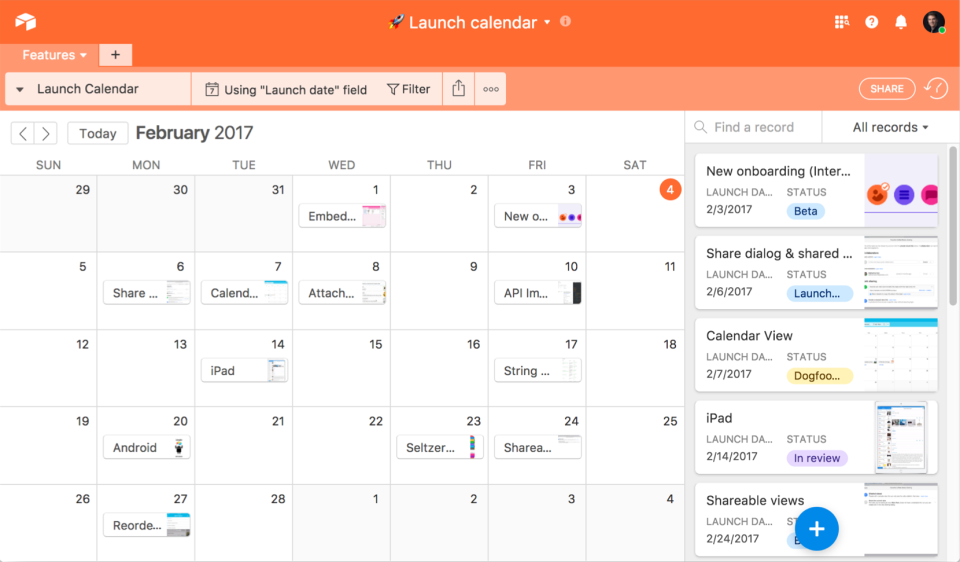
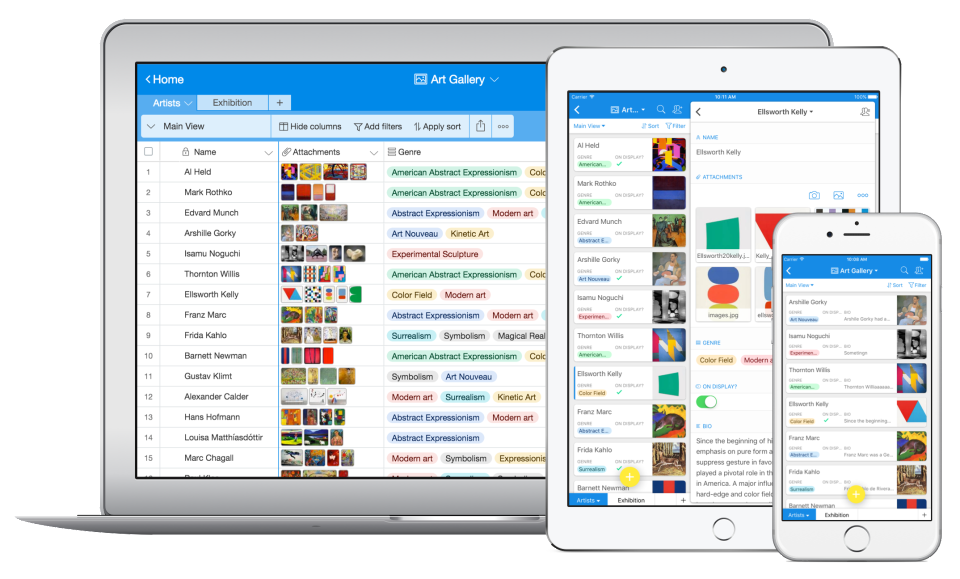
Airtable is a project management and collaboration platform designed to enable content pipelines, product management, events planning, user research, and more. It combines spreadsheet,database, calendar, and kanban functionality within one platform.
$24
per month per seat
ClickUp
Score8 out of 10
Small Businesses (1-50 employees)
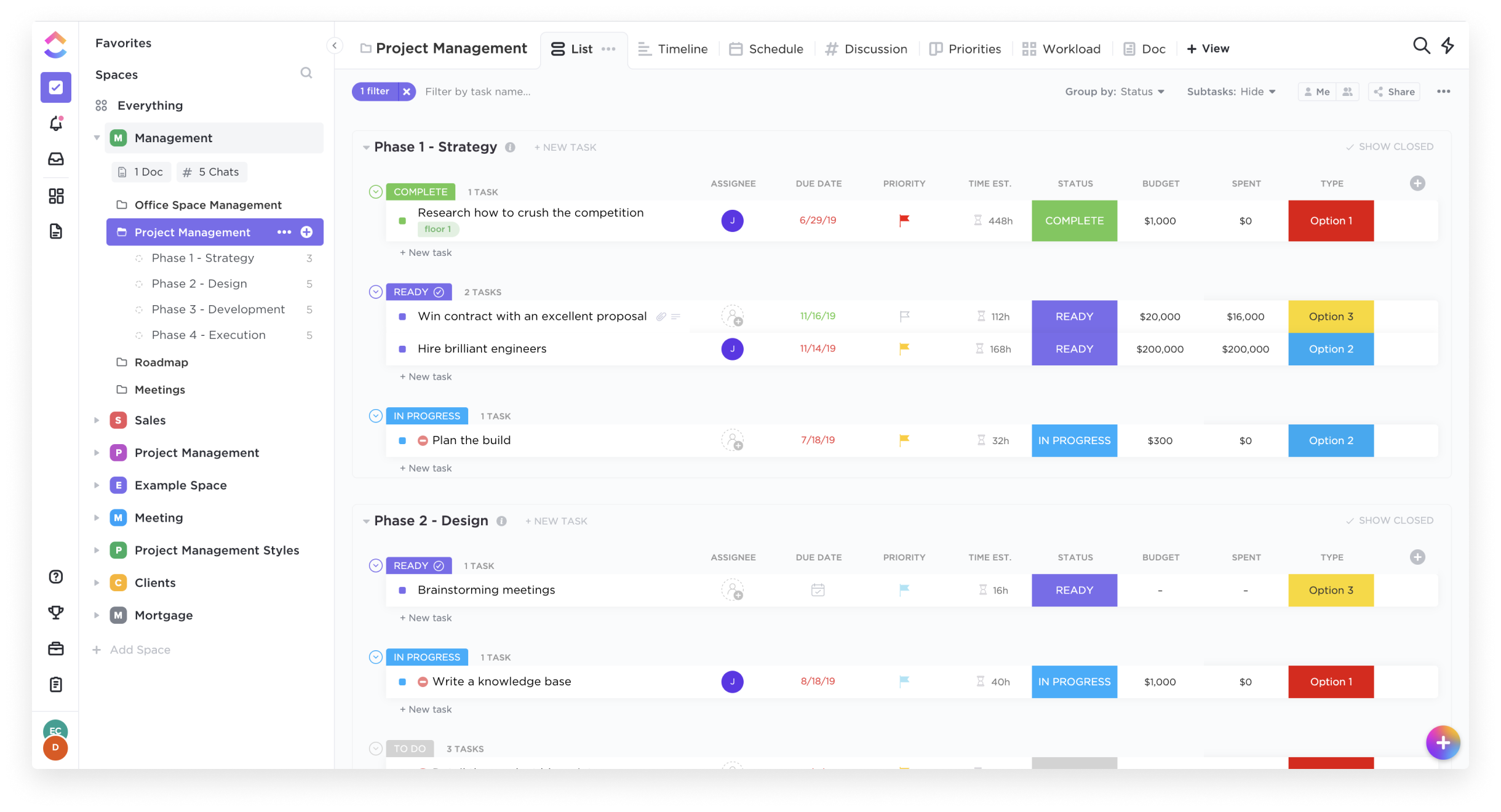
ClickUp is an all-in-one productivity platform. It’s a hub where teams can come together to plan, organize, and collaborate on work using tasks, Docs, Chat, Goals, and Whiteboard. Customized with just a few clicks, ClickUp helps teams of all types and sizes deliver work more effectively, to boost productivity to new heights. ClickUp aims to make the world more productive by removing friction caused by using many different applications. The platform boasts millions…
Executive Director: Fabrication + Instructional Resources at School of the Art Institute of Chicago (Higher Education, 1001-5000 employees)
Chose Airtable
SAIC is a gSuite campus and Airtable is a very good companion to the gSuite. The Airtable gDrive integration is quite good and Airtable solves problems that gSuite simply does not solve.
Though it does not replace them, Airtable also plays well with our Project Management …
A de minimis incentive was given to thank the reviewer for their time. The incentive was not used to bias or drive a particular response, nor was the incentive contingent on a positive endorsement. More Info
Project Manager in Product Management at Ancilla Ventures (Program Development, 1-10 employees)
Chose ClickUp
ClickUp is definitely a marked improvement in just about every way from Redmine. UI, functionalities, usability- all of it has been a much better experience in ClickUp. As for JIRA and Airtable, I think ClickUp's overall layout and organization style trumps those sites by …
A de minimis incentive was given to thank the reviewer for their time. The incentive was not used to bias or drive a particular response, nor was the incentive contingent on a positive endorsement. More Info
Verified User
Chose ClickUp
Todoist, at least when we were using it, felt more geared toward personal use and task orientation. It did not have the team productivity functionality, automation, task tracking, etc. Airtable is a great database but requires a second system for task management. ClickUp can …
A de minimis incentive was given to thank the reviewer for their time. The incentive was not used to bias or drive a particular response, nor was the incentive contingent on a positive endorsement. More Info
Verified User
Chose ClickUp
Asana, last time we checked, was too simple and not robust enough to use as a resource manager. Trello is too simple. Airtable has too much focus on the spreadsheet capabilities. ClickUp is a good cross between Airtable, Asana, and Trello
A de minimis incentive was given to thank the reviewer for their time. The incentive was not used to bias or drive a particular response, nor was the incentive contingent on a positive endorsement. TR verified that a representative sample of customers was invited. More Info
Founder / CEO in Corporate at Jacky + Co. (Marketing & Advertising, 1-10 employees)
Chose ClickUp
I think that all of the tools I've used (Asana, Airtable, Trello and Notion) are great in itself! The thing about ClickUp is that it does it all! And now, with 3.0 coming in Q2/2023 it will only leave a bigger gap between the other tools. Their slogan: "1 app to replace them …
A de minimis incentive was given to thank the reviewer for their time. The incentive was not used to bias or drive a particular response, nor was the incentive contingent on a positive endorsement. More Info
Verified User
Chose ClickUp
ClickUp suited my task and project management needs more than Notion. SmartSuite is a recent addition because it handles relational databases much better and has a nicer interface for my team to onboard with. I have used Airtable for relational databases and have migrated that …
A de minimis incentive was given to thank the reviewer for their time. The incentive was not used to bias or drive a particular response, nor was the incentive contingent on a positive endorsement. More Info
President in Professional Services at Virtual Champions PH (Management Consulting, 11-50 employees)
Chose ClickUp
ClickUp captured all the best features from all those tools. The hierarchy beats them all. In Basecamp, Trello and Asana, you have to check each board or project to see what is happening there. The Butler automation in Trello does not match what ClickUp can do. Airtable is …
A de minimis incentive was given to thank the reviewer for their time. The incentive was not used to bias or drive a particular response, nor was the incentive contingent on a positive endorsement. More Info
Web Designer in Professional Services at Glow Creative (Design, 1-10 employees)
Chose ClickUp
Trello is irrelevant now because ClickUp does so much more than boards alone. I found Airtable messy. I still use Toggl, but it's just up to me to switch over at some point. ClickUp is the one big multipurpose tool I've trialed that stuck.
A de minimis incentive was given to thank the reviewer for their time. The incentive was not used to bias or drive a particular response, nor was the incentive contingent on a positive endorsement. More Info
Verified User
Chose ClickUp
They all disappeared - we slowly migrated from all the other apps to ClickUp and never looked back. This way, we cut our costs and stopped app switching. Sometimes, these apps have better features for a single tasks or action you want to do, but there is the added benefit in …
A de minimis incentive was given to thank the reviewer for their time. The incentive was not used to bias or drive a particular response, nor was the incentive contingent on a positive endorsement. More Info
Verified User
Chose ClickUp
To keep it short, no other platform could keep up with my workflow, and meet all my business needs, like ClickUp does.
A de minimis incentive was given to thank the reviewer for their time. The incentive was not used to bias or drive a particular response, nor was the incentive contingent on a positive endorsement. More Info
Verified User
Chose ClickUp
Clickup does much more than all of the above, so avoids having to use multiple tools
A de minimis incentive was given to thank the reviewer for their time. The incentive was not used to bias or drive a particular response, nor was the incentive contingent on a positive endorsement. TR verified that a representative sample of customers was invited. More Info
Verified User
Chose ClickUp
ClickUp is quickly moving up the ranks to surpass other project management software options that aren't readily available to whole teams. For the past two years, I've witnessed close competition between ClickUp and monday.com for the top spot as the foremost emerging project …
A de minimis incentive was given to thank the reviewer for their time. The incentive was not used to bias or drive a particular response, nor was the incentive contingent on a positive endorsement. TR verified that a representative sample of customers was invited. More Info
Founder/CEO in Professional Services at Virtual Cathy (Executive Office, 11-50 employees)
Chose ClickUp
While some of the CRMs above have different functionalities, I have found that ClickUp is the most user-friendly, has the most viewable options, and is the most able to grow and scale with my business. ClickUp has the best team collaboration tools available and the best …
A de minimis incentive was given to thank the reviewer for their time. The incentive was not used to bias or drive a particular response, nor was the incentive contingent on a positive endorsement. TR verified that a representative sample of customers was invited. More Info
A de minimis incentive was given to thank the reviewer for their time. The incentive was not used to bias or drive a particular response, nor was the incentive contingent on a positive endorsement. TR verified that a representative sample of customers was invited. More Info
Verified User
Chose ClickUp
ClickUp has been the most comprehensive and OK priced out of these, and just fits our use case the best.
A de minimis incentive was given to thank the reviewer for their time. The incentive was not used to bias or drive a particular response, nor was the incentive contingent on a positive endorsement. More Info
Verified User
Chose ClickUp
I think ClickUp has the best pricing structure of the competitors I have used in the past. I did not think most of the competitors had as many features or customization possibilities, or automation capabilities. Project Management definitely should not have to live in …
A de minimis incentive was given to thank the reviewer for their time. The incentive was not used to bias or drive a particular response, nor was the incentive contingent on a positive endorsement. More Info
Verified User
Chose ClickUp
ClickUp is better than other project management tools because it's got everything you need in one place, it's super user-friendly, and it's more affordable compared to other all-in-one project management solutions out there. Plus, it integrates with tons of other tools you …
A de minimis incentive was given to thank the reviewer for their time. The incentive was not used to bias or drive a particular response, nor was the incentive contingent on a positive endorsement. More Info
Director and Copywriter in Corporate at Ferguson Writing Incorporated (Marketing & Advertising, 1-10 employees)
Chose ClickUp
I prefer ClickUp to similar tools as it is far easier to use. It has more capabilities and doesn't require a lot of time to understand. I enjoy that you can view your projects in multiple ways through ClickUp. While it is easy to use, it's also very customizable so I can make …
A de minimis incentive was given to thank the reviewer for their time. The incentive was not used to bias or drive a particular response, nor was the incentive contingent on a positive endorsement. More Info
Communications Director at Dupage County Area Project (DuCAP) (Non-profit Organization Management, 11-50 employees)
Chose ClickUp
I love that there are more advanced features like checklists, subtasks, recurring due dates, custom fields, time-tracking, docs, task-linking, goals, dashboards, users & teams, email integration, integration customizations, automation, various view options, filtering & sorting, …
A de minimis incentive was given to thank the reviewer for their time. The incentive was not used to bias or drive a particular response, nor was the incentive contingent on a positive endorsement. More Info
Verified User
Chose ClickUp
All of the ones we evaluated had some features we needed, but only ClickUp had all the features that we were looking for. monday.com and Asana were close, but the extra features that ClickUp had, as well as all the training webinars, were what ultimately influenced us to go …
A de minimis incentive was given to thank the reviewer for their time. The incentive was not used to bias or drive a particular response, nor was the incentive contingent on a positive endorsement. More Info
Verified User
Chose ClickUp
After testing lots of project/task management and productivity apps, I think ClickUp provides the best combination of functions found in other apps on the market, and has lots of useful integrations with other services.
A de minimis incentive was given to thank the reviewer for their time. The incentive was not used to bias or drive a particular response, nor was the incentive contingent on a positive endorsement. More Info
Verified User
Chose ClickUp
Well, ClickUp seriously out competes these other products due to the following. 1. Large tech stack / features 2. Fully customisable to the business needs 3. The Goals feature is a real game changer and the other products don't have it. 4. Rapid innovation, ClickUp is always …
A de minimis incentive was given to thank the reviewer for their time. The incentive was not used to bias or drive a particular response, nor was the incentive contingent on a positive endorsement. More Info
Verified User
Chose ClickUp
I like ClickUp (overall) 10x more than any other products I've tried before. And that's on, period!
A de minimis incentive was given to thank the reviewer for their time. The incentive was not used to bias or drive a particular response, nor was the incentive contingent on a positive endorsement. More Info
Manager, Digital Product Operations in Product Management at AVIXA (Non-profit Organization Management, 51-200 employees)
Chose ClickUp
ClickUp is advanced enough to support power users and project management professionals, while flexible enough to allow users with fewer requirements to get the job done in the same tool, and the same space.
A de minimis incentive was given to thank the reviewer for their time. The incentive was not used to bias or drive a particular response, nor was the incentive contingent on a positive endorsement. More Info
Verified User
Chose ClickUp
ClickUp beats all of them for simplicity and cost. I do use Dubsado for my CRM, and it does have some of the project management type features, but to me it is cumbersome. ClickUp simplifies it all.
A de minimis incentive was given to thank the reviewer for their time. The incentive was not used to bias or drive a particular response, nor was the incentive contingent on a positive endorsement. More Info
Verified User
Chose ClickUp
ClickUp is completely cloud-based which helps to manage my work from different places. Notion offers a desktop app but I faced difficulty syncing. Microsoft Planner was very handy but it lacks features compared to ClickUp. Wrike and Todoist are more focused on to-dos and face …
A de minimis incentive was given to thank the reviewer for their time. The incentive was not used to bias or drive a particular response, nor was the incentive contingent on a positive endorsement. More Info
Airtable is an ideal platform for small and growing businesses to keep track of just about EVERYTHING they need to keep things running smoothly. It's a great way to keep tasks organized, and keep everyone on the same page with progress on all things. Our company finds the kanban particularly useful, as products go through a lifecycle from ideation to retirement, it's good to keep a database of what is in production, what's working, and what we've tried before. I can see the platform being challenging with much larger businesses, but for the small to medium businesses I've used the platform with, it is ideal.
A de minimis incentive was given to thank the reviewer for their time. The incentive was not used to bias or drive a particular response, nor was the incentive contingent on a positive endorsement. More Info
Great for project management, reoccurring task management, building trackers and keeping track of what everyone is up to. Like all software that has great functionality, having solid governance and control over access is essential. I recommend ensuring that your admins/owners have a close eye on what is going on across the space or it can turn into an unmanageable nightmare.
Airtable has capabilities commonly found in spreadsheet applications, but also has some of the features found in databases.
The ability to filter fields. I set up a filter on the status field, so when a project is marked, complete, on hold, or canceled, that record is hidden from my current projects table view. If it is marked complete, the record is moved to the completed projects table view. In this way I can easily access a record of past projects
Being able to duplicate tables and create alternate views
Collapse and expand records. When I collapse the rows, I can easily scan current projects, next steps, project status, and due dates. When I expand the row, or field, I can see more detailed information about that field or record very easily. I can also expand or open the entire record. This is is helpful, when I am entering a lot of information to multiple fields in that record.
A de minimis incentive was given to thank the reviewer for their time. The incentive was not used to bias or drive a particular response, nor was the incentive contingent on a positive endorsement. More Info
A de minimis incentive was given to thank the reviewer for their time. The incentive was not used to bias or drive a particular response, nor was the incentive contingent on a positive endorsement. More Info
A de minimis incentive was given to thank the reviewer for their time. The incentive was not used to bias or drive a particular response, nor was the incentive contingent on a positive endorsement. More Info
We will 10/10 renew the use of Airtable because it has brought great value to our team. Not only is Airtable affordable, but it's also user-friendly and helps our team be efficient. We no longer need to rely on Excel spreadsheets being passed from person to person via email. Furthermore, we aren't dealing with corrupt Excel spreadsheets and the need to salvage data when a file is accidentally altered.
It has been a game-changer in terms of project tracking, as animation is a demanding product that requires multiple layers of analysis, revisions, tracking, scheduling, etc. ClickUp simplifies many approvals as anyone can easily add items, and you can tag the people who need to look at them.
A de minimis incentive was given to thank the reviewer for their time. The incentive was not used to bias or drive a particular response, nor was the incentive contingent on a positive endorsement. TR verified that a representative sample of customers was invited. More Info
IMO the usability of this product is its greatest asset. The UI is clean and the menus are intuitive to the point where I'd feel confident having a non-spreadsheety colleague take on building an Airtable for the first time with next to no training. I can't say that about every table-like software product that I've used such as Notion.
A de minimis incentive was given to thank the reviewer for their time. The incentive was not used to bias or drive a particular response, nor was the incentive contingent on a positive endorsement. More Info
Far easier to use than any other PM tool. ClickUp is incredibly intuitive and had us saving time and energy within the first week of implementation. In my opinion, PM software should make it easier to focus on the deliverables - it shouldn't take all your time and energy to learn how to use the tool in the first place. ClickUp is a user-friendly tool that actually helps us focus on what's important.
A de minimis incentive was given to thank the reviewer for their time. The incentive was not used to bias or drive a particular response, nor was the incentive contingent on a positive endorsement. More Info
I have rarely experience downtime, compared to other tools, and given how much time we spend on the tool. Even if there were to be, their updates on it are very timely, and our support team are able to provide any questions regarding
A de minimis incentive was given to thank the reviewer for their time. The incentive was not used to bias or drive a particular response, nor was the incentive contingent on a positive endorsement. More Info
For over a year ClickUp was unavailable to us just twice for a couple of hours. I would say for a system this big and working globally that was a minor issue. They managed to fix all the issues within a couple hours and then it was back up and running perfectly fine.
A de minimis incentive was given to thank the reviewer for their time. The incentive was not used to bias or drive a particular response, nor was the incentive contingent on a positive endorsement. More Info
I never had any issues with load time, even with the integrations that we use today (google sheets) However, I'm curious if adding additional layers of integrations would slow down performance. We do carry quite a bit of data in Airtable, but, again, no impact on overall performance
A de minimis incentive was given to thank the reviewer for their time. The incentive was not used to bias or drive a particular response, nor was the incentive contingent on a positive endorsement. More Info
The speed of ClickUp is average to be honest. This is one of the biggest flaws of the system, sometimes it's also lagging a little bit but we also have a lot of documents, lists etc. on our workspace. However, with the next version of ClickUp I've seen they are planning to increase the speed by almost 500%, probably by changing the technology, so I am more than looking forward to it.
A de minimis incentive was given to thank the reviewer for their time. The incentive was not used to bias or drive a particular response, nor was the incentive contingent on a positive endorsement. More Info
Airtable has great support. They have a variety of support features to answer any questions. They have great self teaching instructions for templates and product tours. They also have support for teams and project management. They also have a fantastic customer help line. They are able and willing to answer customer questions and never have customers waiting long
A de minimis incentive was given to thank the reviewer for their time. The incentive was not used to bias or drive a particular response, nor was the incentive contingent on a positive endorsement. More Info
I started using ClickUp when it was what most would consider a baby company. There were the occasional bugs that made working in ClickUp a little bit of a headache, but the support feature allowed me to chat with a real persona and communicate my issues. I would always get prompt support and someone willing to really help me, not just point me to FAQ pages. Not feeling like a number really makes a difference.
A de minimis incentive was given to thank the reviewer for their time. The incentive was not used to bias or drive a particular response, nor was the incentive contingent on a positive endorsement. More Info
A de minimis incentive was given to thank the reviewer for their time. The incentive was not used to bias or drive a particular response, nor was the incentive contingent on a positive endorsement. More Info
Recorded trainings were provided by the Airtable team. Great as an evergreen resources to new team members and for anyone that wants to refresh their Airtable knowledge
A de minimis incentive was given to thank the reviewer for their time. The incentive was not used to bias or drive a particular response, nor was the incentive contingent on a positive endorsement. More Info
There are multiple guides on literally all of the functions you can find within the system, therefore it's easy to learn anything you'd really like to use, starting from project and people management, down to Gantts, mind maps, time tracking, inviting Clients as guests to work with you on the projects and so much more.
A de minimis incentive was given to thank the reviewer for their time. The incentive was not used to bias or drive a particular response, nor was the incentive contingent on a positive endorsement. More Info
Training all users was an important part of the implementation, which did take considerable time and effort. At first glance without training, the content calendar can be overwhelming because of the amount of data. The features within Airtable seem to be endless but our team was able to identify the most important to be successful.
Start small. Don’t try to build the most elaborate plans first. Resist the urge to get into Gantt charts if no one is used to them. Just get work written, add dates and assignees, and start getting used to it. If you did not use a work management tool before, you need to be gracious with yourself about the fact that you likely do not have the muscle memory for working this way yet. But you will get there.
And leverage people who know it if possible. Look for ClickUp experts and vendors. They can really supercharge your effectiveness at building the tool out and speed up the process.
A de minimis incentive was given to thank the reviewer for their time. The incentive was not used to bias or drive a particular response, nor was the incentive contingent on a positive endorsement. More Info
Airtable was a really good fit for this specific use case as it provided a huge number of collaboration features in an intuitive and pleasant-to-use interface. The free tier worked initially with our work, and the upgrade pathway was fair and made sense for us.
A de minimis incentive was given to thank the reviewer for their time. The incentive was not used to bias or drive a particular response, nor was the incentive contingent on a positive endorsement. More Info
I did not make the decision to move to ClickUp, but I did provide feedback and hear feedback from our internal team about how ClickUp centralizes a lot of the company wides resources into one space. I feel that ClickUp provides more dynamic workflow building beyond Jira and Karbon, and tasks and questions are more searchable cross team, causing more time saved and less time reaching out to ask for an update. All Apps have their individual strengths, but ClickUp has it all live together in one space, making it easier overall for searching and updating items internally as a team.
A de minimis incentive was given to thank the reviewer for their time. The incentive was not used to bias or drive a particular response, nor was the incentive contingent on a positive endorsement. More Info
There are TONS of opportunity to scale, but I think it's a matter if you have the time and resources to do so because the initial setup can be fairly time consuming and prioritized dedication
A de minimis incentive was given to thank the reviewer for their time. The incentive was not used to bias or drive a particular response, nor was the incentive contingent on a positive endorsement. More Info
Scaling with ClickUp is superb. If you create a workflow best suited for your organization then it's all about creating new accounts and teaching the new employees the workflow you're using. It's that simple. There is no black magic when it comes to Clickup.
A de minimis incentive was given to thank the reviewer for their time. The incentive was not used to bias or drive a particular response, nor was the incentive contingent on a positive endorsement. More Info
Through this platform, I always have the idea bout which of my team member is working on which particular part of the project, I can easily track their progress, and also I can easily correct them where it is required by adding sticky notes, by sending the attachments and URLs.
A de minimis incentive was given to thank the reviewer for their time. The incentive was not used to bias or drive a particular response, nor was the incentive contingent on a positive endorsement. More Info
Before ClickUp, my team would have multiple different project trackers, all in different locations, formatted in different ways. ClickUp has allowed us to move all those trackers into one location with a specified template and the ability to directly link tasks to tickets. This has greatly impacted project deliveries in a very positive way.
The time tracking feature of ClickUp has been amazing for our development team. Instead of them having to track in a separate document or at the end of every day, try to remember what they worked on and when, they instead can just hit a timer button on the ticket and go off to work. This alone has saved time and improved the accuracy of tracked time to projects.