
Clickup Best
Use Cases and Deployment Scope
ClickUp in your organisation
Pros
- ClickUp
- Particallrly
- Well
Cons
- Improvemennt
Return on Investment
- Test
Usability
Other Software Used
Atlassian Jira



1 / 4
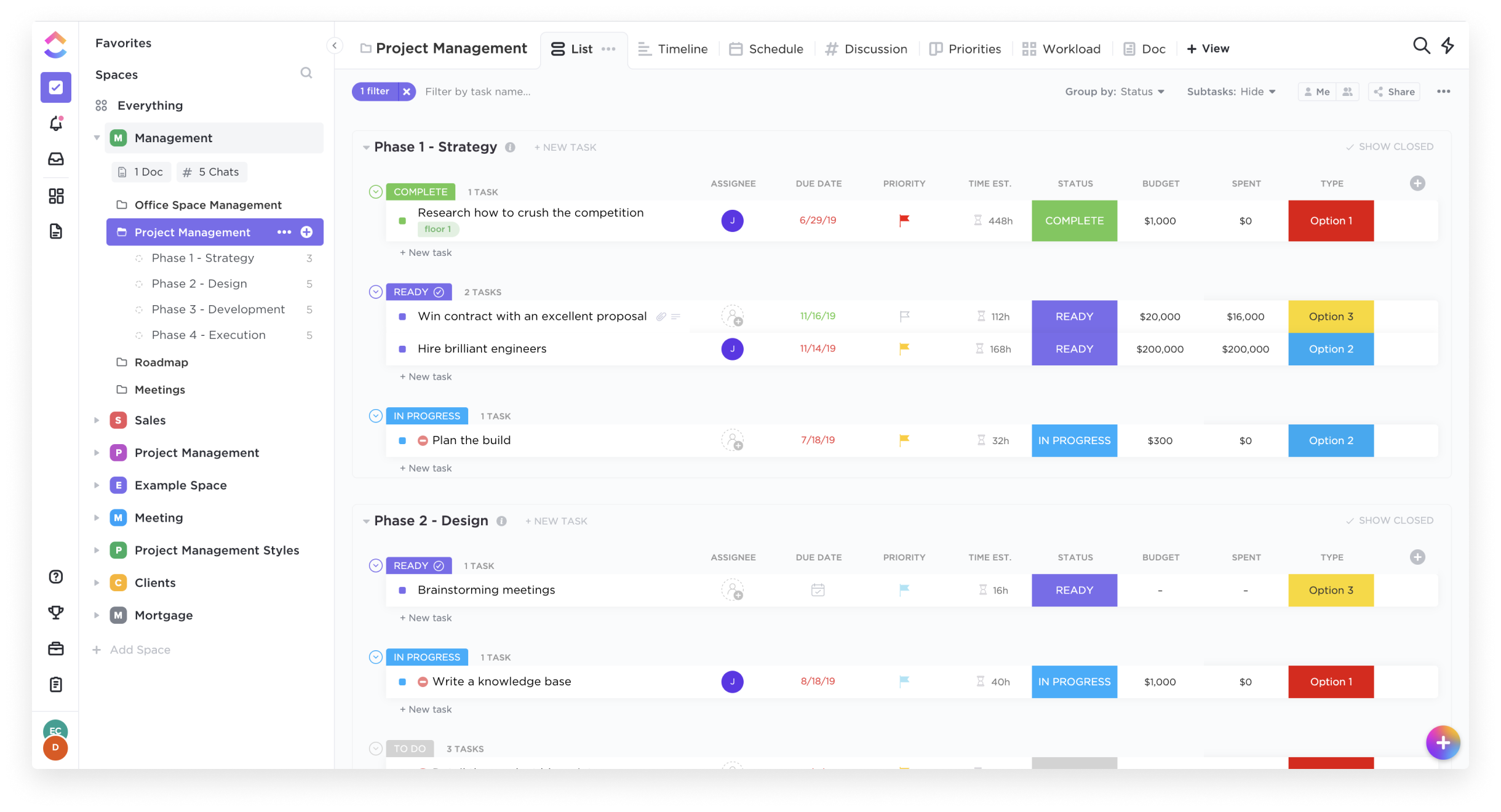
Screenshot of List View
This includes the ability to plan, track, collaborate and report on tasks.
Category average: 9.1
Team collaboration capabilities let team members work directly with each other and provide team updates.
Category average: 9
Agile is a time boxed, iterative approach to development that builds software incrementally instead of trying to deliver it all at once near the end.
Category average: 8.1
Ability to analyze project and financial data based on custom criteria to gather insights and improve business performance
Category average: 8.5
Timesheet tracking is the ability to track all billable and non-billable hours for each project.
Category average: 8.4
Mobile access is the ability to access the software from a smartphone or tablet.
Category average: 8
3,145 installations of 11,223
“The ability to connect chat conversations to tasks have been tremendously helpful for team members to circle back to the activity field when working on their task.”
1,424 installations of 11,223
“We leave Time Doctor time tracking tool after using ClickUp. We also remove Confluence (wiki) because we have ClickUp documentation management as well. We don't need Jira at all as we have List View, Kanban view. We don't need to pay for GanttPro any more because ClickUp have built-in Gantt chart and it is very easy to manage.”
693 installations of 11,223




