TrustRadius: an HG Insights company

Avalara

Score8.1 out of 10

774 Reviews and Ratings

What is Avalara?

Avalara AvaTax connects to the software that businesses already have and delivers sales tax decisions based on precise geo-location in more than 12,000 taxing jurisdictions in the U.S.

Categories & Use Cases

Media

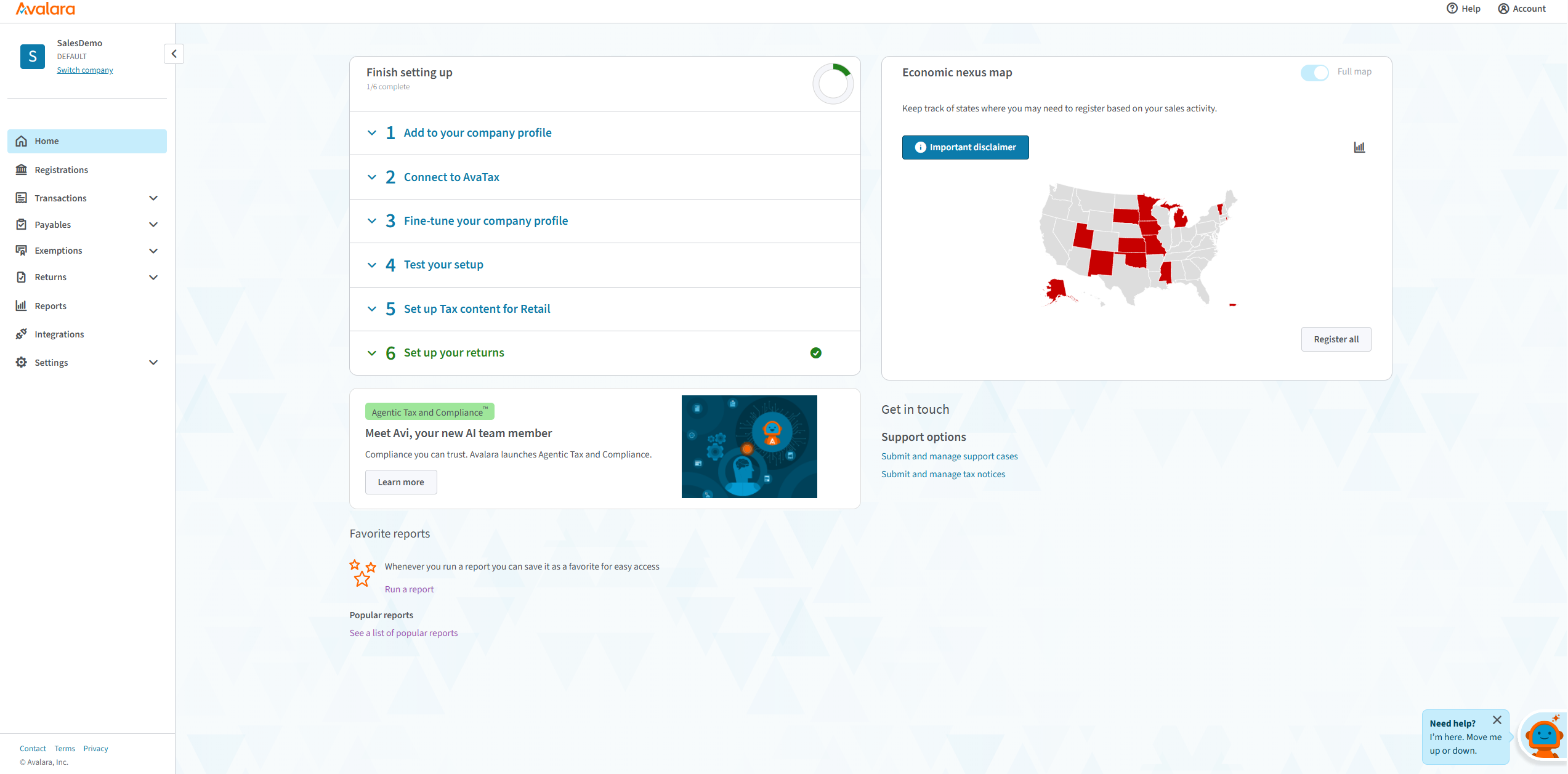
the Avalara portal homepage
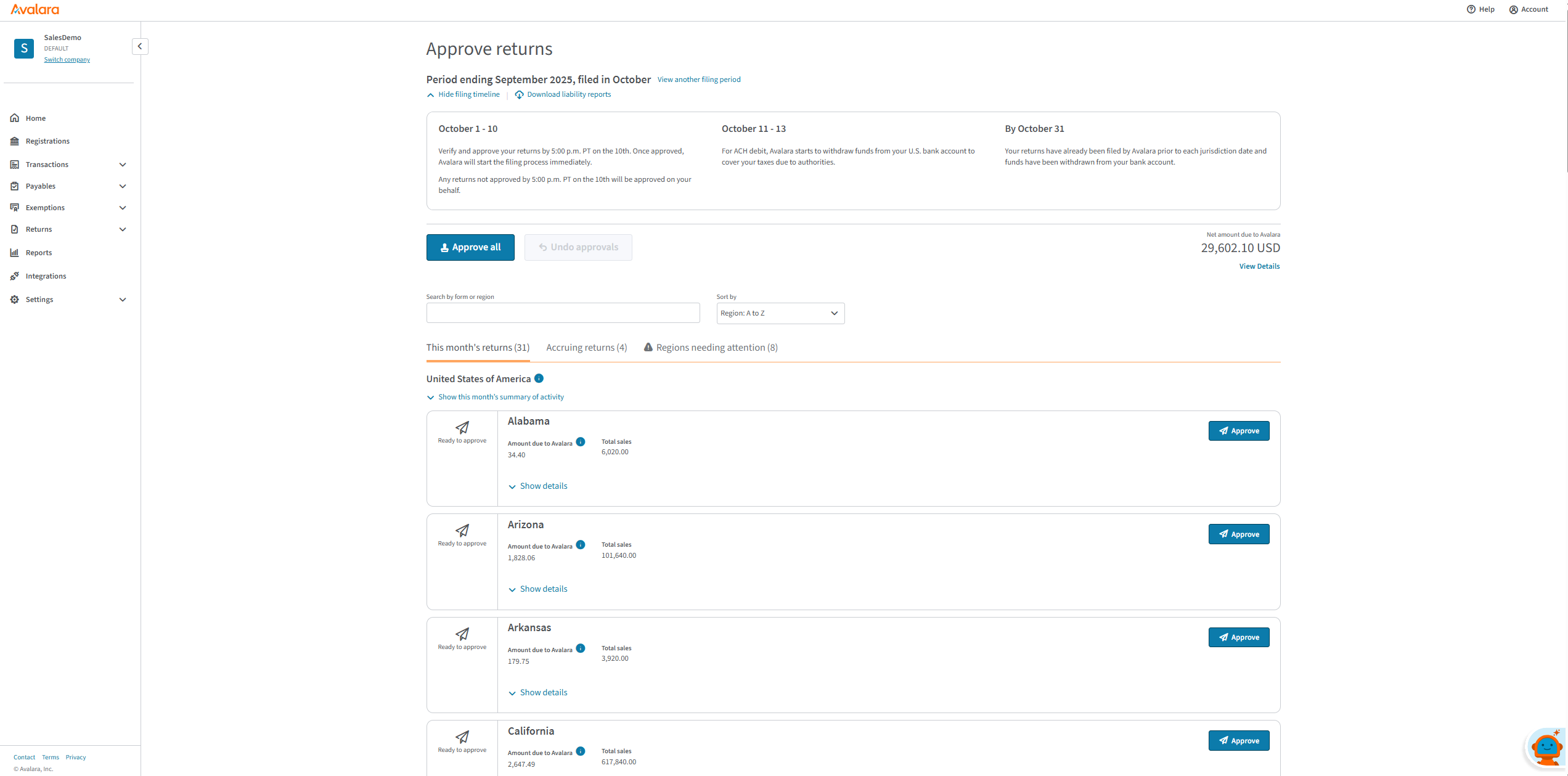
returns, appearing in the Avalara portal
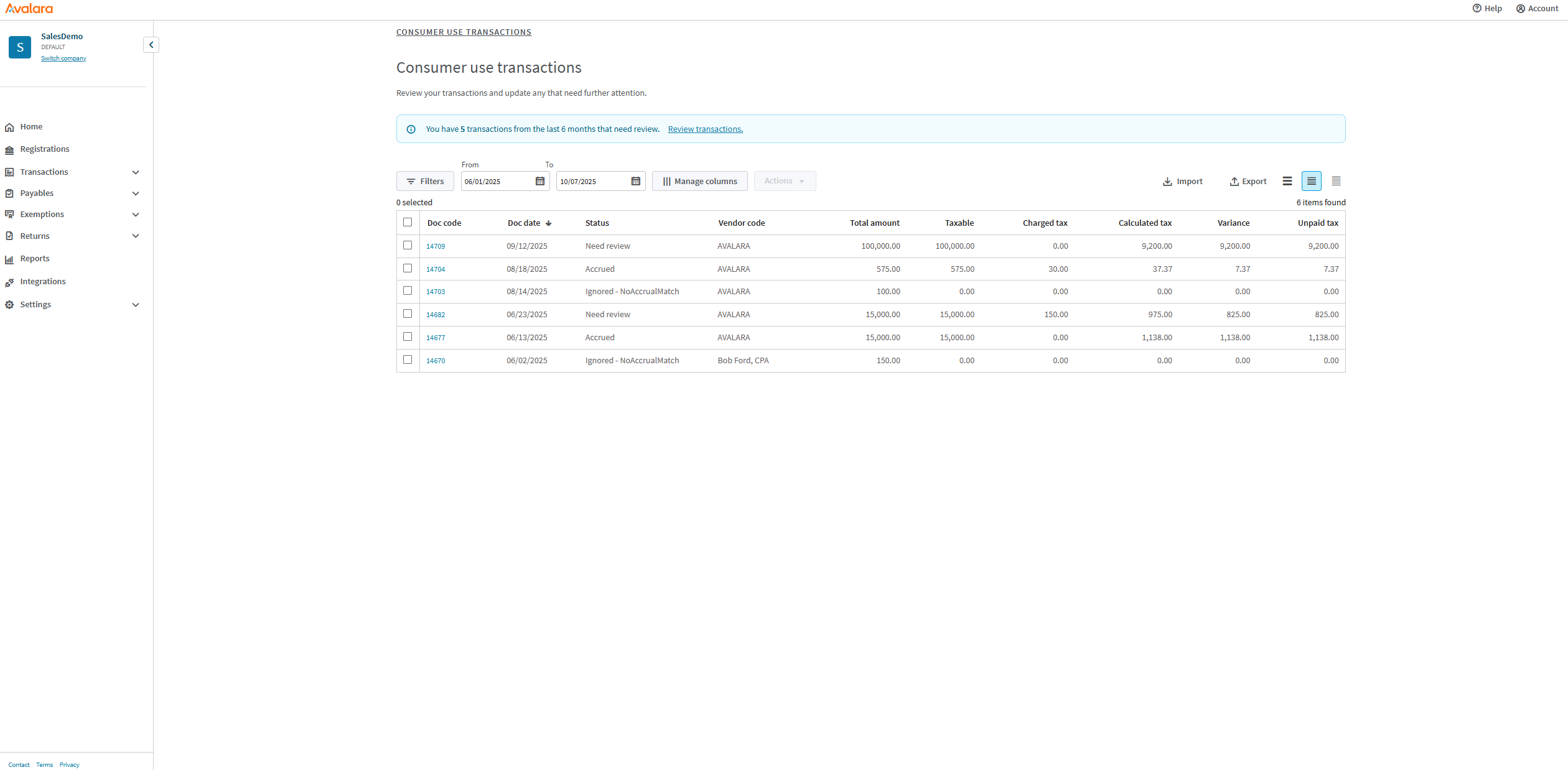
transactions
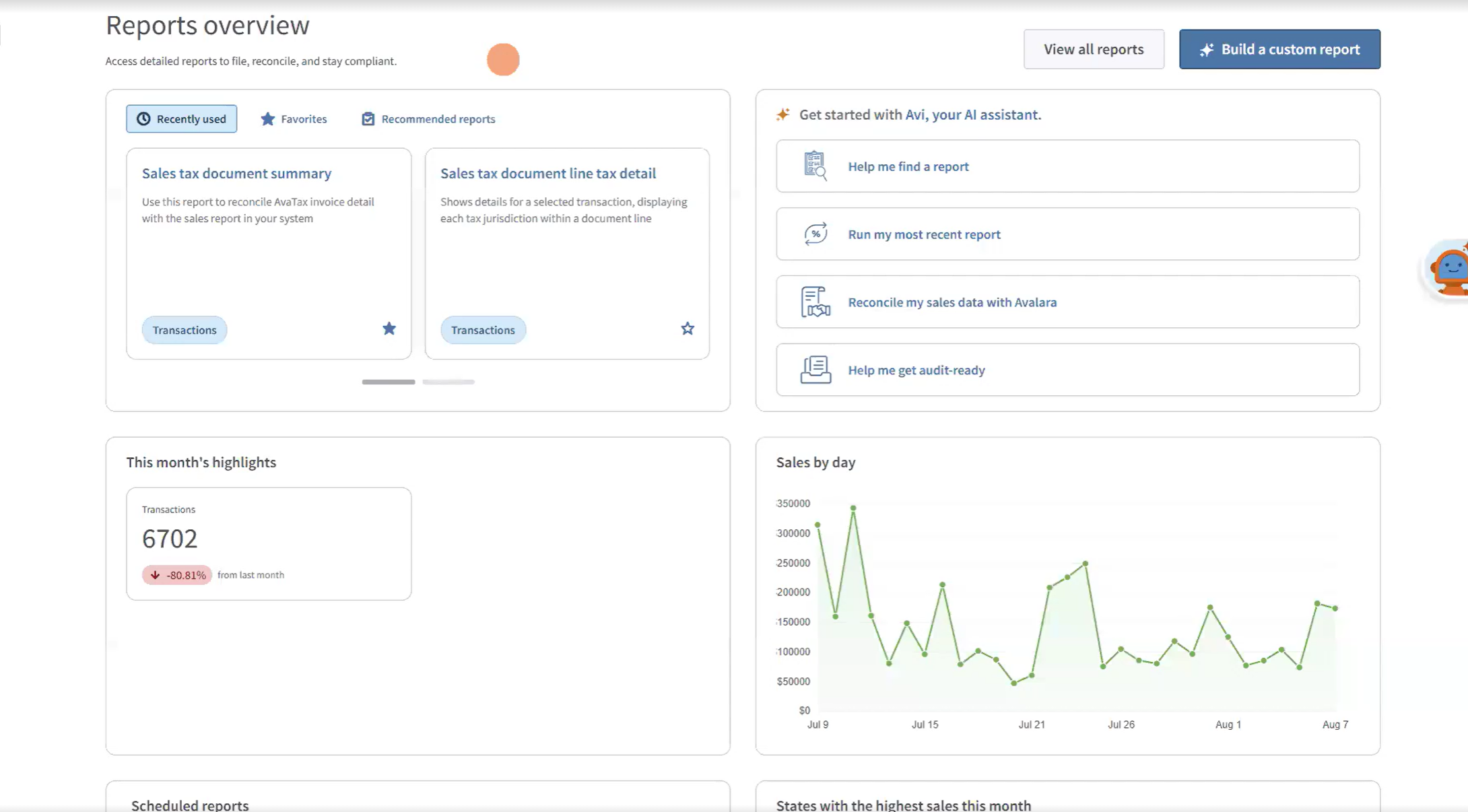
reports
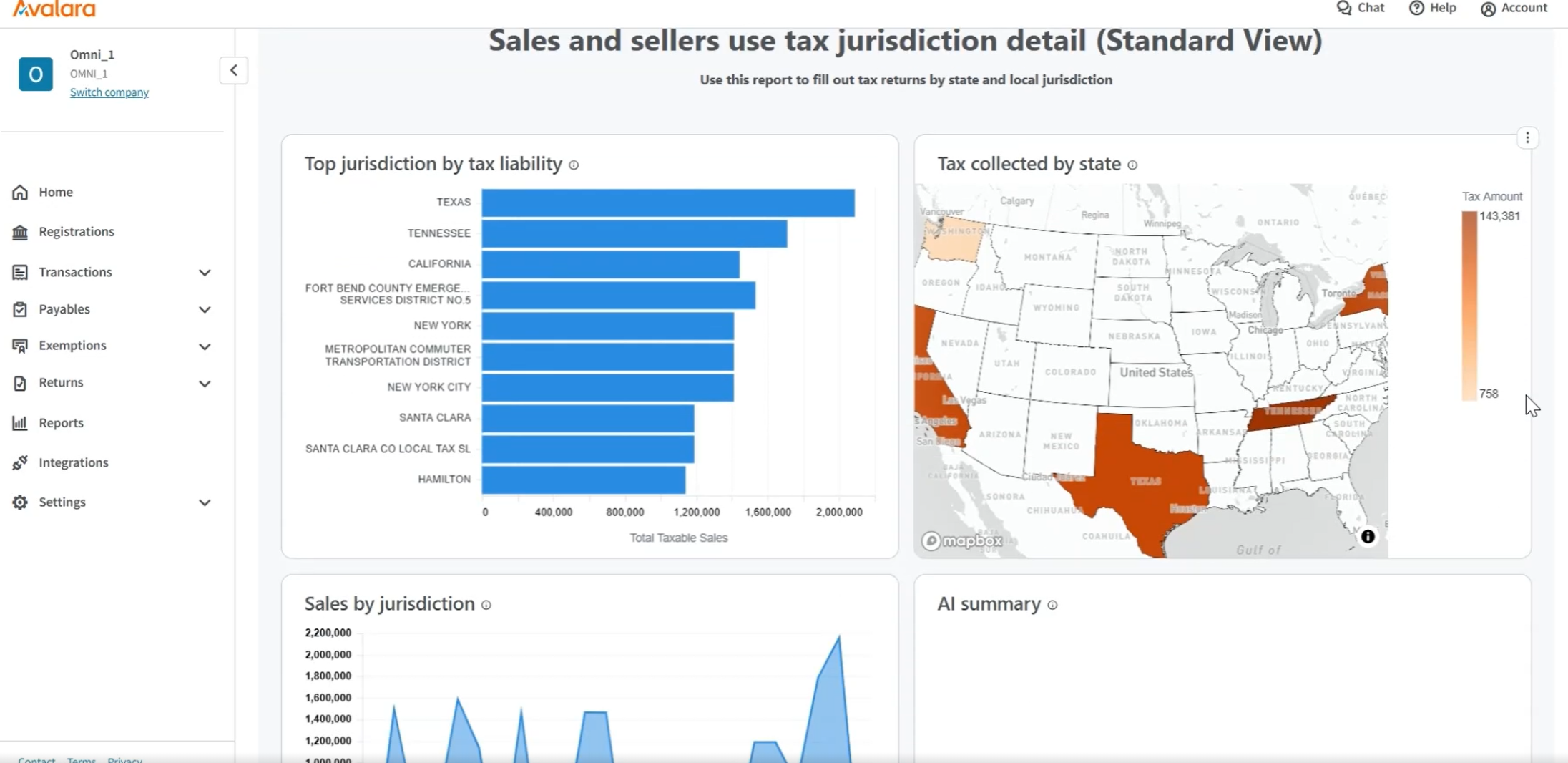
jurisdiction details

1 / 5

Top Performing Features

  • Geolocation for Tax Assessment

    Ability to use geolocation, which is more precise than zip codes, for mapping taxes to specific jurisdictions.

    Category average: 8.9

  • Compliance Administration Management

    Ability to facilitate tax preparation, filing, and tax remittances across local, state, and federal jurisdictions.

    Category average: 8.6

  • Sales and Use Taxes

    Software is capable of calculating and filing sales and use taxes.

    Category average: 8.8

Areas for Improvement

  • Energy and Fuel Taxes

    Ability to calculate and manage energy and/or fuel taxes.

    Category average: 7.7

  • Cross-border Taxes

    Software is capable of calculating and filing taxes, such as customs, across countries.

    Category average: 7.8

  • VAT / GST Taxes

    Ability to calculate and manage VAT and GST taxes.

    Category average: 7.2

Avalara Is Great At Calcuation And Filing Gets A Bit Iffy Outside Of That

Use Cases and Deployment Scope

Our company uses Avalara to calculate the sales tax on all of our quotes and invoices. Avalara retains all of our transaction information and we use Avalara to file all of our state sales tax returns. This helps keep things streamlined and avoids mistakes, as all of our data is in one place. We use Avalara to take the compliance load of the tax setup and calculation and all of the tax filings off of our company's plate. When done manually this was very time and labor consuming.

Pros

  • Tax Calculation
  • Tax Filing
  • Retaining Transactions

Cons

  • Avalara's State Registrations option is pretty expensive and should be quicker and cheaper
  • Avalara's State Filing Setup is not coordinated with their State Registrations, so you still have to set up manually what they just registered for you.
  • Even if Avalara has all of your data, they won't set up a state filing if you miss a deadline of the 20th of the current month they won't file that month, even though they have all of the transactions. (This could happen when a new state is selected for tax calculation but the state registration hasn't been completed yet.) They should allow you to set up the returns by the first of the month it is filed in at the least.
  • Avalara's extractor is very base and limited; it can't extract multiple lines into Avalara, it takes an entire invoice and inputs it as one line. We were told after frequent calls that it works that way by design. Those out there who file returns on a regular basis can identify the problem with this scenario and why this won't work for tax filing.

Return on Investment

  • It is easy to use Avalara to calculate sales taxes for more precise and accurate tax collection, which saves our company oversight time and money. There is nothing more embarrassing than having a customer call during their sales tax audit and tell you that the auditor is saying they weren't taxed properly; with Avalara this is not a problem we need to worry about.
  • Having Avalara file our state tax returns saves countless hours of labor and avoids mistakes; when this was performed manually in house it took weeks every month of preparation and filing for all of the states.
  • Having Avalara do the calculations and using them to file state returns saves our company a lot of work duplication and reduces the chance of errors, which saves both manhours and potential penalties and fees.

Usability

Alternatives Considered

TaxJar

Other Software Used

NetSuite ERP, Datto Autotask PSA, APS Payroll

An Alavara Fan

Use Cases and Deployment Scope

As the volunteer bookkeeper for our congregation, HR tasks fall to me, including tracking payments to the many contractor musicians we use throughout the year. 2024 was the first year we used enough of them that I could no longer file a paper 1099NEC so needed to find an online solution. Avalara was the perfect answer. Not only were they easy to use because of the simple upload of data, but they were more economical than purchasing the software or materials necessary to mail and file these forms. I could not have been more pleased with the results and ease with which this annual task was completed. So happy I found them!

Pros

  • Simple temple for uploading contractor information
  • Simple printing of 1099NEC forms for distribution
  • Simple e-filing of information on IRS approved forms
  • Great communication of errors, how to resolve them, and progress through the end of the filing process.
  • Great value for the cost.

Cons

  • I have no suggestions for improvement. Everything worked as promised.

Return on Investment

  • The Alavara system took about half the time to complete preparing, distributing, and submitting our 1099NECs than preparing paper forms as we had done in the past.
  • The cost for using their system was comparable and even a little less than purchasing the materials and cost of mailing would have been.

Usability

Great Product for 1099 Processing

Use Cases and Deployment Scope

I prepare 1099's for clients in January of each year. Avalara assists me in the process by providing software that is compatible with QBO.

Pros

  • Ease of Software
  • Integration to QBO
  • Communication

Return on Investment

  • Positive impact by providing a quick turn around
  • Positive impact by keeping the cost down
  • Positive impact by integrating with QBO

Usability

Other Software Used

Intuit Online Payroll (discontinued), Xero, Qbox

Efficient Tax Calculations with Avalara.

Use Cases and Deployment Scope

Our organization has utilized Avalara to perform automatic address validation and tax calculation on both our quotes that the sales team builds out and also through our accounting software when invoicing. This has allowed us to create a more effective process for users to calculate tax and reduce inaccuracies in manual calculations. Avalara has also filed for us in the states that we work in, reducing the personnel and time we previously had to dedicate to this.

Pros

  • Customizable integrations to other platforms.
  • Easy user interface.
  • Comprehensive tax options.

Cons

  • Unresponsive sales team.
  • Help desk support is not easy to navigate to.
  • Slow roll-out.

Return on Investment

  • Reduced time filing returns.
  • Increased accuracy in tax calculations.
  • Comprehensive reporting.

Usability

Avalara is an Amazing Sales Tax Service

Use Cases and Deployment Scope

We use Avalara to file and submit sales tax returns for multiple states as well as utilizing Avalara Exemption Management to store exemption certificates. The business problem that the product addresses was the sales tax nexus and making sure that we are paying state sales taxes in those states that we have nexus in.

Pros

  • Manage Sales Tax Returns and Filing
  • Storing and requesting exemption certificates
  • Efficient and easy to manage sales tax

Cons

  • Additional support on questions/issues/concerns
  • Making it easier to fix issues between NetSuite and Avalara Tax
  • Avalara Tax Calculation Issues

Return on Investment

  • Reduced the amount of time spent on calculating rates and filing tax returns by 75%
  • Helped us accurately file tax returns, saving us money
  • Great return on investment

Usability

Other Software Used

NetSuite ERP, Microsoft 365