TrustRadius: an HG Insights company

Acumatica

Score8.6 out of 10

896 Reviews and Ratings

What is Acumatica?

Acumatica delivers a set of cloud-based business software applications with dashboards, reporting tools, integrated document management, centralized security, and customization tools.

Media

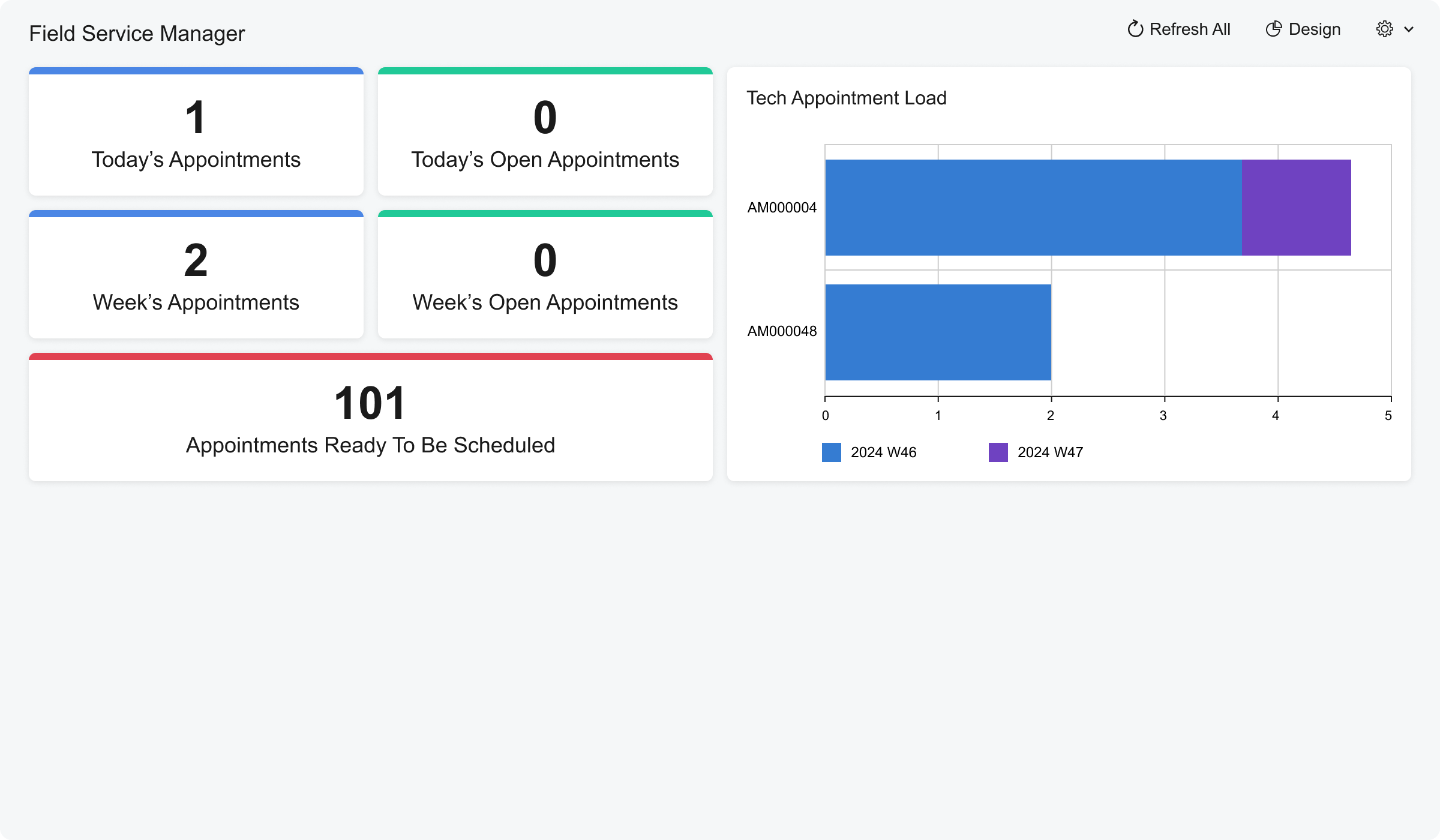
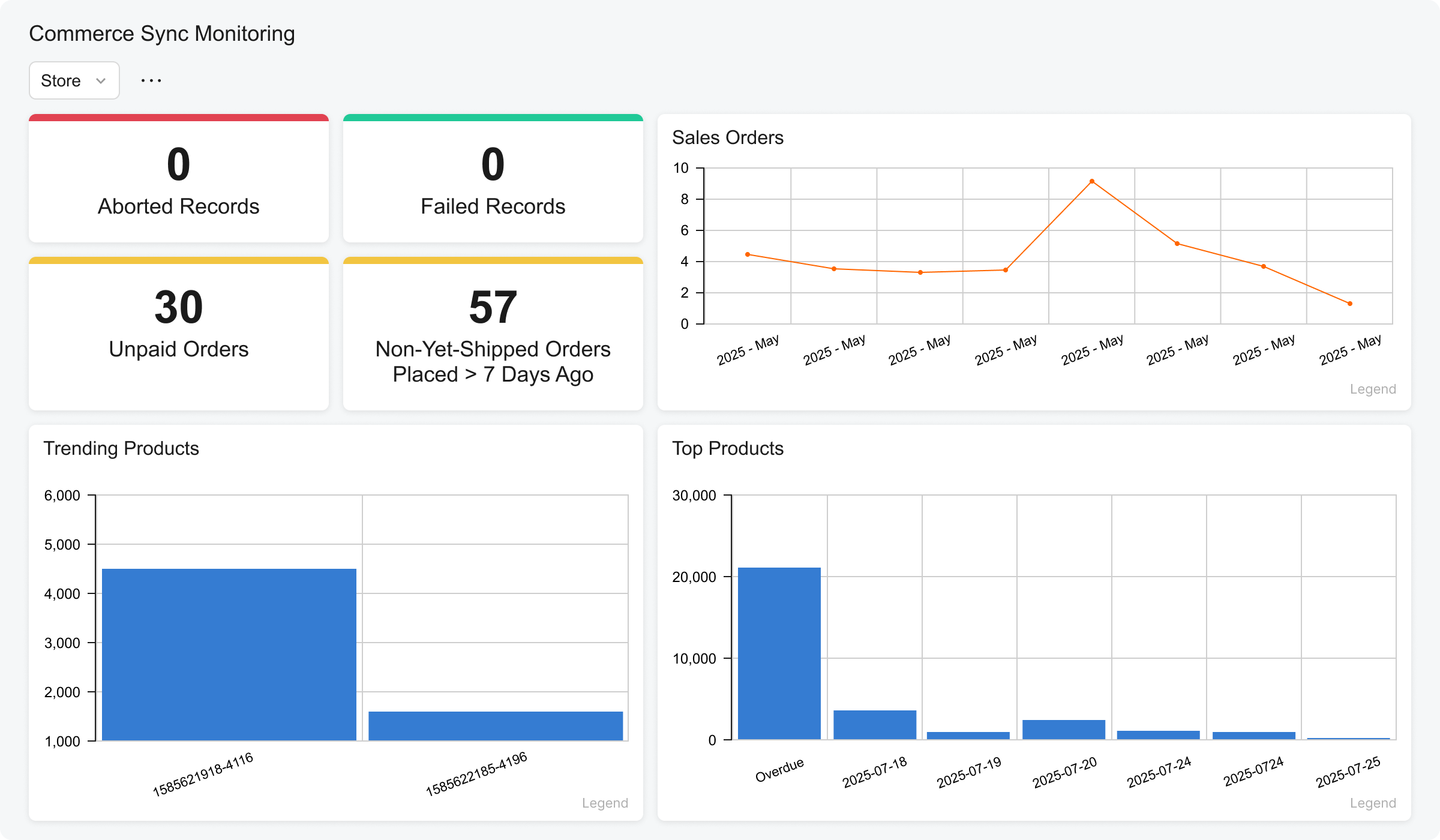
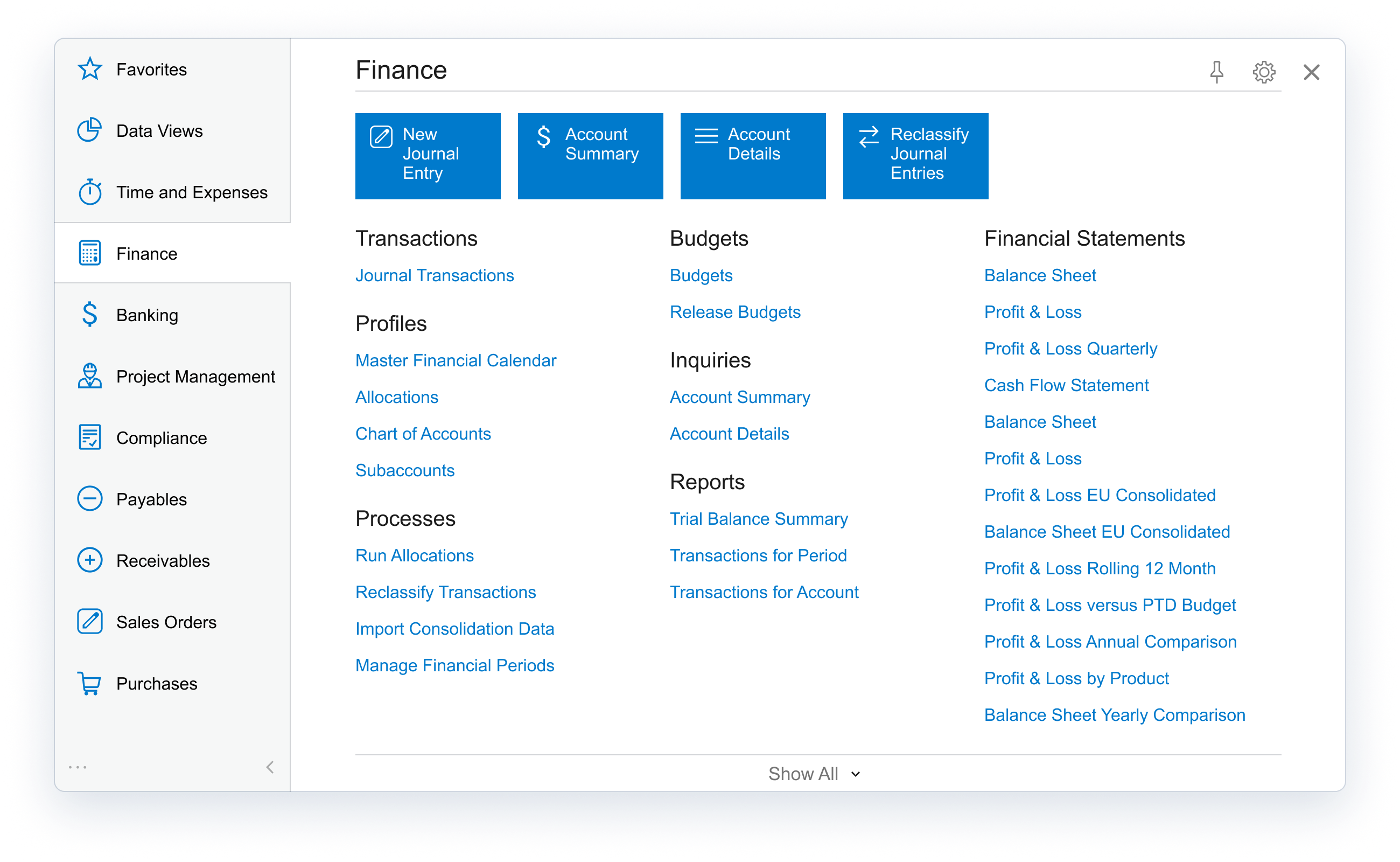
Acumatica Cloud ERP - Field Service Dashboard
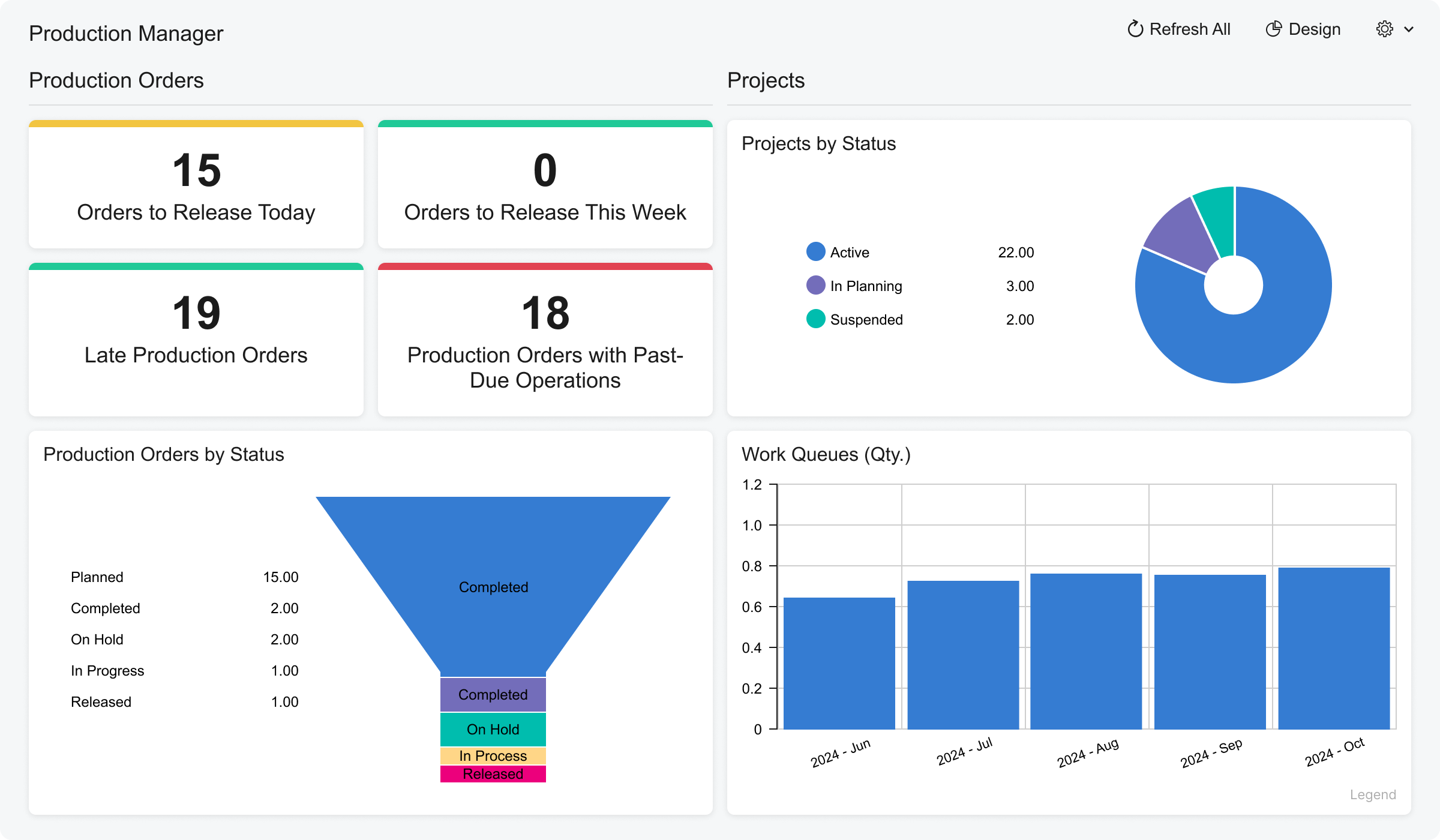
Acumatica Cloud ERP - Manufacturing - Production Manager Dashboard
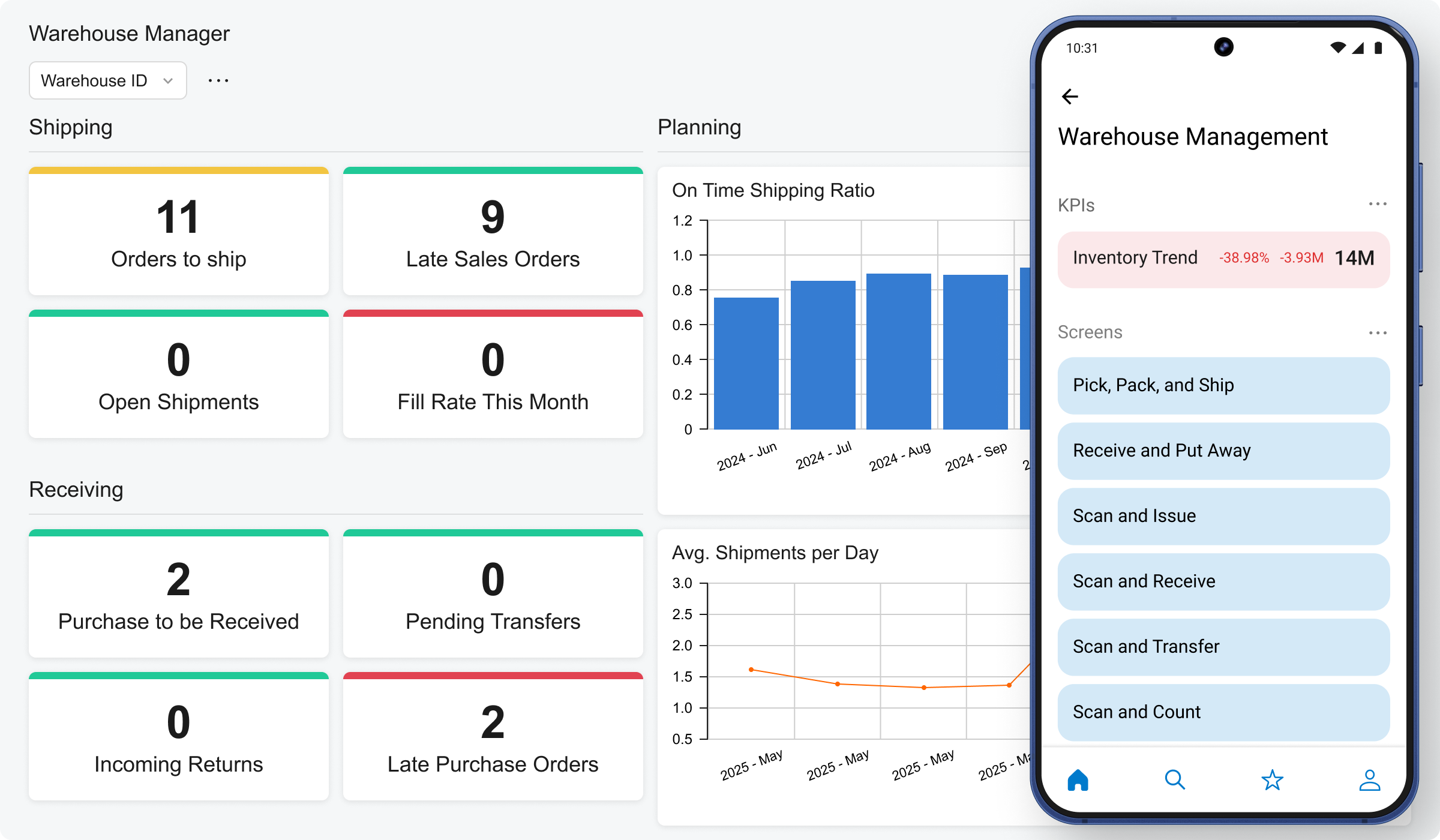
Acumatica Cloud ERP - Distribution - Warehouse Operations Dashboards
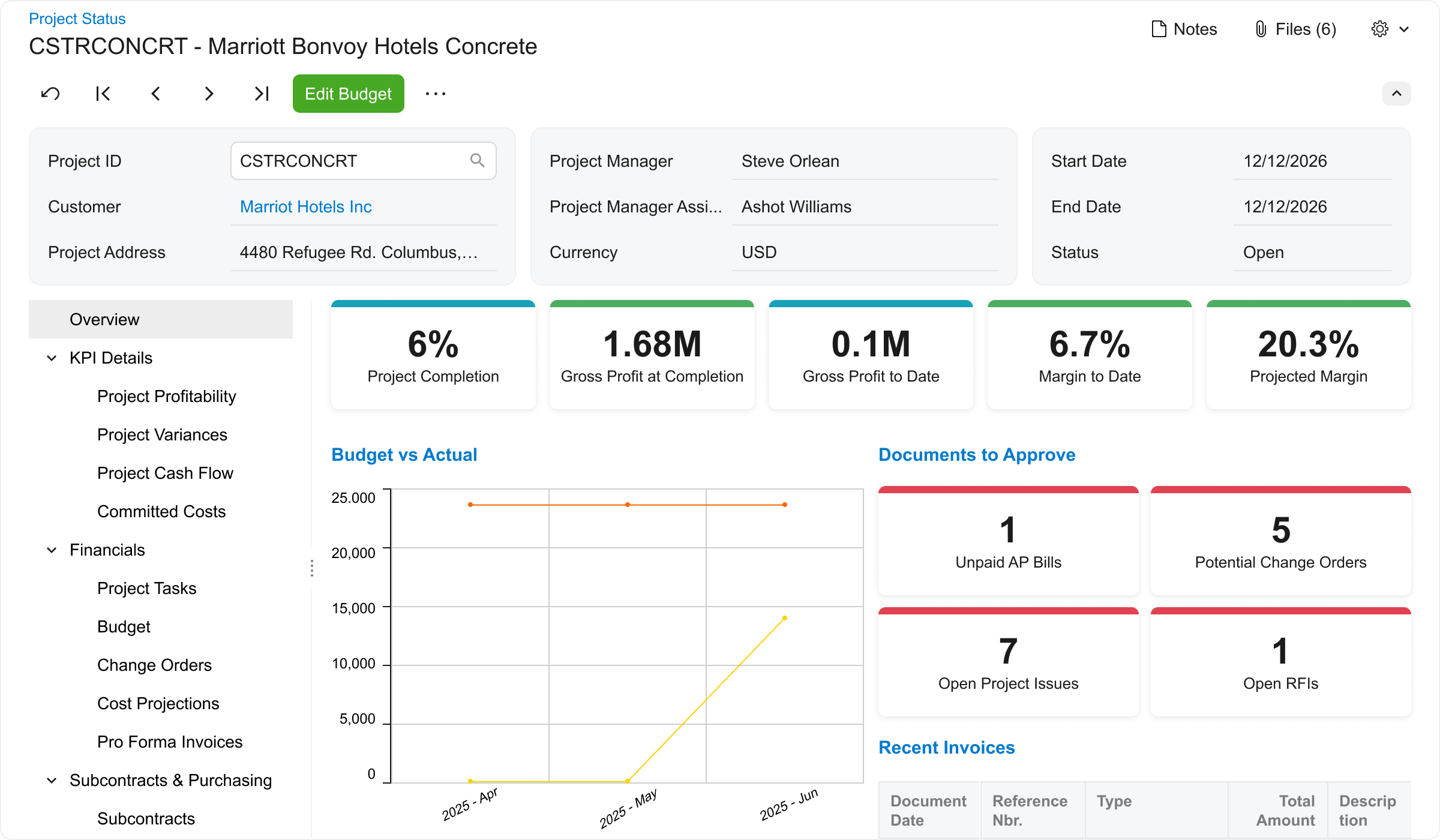
Acumatica Cloud ERP - Construction - Job Cost Accounting Dashboard
Acumatica Cloud ERP - Retail Edition Dashboards
Acumatica Cloud ERP - Professional Services - Financial Management Dashboard

1 / 6

Top Performing Features

  • Capital Project Management

    Track and manage capital asset costs

    Category average: 7.6

  • Customer Contract Compliance

    Associate projects or tasks with customer contracts, and lines within contracts, to meet billing terms

    Category average: 8.1

  • Project Costing

    Standardize, track, and control costs at all project phases

    Category average: 7.8

Areas for Improvement

  • Project Planning and Scheduling

    Interactive Gantt chart for establishing tasks, durations, and delivery schedule

    Category average: 6.8

  • Pay calculation

    Pay calculation provides for computation of employee pay with state and federal deductions.

    Category average: 7

  • Benefit plan administration

    Benefit plan administration is administration of health insurance plans and 401k plans, and other benefits.

    Category average: 7.2

Acumatica Leading ERP Alternatives for Small to Midsize Businesses.

Use Cases and Deployment Scope

The thing that I love about Acumatica is that it has carved out a reputation as a robust, cloud-based ERP system, which has been tailored for small to midsize businesses (SMBs), though its scalability also appeals to larger organizations. Here’s a breakdown of its strengths and considerations. Strong and secure platform for cloud-based ERP and hybrid and remote systems 2. It has really good and advanced servers, which help. Acumatica’s interface is modern and intuitive, with a clean dashboard that centralizes key metrics. While newcomers might face a learning curve—common with comprehensive ERP systems—the navigation feels logical once users acclimate. Its mobile-friendly design is a plus for teams on the go.

Pros

  • Advanced Customization.
  • Integration & Scalability.
  • Pricing Model.

Cons

  • Steeper Learning Curve for New Users.
  • Pricing Complexity.
  • Mobile App Limitations.

Return on Investment

  • Helped us drop the time to manage and create data sheets by 50%.
  • They use a low-code platform, which is a plus and helps decrease manual work.
  • Subscription-based, based on resources used rather than per user, which is a game-changer and also a massive money saver in our case.

Alternatives Considered

Oracle NoSQL Database and SAP Business One

Other Software Used

DocsApp, SAP for Higher Education and Research, Oracle Access Management

Acumatica for small business

Use Cases and Deployment Scope

We implemented Acumatica as our ERP because we needed a solution for inventory management, accounting, and order - a central solution. This allowed us to have a source of truth and to have data and more reporting as well as track orders and inventory.

Pros

  • Inventory Management
  • Order Processing

Cons

  • Outside integration
  • CRM/CMS

Return on Investment

  • Improved reliability of data, reducing hours spent managing the data

Alternatives Considered

Microsoft Dynamics 365

Other Software Used

WooCommerce, Sugar Sell (SugarCRM)

Good but room for improvement

Use Cases and Deployment Scope

We currently use Acumatica for finance and accounting purposes, with the goal being to expand its use across the rest of the company over time.

Pros

  • Report designer is easy to pick up for those with no experience
  • Everything is where you expect it to be, very navigable
  • The tool tips at every turn are very helpful and well thought out

Cons

  • It's difficult to undo things in the system if you make an error

Return on Investment

  • We have seen negative ROI when it comes to Acumatica, but we now have more confidence in how our data is tracked and stored.

Alternatives Considered

Salesforce Lightning Platform and QuickBooks Online

Other Software Used

Salesforce Lightning Platform, QuickBooks Online, Microsoft 365

Usability

Acumatica Review.

Use Cases and Deployment Scope

We use Acumatica as our ERP system including accounting. We are still facing challenges with inventory and accounting foundation issues. I think that there may have been some areas where our consultant group might have oversold us. I believe they were not fully prepared or understood the scale of what we do.

Pros

  • Process AP batch payments.
  • Production work orders.
  • Shipments

Cons

  • The connection between screens and modules.
  • Have all the customer information (ex, sales history, sales orders, historical part numbers) be linked under the customer history, either by report or tab.

Return on Investment

  • Too early to determine.

Alternatives Considered

NetSuite ERP

Other Software Used

BambooHR

Early user

Use Cases and Deployment Scope

We use it for inventory tracking, sales, supplier management, and AP/AR services.

Pros

  • Data analysis
  • User interface
  • Report design

Cons

  • Exploratory services to help educate about “other features”

Return on Investment

  • The opportunity to quickly provide details and reports
  • Comparison data to understand trends

Other Software Used

Korber Supply Chain