RingEx is a cloud-based VoIP solution available via computer mobile application. It features video and audio conferencing, desktop phone rentals, collaboration tools, and integrations with other business applications. Plans are available on a monthly, per user subscription basis.
$19.99
per month
InsideSales.com / XANT PowerDialer for Salesforce (discontinued)
Score7 out of 10
N/A
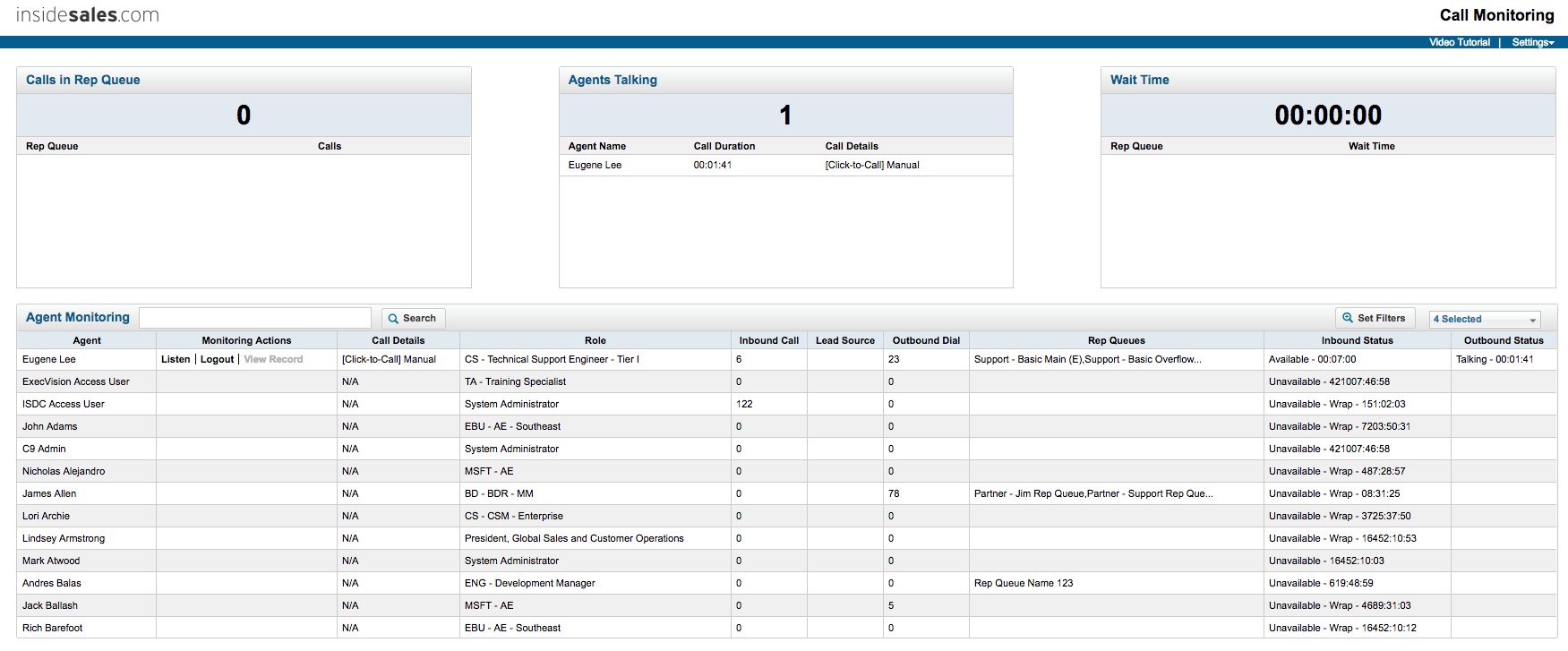
PowerDialer for Salesforce, from InsideSales.com / XANT is a discontinued sales dialer.
N/A
Pricing
RingEX
InsideSales.com / XANT PowerDialer for Salesforce (discontinued)
Editions & Modules
Essentials (up to 20 users)
$19.99
per user/per month
Standard
$27.99
per user/per month
Premium
$34.99
per user/per month
Ultimate
$49.99
per user/per month
No answers on this topic
Offerings
Pricing Offerings
RingEX
InsideSales.com / XANT PowerDialer for Salesforce (discontinued)
InsideSales.com / XANT PowerDialer for Salesforce (discontinued)
Likelihood to Recommend
RingCentral
When setting up a new user with a phone. I can call in their support line. They followed me through every step of setting up the new phone. Our office has very specific settings, and our support staff will walk you through the completion. Even do test calls, making sure the user is properly set up for voicemails, faxes, or any type of notifications.
A de minimis incentive was given to thank the reviewer for their time. The incentive was not used to bias or drive a particular response, nor was the incentive contingent on a positive endorsement. More Info
Outbound dialing is where it excels. It's especially good with larger teams of reps. Organizing through campaigns and seek lists is very powerful once you understand how to use it. There is definitely a learning curve with seek lists (I've spent tons of time on the phone with their support staff) but once you understand it the possibilities are endless. You can sort which leads show up by a variety of filters. Even with a list of 10,000+ leads and 5 reps calling on it, you can ensure no leads show up in two reps lists, the reps are calling specific territories, and even skipping leads that are likely on their lunch break! One my of favorite tricks with seek lists and only calling people with titles like Director/VP/C-Level before 8:30am or after 5pm their time, when those people are more willing to pick up the phone. They also appreciate a sales rep who is putting in the extra time to call during those blocks.
A de minimis incentive was given to thank the reviewer for their time. The incentive was not used to bias or drive a particular response, nor was the incentive contingent on a positive endorsement. More Info
A de minimis incentive was given to thank the reviewer for their time. The incentive was not used to bias or drive a particular response, nor was the incentive contingent on a positive endorsement. TR verified that a representative sample of customers was invited. More Info
A de minimis incentive was given to thank the reviewer for their time. The incentive was not used to bias or drive a particular response, nor was the incentive contingent on a positive endorsement. More Info
Customer support is rudimentary. They should improve tier 1 customer support's ability to understand our needs rather than asking customers to reinstall the app
Revolving door of account managers, which causes loss of continuity in discussing opportunities
Analytics is not complete. Details about faxing and web meetings is missing.
A de minimis incentive was given to thank the reviewer for their time. The incentive was not used to bias or drive a particular response, nor was the incentive contingent on a positive endorsement. TR verified that a representative sample of customers was invited. More Info
A de minimis incentive was given to thank the reviewer for their time. The incentive was not used to bias or drive a particular response, nor was the incentive contingent on a positive endorsement. More Info
We are grandfathered into our unlimited toll-free minutes plan. We are very unlikely to switch because of that. It has been the major factor saving us a lot of money compared to switching to other solutions. I don't know any other company that still offers these unlimited plans.
A de minimis incentive was given to thank the reviewer for their time. The incentive was not used to bias or drive a particular response, nor was the incentive contingent on a positive endorsement. More Info
They were working on updating a few of the modules while we were going live, so this made usability difficult to train on once they did go live with those changes. Now that the changes are in place, we have really enjoyed the usability of the platform
I like that it is simple, functional and I can rely on it to help me get my work done everyday. My job became much harder without InsideSales.com. The new CRM I am using has confusing features and too much going on sometimes. There are so many fields and functions that I find unnecessary--what sucks is when I look at my screen at all these empty fields, it makes me feel incomplete. With InsideSales.com, I knew what to put in every box and why it would be important. I could put it in once and whether it was my manager, case admin or data analyst or me, we all knew where to find it. With our new system, I find myself having to do more input and data entry for other people to benefit--no longer a "one shot, one kill" deal.
A de minimis incentive was given to thank the reviewer for their time. The incentive was not used to bias or drive a particular response, nor was the incentive contingent on a positive endorsement. More Info
I never had a failure. RingEX tests its infrastructure periodically and pushes handset updates automatically without interrupting the user or team's operation. The few issues with offline phones resulted from our internal network, never theirs. Like with all VoIP systems, it's as good as the network. However, using the mobile app means you can always take calls.
A de minimis incentive was given to thank the reviewer for their time. The incentive was not used to bias or drive a particular response, nor was the incentive contingent on a positive endorsement. More Info
Occasional bandwith issues. In addition to this, I have one individual whose calls are blocked. We were not able to determine whether this was a RingEX or a carrier issue.
A de minimis incentive was given to thank the reviewer for their time. The incentive was not used to bias or drive a particular response, nor was the incentive contingent on a positive endorsement. More Info
Call-in support is fantastic. I have never called in and had it taken more than 30 minutes to resolve our issue. Email support is terrible. You will likely go 24+ hours until you hear back and the response is likely a canned one. I personally prefer the email or chat support option, but find myself calling instead because the email support experience is so poor.
A de minimis incentive was given to thank the reviewer for their time. The incentive was not used to bias or drive a particular response, nor was the incentive contingent on a positive endorsement. TR verified that a representative sample of customers was invited. More Info
A de minimis incentive was given to thank the reviewer for their time. The incentive was not used to bias or drive a particular response, nor was the incentive contingent on a positive endorsement. More Info
A de minimis incentive was given to thank the reviewer for their time. The incentive was not used to bias or drive a particular response, nor was the incentive contingent on a positive endorsement. More Info
If someone has an existing system I tell them to keep that running initially and keep RingEX separate initially until the system is configured and tested to one's satisfaction. After testing and configuration is completed, then roll over the main phone numbers to the new RingEX system. I've seen one person who immediately flipped over to RingEX without properly configuring/testing the software and had many issues with missed customer calls until I helped him sort out his configuration.
A de minimis incentive was given to thank the reviewer for their time. The incentive was not used to bias or drive a particular response, nor was the incentive contingent on a positive endorsement. More Info
RingEX provides better service and features at a competitive price. There really is no comparison between the two solutions. Spectrum Business gives us reliable land line phone service with multiple lines and reliable business internet. Adding new lines is a physical experience with a visit from a spectrum technician. RingEX provides everything we need from the phone system to additional tools like video meetings and conference calling all with a very user friendly application. Adding new lines is just a click away
A de minimis incentive was given to thank the reviewer for their time. The incentive was not used to bias or drive a particular response, nor was the incentive contingent on a positive endorsement. More Info
I am actually not on the decision making side, but we used PowerDialer because of the easy to use integration with our CRM with Salesforce. Having these two tools in tandem was a great platform for us to do prospecting.
A de minimis incentive was given to thank the reviewer for their time. The incentive was not used to bias or drive a particular response, nor was the incentive contingent on a positive endorsement. More Info
We have 75 users and 85 phones on the system and have yet to have any noticeable outages. The system just works all of the time without issues. Our old VOIP system on Voyant would go out all the time for multiple hours. RingEX is much more stable and reliable.
A de minimis incentive was given to thank the reviewer for their time. The incentive was not used to bias or drive a particular response, nor was the incentive contingent on a positive endorsement. TR verified that a representative sample of customers was invited. More Info
A de minimis incentive was given to thank the reviewer for their time. The incentive was not used to bias or drive a particular response, nor was the incentive contingent on a positive endorsement. TR verified that a representative sample of customers was invited. More Info
Improved Connect Rates - Knowing when our team has the highest chance of success has helped us optimize our call blocks, leading to an improved connect rate.
Dials - With dialer lists and click to call functionality, we are able to make more dials to the right people.
Rep achievement - Though harder to quantify, the gamification has focused the team around the right KPIs.
A de minimis incentive was given to thank the reviewer for their time. The incentive was not used to bias or drive a particular response, nor was the incentive contingent on a positive endorsement. More Info