ClickMeeting is a webinar solution formerly owned by GetResponse, an email marketing software company. ClickMeeting's online meeting and collaboration tools are designed to support the sales, marketing, e-learning, and training needs of business of all sizes.
$25
per month
PanTerra Networks
Score6.3 out of 10
Mid-Size Companies (51-1,000 employees)
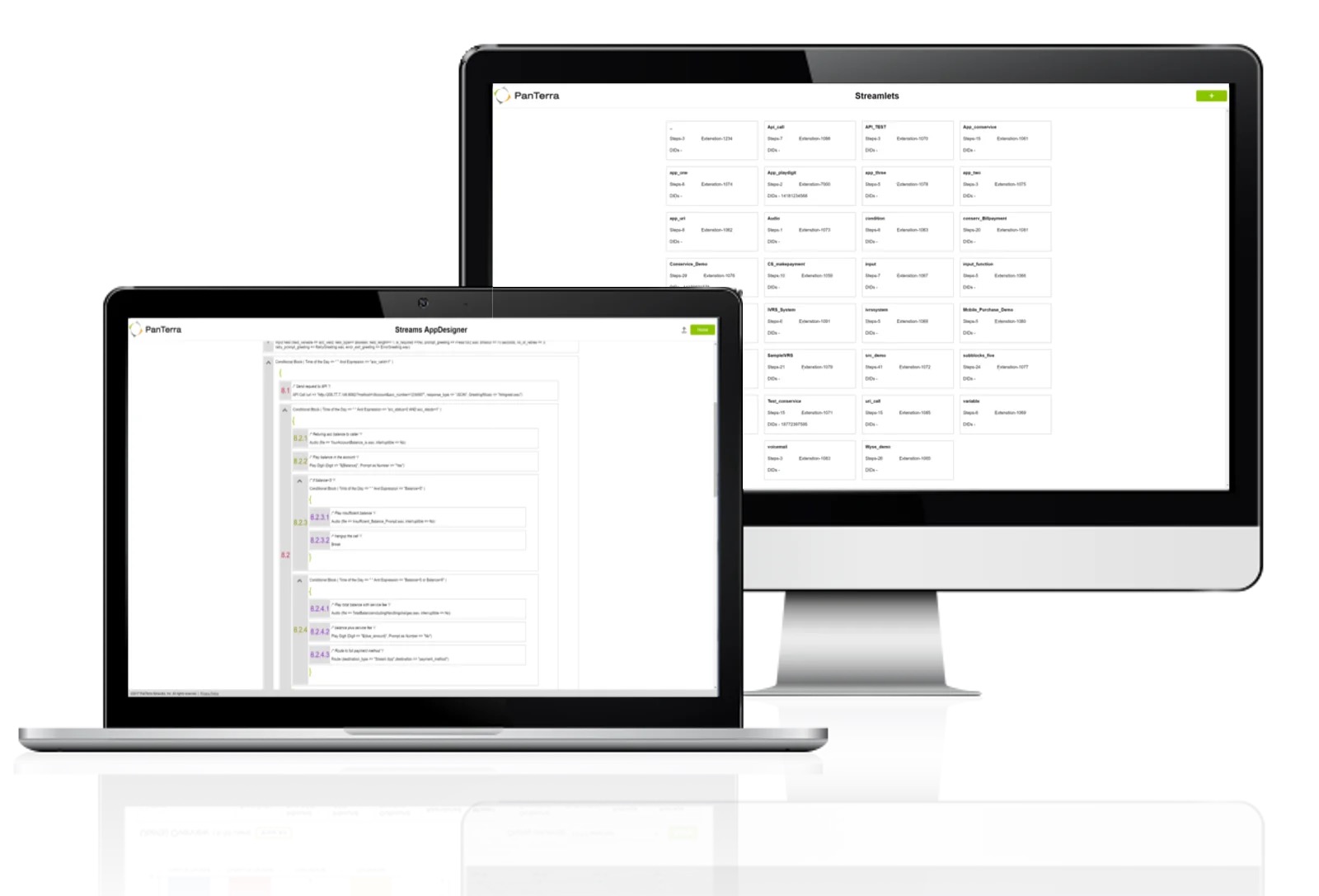
PanTerra is a provider of unified cloud-based services for communications, enterprise file sharing and mobility solutions for mid-market enterprises (MME), headquartered in Santa Clara. The Company's Streams service provides - Unified Communications and SmartBox - Communications-Enabled Content Management solutions which are delivered securely from the cloud through a browser-based client as well as mobile apps for smartphones and tablets, are designed to eliminate any on-premises deployed…
$24.95
per month per seat
Pricing
ClickMeeting
PanTerra Networks
Editions & Modules
Live 25
$25
up to 25 attendees
Live 50
$35
up to 50 attendees
Automated 25
$40
up to 25 attendees
Automated 50
$45
up to 50 attendees
Live 100
$60
up to 100 attendees
Automated 100
$75
up to 100 attendees
Live 200
$119
up to 200 attendees
Live 500
$139
up to 500 attendees
Automated 200
$145
up to 200 attendees
Enterprise
$165
500 - 5000
Automated 500
$179
up to 500 attendees
Live 1000
$239
up to 1000 attendees
Automated 1000
$279
up to 1000 attendees
Business Plus
$24.95
per month per seat
Professional
$29.95
per month per seat
Call Center
$44.95
per month per seat
Offerings
Pricing Offerings
ClickMeeting
PanTerra Networks
Free Trial
Yes
No
Free/Freemium Version
No
No
Premium Consulting/Integration Services
Yes
Yes
Entry-level Setup Fee
No setup fee
Optional
Additional Details
Detailed enterprise pricing on demand.
Pricing is determined by length of contract and size of business.
ClickMeeting serves a dual purpose within our organization. Firstly, it acts as a reliable platform for hosting staff meetings, enabling effective communication and collaboration among team members. Whether it's for updates, discussions, or brainstorming sessions, ClickMeeting provides the necessary tools for seamless engagement.Secondly, ClickMeeting is instrumental in delivering online courses to our students. It empowers us to create interactive learning experiences regardless of geographical constraints. We can easily share course materials, conduct live or pre-recorded lectures, and facilitate interactive discussions and Q&A sessions. ClickMeeting ensures our students have access to high-quality education and a supportive learning environment.In summary, ClickMeeting is an invaluable tool for both internal staff communications and student-centered online courses. It fosters collaboration, engagement, and knowledge sharing in a flexible and accessible manner, enhancing our overall productivity and educational offerings.
One of the main draws of PanTerra Networks Streams is the unlimited calling, which was very enticing. We chose the platform over other models (per-call for example) because they simplified billing. While the video conferencing and messaging feel bare-bones or underdeveloped in comparison to other players in the market, the fact that the messaging is seamlessly integrated into the PBX makes it easy to use. The call routing systems are especially robust, which in the collections world is very important to be able to segment calls to different users.
A de minimis incentive was given to thank the reviewer for their time. The incentive was not used to bias or drive a particular response, nor was the incentive contingent on a positive endorsement. TR verified that a representative sample of customers was invited. More Info
ClickMeeting is user-friendly, the admin and user panel is simple, intuitive!
When conducting training, you can use default settings such as edu mode and it saves time, I don't have to worry if I'm sure I've muted everyone and if I'm the only one visible.
ClickMeeting is also integrated with the Moodle e-learning platform, so it's a great support in organizing blended-learning processes.
A de minimis incentive was given to thank the reviewer for their time. The incentive was not used to bias or drive a particular response, nor was the incentive contingent on a positive endorsement. More Info
Individual Audio Controls. I'd love to be able to adjust the audio for each of the presenters within the platform, as the host. Not all presenters are tech savvy and sometimes don't know how to adjust this themselves.
Additional Saved Color Schemes. I'd love to be able to create/save multiple custom color schemes that I can use for various events instead of a single one.
A de minimis incentive was given to thank the reviewer for their time. The incentive was not used to bias or drive a particular response, nor was the incentive contingent on a positive endorsement. More Info
Accounting had asked me to mention the way the bills are shown in the invoices can be confusing as to how it is broken out and what each charge is for. She mentioned wishing it was a little more detailed.
Virtual test environment would be nice. When testing if there is an outage or testing updates, it would be cool to either be able to hear what a customer would hear and make sure things are working in the system without interrupting customer service. This is small, but a feature that would be cool to utilize.
A de minimis incentive was given to thank the reviewer for their time. The incentive was not used to bias or drive a particular response, nor was the incentive contingent on a positive endorsement. More Info
In all likelihood, we will remain Panterra customers for many years. VoIP phone and messaging is a rapidly expanding and evolving market, however, and its possible a better solution will come along, but for now, Panterra Streams offers a compelling solution combining leading features, great customer service, and affordable pricing.
A de minimis incentive was given to thank the reviewer for their time. The incentive was not used to bias or drive a particular response, nor was the incentive contingent on a positive endorsement. More Info
ClickMeeting's overall usability is commendably excellent. Its intuitive, user-friendly interface makes it remarkably easy for users of all skill levels to navigate. The platform delivers a seamless, streamlined experience from setting up meetings to engaging with participants. Despite some advanced features having a slight learning curve, the platform remains user-friendly, efficient, and reliable.
A de minimis incentive was given to thank the reviewer for their time. The incentive was not used to bias or drive a particular response, nor was the incentive contingent on a positive endorsement. More Info
PanTerra Networks needs to make the interface more user friendly and make it easier for the users. Like saving message templates or saving phone numbers for the fax directory.
A de minimis incentive was given to thank the reviewer for their time. The incentive was not used to bias or drive a particular response, nor was the incentive contingent on a positive endorsement. More Info
A de minimis incentive was given to thank the reviewer for their time. The incentive was not used to bias or drive a particular response, nor was the incentive contingent on a positive endorsement. More Info
A de minimis incentive was given to thank the reviewer for their time. The incentive was not used to bias or drive a particular response, nor was the incentive contingent on a positive endorsement. More Info
It takes a bit of time to get to grips with the platform at first, but it's short and there is an online help chat available. People on the chat are very helpful and available for a long time - also on weekends, which greatly improves work. Really very good support.
Always available and quick to respond. The team is also very knowledgeable so no waiting for a fix or an answer. At times they just go in and fix the setting vs telling you how to do it and sending you on your way. It's also done via text so you don't need to drop your call or be on hold
A de minimis incentive was given to thank the reviewer for their time. The incentive was not used to bias or drive a particular response, nor was the incentive contingent on a positive endorsement. More Info
Everything was fantastic. Training was sufficient and everything was easy to use. It was provided on our schedule and was very clear. I did the training myself. Training person was very knowledgeable. We are very happy. Only two users. very happy very happy very happy very happy very happy very happy
A de minimis incentive was given to thank the reviewer for their time. The incentive was not used to bias or drive a particular response, nor was the incentive contingent on a positive endorsement. More Info
The implementation was very smooth. They assisted in getting phones tied to the various lines and getting everything set up in the admin portal. It's been a few years since our implementation, but there were no issues at the time.
A de minimis incentive was given to thank the reviewer for their time. The incentive was not used to bias or drive a particular response, nor was the incentive contingent on a positive endorsement. More Info
- does not require installation - clear interface - fast chat technical support - available in Polish language - provides a stable connection - it allows us to share presentations - we can also record the meeting - the process of creating the meeting is quick and easy also for beginners
PanTerra Networks is viewed as more competitive, and close enough to win. Those other companies do offer more integrations off the shelve, and do have a more user friendly portal. Panterra does give the client a more personalized experience when it comes to the presentation, so the customer feels like they're getting a more personalized experience.
A de minimis incentive was given to thank the reviewer for their time. The incentive was not used to bias or drive a particular response, nor was the incentive contingent on a positive endorsement. More Info
A de minimis incentive was given to thank the reviewer for their time. The incentive was not used to bias or drive a particular response, nor was the incentive contingent on a positive endorsement. More Info
A de minimis incentive was given to thank the reviewer for their time. The incentive was not used to bias or drive a particular response, nor was the incentive contingent on a positive endorsement. More Info
Strengthening the image of the ITAKA Foundation as an institution that comprehensively deals with the subject of disappearances and can share knowledge in this area.
Time savings in the preparation of internal meetings (e.g. thanks to the possibility of placing an accurate schedule).
Reaching a greater number of webinar recipients (e.g. thanks to the possibility of live broadcast via social media).
Very reliable. We make hundreds of calls outbound and there has never been a connectivity issue or otherwise
We decreased our monthly expense for reliable service by several hundred dollars
The onboarding support was the best we've ever experienced. They were on the phone while we hooked up every phone, tested, and got it all set up with ease.
Any changes needed after onboarding were difficult to accomplish without a call to customer service. Some of those calls to customer service made things more confusing
A de minimis incentive was given to thank the reviewer for their time. The incentive was not used to bias or drive a particular response, nor was the incentive contingent on a positive endorsement. More Info