TrustRadius: an HG Insights company

What is Zoom AI Companion?

Zoom Custom AI Companion gives admins the ability to customize AI Companion outputs by accessing an organization’s internal data sources, as well as third-party applications within Zoom AI Studio for expanded knowledge, helping users drive decisions, actions, and complete tasks.

Read more details.

Media

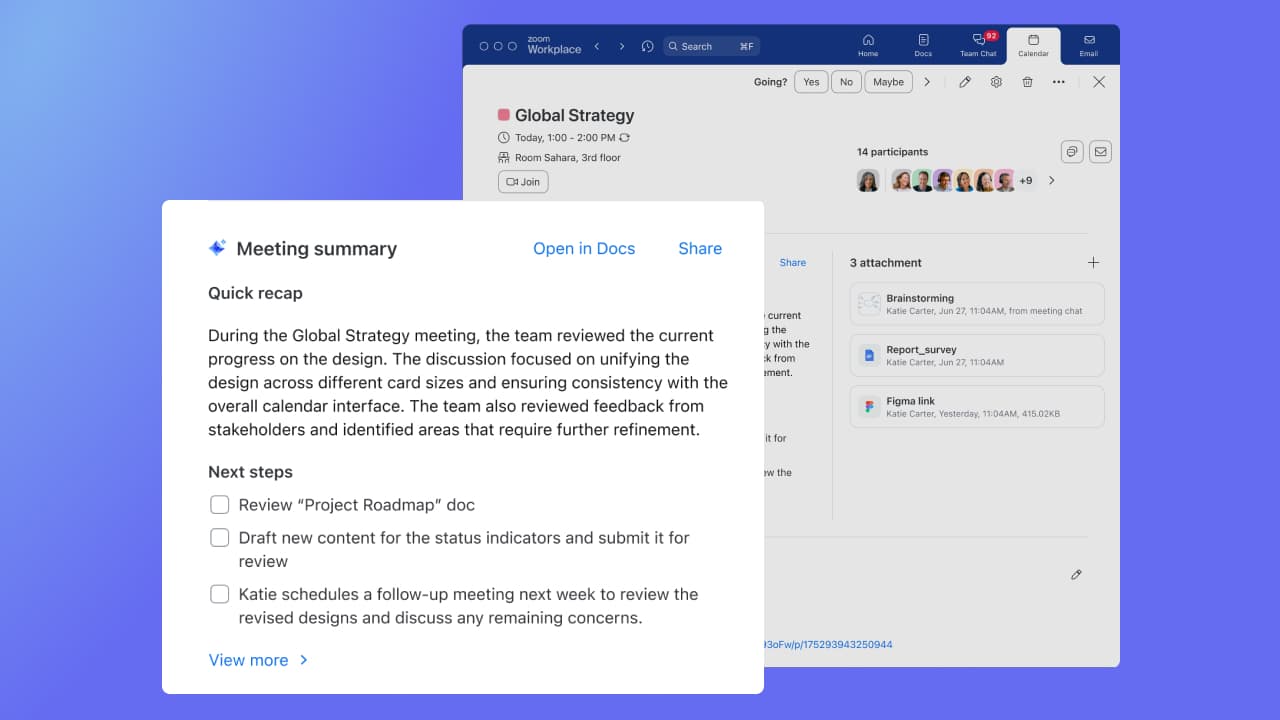
Screenshot of Zoom AI Companion for Zoom Workplace, here used to analyze a document. It gets information about documents connected to Zoom Workplace, including email attachments, documents from chat, and Zoom Docs. With Zoom AI Companion for Zoom Meetings, Meeting Summary can take notes and share important action items. Summaries are shared in 36 supported languages, automatically detected by the main language spoken during the meeting.
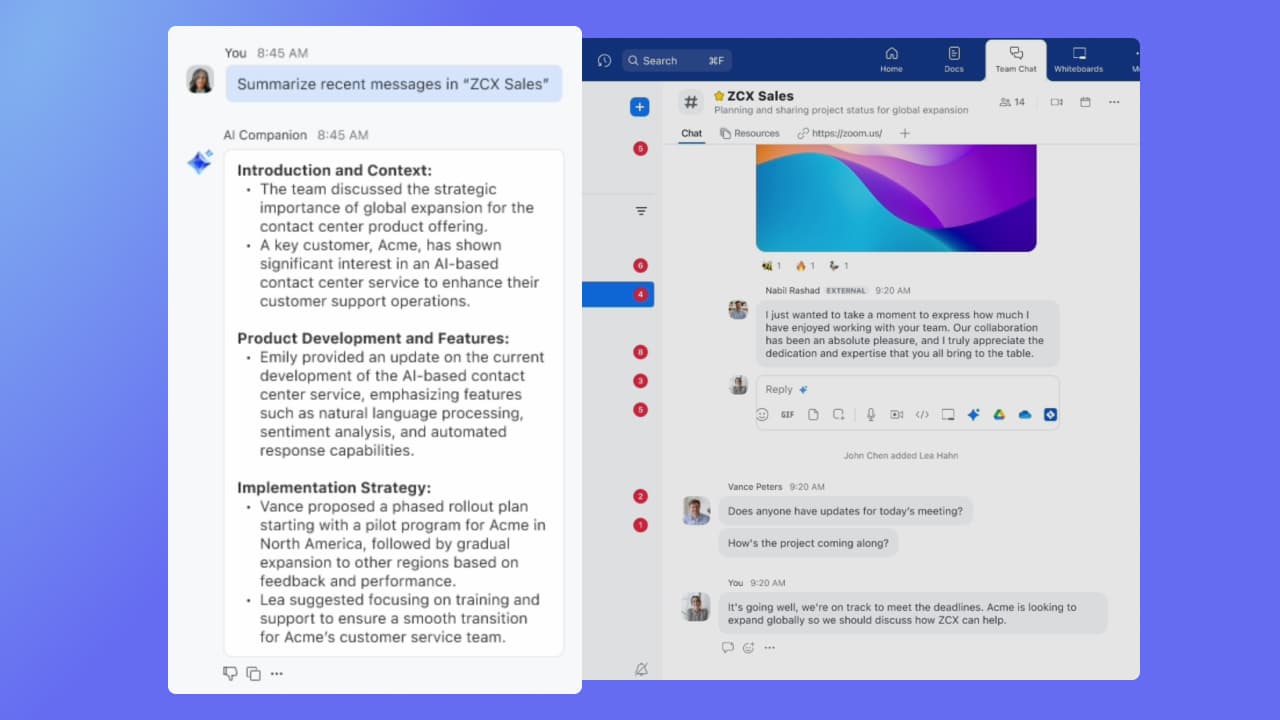
Screenshot of Zoom AI Companion for Zoom Team Chat, Zoom Mail and Calendar, and Zoom Docs, used to get a summary of the chat channel, email, and documents. Instead of reading a long email, users can get a quick summary.
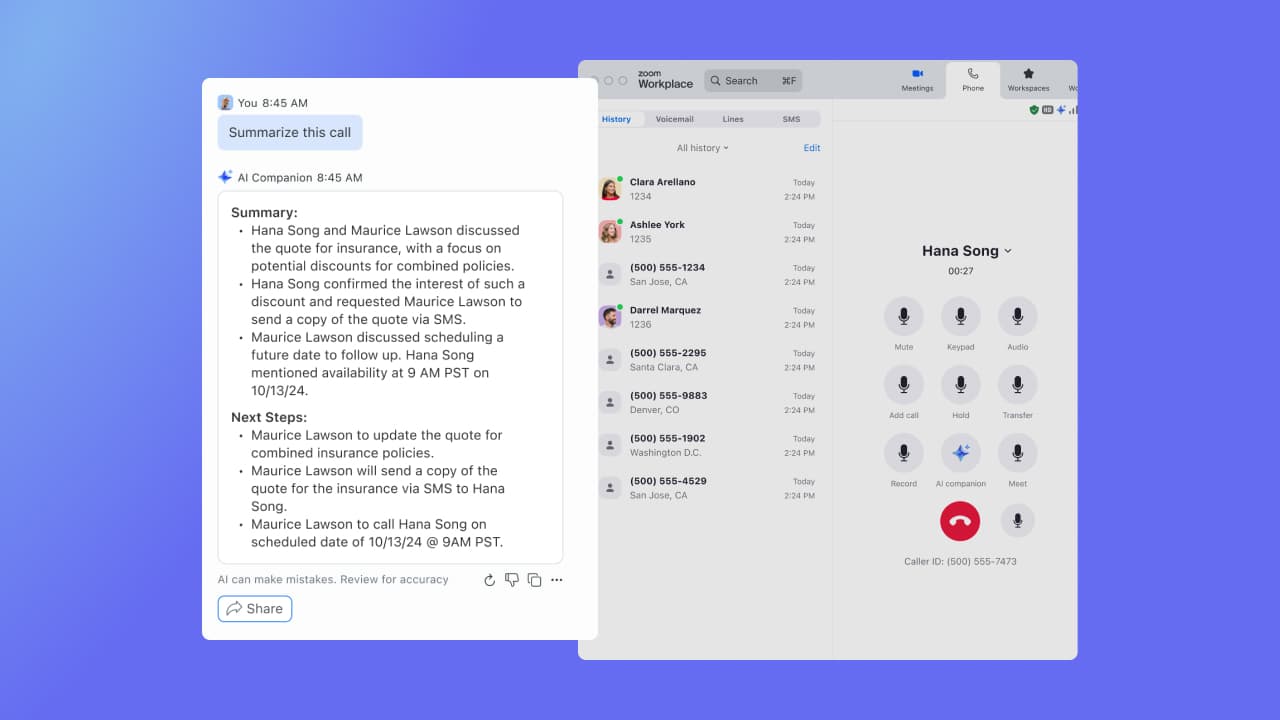
Screenshot of Zoom AI Companion for Zoom Phone, which offers a post-call summary during a recorded conversation.

1 / 3

Screenshot of Zoom AI Companion for Zoom Workplace, here used to analyze a document. It gets information about documents connected to Zoom Workplace, including email attachments, documents from chat, and Zoom Docs. With Zoom AI Companion for Zoom Meetings, Meeting Summary can take notes and share important action items. Summaries are shared in 36 supported languages, automatically detected by the main language spoken during the meeting.

Organize and summarize your meetings easily with Zoom Workplace AI

Use Cases and Deployment Scope

Back in the day when we wanted to have a work meeting, we had to look for an empty meeting room and setup that for meeting, now with Zoom we can book meeting anytime anywhere online. When we needed a quick meeting, just send the link to your colleagues and join the meeting. Zoom can have up to 500 participate in the meeting and share content or your screen to everyone on the meeting wither they are joining via mobile devices or their laptops.

Pros

  • Video call and phone call work smoothly with stable internet for clear sound and video quality.
  • Sharing screen with participant is easy and allow for control to other participant.
  • Scheduling meeting with a simple click to a quick video call.

Cons

  • Adding remote support via zoom with full remote features.
  • Adding Ai features to call meeting for extra details on call subjects.
  • The free version could benefit from adding more participant and time of meeting.

Return on Investment

  • Zoom achieved cost saving of having to book meeting room every time.
  • Zoom helped saving time for staff to arrange meeting and meet in person.
  • Zoom helped to schedule urgent meeting to make decision making easier and faster.

Alternatives Considered

Microsoft Teams

Other Software Used

Microsoft Teams, Webex Meetings

Zoom Workspace Review from an academic users perspective

Use Cases and Deployment Scope

We use Zoom Workplace for hosting bi-directional class rooms at our academic institution. We have both graduate and undergraduate level courses offered at our satellite campus as well as students taking courses that are offered on main campus. Zoom provide seamless integration for holding conference level connectivity from our class rooms for invited talks and other academic activities.

Pros

  • Seemless roomscale connectivity
  • Integration with calendar
  • Cisco System compatibility

Cons

  • Codec compatibility
  • More intuitive built-in camera and screen controls
  • Shortcuts to preferred endpoints

Return on Investment

  • Classes are remote
  • Conferences are hybrid
  • Collaboration is easier

Alternatives Considered

Microsoft Teams Rooms and Microsoft Teams

Other Software Used

Cisco Room Series, Microsoft Teams Rooms, Google Meet

Zoom Workplace is the de facto standard for business.

Use Cases and Deployment Scope

Zoom AI Companion is the de facto standard for meetings before the COVID-19 pandemic. After switching to Zoom AI Companion from the previous WebEx meeting tool, everyone is impressed by the stable connection and intuitive interface for sharing screens and content. Since then, I cannot live a day in my business without using Zoom as my workplace. Zoom AI Companion is not just a remote meeting tool, but a truly collaborative space that brings together remote and face-to-face co-workers, continually evolving with new functionalities every day.

Pros

  • Stable connection.
  • Intuitive interface.
  • AI Companion.

Cons

  • Complicated my settings.
  • Event/Meeting set-up AI assistant.
  • Connections with competitive tools (MS Teams, Miro, etc.)

Return on Investment

  • Business trip cost reduction at scale.
  • Productive meeting for decision making.
  • Meeting summary by AI Companion.

Alternatives Considered

Microsoft Teams

Other Software Used

Microsoft Teams, Webex Meetings

A solution for everything

Use Cases and Deployment Scope

We use Zoom AI Companion for meetings, zoom rooms, displays, etc. We needed an all in one platform that could allow us to connect seamlessly in our different conference rooms for meetings or just internal calls while also being able to connect to any platform (google meet, teams, etc) depending on what our clients are using. Zoom AI Companion was that answer and still is that answer. It just works!

Pros

  • Meeting integration
  • Screensharing
  • Workspace reservations

Cons

  • When outside orgs invite us to meetings, being able to reserve the room and have it pick up that meeting ID/info would be great.
  • Workspace reservations map on a display screen used to show live feeds, but now shows a timeline of start to close so its basically useless now.
  • Better user management. Users sign up for things like firely AI and then it gets stuck joining every Zoom AI Companion meeting they are invited to.. I get thats something they created, but a way to block it on the back end would be great.

Return on Investment

  • It has allowed us to work seamlessly with hybrid work environments
  • It has allowed us to have clients or vendors share seamlessly when they are in office. Makes it look like we have our [...] together, thanks!
  • Other options we were looking at (barco) would have been such a large chunk of money to get even half the rooms we have done. You are top notch!

Other Software Used

Google Workspace, Microsoft Teams

Zoom AI Companion helps us stay connected in construction

Use Cases and Deployment Scope

We primarily use Zoom AI Companion to gather and share meeting notes after meetings. We have setting set up so that AI automatically sends everyone who was on the meeting a meeting summary after the meeting ends. This has proven to be extremely helpful in keeping our teams on track, especially in being able to stay on the same page and work towards the same goal - discussion items don't get as easily forgotten now that we have Zoom AI Companion at our fingertips! I specifically like that I can use it during a meeting too - we tend to have team meetings where folks hop on and off given the nature of construction, so it's helpful to have a full recap at the end of the meeting for those who only stayed for half, etc. In construction, business moves fast, and Zoom's AI helps keep us organized.

Pros

  • Summarize meeting notes and shares them automatically to each participant
  • Answers questions during a meeting, like surfacing information that might have been missed
  • Polishes and cleans up text to make it sound more formal and professional when needed

Cons

  • I think ChatGPT is still a smarter solution in terms of puling information together from the web when prompted with a request - and I like that ChatGPT offers intuitive next steps
  • Being more intuitive in suggesting next steps after a meeting - it does this well but there could be improvement. Either way it's better than it's competitors at this.
  • Searching the web to pull information

Return on Investment

  • Time saved in summarizing meetings
  • Time saved in not having to take as detailed meeting notes
  • Time saved in finding next steps

Usability

Alternatives Considered

ChatGPT and Azure AI Bot Service

Other Software Used

Zoom Workplace, ChatGPT, Microsoft 365