Google Gemini (formerly Bard) is an AI assistant, presented as a creative and helpful collaborator. Gemini for Workspace is available via two plans: a Gemini Enterprise add-on, and a Gemini Business add-on.
N/A
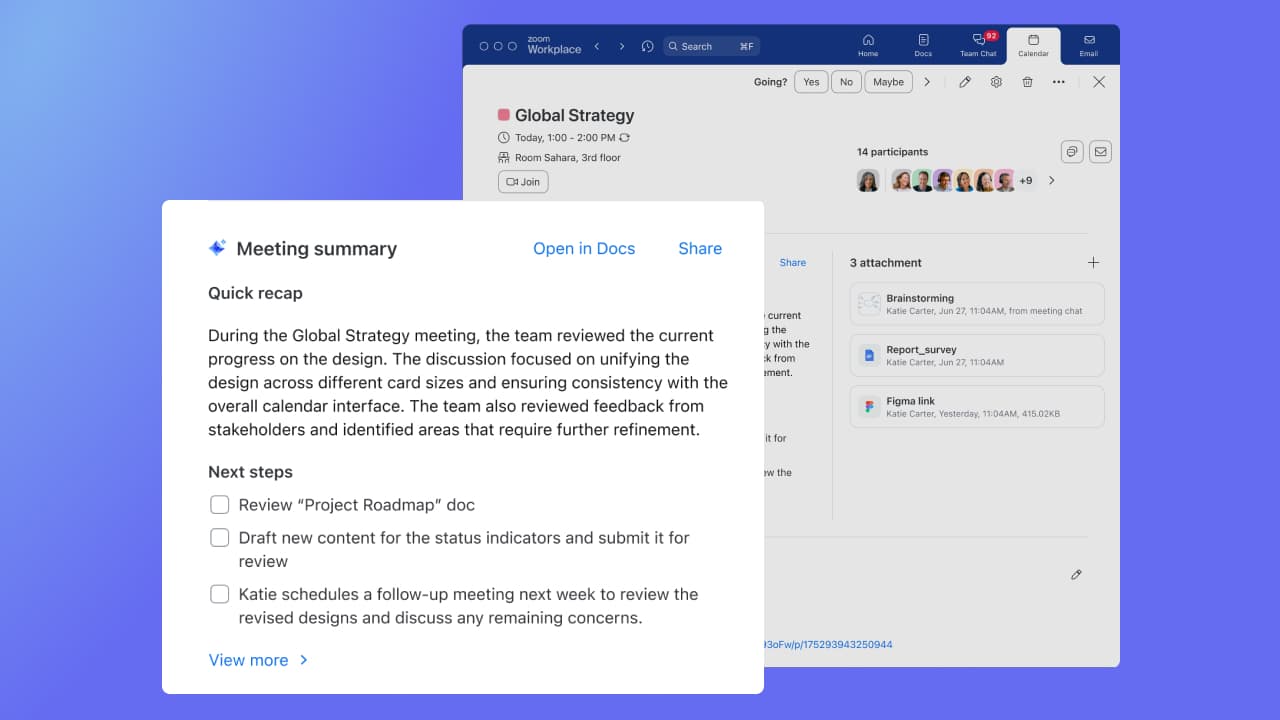
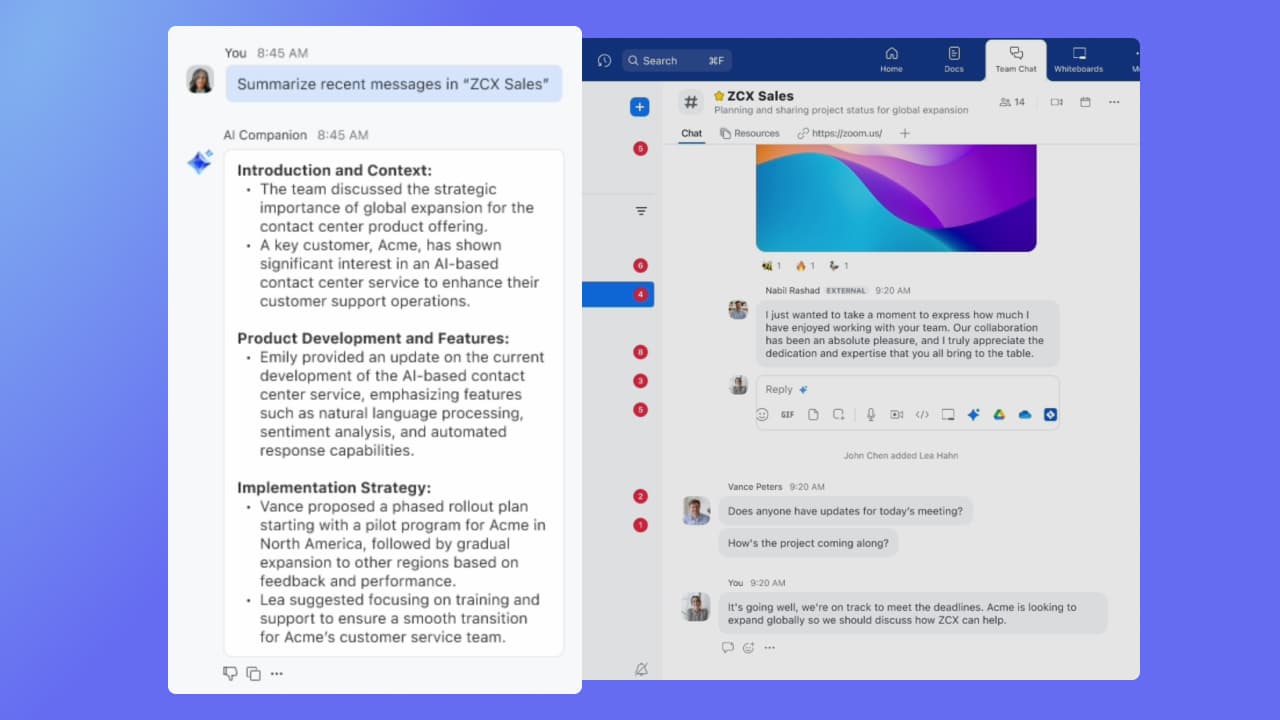
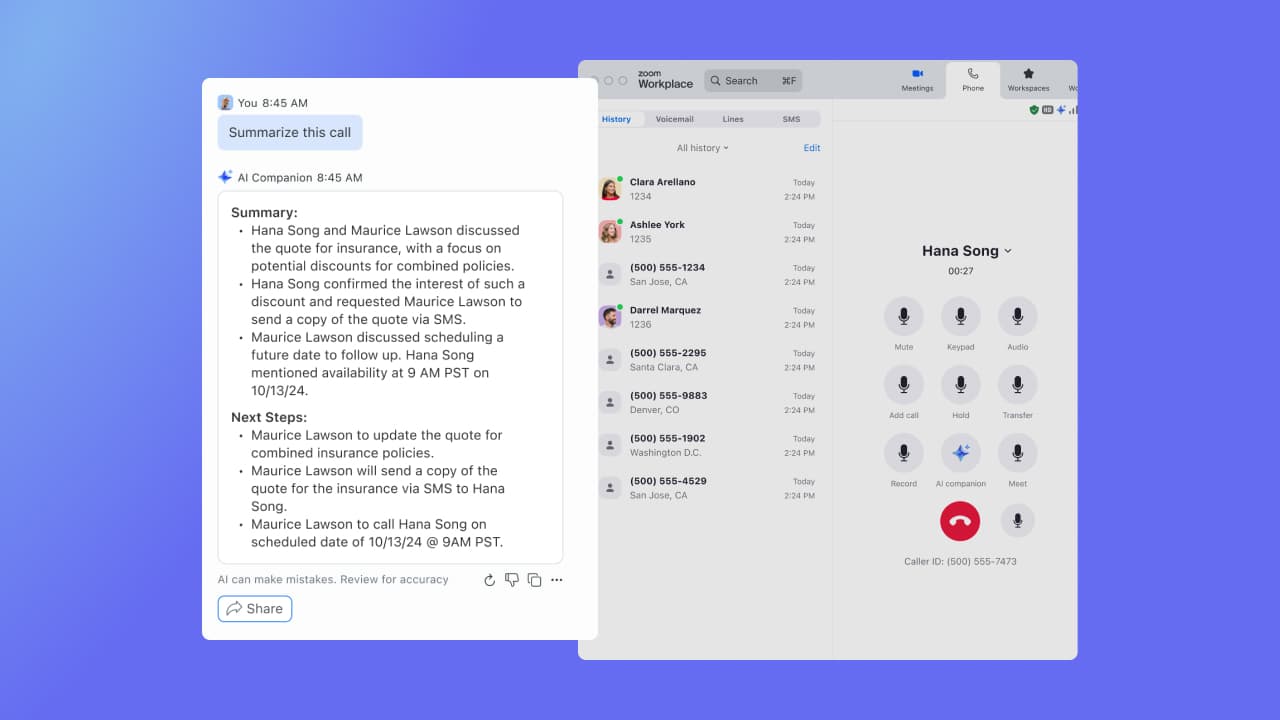
Zoom AI Companion
N/A
N/A
Zoom Custom AI Companion gives admins the ability to customize AI Companion outputs by accessing an organization’s internal data sources, as well as third-party applications within Zoom AI Studio for expanded knowledge, helping users drive decisions, actions, and complete tasks.
Gemini is well suited to help in customer service, to create summaries of emails sent by customers, generating possible responses to them, rephrasing communications, help create and then correct SQL queries, interpreting responses, it's not so good if you need to help with a sensitive topic due to it taking personally identifying information
A de minimis incentive was given to thank the reviewer for their time. The incentive was not used to bias or drive a particular response, nor was the incentive contingent on a positive endorsement. More Info
If you have a colleague who is based in a remote location or is part of a remote team, Zoom is a vital collaboration tool for your day-to-day work. Zoom AI Companion is easier and more effective for working with a colleague at a remote location rather than making a call. You can share your non-verbal reactions through video, which brings a close experience to face-to-face interactions.
A de minimis incentive was given to thank the reviewer for their time. The incentive was not used to bias or drive a particular response, nor was the incentive contingent on a positive endorsement. TR verified that a representative sample of customers was invited. More Info
Deep research for getting first business research draft from Gemini, post which i use series of prompts to improve it and use my understanding to refine it further
Canvas to produce structured business topic research and newsletter. Direct edits to the sections and making client ready reports
Learning mode to get help on step by step automation of AI workflows
A de minimis incentive was given to thank the reviewer for their time. The incentive was not used to bias or drive a particular response, nor was the incentive contingent on a positive endorsement. More Info
Large meeting rooms that our marcomms team is able to navigate and problem solve with quickly and easily.
Ability to schedule meetings with internal and external team members for workshops. Provides us with several tools to communicate and share ideas without having to even turn your mic on.
AI companion to remember points that were made and provide a summary to those who were unable to attend after the meeting.
A de minimis incentive was given to thank the reviewer for their time. The incentive was not used to bias or drive a particular response, nor was the incentive contingent on a positive endorsement. More Info
Currently the document database caps out at 10, requiring us to condense some of our policies
It's large context window is a blessing and a curse. Sometimes it stops generating half way through a very ambitious request as it delivers page after page of content
There is no way to share Gems currently, so we have to publish guides to our employees on how to best configure them
A de minimis incentive was given to thank the reviewer for their time. The incentive was not used to bias or drive a particular response, nor was the incentive contingent on a positive endorsement. More Info
Although the whiteboard is nice, it's not as advanced as I'd like to be. For example, navigating it can sometimes be tricky, and it doesn't have nearly as many features as a tool like Miro.
The Zoom integration for Outlook has issues, it doesn't always sync
The React feature on Zoom calls doesn't always work and sometimes isn't visible
A de minimis incentive was given to thank the reviewer for their time. The incentive was not used to bias or drive a particular response, nor was the incentive contingent on a positive endorsement. TR verified that a representative sample of customers was invited. More Info
Google Gemini Web UI provided an intuitive user experience with a collapsible side menu and a recent chat feature. It has a nice, clean design and easy-to-use "Ask Gemini" chat control with an integrated Tool menu that provides quick access to Deep Research and Create images options. One can also search for chats quickly and efficiently.
A de minimis incentive was given to thank the reviewer for their time. The incentive was not used to bias or drive a particular response, nor was the incentive contingent on a positive endorsement. More Info
It's really easy to use - the AI icon is everywhere all over the place in the Zoom client so it's easy to be able to leverage AI whenever you need it, and similarly in the meeting it's easy to find and to use. I don't have complaints here that I can think of
Hootsuite's OwlyGPT is great for social listening data, but Gemini is far ahead in terms of caption writing and other writing needs. Even for content creation ideas, I'd rather take the social listening insights then feed that to Gemini. ChatGPT I truly have never been a fan of. Gemini's interface has always intrigued me more and I find it to have great functionality. Lastly, I included Perplexity - just to note another tool I've used. Perplexity is great for deep research, but outside of this I would always go with Gemini.
A de minimis incentive was given to thank the reviewer for their time. The incentive was not used to bias or drive a particular response, nor was the incentive contingent on a positive endorsement. More Info
Zoom has better compatibility compared to Teams at our institution. It also supports a wider array of codecs. We like using Zoom despite the fact that both Teams and Zoom are supported at an enterprise level at our academic institution. Zoom also seems to have better video and audio quality and lower drop rates.
A de minimis incentive was given to thank the reviewer for their time. The incentive was not used to bias or drive a particular response, nor was the incentive contingent on a positive endorsement. TR verified that a representative sample of customers was invited. More Info
A de minimis incentive was given to thank the reviewer for their time. The incentive was not used to bias or drive a particular response, nor was the incentive contingent on a positive endorsement. More Info
A de minimis incentive was given to thank the reviewer for their time. The incentive was not used to bias or drive a particular response, nor was the incentive contingent on a positive endorsement. More Info