TrustRadius: an HG Insights company

Workmate

Score8 out of 10

5 Reviews and Ratings

What is Workmate?

Workmate provides businesses an automated workforce management solution, with an integrated network of blue-collar workers on a data-driven hiring platform. Workmate aims to provide businesses with visibility into their entire workforce through automating hiring, onboarding, scheduling, attendance, and performance reporting processes in one seamless system, while leveraging a qualified network of 50,000+ pre-vetted workers to support recruitment needs. Using real-time performance data, Workmate equips businesses with the right tools to not only track but also optimize worker behaviour. The vendor states they have helped over 200 enterprise customers in the logistics, warehousing, F&B, and events sectors increase worker retention and productivity. Since founded in 2016, Workmate now has offices across Singapore, Thailand, and Indonesia.

Media

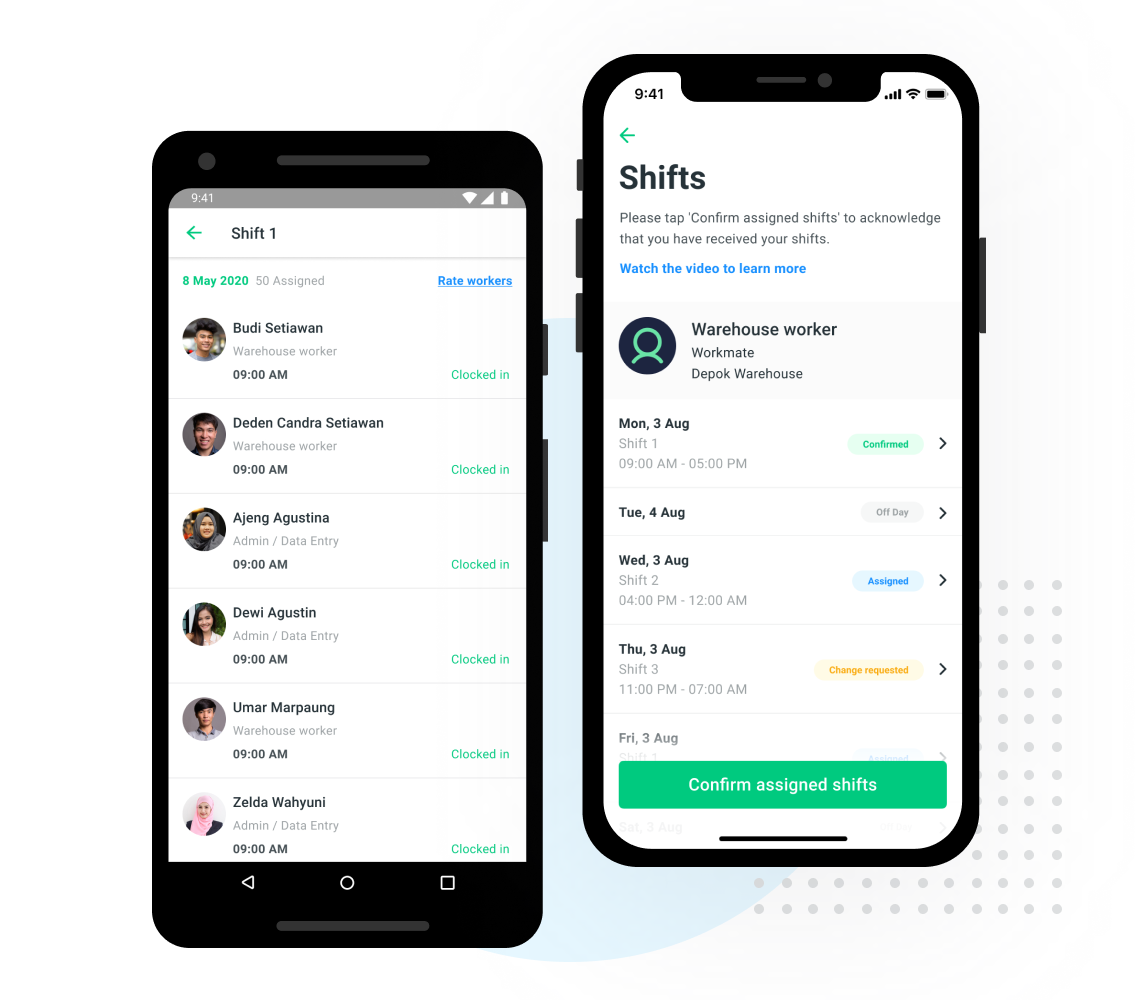
Smart Scheduling - Shift Management
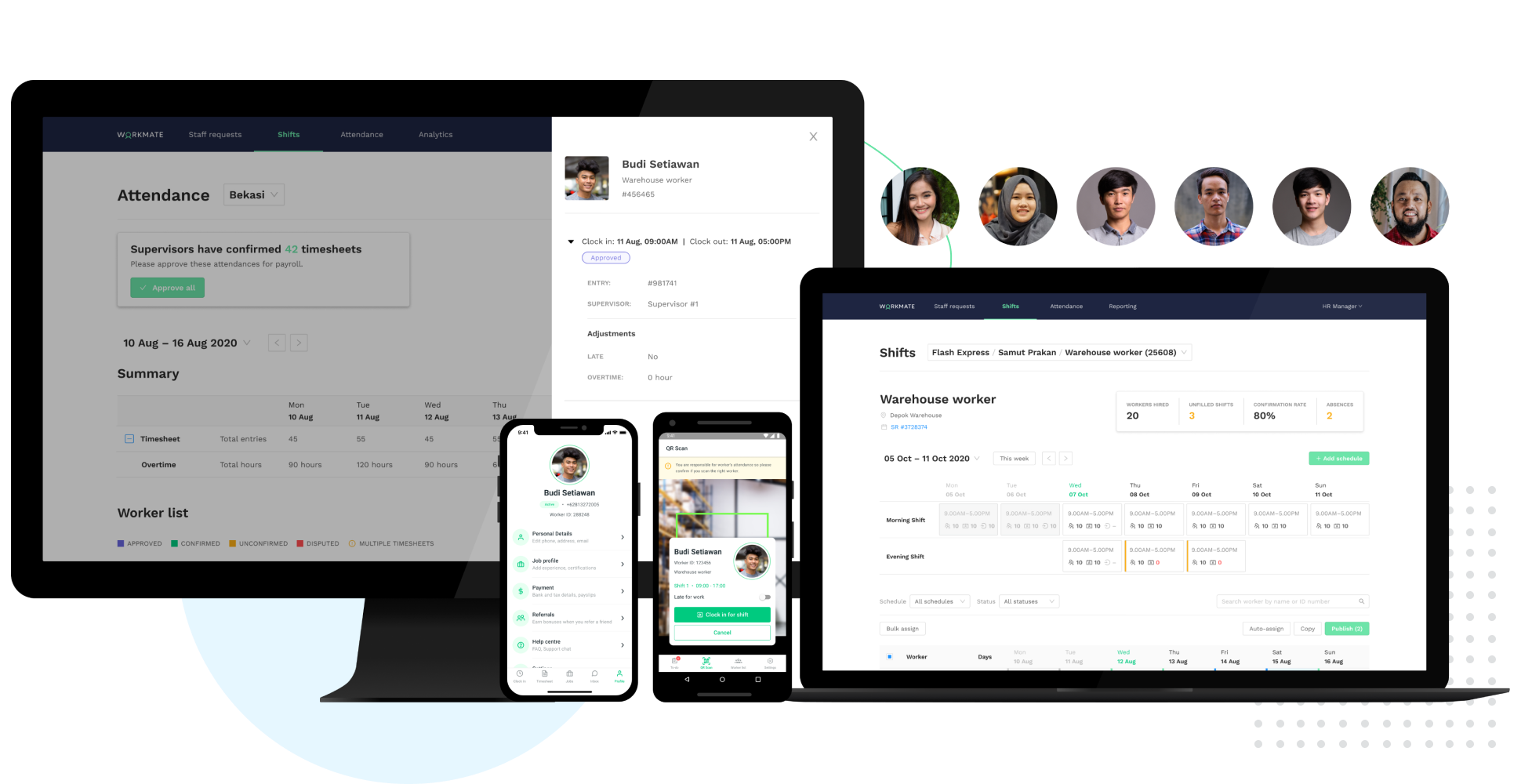
Time & Attendance Tracking via QR Clock-In
Fully integrated Supervisor & Worker mobile apps
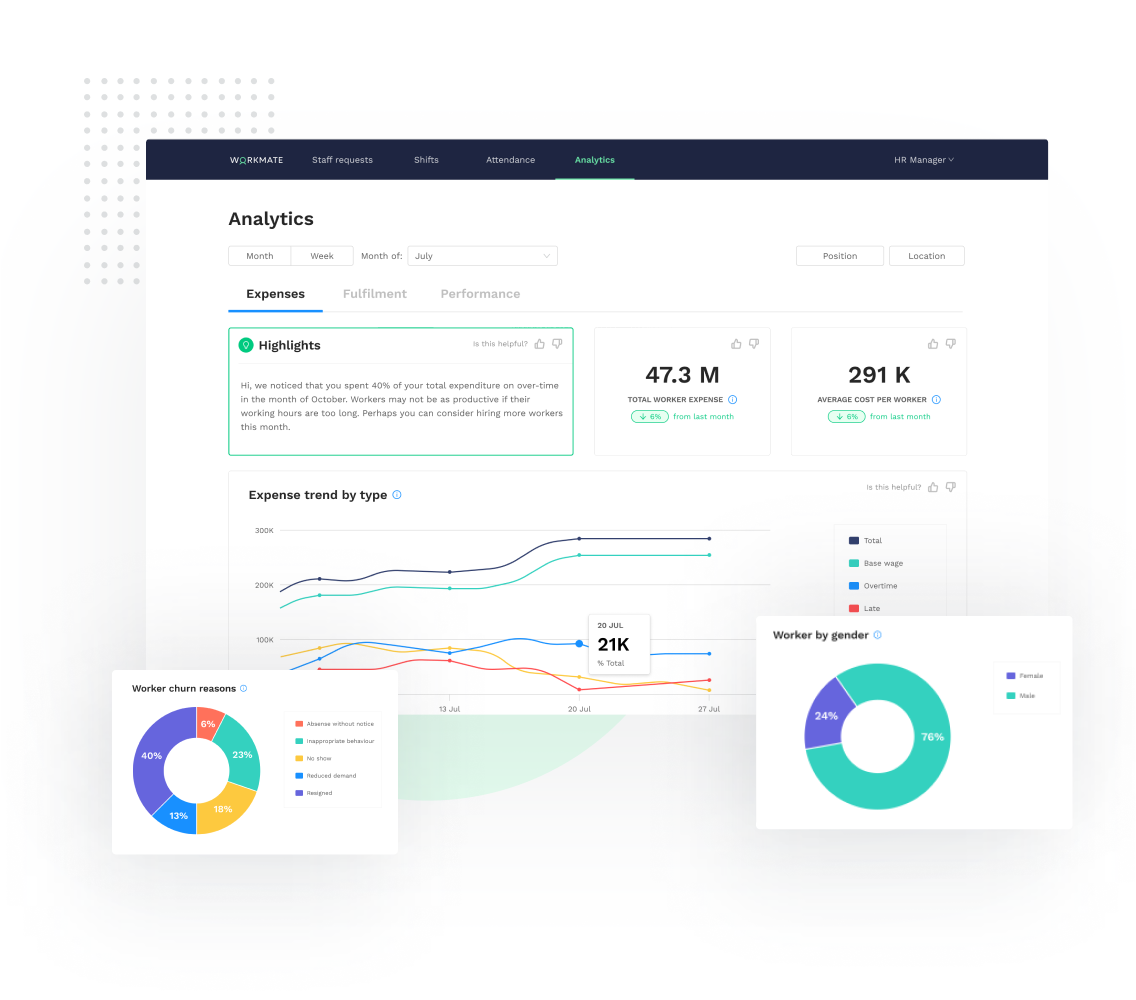
Real-time workforce analytics: track expenses, fulfillment and performance data
Access a network of 50,000+ pre-vetted workers, AI-matched to your needs
Automated Workforce Management Platform

1 / 6

Workmate is the best tool for payroll management

Use Cases and Deployment Scope

It was always a problem for us to make the payroll of the employees because we could not have good control of the attendance and absences of the employees. With Workmate it became much easier to have control over the times and days worked, and we could avoid calculation errors.

Pros

  • The employee time tracking function has allowed us to minimize and even avoid payroll errors.
  • We also find the tracking of vacations and absences great, so we can easily find replacements for those jobs.
  • Payroll management is very good, it helped us to keep control of finances and to have everything in order with the administrative department.

Cons

  • We are having problems with printing checks, we are verifying if it is a system problem or a problem with the company's internal computers.
  • The software was a little confusing at first, we had a hard time adapting to it.
  • Their customer service is not very attentive, we tried to call several times and they never gave us an answer.

Most Important Features

  • Excellent time management feature, monitoring employee hours is much easier to track.
  • Payroll tool is seamless, hassle free and very easy to use.
  • Absence and attendance tracking management is very good. No glitches or errors.

Return on Investment

  • The learning curve is a bit slow at the beginning and we needed some time and several weeks to adapt to the system.
  • We have also had to use external technical support because we have had no response from Workmate technical support.
  • It has made it easier for us in the HR department, which means faster work in less time.

Other Software Used

Xero, Zoom, Jira Software

Tracking performance was almost too easy.

Use Cases and Deployment Scope

In one of the previous campaigns in the company, we used Workmate as our main taskforce monitoring software. It was handy to manage the shifts and see the performance of our teams while also being very easy to use, being able to use it on the phone is a high plus that makes everyone's life so easier as we work mainly in a home office environment.

Pros

  • Tracking time and attendance.
  • Monitoring of task force.
  • Implemented payroll options.

Cons

  • User interface.
  • Overall design.
  • Tracking could be better.

Most Important Features

  • Time tracking.
  • Schedule of shifts.
  • Easy to use.

Return on Investment

  • Less Supervisors to manage teams.
  • Payroll options let the financial team to have a better workflow.
  • UI made things confusing a few times.

Alternatives Considered

OnShift

Other Software Used

Avaya Cloud Office, Amazon Web Services, OnShift

It worked for us - Workmate - People Management Solutions

Use Cases and Deployment Scope

We are using Workmate for one of our enterprise modules where we are getting support from the Workmate team in terms of staffing & E2E enterprise solutions. We have been through a great collaborative phase where we have received a very positive response from Workmate with their extensive suite of automation and workforce who have been able to be of great help to us in delivering quality projects lately. The Workmate model is very scalable and flexible enough to be able to adapt to tough business scenarios as well. The product suites provided by them have proven to be very well built and can be easily integrated with other applications.

Pros

  • Scalable
  • Robust and extensive.
  • Low cost enterprise solutions.

Cons

  • Customer Support team.
  • Schedule Management.
  • UI modelling.

Most Important Features

  • Technical expertise of the team.
  • Knowledgeable crew of consultants.
  • Cost effective.

Return on Investment

  • Post deployment support is not the best.
  • Posts go live with bugs.
  • Support

Alternatives Considered

Hubstaff