TrustRadius: an HG Insights company

RealVNC Connect

Score6.9 out of 10

130 Reviews and Ratings

What is RealVNC Connect?

RealVNC® Connect is a secure remote access solution from RealVNC. It can be used to connect to a remote device anywhere in the world to view its desktop in real-time and take control as though sitting in front of it.

Categories & Use Cases

Media

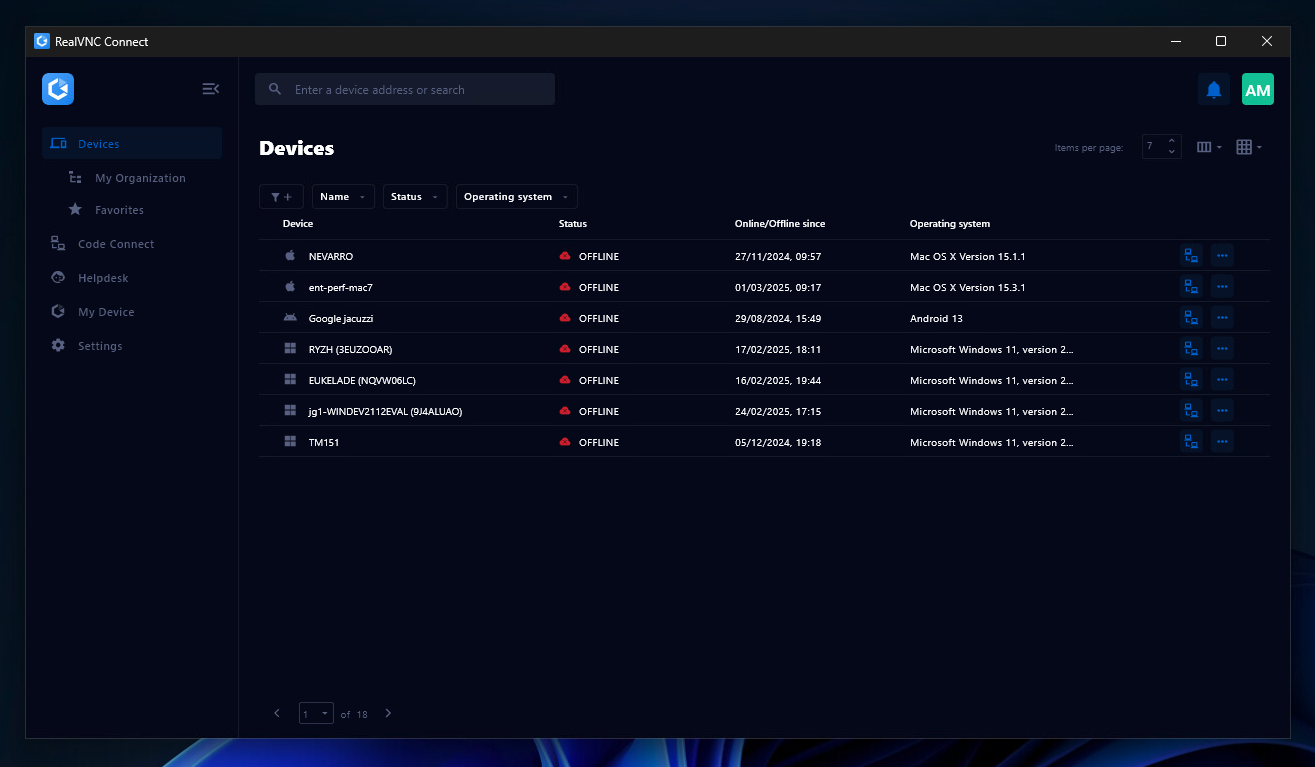
the Device List in the Connect v8 desktop app
On-Demand Assist, which can be used to start a remote support session using a single-use code.

1 / 2

Top Performing Features

  • Screen sharing

    Allows participants to share their computer screens with others in the meeting, enabling collaborative work and presentations.

    Category average: 9.3

  • Over-the-Internet remote session

    Establish secure remote connection with computers outside the network firewall.

    Category average: 9.4

  • Multi-platform remote control

    Ability to remotely connect to multiple operating systems (Windows®, Mac OS® and Linux®).

    Category average: 6.5

Areas for Improvement

  • Access to sleeping/powered-off computers

    Remote access and troubleshooting of out-of-band computers.

    Category average: 5.5

  • Annotations

    Ability to markup and highlight end user’s screen to provide visual clues or to highlight areas.

    Category average: 6.6

  • Remote management of servers & workstations

    Server reboot, start/stop services & processes, clear logs, manage disks, shares, etc. without having to initiate remote control.

    Category average: 8.4

RealVNC Connect: Real unified session control

Use Cases and Deployment Scope

Every OS seems to have their own (free) solution for remote access. The problem begins when you have a mixed environment OS wise and want to use just one tool to access any OS.

Next to that you often get an idea or high priority message when you left work. RealVNC Connect is software that does multiple OS's and has a mobile client next to a desktop client.

This makes the tool a good fit for our needs.

Pros

  • Multiple OS support
  • Mobile and desktop client
  • On-demand assist option

Cons

  • Remote vendor access: support other clients for connecting.
  • Improved marketing efforts towards vendors as valid alternative for teamviewer
  • Cost can be high for what it does

Return on Investment

  • Faster call response due to mobile client ease of use.
  • One workflow proces for multiple OS's
  • Higher cost as a OS native solution

Usability

Alternatives Considered

TeamViewer

Other Software Used

Microsoft 365, TeamViewer, Microsoft Windows

VNC Connect is all you need when you are on the beach

Pros

  • I can check for documents scanned by employees
  • I can perform computer updates when not in the office
  • Local programs are easy to use

Cons

  • File transfer between computers is still difficult.
  • New computer set up is a little difficult.

Most Important Features

  • ease of use
  • ipad app
  • easy connections with your computer

Return on Investment

  • Vacation is where it's at. I can be away from the office and work at my leisure.
  • The $50 a year investment pays for itself in a few hours.
  • Remote working and being able to approve contracts means $$$.

Other Software Used

QuickBooks Desktop Premier, Slack, Microsoft 365 (formerly Office 365)

Great teaching tool!

Pros

  • Multi-platform support
  • Easy to use
  • Inexpensive. Free for personal use.

Cons

  • No drag and drop transfer between viewer app and remote desktop
  • Need server version to be installed on the remote device
  • No sending one-time invitation emails from the remote machine

Most Important Features

  • Inexpensive
  • Ease of use
  • Supports Linux

Return on Investment

  • Decreased cost of remote training

Alternatives Considered

TeamViewer

Other Software Used

Microsoft 365 (formerly Office 365), Jira Service Management (Jira Service Desk)

Best Solution for Remote Access of your computer!

Pros

  • Remote Work from Computer
  • Always be able to connect as long as the computer is on even if it is in the login screen
  • Mobile viewing of the computer
  • Printing from the main computer to another device in the remote area you are at.

Cons

  • Sometimes when printing an invoice it would look semi correct but the letters would be incorrect and sometimes symbols
  • Sometimes there is lag but it is probably more on the internet and service I have

Most Important Features

  • Remote access to computer
  • Remote printing
  • Mobile computer access

Return on Investment

  • Great way to pull up important things in meeting
  • Was able to make a change earlier than expected for a client at my parent's home and the customer was very happy.

Awesome product for remote connectivity

Pros

  • Very easy to connect
  • Graphics very smooth during connectivity

Cons

  • Nothing that I can think of. Very pleased about using it.

Most Important Features

  • Easy to connect
  • Fast connection
  • Fast graphics connectivity

Return on Investment

  • Helps me run my business remotely.
  • Cost effective