






TrustRadius: an HG Insights company

QuickBooks Online

Score8.3 out of 10

1,990 Reviews and Ratings

What is QuickBooks Online?

QuickBooks Online is a SaaS version of the QuickBooks product. It contains all of the features found in the local version. Higher-priced plans include greater automation, payment management, inventory and time tracking, and analytics features.

Media

the accounting and bank transactions interface
an overview of the accounting inventory
book marks
the business tax overview
the customer hub
the dashboard
the expense UI
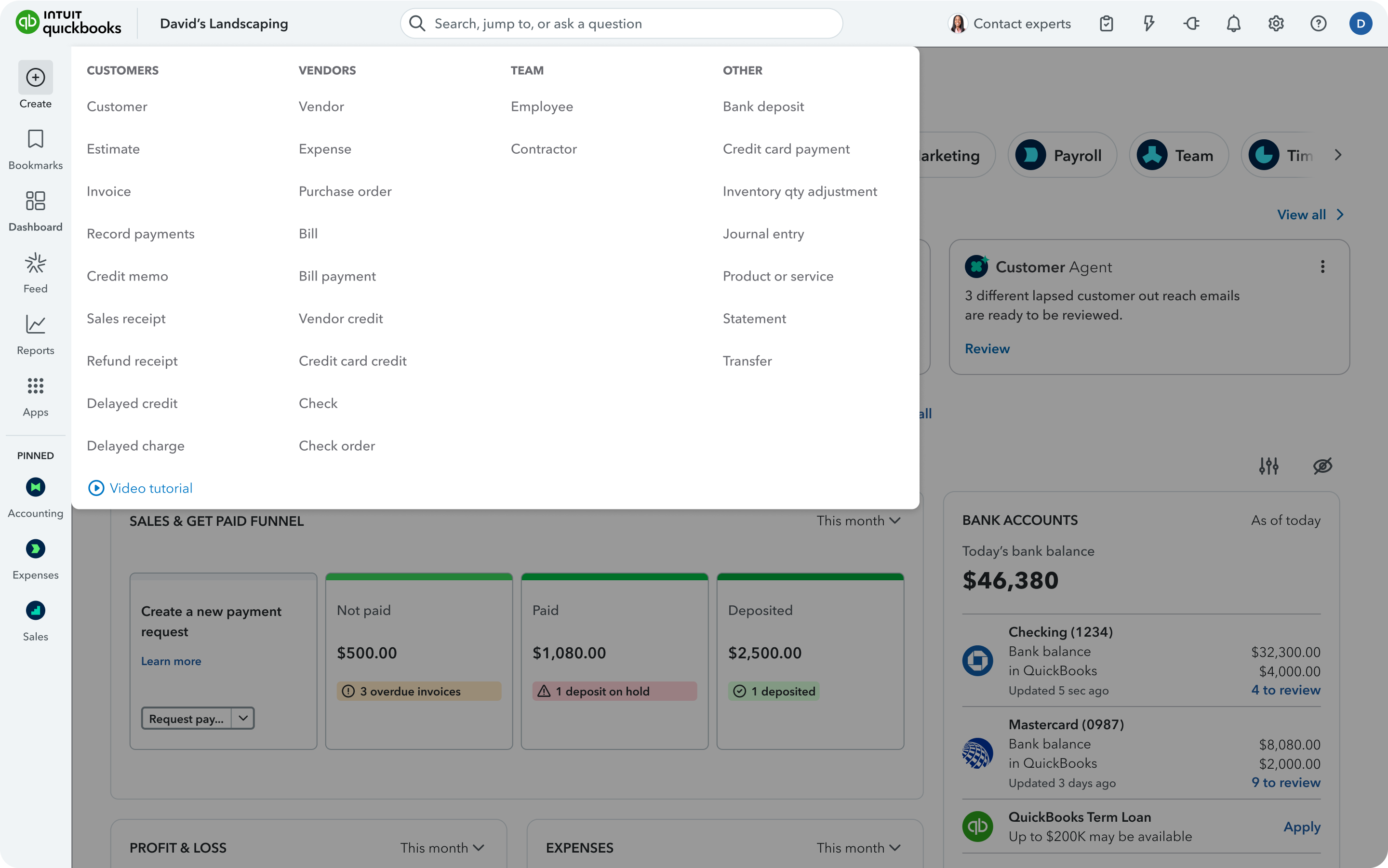
the create interface
menu customization
the payroll interface
the reporting and KPI dashboard
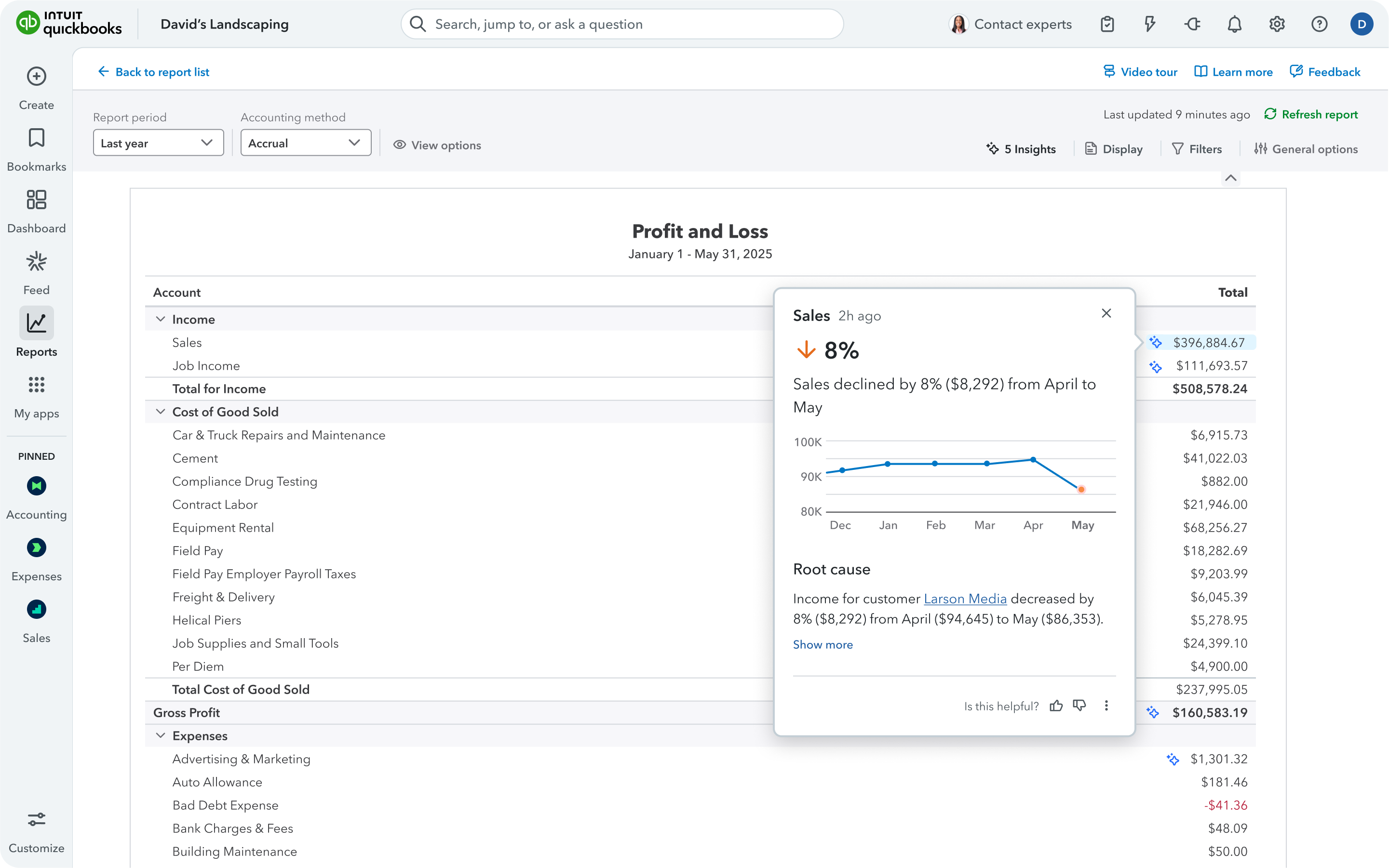
profit and loss reporting
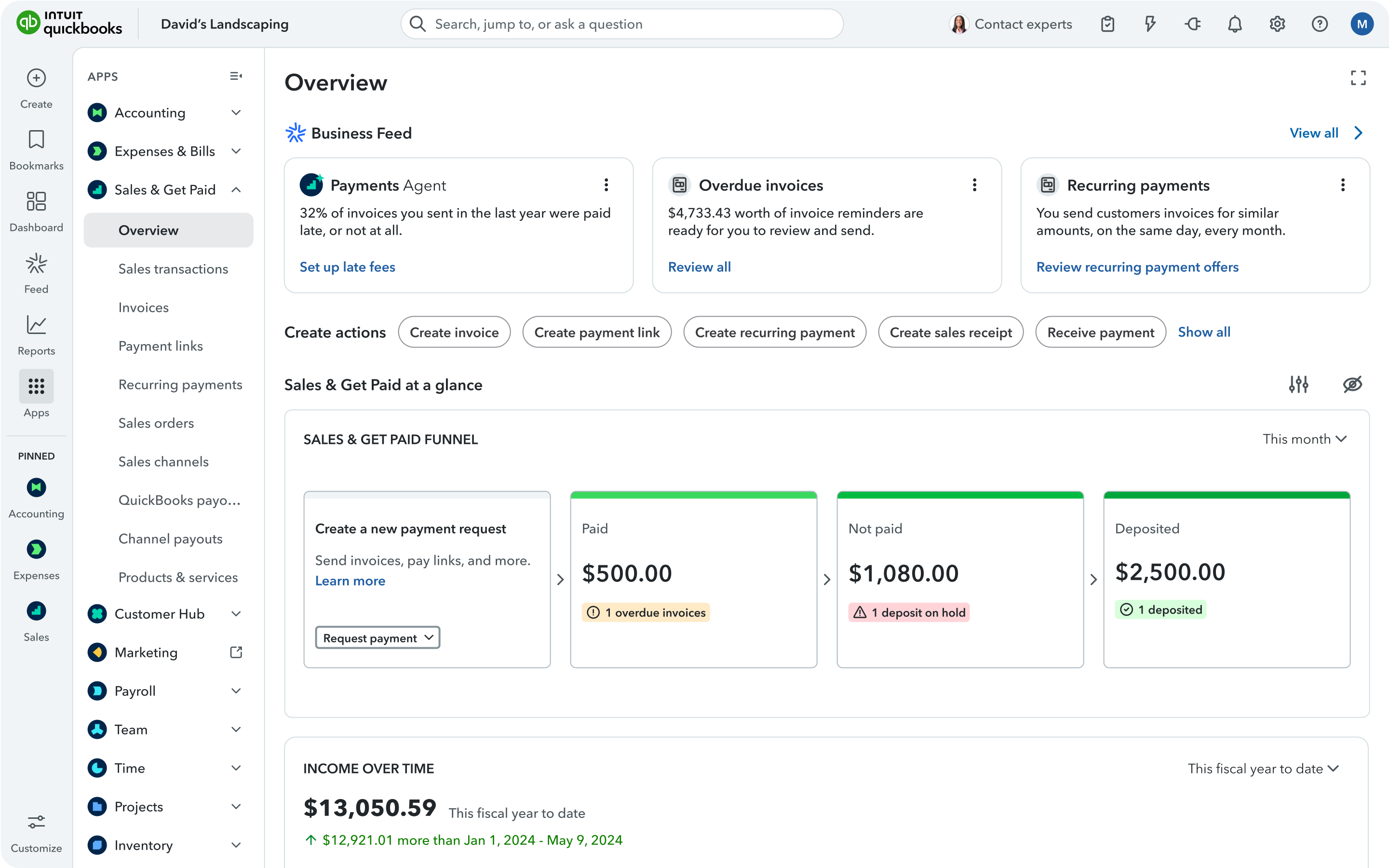
an overview of the sales "get paid" UI
the sales tax UI

1 / 14

Top Performing Features

  • Role-based user permissions

    Permissions to perform actions or access or modify data are assigned to roles, which are then assigned to users, reducing complexity of administration.

    Category average: 8.8

  • Single sign-on capability

    The software system supports a centralized authentication mechanism allowing the user to access multiple systems with a single, centrally managed password.

    Category average: 8.8

  • Reimbursement management

    Reimbursement management provides cash reimbursement for employee expenses related to business travel or other.

    Category average: 8

Areas for Improvement

  • Automatic reordering

    The software can be set up to automatically reorder a good when it falls below a certain threshold.

    Category average: 6.7

  • Manufacturing module

    The software helps track and manage raw materials, work-in-progress items, and finished goods.

    Category average: 6.5

  • Time tracking

    The software can track billable and non-billable employee time by project.

    Category average: 7.9

Feedback on QuickBooks Online

Use Cases and Deployment Scope

Our accounting needs are very simple. A small payroll, some invoicing, not many outside accounts. We always thought that QBO was overkill for our needs, but it was compatible with everything else, including two different accountants so we overpaid for a long time.

Most businesses our size would undoubtedly be the same way. We process most items automatically although what we don't do automatically is very, very manual.

Pros

  • Uptime and data retention
  • Lots of features
  • Standardized reports are very thorough

Cons

  • The upsells have gotten worse over time and are on every screen in the most awkward positions. I don't need a constant reminder to upgrade, especially on a very old account that's paid thousands over the years.
  • The interface has never been especially intuitive, but I was an old Quicken user and it was somewhat familiar. Over time, it's gotten worse, and in the last 2 years, the program seems to move things more often than I would expect.
  • The software constantly adds features that I don't want and want to turn off, but the interface is so difficult to use that I find myself skipping it. Imagine seeing a message that the system recognized invoices that hadn't been paid so it prepared reminder notices for you that can be sent at the click of a button. Who thinks using canned reminders that you've never seen is a good thing?
  • A lot of functionality seems to derive from connecting your bank accounts to QBO. I don't want Intuit to have an always-on connection to any bank accounts, even checking.

Return on Investment

  • I think the help function is cumbersome and hard to use. When I go to refresh myself on a function, say quarterly, I feel like I have to cast about just looking for it.
  • The account reconciliation works, but in this place that could benefit from messaging, there are no easy helping functions flagging things like amounts that fit the discrepancy.
  • Even styling invoices and documents is more cumbersome than it should be.

Usability

Other Software Used

Intuit Mailchimp, FileZilla, RescueTime

Great All-In-One Financial Software.

Use Cases and Deployment Scope

I use QuickBooks Online in my organization and with some of my clients. I am usually in QuickBooks several times a month and have been for several years. I primarily use QuickBooks for invoicing, but I also utilize the time tracking tools, contractor tools, estimates, and several different reporting features.

Pros

  • Invoicing
  • Estimates
  • Recurring Invoices
  • Time Tracking

Cons

  • When utilizing monthly reminders in QuickBooks, oftentimes, the invoice doesn't remove from the list when the invoice is created, so I have to manually skip that month even though the invoice is already created. This can be tedious and annoying.

Return on Investment

  • I do feel like the fees are pretty hefty at times, but overall, QuickBooks Online's user-friendly software has made it easier to manage the invoicing side of my company.

Usability

Other Software Used

Google Workspace

QuickBooks review by Vida

Use Cases and Deployment Scope

We use QuickBooks to keep track of all of our paid invoices, we have all of our accounts (banks, credit cards) connected to it so we know how much is coming in and leaving.

Pros

  • Keep track of invoices per client
  • banking log in to keep track of money coming in and leaving
  • keep a detailed list of all clients

Cons

  • the reports are confusing
  • with the new improvements too many things are going on the dashboard

Return on Investment

  • it has made our accountings easier to manage
  • we still have a lot to learn with all the new features

Usability

Alternatives Considered

Bench Accounting

Other Software Used

Bench Accounting

QuickBooks Online For Startups

Use Cases and Deployment Scope

We use QuickBooks Online for our day-to-day accounting of sales, expenses, fixed assets and cash. The system is a great out of the box ready tool that any organization can use, however, the functionality and simplicity of it makes it more geared towards businesses that are startup in nature or organizations with very little to no technical complex accounting.

Pros

  • Cash Management
  • Basic Financial Statement Reporting
  • Billing

Cons

  • More robust options to mass update vendors, customers, journals, etc.
  • Customer support
  • Billing functionality

Return on Investment

  • The accounting system has been an affordable option to our business which is tight on cash. It gets the job done.
  • The tiered level with which you purchase definitely matters and it is hard to forecast when you might need to step up and purchase a higher tier version

Usability

Alternatives Considered

NetSuite ERP, Oracle PeopleSoft ERP and Microsoft Dynamics 365

Other Software Used

Salesforce CMS, New Relic, Microsoft 365

QBO You wont regret it.

Use Cases and Deployment Scope

I use QuickBooks Online with the daily Operations of many companies that I am a Contractor with. The different classes that can be set up have resolved many problems related to tracking. We can use classes instead of 1000 account numbers. Very helpful. Being able to utilize QBO from anywhere is just superb!

Pros

  • Ease of using from anywhere.
  • Keeping up to date with transactions as they present to financial institutions.
  • Keeping up with receipts to eliminate cluttered paperwork.

Cons

  • Bringing in transactions using the same account as before. Clunky.
  • The split of transactions could be smoother with able to see from same screen instead of leaving to another.
  • Ability to attach cash receipts but needing to add online fees without making a deposit. Wish it would allow me to add receipts and the fee on the same screen without having to make a deposit first to match.

Return on Investment

  • Unfortunately, the features available and ease of use have pushed our department employees down a few. The ones who have retired recently were not replaced because of the functions available to streamline the things we need to do. I suppose it's a win/win, though, as QBO is able to do things quickly and efficiently.

Usability

Alternatives Considered

Shelby Systems

Other Software Used

Splashtop, SaasAnt Transactions
