Overview
ProductRatingMost Used ByProduct SummaryStarting Price
QuickBooks Online
Score 8.3 out of 10
N/A
QuickBooks Online is a SaaS version of the QuickBooks product. It contains all of the features found in the local version. Higher-priced plans include greater automation, payment management, inventory and time tracking, and analytics features.
$38
per month
Xero
Score 7.9 out of 10
N/A
Xero is an online accounting software product for small businesses and personal finance. Its features beyond general ledger and double-bookkeeping include quotable invoicing, bank reconciliation, purchase order and expense management, and tax management. Third party apps can extend its features further.
$13
per month
Pricing
QuickBooks OnlineXero
Editions & Modules
Simple Start
$38
per month
Essentials
$75
per month
Plus
$115
per month
Advanced
$275
per month
Early
$13
per month
Growing
$37
per month
Established
$70
per month
Offerings
Pricing Offerings
QuickBooks OnlineXero
Free Trial
YesYes
Free/Freemium Version
NoNo
Premium Consulting/Integration Services
YesNo
Entry-level Setup FeeNo setup feeNo setup fee
Additional DetailsPrices in table are in USD and just apply to the US - other markets & prices are listed below: Canada - Starter $18 CAD/month, Standard $45 CAD/month, Premium 5 $58 CAD/month UK - Starter £14/month, Standard £28/month, Premium £36/month AU - Starter $29 AUD/month, Standard $59 AUD/month, Premium 5 $76 AUD/month NZ - Starter $31 NZD/month, Standard $66 NZD/month, Premium $84 NZD/month
More Pricing Information
Community Pulse
QuickBooks OnlineXero
Considered Both Products
QuickBooks Online
Chose QuickBooks Online
QuickBooks Online and Xero offer many similar features. I believe QuickBooks Online is easier to use. Xero offers tax features for companies that operate in other companies that you have to turn off in several locations if you are using it for a US company.
Chose QuickBooks Online
They are tough competitors. I believe each has their own strengths and weaknesses. Overall, QBO is slightly less expensive than Xero (at the moment, at least), so that is a plus. The real reason that we went with QBO in the beginning is that it was a more mature product, and it …
Chose QuickBooks Online
We liked the fresh approach and the clean aesthetics of Wave, Xero and ZipBooks. However they all lacked the ability to customize a invoice template, which is sad to say, but that was the #1 feature for us, since we had existing customers that we didn't want to disrupt; i.e., …
Chose QuickBooks Online
No competitor quick stacks up. FreshBooks has a speedy UI, but lacks features for a more complex small business. Xero has a UI that I personally don't like as much and it never felt quite right to me. Not as many accountants are familiar either. Zoho Books came the closest …
Chose QuickBooks Online
While my experience with Xero is limited, QuickBooks Online and Premier versions both seem to be more polished overall. Xero's user interface is a bit more oqaque and clunkier, and Intuit just offers a more seamless experience with its QuickBooks products. However, pricing …
Chose QuickBooks Online
Xero is very comparable to QuickBooks Online, they are both good systems. QuickBooks has more integrations, works better for construction in the U.S., and the price is right. There are thousands of resources online and pro advisors to help if you need anything. Typically any …
Chose QuickBooks Online
The QuickBooks software is much more modern and user friendly that Xero. On QuickBooks it is easier to find what you are looking for, see how customers have interacted with invoices, and see a list of deposits.
Chose QuickBooks Online
I think QuickBooks Online is better than Xero. However I think is is lower then NetSuite and Sage Intacct. The system isself is great because it's cloud based so it can be accessed readily. However, in my opinion, it's not built for companies that are growing or expect to grow. …
Chose QuickBooks Online
As an accountant, QuickBooks Online uses the language I learned in school and throughout my career. Xero tries to simplify it, while actually making it more difficult to understand.
Chose QuickBooks Online
Easier to use and setup. More accountants are familiar with it so that also made the selection easier. Other software was also more expensive and had features that we weren't going to utilize at our current growth stage.
Chose QuickBooks Online
As I've mentioned, there aren't a lot of similar products, and certainly not with all the capability of QuickBooks Online. In my opinion, they nickel and dime for everything but they also do work pretty well across the board. I think the reconciliation process is also by far …
Chose QuickBooks Online
QuickBooks has the best reporting of most accounting software. While not 100% of the reports can be customized, you can create your own reports as well.
Chose QuickBooks Online
We liked the QB interface and also read positive reviews about the product online and from direct referrals
Chose QuickBooks Online
Quick and easy to set up. QuickBooks Online has a full suite of bookkeeping tools and pricing is affordable. QBO is best suited for Small Businesses and it's cloud-based, which is also well suited for the owners who work remotely. It is flexible and integrates well with …
Chose QuickBooks Online
It is a platform that we consider to be mid-range. Where we are below cost and functionality relative to the more robust players like a SAP Business One, but still powerful enough for a medium or large size operation. In addition to being one of the few global solutions that …
Chose QuickBooks Online
Ultimately, QuickBooks/Intuit has the most market share when it comes to accounting software. The benefit of so many people using this software is that there's always an answer to a problem that you may be having when it comes to using the software. Intuit has provided a …
Chose QuickBooks Online
Quickbooks has a very friendly user interface and it also integrates with other softwares. Honestly, I think other software may function just as well and if I wasn't so familiar with QuickBooks I may consider using them.
Chose QuickBooks Online
Tried Xero briefly but did not like it. Seemed less well organized and used too many terms commonly used outside the US. Xero also lacked payroll processing at the time. We looked a couple lower end products but did not like them. You cannot go wrong with QuickBooks in the US. …
Chose QuickBooks Online
We chose QuickBooks online because it was the only option other than QuickBooks Desktop that supports the sub-class functionality that is essential for our business.
Chose QuickBooks Online
My bookkeeper introduce me to QBs, I haven't had a chance to compare to other providers like Xero.
Chose QuickBooks Online
Only used QuickBooks Online because customer had already started with it and didn't want to switch. It provided better integration with Bill.com.
Chose QuickBooks Online
It's similar and each program has its pros and cons. QuickBooks Online is a bit more "familiar" if you are used to QuickBooks.
Chose QuickBooks Online
Xero is good. Very good, however, Intuit does a better job of marketing to me.
Xero
Chose Xero
Xero ranks highly among the competitors, however multi-level reporting is better done in QuickBooks. More price sensitive, micro-businesses can find decent cheaper or free alternatives. Those wanting integration with other apps like cashflow management, inventory, reporting …
Chose Xero
Xero is superior to Quickbooks. It is user friendly
Chose Xero
I prefer to just say I'm a Xero only practice. U cannot sign up if u do not want to use Xero.
Chose Xero
We selected Xero specifically for accessibility.
Chose Xero
Xero is far ahead in terms of innovations and cost looking at what you get out of Xero.
Chose Xero
Each of the products I listed had their own list of drawbacks, but the one thing they all had in common, which was right on top of that list of drawbacks, was ease of use. I struggled to get myself accustomed to each system and struggled, but when it came to getting a client to …
Chose Xero
Xero could be slightly more expensive compared to these products but to me, Xero is the most user-friendly platform. It is very easy to use. Their support page and email support are also great. Apart from the platform, Xero has lots of integrations with other software providers …
Chose Xero
For one QB, customer service is terrible! The software is clunky and not as user-friendly as Xero. We have chosen Xero for many reasons: Custom Reports, Cost, support, and perks of being a partner.
Chose Xero
Xero is just as infuriating as Quickbooks. We only use it because the last CFO set it up and it's taking us a while to establish a new accounting platform that will allow us to migrate away from this dumpster fire.
Chose Xero
In my opinion, the main competitor to Xero is QuickBooks but I migrated from QuickBooks to Xero because I was looking for an accounting software with an interface easier to use.
Chose Xero
Xero is easily to use than other accounting software.
Chose Xero
Xero is really basic and our team can easily adapt with it rather than using other some other non-user friendly apps. We could focus on the work itself rather than having problems with learning its complexity. Xero is very user-friendly and also gives tutorial which is great! …
Chose Xero
I've used a lot of different accounting systems. Many of them so big and powerful, but a hassle to get set up. Xero is light, inexpensive, and easy to use. When I originally selected them they seemed like they were developing new features at a quick rate as well. I was invited …
Chose Xero
Xero is very much a market leader and is at a sensible cost point. It offers a wealth of functionality with all accounting features coming as standard. It's easy to add bolt ons such as payroll at any time.
Chose Xero
Xero has a more modern user interface, better bank account synchronization, better automations, and an overall more pleasurable user experience. The setup is more simple.

Quickbooks Desktop has easier to use and more robust reporting; however, for my needs that is overkill. What …
Chose Xero
Just simpler and has a cleaner interface. I would say that quickbooks is designed for less savvy business owners, but that makes it slower to use than Xero. I'm not suggesting that Xero is hard to use, it's really simple, but it does assume you have a level of financial …
Chose Xero
Sage at the time we moved to Xero did not really have a suitable Cloud offering and the full SaaS solution it did have was only applicable to very small businesses. Quickbooks was very similar to Xero but during testing, most users preferred Xero for various reasons. Xero's UI …
Chose Xero
Xero is alot more user-friendly and easy to integrate with other solutions
Chose Xero
No product thus far can even compare to Xero.
Pastel is tedious and tiresome with everything that has to be captured manually and if an error is made a new journal needs to be drafted to correct it.
Zoho Reports are horrible and pulls through limited data.
Chose Xero
Xero is more affordable than other solutions, and being cloud-based it's helpful for granting accountant access.

Every other accounting package in existence has late fees and interest options built in.
Chose Xero
Xero is faster, easier to use, has user-friendly layouts, and has attractive text fonts. Xero's VAT return is so easy to understand.
Chose Xero
Better user friendly dashboard, and cost effective.
Features
QuickBooks OnlineXero
Payroll Management
Comparison of Payroll Management features of Product A and Product B
QuickBooks Online
8.4
81 Ratings
9% above category average
Xero
7.5
73 Ratings
3% below category average
Pay calculation7.572 Ratings8.065 Ratings
Benefit plan administration6.933 Ratings8.023 Ratings
Direct deposit files9.067 Ratings7.249 Ratings
Salary revision and increment management9.046 Ratings7.141 Ratings
Reimbursement management9.448 Ratings7.054 Ratings
Customization
Comparison of Customization features of Product A and Product B
QuickBooks Online
8.3
71 Ratings
8% above category average
Xero
8.4
151 Ratings
10% above category average
API for custom integration8.757 Ratings7.979 Ratings
Plug-ins8.058 Ratings8.9138 Ratings
Security
Comparison of Security features of Product A and Product B
QuickBooks Online
9.7
112 Ratings
15% above category average
Xero
7.1
189 Ratings
16% below category average
Single sign-on capability9.684 Ratings5.572 Ratings
Role-based user permissions9.7106 Ratings8.7187 Ratings
Reporting & Analytics
Comparison of Reporting & Analytics features of Product A and Product B
QuickBooks Online
8.2
136 Ratings
4% above category average
Xero
8.7
213 Ratings
10% above category average
Dashboards8.7128 Ratings8.6209 Ratings
Standard reports8.3132 Ratings9.0211 Ratings
Custom reports7.6120 Ratings8.4187 Ratings
General Ledger and Configurable Accounting
Comparison of General Ledger and Configurable Accounting features of Product A and Product B
QuickBooks Online
8.6
147 Ratings
10% above category average
Xero
7.3
223 Ratings
6% below category average
Accounts payable9.2125 Ratings8.7203 Ratings
Accounts receivable9.4135 Ratings8.8209 Ratings
Cash management8.9123 Ratings8.4191 Ratings
Bank reconciliation9.2141 Ratings8.8216 Ratings
Expense management8.8125 Ratings8.2197 Ratings
Time tracking6.857 Ratings8.073 Ratings
Fixed asset management8.355 Ratings8.8137 Ratings
Multi-currency support7.024 Ratings7.8130 Ratings
Multi-division support9.345 Ratings8.3112 Ratings
Regulations compliance9.341 Ratings8.7112 Ratings
Electronic tax filing9.468 Ratings9.8116 Ratings
Self-service portal8.869 Ratings8.4130 Ratings
Global Financial Support8.318 Ratings7.167 Ratings
Primary and Secondary Ledgers8.837 Ratings9.065 Ratings
Intercompany Accounting8.931 Ratings4.440 Ratings
Localizations8.323 Ratings8.039 Ratings
Journals and Reconciliations9.476 Ratings9.890 Ratings
Enterprise Accounting8.327 Ratings2.433 Ratings
Configurable Accounting7.940 Ratings2.859 Ratings
Centralized Rules Framework8.426 Ratings3.333 Ratings
Standardized Processes8.652 Ratings3.659 Ratings
Inventory Management
Comparison of Inventory Management features of Product A and Product B
QuickBooks Online
7.6
49 Ratings
4% above category average
Xero
6.6
101 Ratings
11% below category average
Inventory tracking8.046 Ratings8.897 Ratings
Automatic reordering7.023 Ratings6.224 Ratings
Location management8.323 Ratings6.229 Ratings
Manufacturing module7.018 Ratings6.016 Ratings
Order Management
Comparison of Order Management features of Product A and Product B
QuickBooks Online
8.4
90 Ratings
8% above category average
Xero
6.2
89 Ratings
22% below category average
Pricing8.056 Ratings6.262 Ratings
Order entry8.054 Ratings6.256 Ratings
Credit card processing8.666 Ratings6.358 Ratings
Cost of goods sold9.370 Ratings6.366 Ratings
Order Orchestration8.022 Ratings6.121 Ratings
End-to-end order visibility9.021 Ratings6.124 Ratings
Order exception Resolution8.019 Ratings6.117 Ratings
Best Alternatives
QuickBooks OnlineXero
Small Businesses
QuickBooks Self-Employed (discontinued)
Score 8.9 out of 10
QuickBooks Self-Employed (discontinued)
Score 8.9 out of 10
Medium-sized Companies
Zoho Books
Zoho Books
Score 9.0 out of 10
Zoho Books
Zoho Books
Score 9.0 out of 10
Enterprises
Oracle Fusion Cloud Enterprise Performance Management
Score 10.0 out of 10
Oracle Fusion Cloud Enterprise Performance Management
Score 10.0 out of 10
All AlternativesView all alternativesView all alternatives
User Ratings
QuickBooks OnlineXero
Likelihood to Recommend
8.8
(165 ratings)
8.0
(238 ratings)
Likelihood to Renew
1.9
(24 ratings)
7.2
(35 ratings)
Usability
8.9
(80 ratings)
8.3
(163 ratings)
Availability
2.0
(5 ratings)
9.0
(10 ratings)
Performance
1.0
(4 ratings)
10.0
(8 ratings)
Support Rating
1.1
(68 ratings)
9.2
(36 ratings)
In-Person Training
-
(0 ratings)
9.1
(1 ratings)
Online Training
-
(0 ratings)
10.0
(5 ratings)
Implementation Rating
3.0
(6 ratings)
7.3
(10 ratings)
Configurability
10.0
(1 ratings)
9.0
(1 ratings)
Ease of integration
1.3
(2 ratings)
7.2
(122 ratings)
Product Scalability
1.0
(2 ratings)
10.0
(6 ratings)
Vendor post-sale
1.0
(2 ratings)
9.0
(2 ratings)
Vendor pre-sale
1.0
(2 ratings)
10.0
(2 ratings)
User Testimonials
QuickBooks OnlineXero
Likelihood to Recommend
Intuit
I appreciate the ability to auto-generate invoices for recurring transactions, which saves time, as well as the option to set up auto-generated transactions. The report option is super helpful when reviewing information, as you can click to view the details in the report without having to go back and forth.
Read full review
Xero
I am a massage and physical therapist. We are not a fancy business but business admin can take a lot of time and effort. Xero came recommended to me by colleagues in the sector. You raise invoices, you get paid. and you pay your bills. These are all daily scenarios for most businesses and Xero does this particularly well. Since my accountant can query my records directly, this greatly saves on bookkeeping time when it is time to do the company returns.
Read full review
Pros
Intuit
  • Workflows for accounts payable invoice review are terrific.
  • Bill payment allows you to pay vendors online via ACH or check without having to write a physical check, which reduces admin time.
  • The cloud based login lends well to a remote or hybrid work environment for staff.
  • QuickBooks Online allows you to pre-configure vendors' general ledger expense accounts. This helps with general ledger coding accuracy and consistency.
  • QuickBooks Online integrates with Rippling HRIS, Coast, Capital One, JPMorgan Chase, etc., which lends well to an efficient month-end closing and reduced administrative time.
Read full review
Xero
  • Repeating invoices (most of my business is monthly recurring invoices) - it does these very well.
  • Reporting - particularly being able to dig into the different lines of the P&L statement.
  • Tracking categories - I assign a category to every line of every invoice so it's easy to see how much has been sold of each type of service every month and year, and compare them to previous periods.
Read full review
Cons
Intuit
  • The upsells have gotten worse over time and are on every screen in the most awkward positions. I don't need a constant reminder to upgrade, especially on a very old account that's paid thousands over the years.
  • The interface has never been especially intuitive, but I was an old Quicken user and it was somewhat familiar. Over time, it's gotten worse, and in the last 2 years, the program seems to move things more often than I would expect.
  • The software constantly adds features that I don't want and want to turn off, but the interface is so difficult to use that I find myself skipping it. Imagine seeing a message that the system recognized invoices that hadn't been paid so it prepared reminder notices for you that can be sent at the click of a button. Who thinks using canned reminders that you've never seen is a good thing?
  • A lot of functionality seems to derive from connecting your bank accounts to QBO. I don't want Intuit to have an always-on connection to any bank accounts, even checking.
Read full review
Xero
  • Having different email addresses for different parts of a customer's business (eg invoices and statements to different places)
  • Easily seeing the text of emails that have been sent through Xero
  • More easily archiving old pay items. Our HR software updates rates when awards are updated which means a lot of old pay rates are in the system and they have multiple clicks to archive each one. Clicking the ones to archive in bulk and then just click archive for all would be much more efficient.
Read full review
Likelihood to Renew
Intuit
It like the product 'right out of the box' and I trust Intuit will continually improve it over the years based on my experience with their desktop products. The large providers of Apps makes customizing the entire package relatively easy and seamless for a wide variety of business types.
Read full review
Xero
In addition to the matters covered in this review, my reason for renewing this product is that Xero's functionality and the constant updates that the company provides, makes the software even more business friendly. The software therefore builds a brand loyalty among customers.
Read full review
Usability
Intuit
I had very little trouble setting up the program and migrating from our old accounting system. The daily usage is also very intuitive and easy. Anytime we run into minor trouble with the program, there are always tons of help available on YouTube, so we don't even look up the online manual anymore.
Read full review
Xero
As a standalone software, it allows users to fulfill most of the basic functions (e.g. transaction input and report generation) simply and conveniently. It also allows for multiple APIs to help augment various tasks that accounting-adjacent (e.g. claims processing). The cloud based model and portability to mobile devices allows tasks to be carried out in a more convenient way.
Read full review
Reliability and Availability
Intuit
We have rarely had outages in the last 10 years. I can only recall 2 times in the last 10 years where we were not able to access our client files.
Read full review
Xero
We have been actively using and 100% Xero based for our ecommerce accounting practice for over 4 years. There has on been one real outage for more than 5 minutes. Xero was open and transparent about the outage, what they were doing to resolve the issue, and provided 15 minute updates. Showing how they care about their customers and partners. Plus, showing that their customers care too, were understanding, and went surfing or in our case took a nap. Couldn't run our business without Xero as a partner.
Read full review
Performance
Intuit
Everything process has its bugs lately with the new interface. Nothing has worked smoothly since this all began last month.
Read full review
Xero
Pages generally load quickly, but it's a fairly common occurrence to have pages taking a bit longer than I'd like to load (as in, 4+ seconds). Occasionally I have to refresh a page to get it to work. Bank feed and integrations tend to be slow in general, but that could easily be due to API latency on the side of the other parties. Most of the time, though, the bank feeds refresh before I login so it's not a huge problem. Not necessarily good performance compared to a local app like QuickBooks desktop, but definitely good performance for a cloud application. Room for growth? yes.
Read full review
Support Rating
Intuit
In my experience, most representatives keep me on the phone for hours, literally, for a single issue and then usually cannot resolve it satisfactorily. I have 10 open cases that need resolution and, in my experience, there has been NO follow-up communication on any of them.
Read full review
Xero
Always respond and keep issues open until you are satisfied with the result. Generally good responses, in the past, I had some support responses that were really basic and really annoying. They type where "have your tried restarting your computer" style of answers. Well, of course, I went through all the basics before contacting them. Duh, but I suppose not everyone does. Otherwise, it would be a 10. The last year has shown a marked improvement in the support responses however.
Read full review
In-Person Training
Intuit
No answers on this topic
Xero
The format was great; someone was there to ask questions or help if you were stuck.
Read full review
Online Training
Intuit
No answers on this topic
Xero
All of Xero's training is online and available for anyone (business owner or accountants) to learn and become experts in their system. There is a range of content from product training to real world webinars from their partners. Xero is beautiful accounting software and their training is the same.
Read full review
Implementation Rating
Intuit
The person in charge of QB needs to be very accurate with record keeping and is recommended to stay on top of tasks. The biggest issue we have is reconciliation, and those issues occur only when too much time has occurred between reconciliations
Read full review
Xero
If it can be done, time the implementation near a new fiscal year so you can start clean. Otherwise, you have to go back and do historical data from the beginning of the fiscal year, which can be brain draining.
Read full review
Alternatives Considered
Intuit
As a freelance bookkeeper, the Desktop version of QuickBooks Online doesn't allow for ease of access from any device. Having to be on a computer with the software downloaded creates additional work to gain access to all required filings etc. Also, I personally find the linking functionality on the Online version to be much more streamlined and user friendly.
Read full review
Xero
Each of the products I listed had their own list of drawbacks, but the one thing they all had in common, which was right on top of that list of drawbacks, was ease of use. I struggled to get myself accustomed to each system and struggled, but when it came to getting a client to even try and use it was when the true struggle started. Just found it easier to make use of Xero from the very beginning.
Read full review
Scalability
Intuit
As we have grown along our professional path, we have also expanded our use of QB. The scalability is easy and features seem to be waiting for you until you need them. We have increased profits by over 10x from our first year in business to the current and have yet to find a reason to look elsewhere
Read full review
Xero
I have yet to fully stress test the product given the size of the company where I am using it. I am sure as we scale to more customers, more vendors and more reporting requirements, I will have a better understanding of what it is capable of in terms of bandwidth and processing
Read full review
Return on Investment
Intuit
  • QuickBooks has given us a useful portal by which to get an overview of our financials.
  • QuickBooks has given us a relatively easy way to send out invoices quickly and efficiently.
  • Due to the customization limitations on QuickBooks, we've had to get creative in third-party implementations to better represent our brand and to track financials.
Read full review
Xero
  • Xero is a basic accounting system that performs basic accounting tasks easily and accurately. For that, it provides a positive impact on our day to day accounting operations.
  • Because of Xero's basic structure, I feel it lacks some of the sophistication that some users want and need. The ability to create unique custom reports would enhance the impact Xero would have on meeting business objectives by providing current and useful accounting information.
  • In my opinion, Xero's lack of focus on their customers - their users - is a real issue with me. In my opinion, those of us that are in the trenches that work with the system on a daily basis have to deal with the shortcomings of the system with the knowledge that Xero support refuses to address the operational issues that make their user's lives difficult. I feel if Xero would focus on truly making their software better from a users point of view, it has the potential to be a great system.

Read full review
ScreenShots

QuickBooks Online Screenshots

Screenshot of the accounting and bank transactions interfaceScreenshot of an overview of the accounting inventoryScreenshot of book marksScreenshot of the business tax overviewScreenshot of the customer hubScreenshot of the dashboard

Xero Screenshots

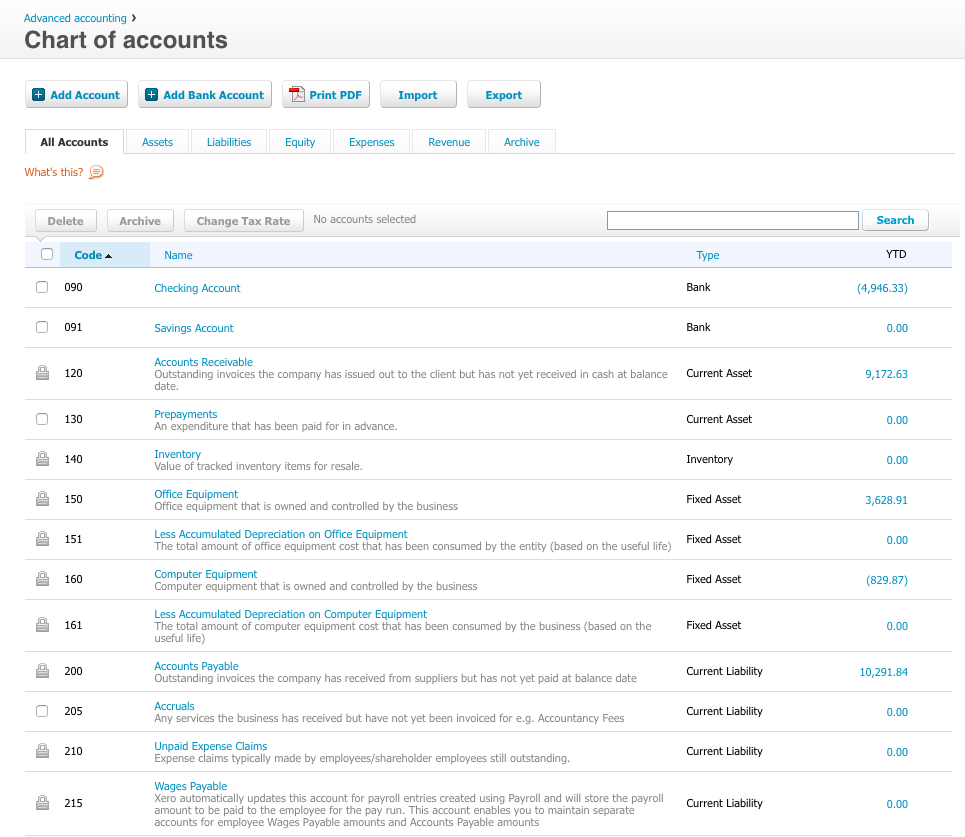
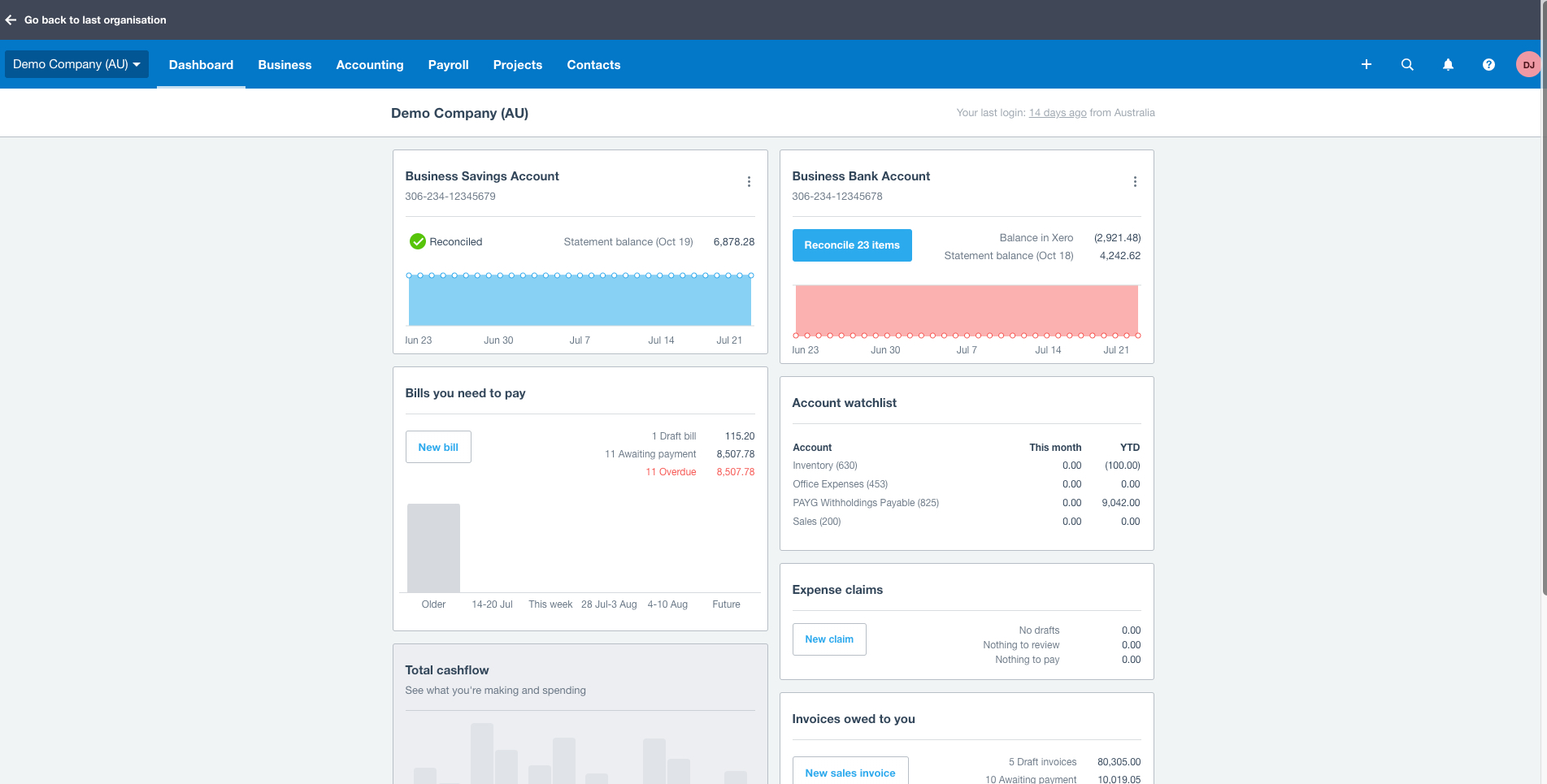
Screenshot of Screenshot of Screenshot of Screenshot of Screenshot of Screenshot of