TrustRadius: an HG Insights company

Pulseway

Score9.9 out of 10

40 Reviews and Ratings

What is Pulseway?

Pulseway is an IT monitoring and management solution that enables users to monitor, manage and control all systems and servers from a smartphone, tablet or browser. For system administrators, Pulseway sends a notification, so they can see an issue and sort it in seconds.

Pulseway features:

  • Automation: Auto-remediation workflows, so that IT issues are fixed before users even notice them.
  • Mobile Access: Customers can monitor, manage, connect with and troubleshoot devices from their mobile devices, update tickets to enable a rapid response to issues.
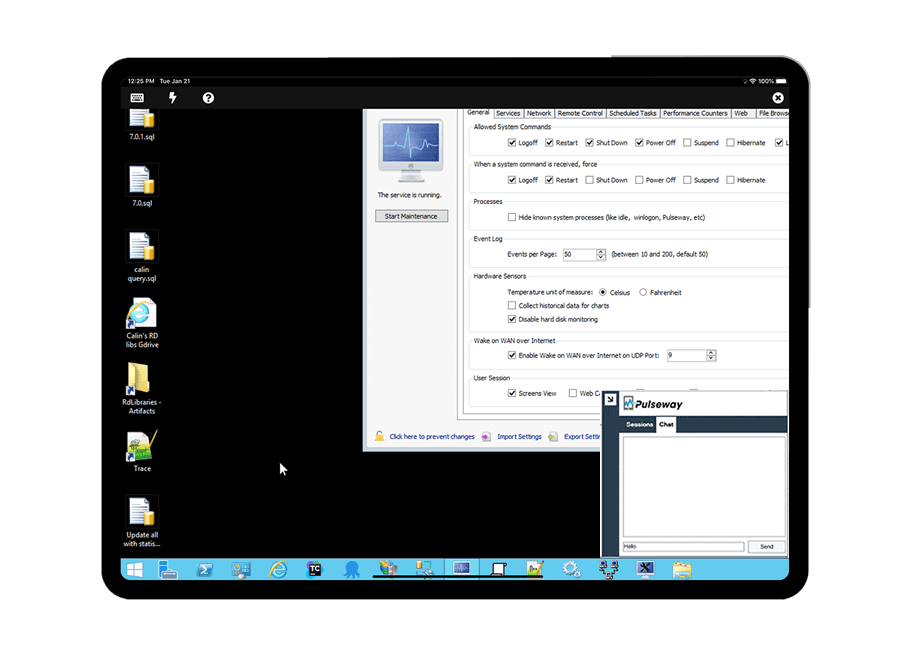
  • Remote Control: It's proprietary remote control function allows to connect to monitored endpoints or network devices, remotely access user applications and files, transfer files to and from the endpoint, and chat with them.
  • Patch Management: Patches applications from any device and updates all Windows systems and servers.
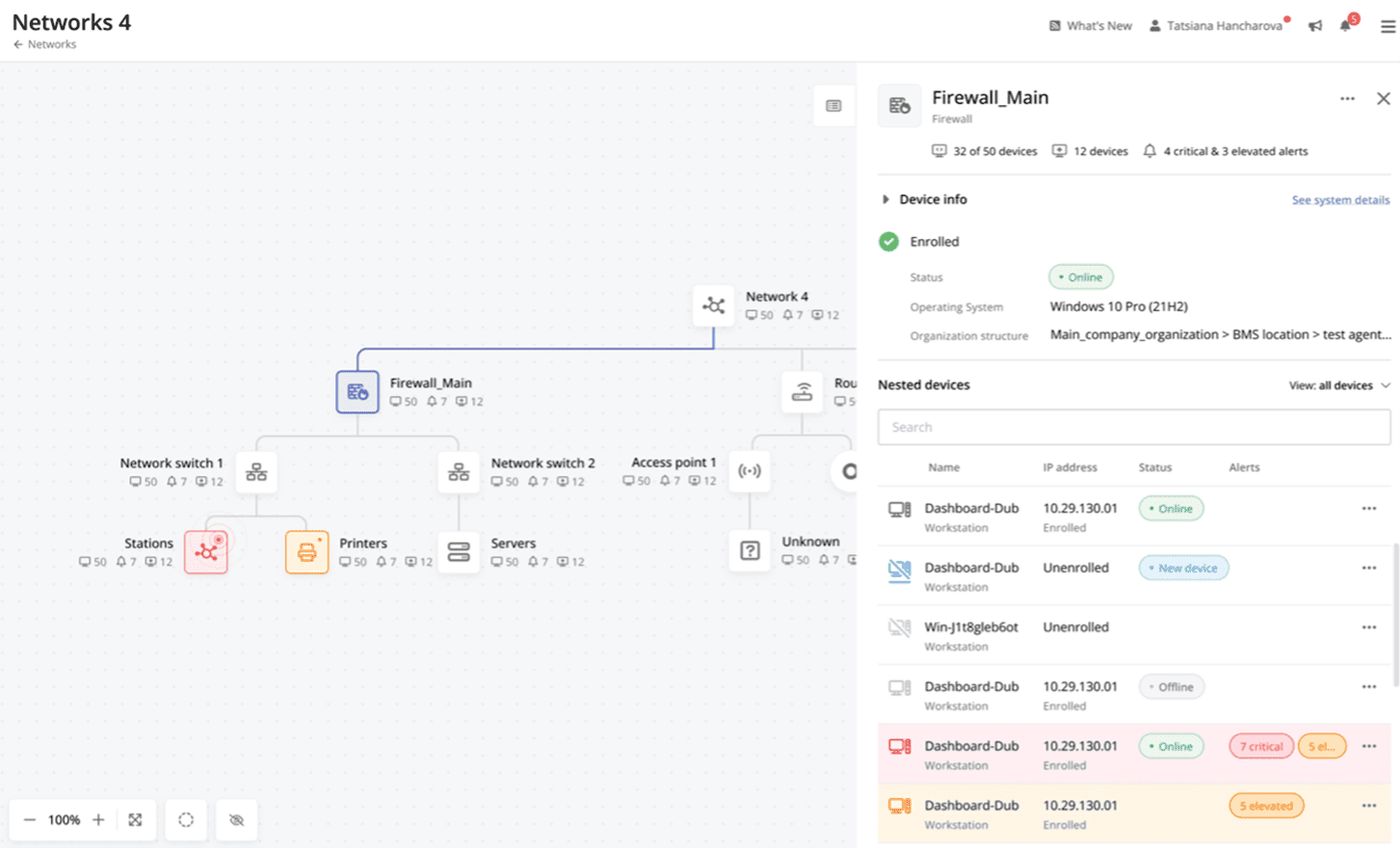
  • Network Monitoring: Offers visibility across the entire network with Pulseway Network Monitoring, turning Pulseway agents into probes and enrolling any discovered devices.

Pulseway gives System Administrators and MSPs a single pane view of their entire IT environment so they can know what is going on at any time. The software is scalable, working for business of any size letting them grow.

Media

Cross-device functionality
Auto-Remediate IT Issues
Visibility Across the Entire Network
Remote Control to Any System
Systems and Application patching
Detailed Custom Report
Troubleshooting from Any Device
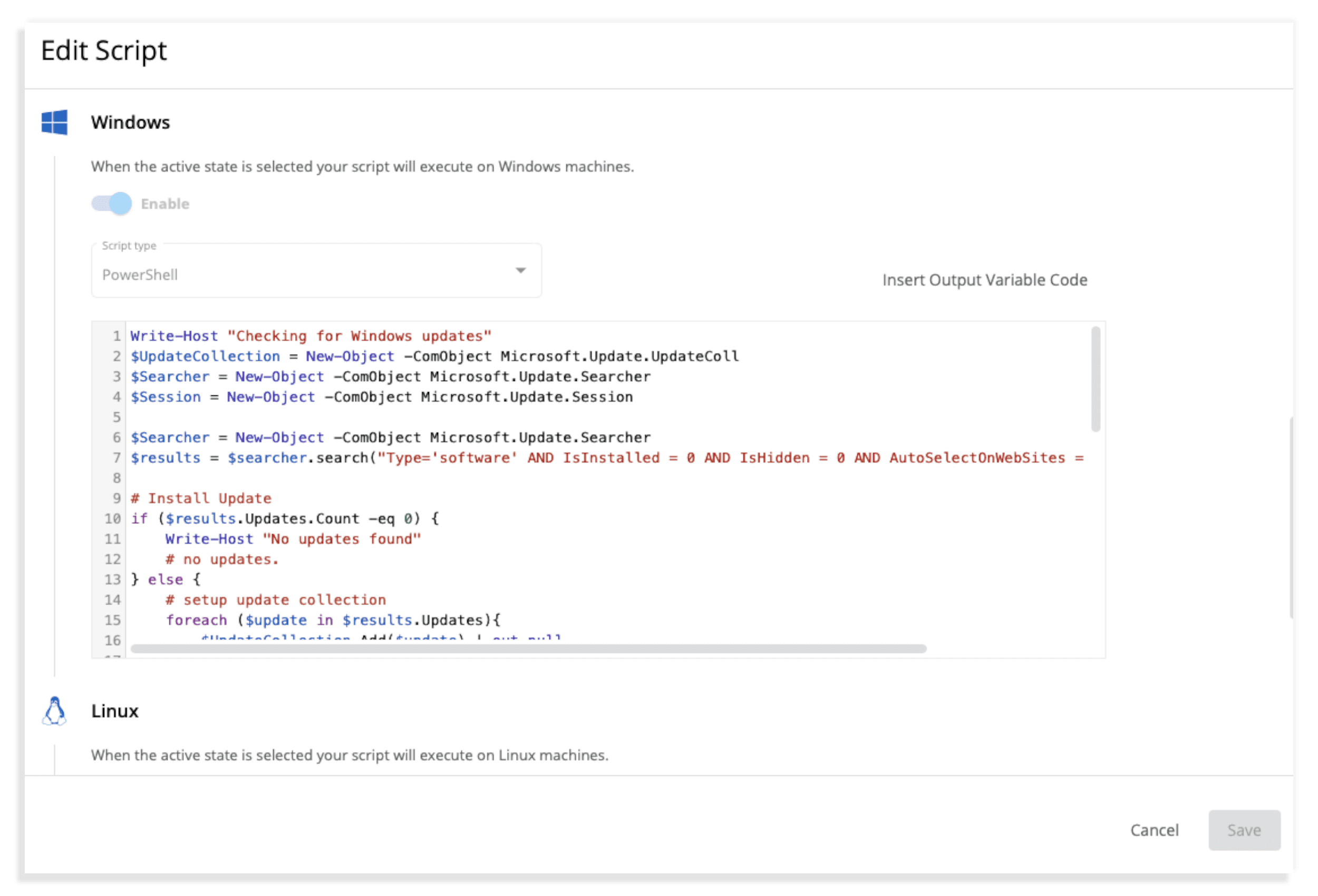
Script editing

1 / 8

Pulseway is a solid remote management tool

Use Cases and Deployment Scope

We use Pulseway as a back-up asset tracker and for the ability to run reports, push software updates, and rarely (but sometimes) take over control of a users screen when needed. The asset management aspect & pushing software upgrades en masse are the most important aspects of utilizing this tool.

Pros

  • Track status
  • Scalability
  • Security focused

Cons

  • Speed issues
  • Accessibility
  • refresh rates low

Return on Investment

  • more bandwidth with IT staff
  • faster resolution to software issues

Usability

Other Software Used

OpenVPN Access Server, Microsoft Teams, Slack

Powerful features for a cost effective product

Use Cases and Deployment Scope

Pulseway allows me to easily manage devices remotely. It has several features but my main use of it is to remote into devices and to have a live command line and powershell session if needed as well. It also has some very powerful automation features that can be run adhoc or through notifications or a schedule. On top of all of that it also provides a basic user portal where users can remote into their computer or follow self help workflows you create.

Pros

  • Remote access is smooth and powerful
  • Allows you to view various hardware info and processes
  • Provides exellent automation tools

Cons

  • Their patching system still has room for improvement
  • It should be easier to manage apps adhoc on a PC session without the mobile app
  • Give me a dark mode on PC

Return on Investment

  • It has significantly reduced my need to be at a computer physically

Usability

Alternatives Considered

Action1, ManageEngine Endpoint Central and Liquidware

Great tool, Great price, Great terms.

Use Cases and Deployment Scope

Pulseway is our primary tool for the monitoring and management of clients. We use it to deploy all of our other tools, keep Windows and most major software up to date. We also use it to alert us to things like server outages, failing hardware, drives getting full, and CPU and Memory being exhausted. Finally we run regular maintenance tasks via its scripting ability.

Pros

  • Keep PC up to date.
  • Deploy software and tools.
  • Warn of hardware failures.
  • Monitor major systems uptime.

Cons

  • Scripting could have more features such as storage better use of variables.
  • Reporting could offer more customization
  • Software deployment could be easier to use
  • Scripting should offer a opportunity to run when turned on if the device was not available at the scheduled time.
  • Remote control tool is adequate, but we actually found Connectwise Control to be so superior we purchased and use that most of the time.

Most Important Features

  • Monitoring for issues
  • Software deployment
  • Inventory of device specs

Return on Investment

  • Our company could not exist without tools like Pulseway!
  • Preventive maintenance saves untold technician time
  • Allows us to maintain more PCs with a smaller team then otherwise possible.

Alternatives Considered

Kaseya BMS, NinjaOne and ConnectWise RMM

Other Software Used

ConnectWise Control, Huntress, DNSFilter

Pulseway is a great option for anyone who needs to monitor and remotely manage computers or servers

Pros

  • It monitors computers and notifies us of any issues with any computer.
  • It allows remote control of computers, such as requesting a computer to reboot itself.
  • It is very highly configurable to monitor exactly what we need to monitor. For example, on server, we can have it notify us any time the server is shutdown or rebooted. On the other hand, for a desktop computer, we don't have to be bothered with notifications when a user decides to reboot his computer.

Cons

  • Sometimes, notifications are delayed. I'm not sure if this is really a problem specific to Pulseway, or if it is more of an issue with networks, cell service, or notification processing on our phones.

Return on Investment

  • It helps prevent outages by notifying us of problems before they actually cause an outage.
  • It helps to remotely manage computers, reducing the need to go on-site to reboot a server, or perform other tasks.

Alternatives Considered

ConnectWise Manage and NinjaRMM

Usability

Other Software Used

ConnectWise Control (formerly ScreenConnect), TeamViewer, LogMeIn Pro

Pulseway the best RMM for SMB

Pros

  • Running windows updates: Pulseway really helps us keep our end-user devices up to date, without the need to handle each device individually.
  • Sending notifications on our servers really helps with taking care of issues before they cause downtime.
  • Pulseway's remote desktop client works very well, even over slower internet connections.

Cons

  • It would be nice if they increased their scope of supported third-party apps.
  • It would be great if they would create an ios app for their ticket system.
  • If they could possibly build in a location service for tracking devices, that would be helpful.
  • If they had two-factor authentication, it would be nice.

Return on Investment

  • Pulseway has helped with increasing our productivity, by being able to automate a lot of the tasks I have to do.
  • There is no known negative impact of using Pulseway yet.

Other Software Used

ConnectWise Control (formerly ScreenConnect), Microsoft Office 365, Sophos Intercept X
