
Kenneth Hess
Senior Systems Analyst
Chose Pulseway
I haven't used any competitive products to Pulseway because I haven't found any that truly compare. Once I found Pulseway, I've used nothing else.

| Product | Rating | Most Used By | Product Summary | Starting Price |
|---|---|---|---|---|
 Pulseway | Mid-Size Companies (51-1,000 employees) | Pulseway is an IT monitoring and management solution that enables users to monitor, manage and control all systems and servers from a smartphone, tablet or browser. For system administrators, Pulseway sends a notification, so they can see an issue and sort it in seconds. Pulseway features: Automation: Auto-remediation workflows, so that IT issues are fixed before users even notice them. Mobile Access: Customers can monitor, manage, connect with… | $0.80 per month per installation | |
 Spiceworks Cloud Help Desk | N/A | Spiceworks offers a set of free tools for IT network management and help desk support ticketing. The inventory management system essentially provides comprehensive device information for asset management. | $0 (free for 1-5 Seats) |
| Pulseway | Spiceworks Cloud Help Desk | |||||||||||||||
|---|---|---|---|---|---|---|---|---|---|---|---|---|---|---|---|---|
| Editions & Modules |
|
| ||||||||||||||
| Offerings |
| |||||||||||||||
| Entry-level Setup Fee | No setup fee | No setup fee | ||||||||||||||
| Additional Details | No hidden fees or contracts. Term-based discounts. | — | ||||||||||||||
| More Pricing Information | ||||||||||||||||
| Pulseway | Spiceworks Cloud Help Desk | |
|---|---|---|
| Considered Both Products |  Pulseway Kenneth Hess Senior Systems Analyst Chose Pulseway I haven't used any competitive products to Pulseway because I haven't found any that truly compare. Once I found Pulseway, I've used nothing else. |  Spiceworks Cloud Help Desk No answer on this topic |
| Pulseway | Spiceworks Cloud Help Desk | |||||||||||||||||||||
|---|---|---|---|---|---|---|---|---|---|---|---|---|---|---|---|---|---|---|---|---|---|---|
| Incident and problem management |
| |||||||||||||||||||||
| Self Help Community |
| |||||||||||||||||||||
| Multi-Channel Help |
|
| Pulseway | Spiceworks Cloud Help Desk | |
|---|---|---|
| Small Businesses |  NinjaOne Score 9.0 out of 10 |  Agiloft Service Desk (discontinued) Score 9.0 out of 10 |
| Medium-sized Companies |  Intermapper Score 8.4 out of 10 | Agiloft Service Desk (discontinued) Score 9.0 out of 10 |
| Enterprises |  Cisco Meraki Dashboard Score 9.3 out of 10 |  SysAid Score 9.1 out of 10 |
| All Alternatives | View all alternatives | View all alternatives |
| Pulseway | Spiceworks Cloud Help Desk | |
|---|---|---|
| Likelihood to Recommend | 8.0 (12 ratings) | 10.0 (83 ratings) |
| Likelihood to Renew | - (0 ratings) | 10.0 (29 ratings) |
| Usability | 10.0 (2 ratings) | 9.0 (9 ratings) |
| Availability | - (0 ratings) | 10.0 (3 ratings) |
| Performance | - (0 ratings) | 8.0 (1 ratings) |
| Support Rating | 9.6 (2 ratings) | 8.7 (26 ratings) |
| Implementation Rating | - (0 ratings) | 10.0 (7 ratings) |
| Product Scalability | - (0 ratings) | 10.0 (1 ratings) |
| Pulseway | Spiceworks Cloud Help Desk | |
|---|---|---|
| Likelihood to Recommend | Pulseway
 Brian Cook Information Security Officer | Spiceworks Ziff Davis
 Joe Foran Director Of Information Technology and HIPAA Privacy Officer |
| Pros | Pulseway
| Spiceworks Ziff Davis
|
| Cons | Pulseway
| Spiceworks Ziff Davis
|
| Likelihood to Renew | Pulseway No answers on this topic | Spiceworks Ziff Davis
|
| Usability | Pulseway
| Spiceworks Ziff Davis
 Chris Johnson Systems Administrator |
| Reliability and Availability | Pulseway No answers on this topic | Spiceworks Ziff Davis
 Patrick Yeager Systems Administrator |
| Support Rating | Pulseway
| Spiceworks Ziff Davis
|
| Implementation Rating | Pulseway No answers on this topic | Spiceworks Ziff Davis
 Jennifer Metcalf Systems Analyst II |
| Alternatives Considered | Pulseway
 Brian Heersink IT Director | Spiceworks Ziff Davis
 Héctor Aguilar Ruby on Rails Developer |
| Return on Investment | Pulseway
Kenneth Hess Senior Systems Analyst | Spiceworks Ziff Davis
 David Yates President |
| ScreenShots | Pulseway Screenshots  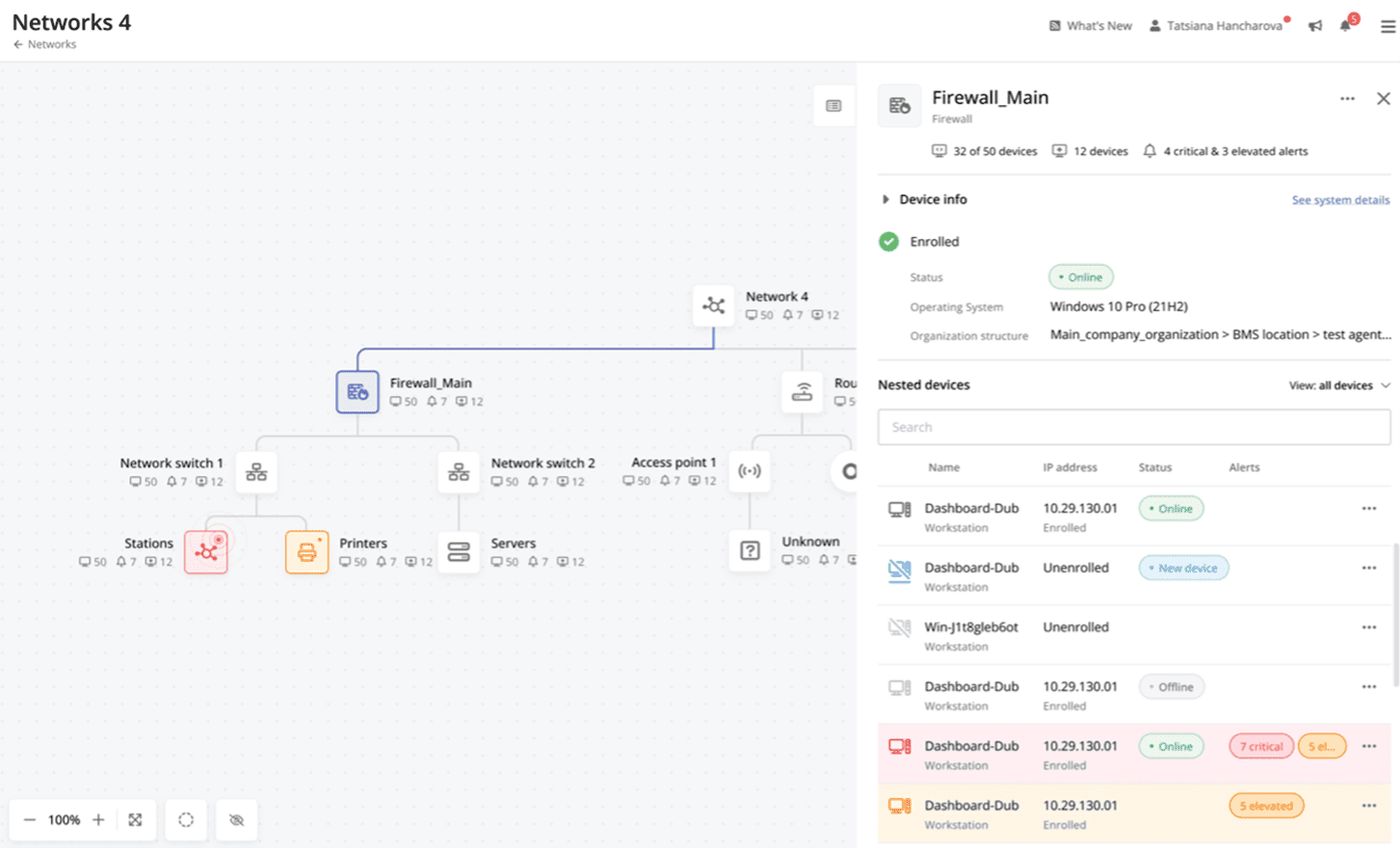 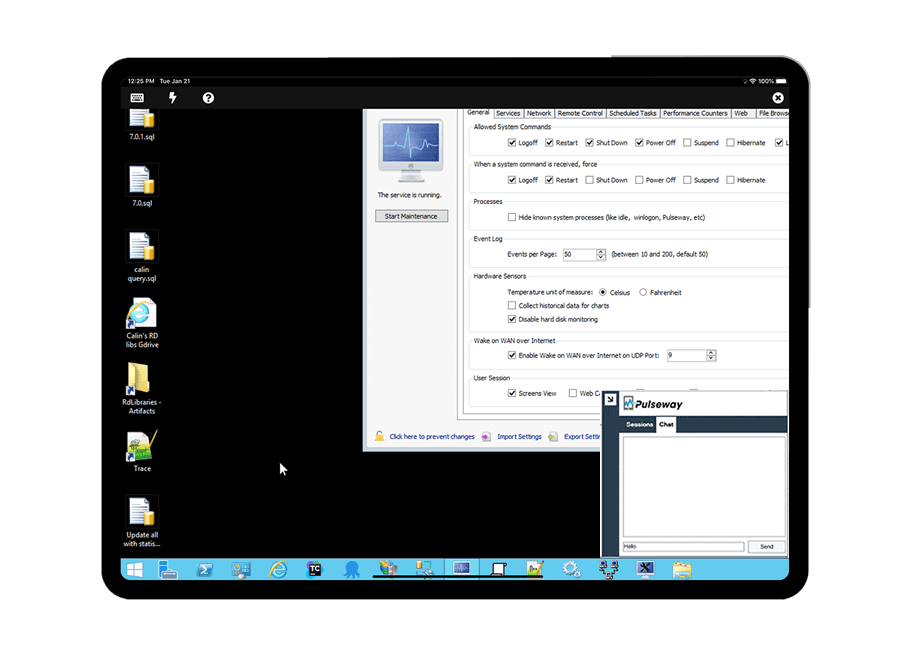   |