TrustRadius: an HG Insights company

PractiTest

Score8 out of 10

6 Reviews and Ratings

What is PractiTest?

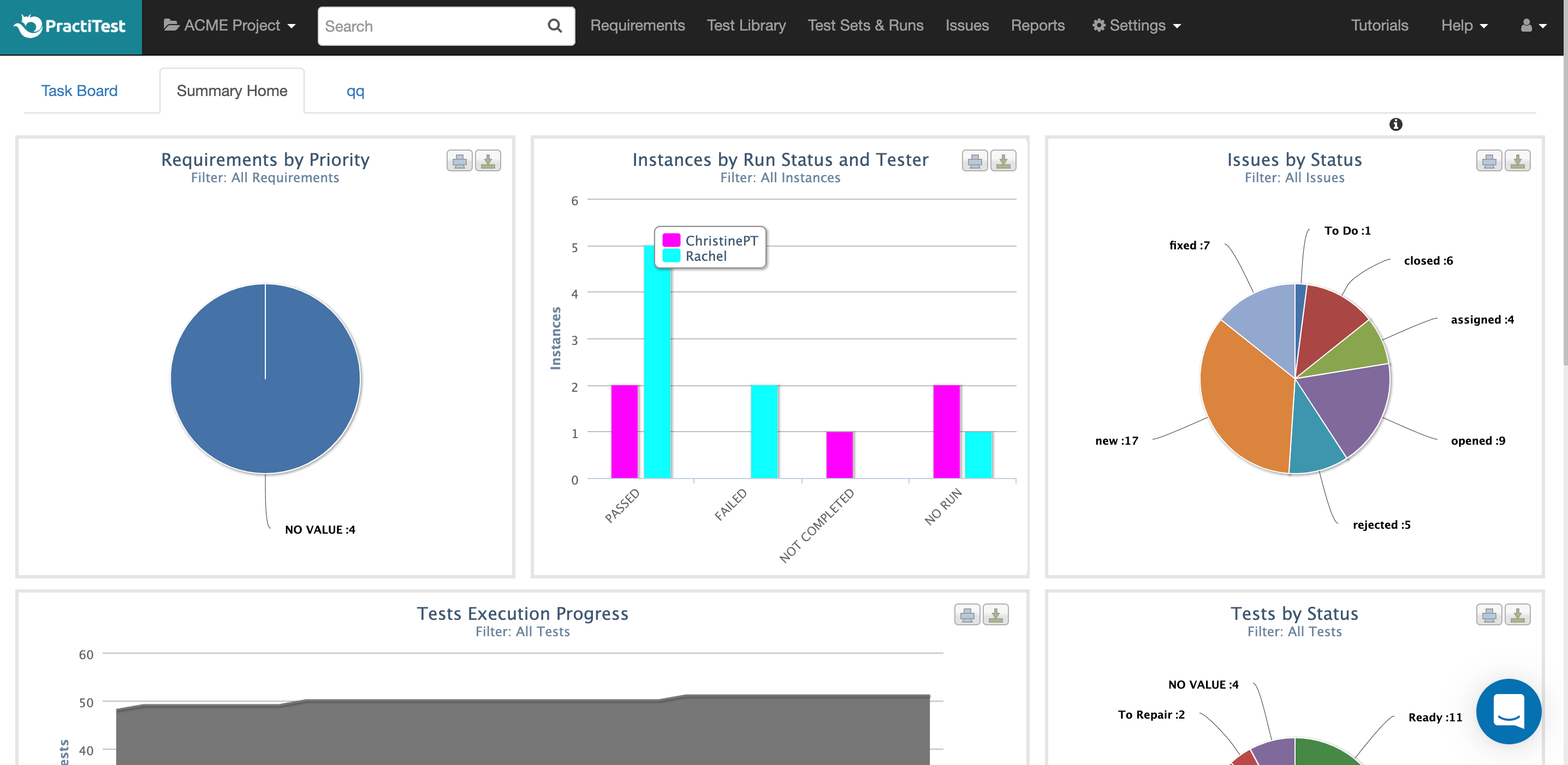
PractiTest is presented as a cloud-based test management tool that provides its customers with an end-to-end system to meet testing and QA needs. It is described by the vendor as flexible but methodological, enabling organizations to ensure visibility and communication at all levels. The solution aims to help users and project development teams streamline and manage their testing processes, while providing management with a clear and simple view of their project status at all times.

Media

1 / 4

Top Performing Features

  • Centralized test management

    Ability to manages both manual and automated tests from a centralized location

    Category average: 8.6

  • Map tests to user stories

    Provide visibility into user story test coverage

    Category average: 8

  • Test execution reporting

    Comprehensive reporting on which tests have been run and pass/fail

    Category average: 8.1

Areas for Improvement

  • Defect management

    Ability to automatically log defects and link them to failed tests, and report defect resolution progress

    Category average: 8

Good.. Can be best with some tools improvement!

Use Cases and Deployment Scope

It has been an excellent tool for keeping our retrospective test cases organized. It has been very easy to create a test run- easily catch the retreat tests we need and create new ticket tests that we are testing. We've been using spreadsheets and lists before and this has been very successful.

Pros

  • Quantitative analysis
  • Valuation
  • Risk management
  • Work flow analysis

Cons

  • Column size of graph
  • Search results
  • History results popup

Most Important Features

  • Detailed analysis
  • Work flaw detection
  • Work load management

Return on Investment

  • Mostly positive for management
  • Working methods change
  • Work load is more manageable

PractiTest has not only been great for our company, but for the testing community at large

Pros

  • The ability to create custom fields on your test cases
  • The custom reporting results due to the custom fields
  • The ability to work using filters instead of folder trees
  • Integrations with other platforms
  • Constant availability of support
  • Community oriented (host online testing conferences for free, provide insightful blog posts for the testing community, etc.)

Cons

  • Better dashboard display capability (drag and drop to rearrange gadgets)
  • Creation of global user groups (as opposed to just project groups)

Return on Investment

  • PractiTest has saved us time in managing our test cases and providing immediate reports through dashboards
  • The capability to provide a dashboard through and external link allows clients to view our dashboards in real-time (saving time on sending reports).

Alternatives Considered

Tricentis qTest (formerly QASymphony)

Other Software Used

Jira Software, Postman, PyCharm

Recommended to purchase PractiTest as it is effective on Test Case

Use Cases and Deployment Scope

PractiTest is used to store the manual and automation test cases for our products. We run the test cases based on the requirements of the onsite team. We almost run 160 test cases in two weeks once and also we store the different automation, and different types of test cases and will run based on the need.

Pros

  • Effective Test case template.
  • Can integrate with different Atlassian products.
  • Report generation.

Cons

  • Video evidence or screenshots
  • UI

Most Important Features

  • Test case template

Return on Investment

  • Test delivarables

Other Software Used

Jira Software, Atlassian Confluence

PractiTest - Easy to use

Use Cases and Deployment Scope

We use PractiTest to run the risk-based testing for each sprint. The tool gives the details testing status which is easy to track by the product manager and other stakeholders and is used to make decisions on whether the build can be deployed in production or not.

Pros

  • Test Library where the entire test case of product is present.
  • Capturing the time for executing the each test case.
  • Tracking the status of each test run.

Cons

  • Linking the defect with Jira throws an error quite some times which can be improved in the future.

Most Important Features

  • Test Library
  • Test Run

Return on Investment

  • Test Reporting
  • Defect Management

Alternatives Considered

Jira Software

Other Software Used

Jira Software