TrustRadius: an HG Insights company

Planview AdaptiveWork

Score7.4 out of 10

118 Reviews and Ratings

What is Planview AdaptiveWork?

Planview AdaptiveWork is a web-based collaborative work management software. Planview AdaptiveWork enables users to connect employees and partners and create documents, reports and specialized workflow automation. Planview AdaptiveWork is designed to work across multiple teams to enable cross-company task, project, and resource management.

Media

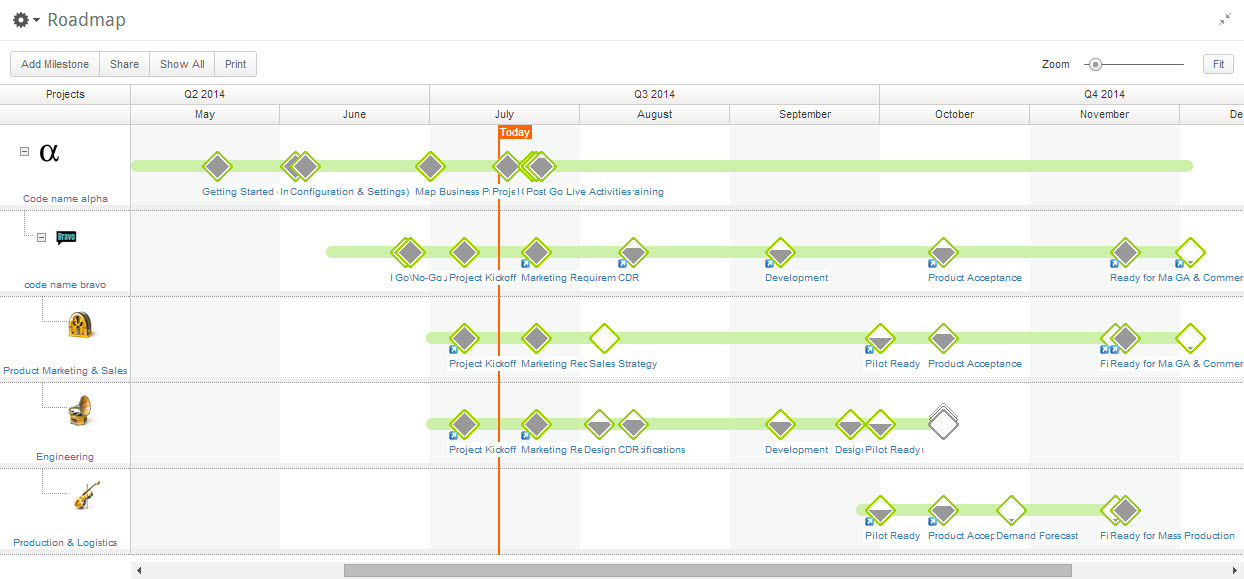
AdaptiveWork's Portfolio Management
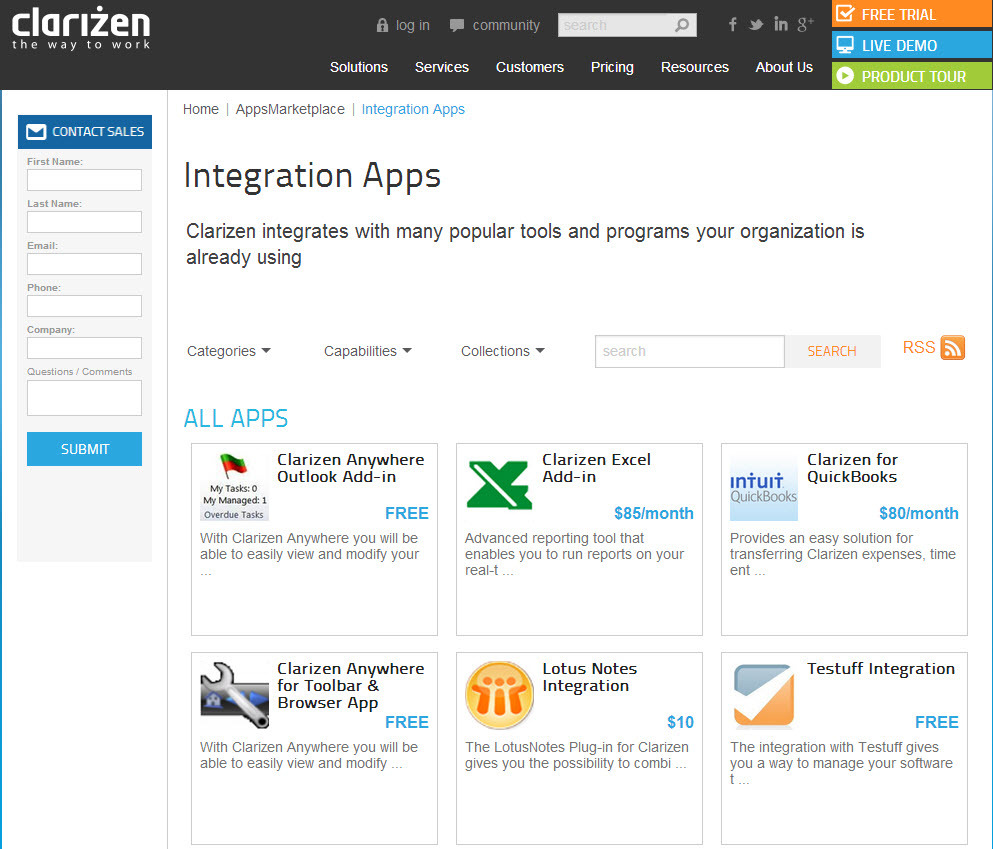
Integration Through an Array of Apps
Real-Time Project Management
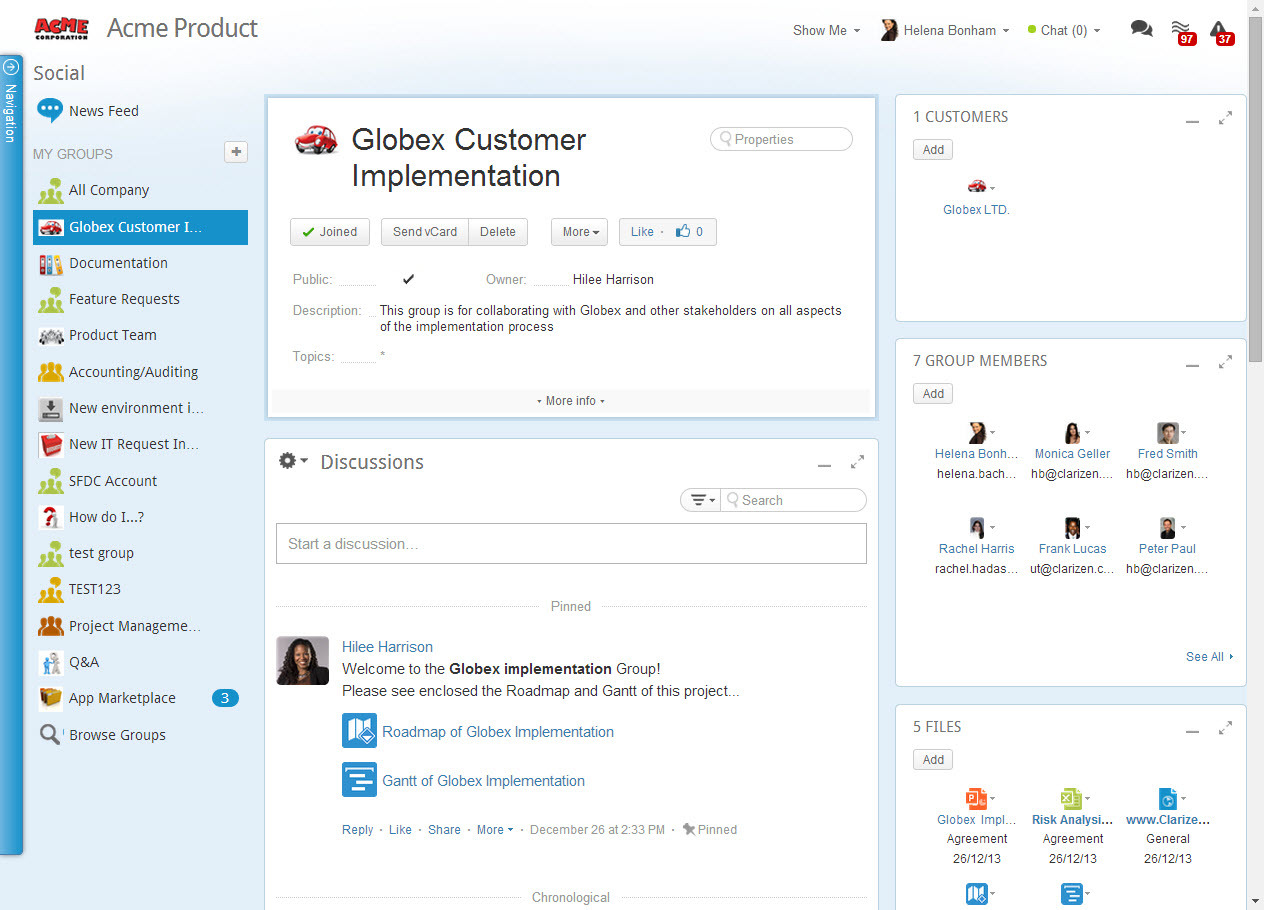
Social Collaboration - From Ideation to Project Delivery

1 / 4

AdaptiveWork for Chemical Product Development

Use Cases and Deployment Scope

I use AdaptiveWork for project planning and tracking. Features that I use most are timeline estimation and resources allocation. The actual work vs. estimated work functions help me adjust timelines when needed and improve panning for future projects. I am also able to look at my groups actual work performed vs. time that is allocated to current project to plan resource usage.

Pros

  • Estimate realistic timelines
  • Properly allocate the available resources
  • Break down projects into manageable tasks
  • Track actual time spent on a project and tasks within it

Cons

  • More intuitive user interface
  • Simpler project creation
  • Tutorials for seldom performed tasks

Return on Investment

  • Makes product development easier to track
  • Helps establish a routine procedure for project management
  • Allows a quick view of milestones, progress and resources

Alternatives Considered

Planview AdaptiveWork

Other Software Used

ProductVision

Accurate data capturing and keeping everything centralized

Use Cases and Deployment Scope

Planview AdaptiveWork has helped me in a lot of things like Resource utilization - it provided real-time insights into all our available resources, projects, and budgets. It accurately captures and tracks all project data in real-time, including effort, status, issues, and change requests

Pros

  • Effective and Collaborative communication
  • visibility
  • Accurate data capturing

Return on Investment

  • Effective Communication
  • Resource Utilization

My experience with Planview AdaptiveWork

Use Cases and Deployment Scope

We use Planview AdaptiveWork as a complete end to end project management software. Beginning with product requests, through to the creation of individual projects, to the daily management and progression of tasks through to project completion. Really useful to be able to tag relevant documentation to projects and have everything in one place.

Pros

  • Allowing multiple team members to simultaneously work on a project with live updating
  • Good uptime
  • Massively customisable

Cons

  • Project cases get muddled or confused sometimes while running through milestones. Resulting in completion statuses at half-mast. Can be confusing
  • The mobile app is almost unusable. Would really like to see that completely revamped

Return on Investment

  • We have seen an increase of around 15% in projects completed in time since we began to use Planview AdaptiveWork
  • Some aspects of the platform can be overwhelmingly complicated, leading to staff disengaging from usage

Alternatives Considered

Airtable

Planview AdaptiveWork

Use Cases and Deployment Scope

We use Planview AdaptiveWork as our Project Management and Services delivery tool. It provides robust project planning, management, resource, and planning functionality. As an added plus, it is highly adaptable and easy to maintain.

Pros

  • Project Management
  • Resource Planning
  • Performance Analytics

Cons

  • Project Time Keeping
  • Expense Management

Return on Investment

  • Easier Project Planning/Management
  • Improved Resource Visibilty
  • Detailed Project Performance reporting

Alternatives Considered

Kantata PS Cloud

Other Software Used

Acumatica, Microsoft Dynamics 365 Finance, Microsoft Dynamics 365 Business Central

Resource Management in Planview AdaptiveWork Review

Use Cases and Deployment Scope

We are utilizing Planview AdaptiveWork as our primary Resource Management tool. The organization never previously had a way to resource demand plan or forecast, as well as in real time track variance versus planned capacity. They also could not see the entire organization's capacity at one glance. It is our one stop shop for all the above now. Adding Pipelined projects into the system allows us to resource plan ahead of time, especially gaining insights to recruitment needs, instead of just in time resourcing, which causes delays in the hiring needs.

Pros

  • Many ways to acclimate to the system; documentation, videos, community, and contacts.
  • Planview provides scalable customization options tailored to the unique needs of each business unit or department. Easily add or remove fields in the system. As the admin, it was easy to learn how to configure.
  • Offers flexibility to adapt to existing systems and align with organizational workflows and processes. There are multiple ways to customize each part of the system to meet our needs.

Cons

  • As a resource management tool, managing capacity has been very difficult and even to this day I cannot seem to manage variating FTEs. Using a calendar to calculate capacity is unmanageable. We have many on staff who are not a full 1.0 employees, and we cannot get a resolution how to adjust in the system.
  • Adding multiple tasks, in bulk, cannot be done at a user level which is very resource management 101. I should be able to go to the user and add/delete projects or change allocations. This makes it very difficult when 1 user is being added to 10s of projects at one time.
  • The reporting is not intuitive. Generating customized reporting is available, but it is very hard to get something that should be easy, such as capacity in % each month by user, by program/project/or group. That is one example.
  • It is difficult to manage tasks that have assignments over 25 resources as the screen limits view to 25. This requires a lot of time to tab and refresh each tab if a resource was added or removed (recalculating demand).

Return on Investment

  • Our goal is to decrease turnover by 10%
  • 20% saving on increased utilization across the organization
  • 20% revenue increase due to hiring proactively

Other Software Used

Salesforce CMS, Deltek Costpoint, Microsoft Power BI, Microsoft Teams