TrustRadius: an HG Insights company

Insightly

Score7.4 out of 10

824 Reviews and Ratings

What is Insightly?

Insightly is presented as a modern, affordable CRM that is easy to use, simple to customize, and that scales with companies as they grow, designed to solve common pain points that legacy CRMs can't. Available in any vertical, Insightly CRM customers can add companion products for marketing automation, customer service, and integrations in the same platform. Insightly has more than a million users worldwide.

Media

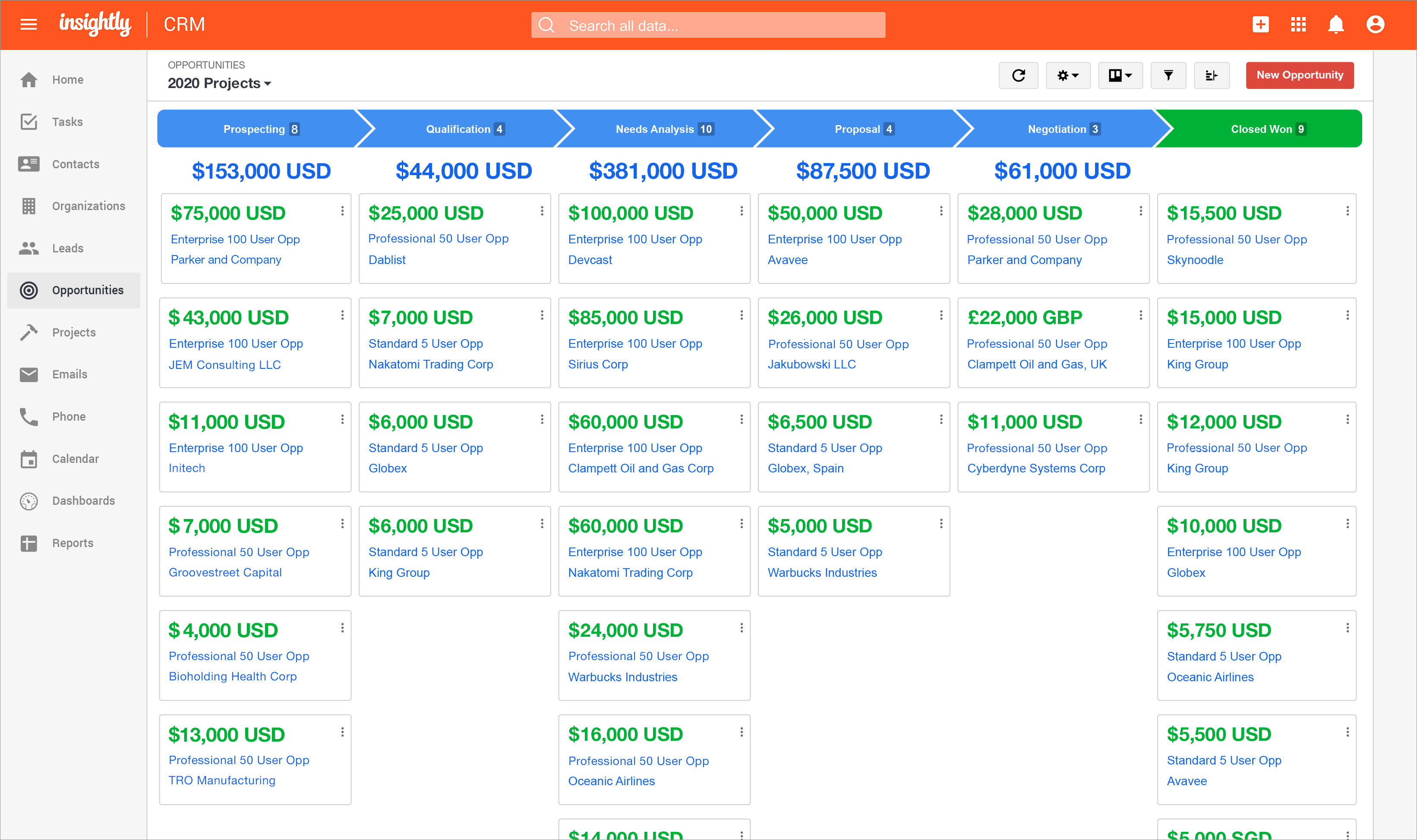
Insightly's lead status and activity tracking, available so that nothing falls through the cracks.
the reporting feature, which provides insight into sales and productivity performance.
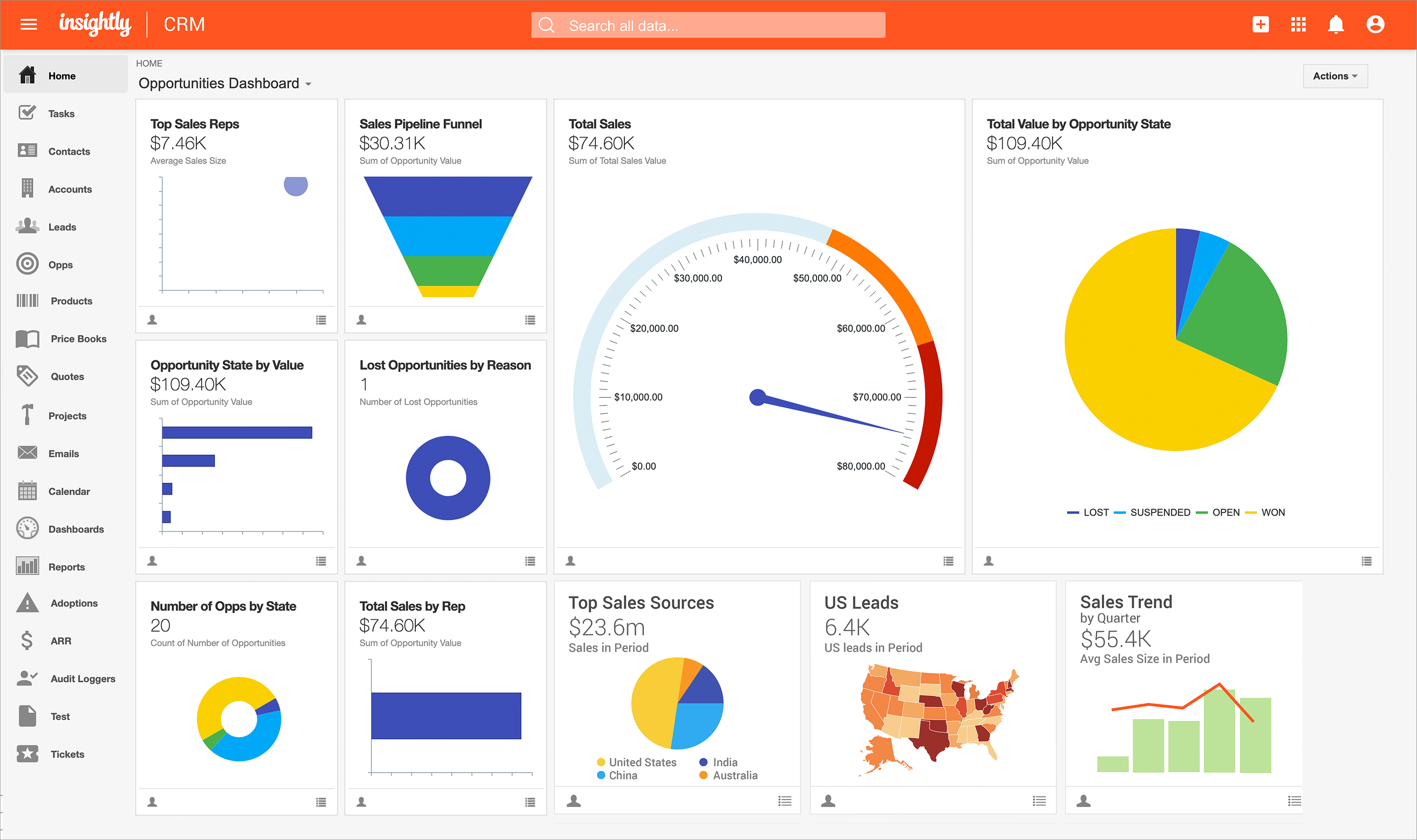
the Insightly Opportunities dashboard.
Insightly on mobile.

1 / 7

Top Performing Features

  • Customer data management / contact management

    The software acts as a single source for all customer data and enables users to access that data efficiently.

    Category average: 8.5

  • Opportunity management

    Users can track deals and create quotes.

    Category average: 8.1

  • Quote & order management

    Users can create, process and fulfill price quotations and sales transactions.

    Category average: 7.7

Areas for Improvement

  • Compensation management

    The software can integrate with compensation management software or sales commission software such as Xactly Incent or IBM’s Varicent.

    Category average: 8.5

  • Mobile access

    Users can access the CRM system via mobile or tablet device, and potentially leverage the unique capabilities of mobile devices, such as GPS and voice.

    Category average: 7.7

  • Email marketing

    This involves the ability to send mass email to groups of people based on particular qualifications.

    Category average: 7.2

Insightly A Great Tool

Use Cases and Deployment Scope

We used Insightly not only to catalogue our client bases, but also potential clients as well. It was a great to differentiate between the two and make notes on specific things about said PR's and client. Tracking these two important type of people was helpful. It also a very good marketing system.

Pros

  • Marketing
  • Differentiating Clients and PR
  • Tracking & Storing important information for Client
  • Taking notes on PR's and Clients

Cons

  • Easier Search options
  • Filter through phone numbers faster
  • More intuitive document storage

Return on Investment

  • Positive Client Rention
  • Solid Lead Conversion
  • Easy trackable information

Usability

Alternatives Considered

NetSuite ERP

Other Software Used

Adobe Acrobat, Microsoft 365, BambooHR®

Insightly is a great basic CRM that fits most business models.

Use Cases and Deployment Scope

We were using it for the CRM and marketing feature. It helped that we didn't have to manually add data into our marketing platform separately from our CRM and everything was connected. Plus we didn't have a good solution for client management before Insightly other than excel worksheets.

Pros

  • Marketing and CRM connector
  • Easy access and view to client data
  • Basic features connecting email to client info
  • identifying and merging duplicates

Cons

  • set up of the pipelines/projects was definitely hard to manage and get the full team involved in training
  • tasks added up and was very overwhelming.
  • would have liked a better document management built in system other than a connector to one drive

Return on Investment

  • the good thing is that it provided basic ways to track engagements and current services
  • the bad thing is that when dealing with high volume, the kanban view had limits and we had to use a less favorable list view

Usability

Alternatives Considered

TaxDome and NetSuite ERP

Other Software Used

Canva, Intuit Mailchimp, TaxDome, SmartVault, Formstack Forms, Formstack Documents

Integral part of our process

Use Cases and Deployment Scope

We use Insightly as an all encompassing CRM for sales and production pipeline management. It allows us to keep all the information in one place and have multiple users get alerts as different actions happen throughout the pipelines.

Pros

  • Pipeline management
  • Automate alerts and emails
  • calendar integration

Cons

  • the task feature can be cumbersome, especially with automating reminders
  • sometimes the coding information is too detailed for a non-tech-literate person

Return on Investment

  • Insightly has become an integral part of our sales process and project management. We couldn't operate without it.
  • We have seen less mistakes and errors in our business since our whole team has embraced Insightly

Usability

Other Software Used

QuickBooks Online, Google Sheets

Insightly - A Wonderful Tool for Small Businesses

Use Cases and Deployment Scope

We started using Insightly in order to better organize our internal customer database of ongoing and future orders. We needed a better way to keep tracking of customer contact information, addresses, and what their purposes was for contacting and working with our company. We keep track of all of our purchase orders, sales orders, invoices, estimates, and much more in Insightly.

Pros

  • Organization
  • Data Management
  • Report Writing
  • Customer Follow-Up Reminders

Cons

  • Ease of Use of the Program
  • Customer service has a hard time understanding directions
  • Features sometimes get removed without considered that we use those features
  • It is hard to copy and paste some fields from Insightly

Return on Investment

  • We do not have any hard numbers or stats on how Insightly has helped our business but it certainly has a positive effect on data organization and follow-up reminders with customers.

Usability

Alternatives Considered

Intuit Mailchimp, Canva and Microsoft SharePoint

Other Software Used

Canva, Intuit Mailchimp, CRM Assistant for Gmail™

Insightly Review

Use Cases and Deployment Scope

We use Insightly as a sales tool to database and track interaction with our clients. Primarily we will use it for prospecting new clients as well as keeping on top of our existing clients. We also use it to track activity and sales across the company and then split out over each individual account manager.

Pros

  • The ability to set up filters to generate lists based on just the categories I am interested in.
  • It's integration with our sales data so we can see customer spending trends across multiple years and seasons.
  • The ability to circle back to previous email correspondence to refresh on past conversations with individual clients.

Cons

  • It would be good if clients would be auto updated if we have interacted with their card. Rather than having to manually check the date of "updated".
  • I find that when Insightly imports a new contact via the email tag being added, they will not come into the company with the company's field included, and that needs to be manually added.
  • For example if a new contact at Department of Health gets added they do not come in with an Industry: Government that their organisation has already.
  • When generating lists to export is is frustrating that you can only work with one page at a time. For instance you can not manually check all the clients on page 1 then move to page 2 to check some more to add to the list. It does not remember the ones from the previous page once you move to the next.

Return on Investment

  • While I am working in a capacity that does not involve my input into the licensing or cost side of us having Insightly I can see that there is certainly a good ROI.
  • With 9 account managers utilising the system at any one time we can instantly keep track of our own sales and client data while also being able to see what others do.
  • Being able to track key KPIs as well with graphs and charts enables us to see where we sit within our targets and easily adapt to areas that need more attention.

Usability

Other Software Used

Adobe Acrobat, SketchUp, Adobe Illustrator CC