TrustRadius: an HG Insights company

Hornetsecurity 365 Total Protection

Score9 out of 10

4 Reviews and Ratings

What is Hornetsecurity 365 Total Protection?

With 365 Total Protection, Hornetsecurity offers users enterprise security management in conjunction with Microsoft Office 365. The Enterprise version gives users enhanced functionality and protection, and covers legally compliant email archiving with advanced features such as eDiscovery and 10-year email retention. It also offers protection against advanced persistent threats through the use of AI-based analysis mechanisms.

Categories & Use Cases

Media
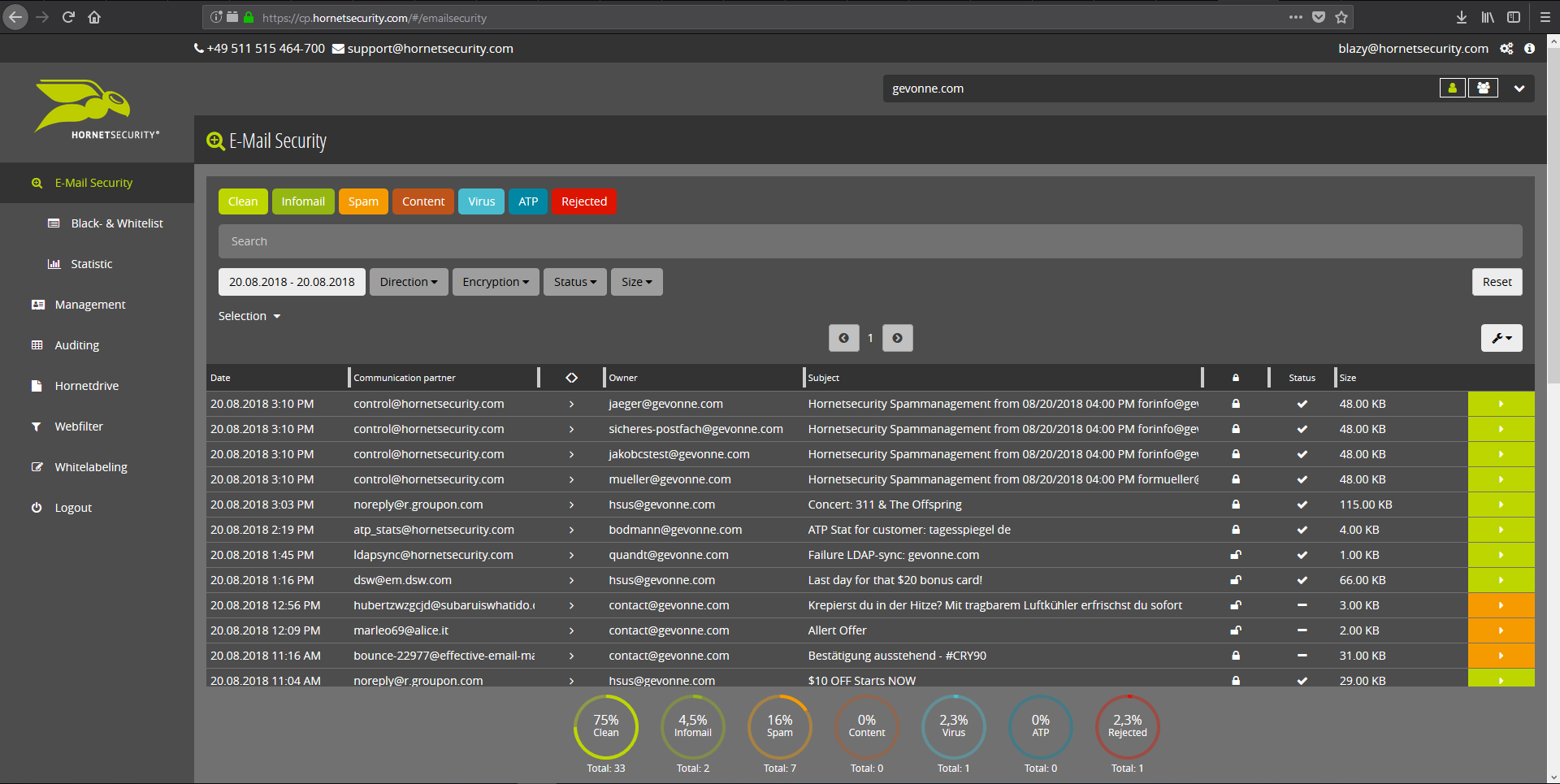
Email Live Tracking with user-defined settings offers users a complete overview of all Emails addressed to them. If an incoming Email has, for example, been classified as spam, you will receive comprehensive information and can individually determine any further interaction. This means that you can always quickly find any email you are searching for and delivery options can be defined for the future.
With the help of Infomail Handlings, the inboxes or smartphones of your users will no longer be flooded with newsletters and ad mails. Users are no longer distracted by the constant arrival of unimportant emails, thus making it easier for them to keep track of relevant business matters.
Content Control protects your email communication from receiving or sending unwanted or unauthorized file attachments in keeping with your company policy. When running Content Control, umbrella terms and categories (e.g., .docmacro or .executable) may be blocked, for example in the default group (mailboxes that are not allocated to any particular group). For a department such as Marketing, however, the receipt of media files and macros can, on the other hand, be necessary for daily business: In this respect, one can create, for example, a group for the Marketing department and adjust the settings in Content Control so that only potentially dangerous, e.g. executable, file formats are blocked for this group.
If an incoming email (e.g. phishing or spam mail) constitutes a threat, the attack is immediately detected by the multi-stage filter systems of 365 Total Protection. Unwanted emails are directly rejected by the Threat Blocking function or detected in later analyses by Threat Intelligence and sent straight to Quarantine. In both cases, these emails will not be delivered to your mailbox.
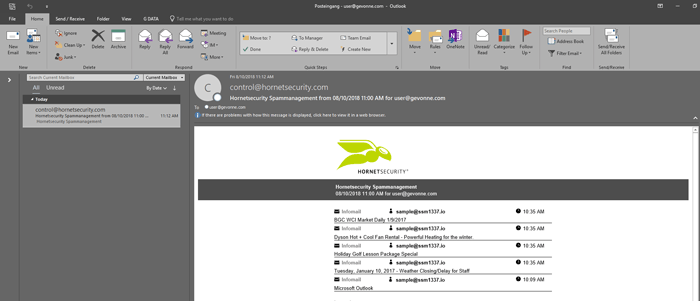
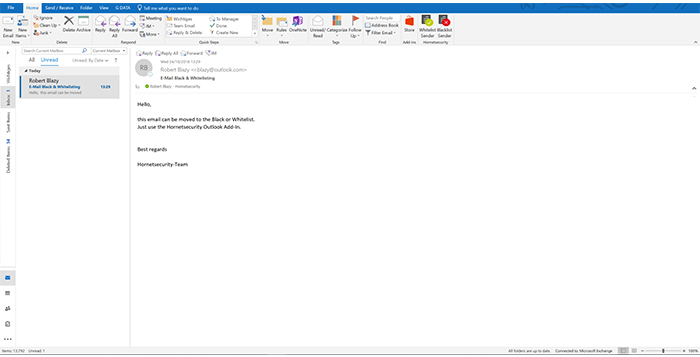
If you do not want to receive emails from one or several specific senders, you can put these on your personal Blacklist. With just one click directly in your in-box the selected senders can be added to the Blacklist to prevent emails from the same sender from being delivered to you in future. If an email from a generally unobjectionable sender lands in Quarantine by mistake, thus appearing in the spam report, the “Whitelist” function can be used. Emails from senders on your Whitelist will always be delivered to your in-box in future.
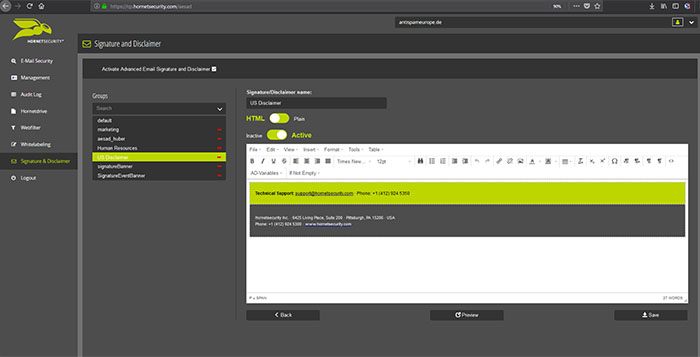
Every email sent out by a company is not only relevant to the business, but is also your company’s business card. In terms of content, a company-wide standardized structure and the completeness of signature datasets are essential. In this context, all email signatures also have the same visual design and layout. This task can also be allocated to the Marketing department or office management via the “What You See is What You Get” editor.
Certain mandatory details are required in email signatures due to various stipulations regarding business-related email communication. The Company Disclaimer helps you to ensure that all your outgoing emails conform to the legally applicable guidelines and company policy, thus protecting the integrity of your company. By means of a group-based allocation, for example, individual branches can be provided with their own Disclaimers.
For business purposes, it is essential to have your Emails archived in a manner that is both legally and audit-compliant. The 365 Total Protection Email Archiving feature offers the secure storage of sensitive content and enables easy management without any administrative effort.
ATP-Sandboxing offers you protection against targeted and blended attacks. If, for example, malware is disguised and infiltrated as an email attachment, Hornetsecurity ATP subjects these threats to comprehensive analyses and observes their behavior. As soon as an attack is detected, a message is automatically sent to your IT security team to inform them immediately of a potential threat.

1 / 9