TrustRadius: an HG Insights company

Hornetsecurity 365 Total Protection vs. Microsoft 365 Business Premium

Save this comparison

Save this comparison

Add Product

Recommended Comparisons

    Overview
    ProductRatingMost Used ByProduct SummaryStarting Price

    Hornetsecurity 365 Total Protection

    Score9 out of 10
    N/AWith 365 Total Protection, Hornetsecurity offers users enterprise security management in conjunction with Microsoft Office 365. The Enterprise version gives users enhanced functionality and protection, and covers legally compliant email archiving with advanced features such as eDiscovery and 10-year email retention. It also offers protection against advanced persistent threats through the use of AI-based analysis mechanisms.N/A

    Microsoft 365 Business Premium

    Score8.8 out of 10
    N/AAn integrated solution, designed for small or medium-sized businesses, bringing together the productivity of Microsoft Office with advanced security capabilities to help safeguard data from external threats and help protect against data leaks. With Microsoft 365 Business Premium, users can empower employees to be productive anywhere on any device. Get more done with AI built into the Office apps. Work better together with a hub for teamwork bringing your tools and people together in one place.…N/A
    Pricing
    Hornetsecurity 365 Total ProtectionMicrosoft 365 Business Premium
    Editions & Modules
    No answers on this topic
    No answers on this topic
    Offerings
    Pricing Offerings
    Hornetsecurity 365 Total ProtectionMicrosoft 365 Business Premium
    Free Trial
    NoNo
    Free/Freemium Version
    NoNo
    Premium Consulting/Integration Services
    NoNo
    Entry-level Setup FeeOptionalNo setup fee
    Additional Details——
    More Pricing Information
    Community Pulse
    Hornetsecurity 365 Total ProtectionMicrosoft 365 Business Premium
    Considered Both Products
    Hornetsecurity Inc.
    No answer on this topic
    Microsoft
    No answer on this topic
    Key User Insights
    Would buy again
    No answers on this topic
    100%
    Would buy again
    50 Answers
    Delivers good value for the price
    No answers on this topic
    100%
    Delivers good value for the price
    48 Answers
    Happy with the feature set
    No answers on this topic
    100%
    Happy with the feature set
    50 Answers
    Lived up to sales and marketing promises
    No answers on this topic
    100%
    Lived up to sales and marketing promises
    33 Answers
    Implementation went as expected
    No answers on this topic
    97%
    Implementation went as expected
    35 Answers
    Best Alternatives
    Hornetsecurity 365 Total ProtectionMicrosoft 365 Business Premium
    Small Businesses
    Backupify
    Score10 out of 10
    Google Workspace
    Score9.1 out of 10
    Medium-sized Companies
    Spanning Backup
    Score8.6 out of 10
    Google Workspace
    Score9.1 out of 10
    Enterprises
    Keepit
    Score9.8 out of 10
    Microsoft 365
    Score8.7 out of 10
    All AlternativesView all alternativesView all alternatives
    User Ratings
    Hornetsecurity 365 Total ProtectionMicrosoft 365 Business Premium
    Likelihood to Recommend
    -
    (0 ratings)
    8.0
    (98 ratings)
    Likelihood to Renew
    -
    (0 ratings)
    10.0
    (1 ratings)
    Usability
    -
    (0 ratings)
    7.5
    (47 ratings)
    Performance
    -
    (0 ratings)
    8.4
    (41 ratings)
    Support Rating
    -
    (0 ratings)
    9.4
    (9 ratings)
    Implementation Rating
    -
    (0 ratings)
    9.1
    (1 ratings)
    Ease of integration
    -
    (0 ratings)
    6.0
    (1 ratings)
    User Testimonials
    Hornetsecurity 365 Total ProtectionMicrosoft 365 Business Premium
    Likelihood to Recommend
    Hornetsecurity Inc.
    No answers on this topic
    Microsoft
    Microsoft 365 Business Premium is well suited to any size organization and is a must-have for business purposes. It is a vital component for the majority of work software needs, as the Microsoft 365 Business Premium package has apps to handle needs that I didn't know we had. It is a great way to provide the required software programs to teams, especially those that work remotely due to the great sharing capabilities built into it. Furthermore, the nonprofit program provided our small nonprofit with vital components for our remote work, while allowing us to keep our donated funds going directly to our mission.
    Incentivized
    Read full review
    Pros
    Hornetsecurity Inc.
    No answers on this topic
    Microsoft
    • Work in sync in different departments.
    • Being able to work from any device or computer. It is a very noble tool in different devices.
    • The work between the different programs (Word, Excel, Notes) that it offers is extremely light and good.
    Incentivized
    Read full review
    Cons
    Hornetsecurity Inc.
    No answers on this topic
    Microsoft
    • adding calendar invitations is not straight forward
    • copying folders from SharePoint libraries to an external drive should not be relying on the available space on the C drive
    • administering mailboxes for our company is convoluted forcing me to hunt for settings and options
    • lack of flexibility on the location of the OST and PST files
    • the new version should not do away with PST files but rather improve their reliability.
    • the PST internal structure is inefficient. the PST file should be able to shrink automatically when one delete emails.
    Incentivized
    Read full review
    Likelihood to Renew
    Hornetsecurity Inc.
    No answers on this topic
    Microsoft
    It is part of the organisation now. It provides and rich feature set and requires a relatively low amount of administration.
    Read full review
    Usability
    Hornetsecurity Inc.
    No answers on this topic
    Microsoft
    The basic apps are straightforward and easy to use, especially since they have been around so long. I'm referring to the basic apps like Outlook, Excel, Word, PowerPoint, OneNote, etc. Other features such as Microsoft Teams and Sharepoint Sites, Sharepoint Lists, Sharepoint Groups, etc. all require a higher level of knowledge to both implement and use properly
    Incentivized
    Read full review
    Performance
    Hornetsecurity Inc.
    No answers on this topic
    Microsoft
    In the last 5 years, Microsoft has come a long way. The performance of the products has become more and more user-friendly and it seems that the feedback provided by the user community is being listened to and worked on. The processes are very fast and seamless. There are negligible errors and doesn't slow the systems down.
    Incentivized
    Read full review
    Support Rating
    Hornetsecurity Inc.
    No answers on this topic
    Microsoft
    As mentioned elsewhere in the review, Microsoft has historically paid attention to community feedback and issues, but timeliness can improve, and so can the addressing of long-standing issues about which many users have said "I have this issue too!" but no official solution exists. For issues that do have a solution, however, the solution is usually not difficult to find, and the explanation of features on Microsoft's website can mitigate many problems.
    Incentivized
    Read full review
    Alternatives Considered
    Hornetsecurity Inc.
    No answers on this topic
    Microsoft
    Before migrating to Microsoft 365 Business Premium, we possessed an in-house exchange server. Therefore, it was difficult for us to look at alternatives to Microsoft for a solution – we did look at the Google Suite of products, but the transition for us seemed less cumbersome to stay with Microsoft from a staff and administrative perspective. While the G Suite does offer us many outstanding products and services, we also didn’t feel that Gmail is up-to-par as a corporate solution the way Exchange/Outlook/OWA are – this alone was also a driving force for our end-users, as there was minimal transition for them to move from an on-premise solution to an off-premise solution. The additional features of SharePoint, Teams, Project, and so many other applications within Microsoft 365 also helped us make a strong case to stay with Microsoft and expand what we were using. The end-user and mobile protections of InTune have also put us at ease when issuing laptops and mobile phones to an almost fully-remote end-user base.
    Incentivized
    Read full review
    Return on Investment
    Hornetsecurity Inc.
    No answers on this topic
    Microsoft
    • We can now keep work going from anywhere. It doesn't matter if we are on a job site or sitting in the office or working from home for a day or two we don't have to miss a beat.
    • It has unified how we store information so that everything isn't stored on individual computers
    Incentivized
    Read full review
    ScreenShots

    Hornetsecurity 365 Total Protection Screenshots
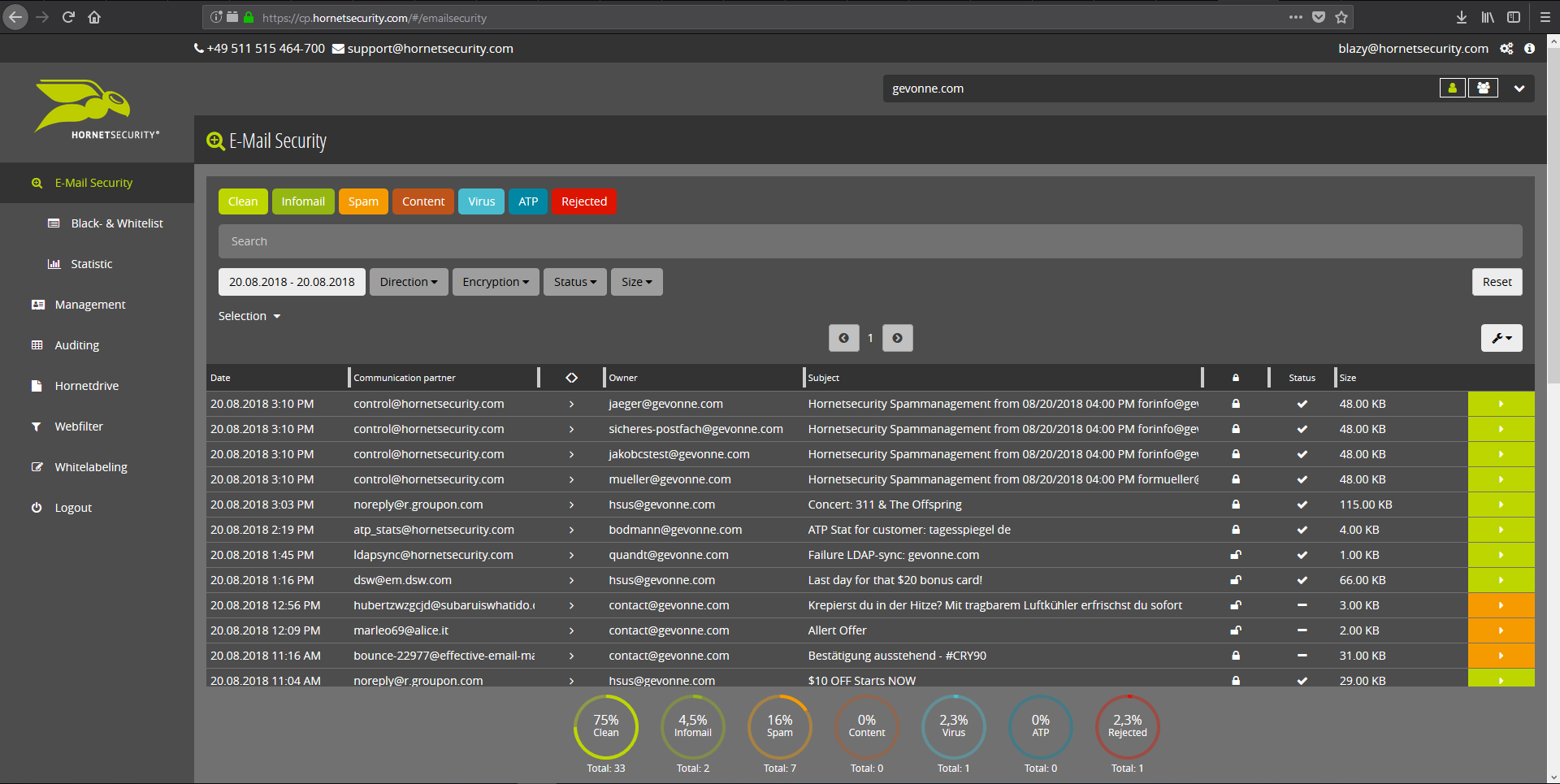
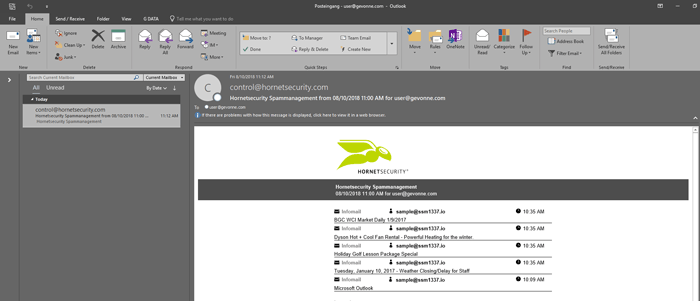
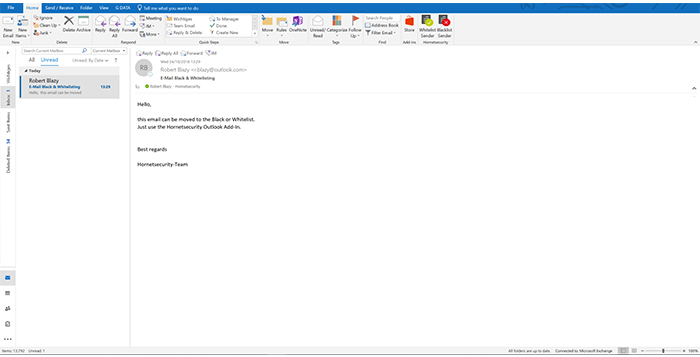
    Screenshot of Email Live Tracking with user-defined settings offers users a complete overview of all Emails addressed to them. If an incoming Email has, for example, been classified as spam, you will receive comprehensive information and can individually determine any further interaction. This means that you can always quickly find any email you are searching for and delivery options can be defined for the future.Screenshot of With the help of Infomail Handlings, the inboxes or smartphones of your users will no longer be flooded with newsletters and ad mails. Users are no longer distracted by the constant arrival of unimportant emails, thus making it easier for them to keep track of relevant business matters.Screenshot of Content Control protects your email communication from receiving or sending unwanted or unauthorized file attachments in keeping with your company policy. When running Content Control, umbrella terms and categories (e.g., .docmacro or .executable) may be blocked, for example in the default group (mailboxes that are not allocated to any particular group). For a department such as Marketing, however, the receipt of media files and macros can, on the other hand, be necessary for daily business: In this respect, one can create, for example, a group for the Marketing department and adjust the settings in Content Control so that only potentially dangerous, e.g. executable, file formats are blocked for this group.Screenshot of If an incoming email (e.g. phishing or spam mail) constitutes a threat, the attack is immediately detected by the multi-stage filter systems of 365 Total Protection. Unwanted emails are directly rejected by the Threat Blocking function or detected in later analyses by Threat Intelligence and sent straight to Quarantine. In both cases, these emails will not be delivered to your mailbox.Screenshot of If you do not want to receive emails from one or several specific senders, you can put these on your personal Blacklist. With just one click directly in your in-box the selected senders can be added to the Blacklist to prevent emails from the same sender from being delivered to you in future. If an email from a generally unobjectionable sender lands in Quarantine by mistake, thus appearing in the spam report, the “Whitelist” function can be used. Emails from senders on your Whitelist will always be delivered to your in-box in future.Screenshot of Every email sent out by a company is not only relevant to the business, but is also your company’s business card. In terms of content, a company-wide standardized structure and the completeness of signature datasets are essential. In this context, all email signatures also have the same visual design and layout. This task can also be allocated to the Marketing department or office management via the “What You See is What You Get” editor.