TrustRadius: an HG Insights company

Getscreen.me

Score9.6 out of 10

25 Reviews and Ratings

What is Getscreen.me?

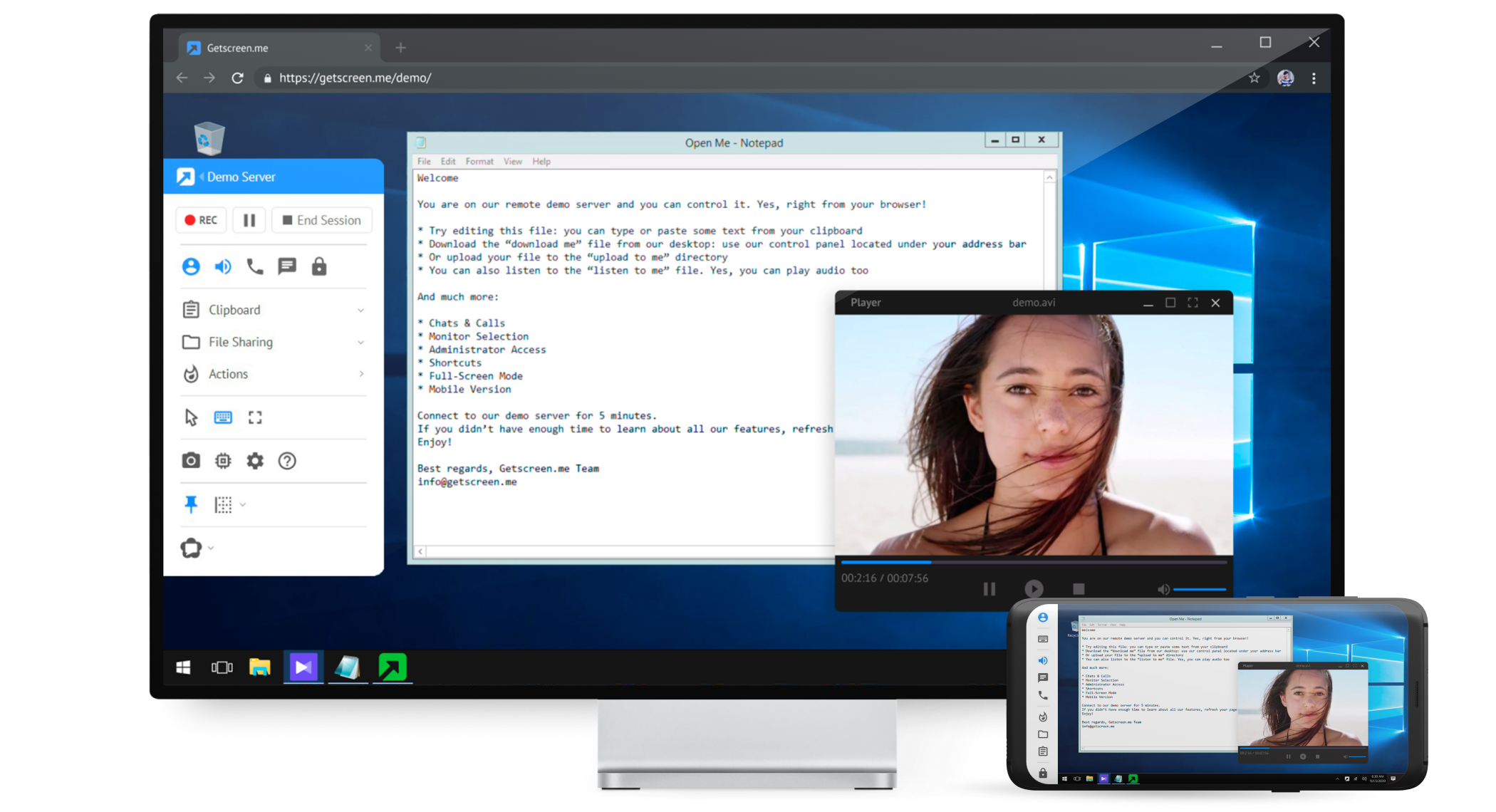
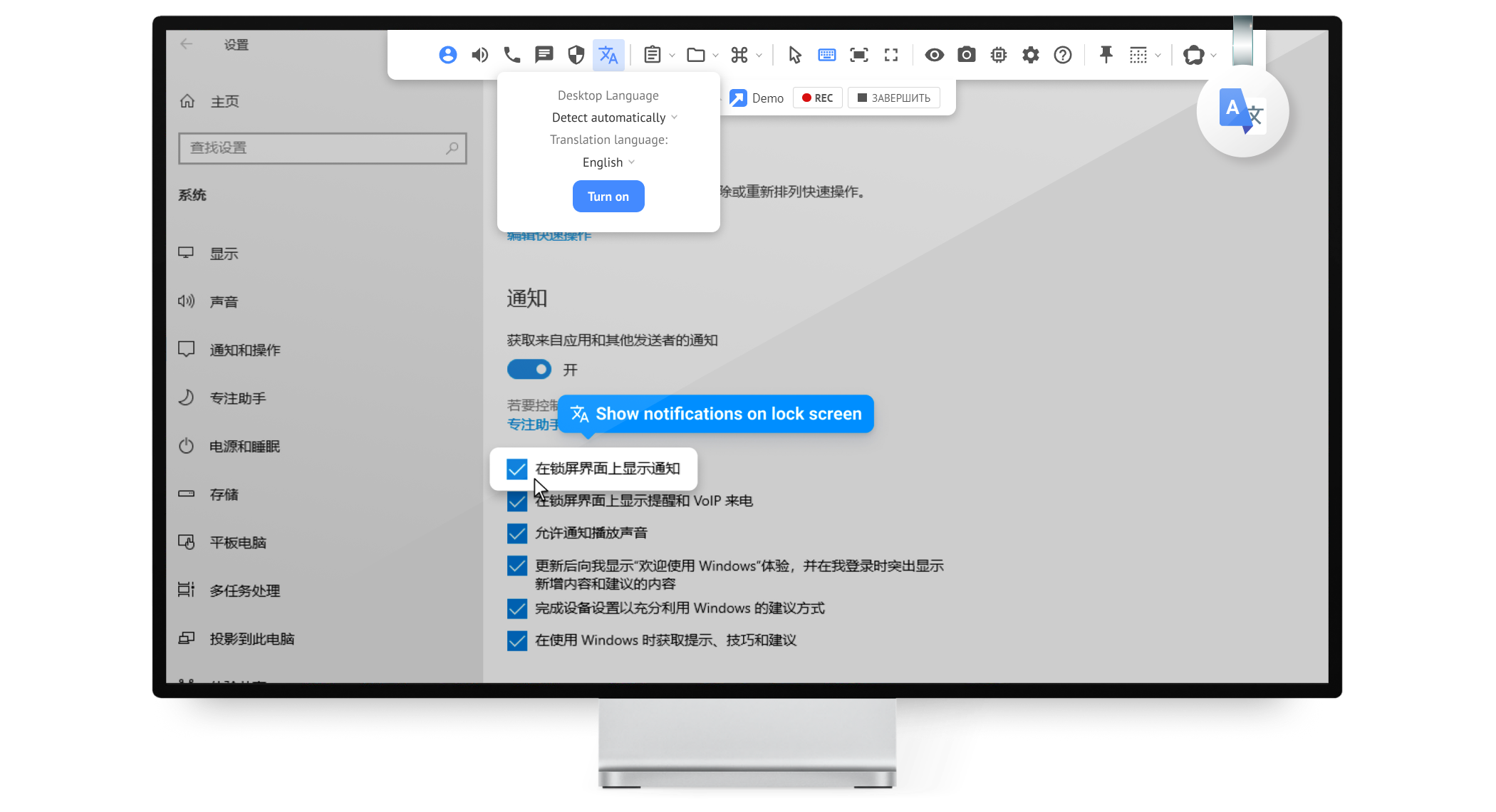
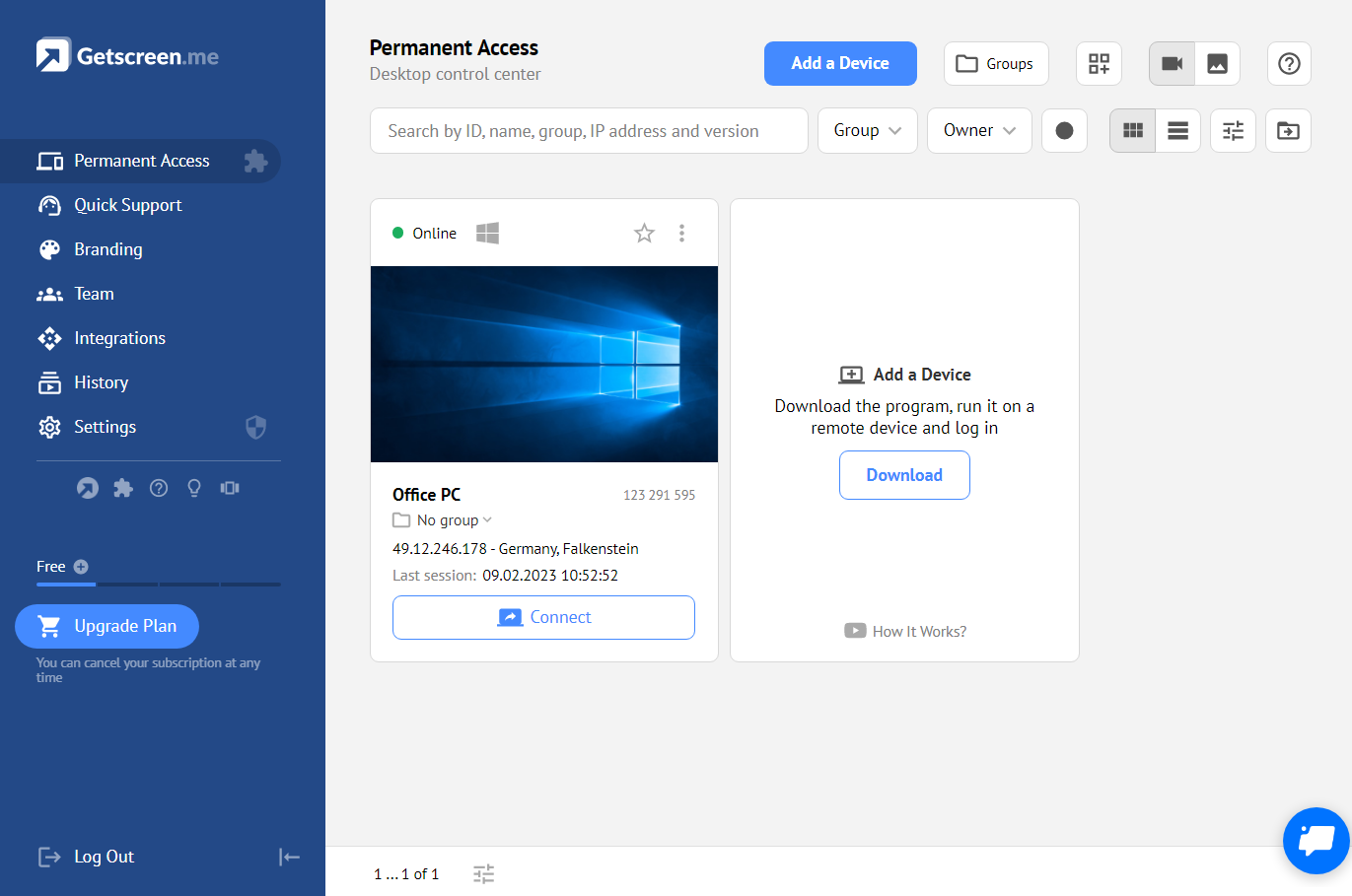
Getscreen.me is a cloud-based software for administration, technical support and remote work. Service provides remote desktop access from a browser, without any installation. It has permanent access and boasts quick support and instantaneous connection, with computers in the user's personal cabinet. The service works over the HTTPS protocol, which includes AES encryption.

Categories & Use Cases

Media

1 / 6

Top Performing Features

  • Instant message

    Ability for administrator to communicate via instant message with remote user.

    Category average: 7.3

  • Centralized management dashboard

    Dashboard to facilitate management of users, permissions, licenses etc.

    Category average: 7.5

  • Session record

    Ability to record session for training purposes.

    Category average: 6.8

Areas for Improvement

  • Multi-platform remote control

    Ability to remotely connect to multiple operating systems (Windows®, Mac OS® and Linux®).

    Category average: 6.5

  • Access to sleeping/powered-off computers

    Remote access and troubleshooting of out-of-band computers.

    Category average: 5.5

  • Initiate remote control from mobile

    Mobile application for remote controlling computers from mobile device (iOS, Android)

    Category average: 7.6

Getscreen.me is a fantastic and powerful tool for remote screen access

Use Cases and Deployment Scope

Getscreen.me is intended as a way to remotely log into customers, clients or other users screens and provide technical support. In our organization, we don't have a need to access to others' screens. But Getscreen.me does also offer a feature called "permanent Screens." Which means you can install it on any of your computers and then log in to control that computer's screen. So essentially, we use it as a tool to do remote login to our own computers in different locations (i.e. when working from home and need to log in and see the office computer).

Pros

  • Remote screen control
  • Easy to use interface
  • Fully loaded feature set

Cons

  • On a mac, better ability to trigger a hidden dock
  • Certain key commands don't work and only trigger the computer you're actually on, not the remote one.
  • Make it a little less IT focused and a bit more layman friendly with some naming and features.

Return on Investment

  • Has reduced time delays by not having access to certain things when not working in a specific location.
  • Has enabled us to quickly diagnose problems. Saving time, saves money.
  • We purchased Getscreen.me via a lifetime deal and so it has eliminated the need for another monthly subscription fee.

Usability

Other Software Used

ChatGPT, Project.co, Markup Hero

Remote Desktop Services Provided by Remote Teams

Use Cases and Deployment Scope

Our team, who works remotely, relies on Getscreen.me to offer efficient and reliable customer support. We previously used, (and in some cases still use-) TeamViewer. In addition to remote desktop support, Getscreen.me has also been useful for management of remote machines or to manually start automated processes hosted by remote machines.

Pros

  • Easy to connect to remote machine
  • Easy to identify and keep organized multiple remote machines
  • Identify availability status of remote machines
  • Multiple users
  • Easy to use, Familiar interface
  • Ability to White Label
  • Audit log and connection history are available
  • Ability to save often connected to machines

Cons

  • Initial setup could be made more intuitive
  • unable to white label user dashboard
  • requires a separate system to include notes to handoff tasks to another support agent

Return on Investment

  • Have been able to save over usage of more expensive applications.
  • Have been able to service more clients
  • Have been able to use CPU processing more efficiently

Alternatives Considered

TeamViewer

Other Software Used

BMC Helix ITSM (Remedy), Nifty, Adobe Premiere Pro

Usability

not the hero we deserve.......

Use Cases and Deployment Scope

Once upon a time, TeamViewer was awesome. Then, they decided to alienate all of their user base and price themselves out of the market. These were the dark times for small IT shops. Sure, there were other options, but nothing quite did all of the things, or the implementation was too complex, or a few dozen other reasons why there was no Goldilocks solution. Then one day, a small program decided to fight back against the darkness. Getscreen.me checked all boxes other, lesser options failed to conquer. A new hero has arrived.

Pros

  • easy connection to new clients - both one time use and permanent
  • keep computers organized
  • support remote users from any device - even a cell phone with ease
  • multiple users with different subsets of computers
  • file sharing
  • block remote keyboard and mouse / monitor if needed
  • connection log
  • custom branding and personalized quick connection link

Cons

  • connection can be laggy
  • multiple monitors do not switch quickly sometimes
  • have to switch from WebRTC to websocket or vice versa for smooth connection

Return on Investment

  • a one time payment for lifetime access
  • multiple users with separate access allows for more sensitive connections to be secure even with lots of users
  • connection from mobile device makes instant support issue resolution possible

Alternatives Considered

TeamViewer, AnyDesk, VNC Connect, Chrome Remote Desktop, ManageEngine Remote Access Plus, Microsoft Remote Desktop Connection Manager (RDCMan), Radmin Remote Administrator and SolarWinds Dameware Remote Support (DRS)

Other Software Used

Google Voice, Hyper-V

The Best Way to Monitor Your Computers and Servers Remotely

Use Cases and Deployment Scope

Getscreen.me is a handy tool for remote assistance. It runs a computer screen-sharing program that allows you to connect with another user s computer through a web browser. A web-based screen-sharing feature is a valuable tool as it enables you to see what the other party is at.

Pros

  • Remote Support
  • Server Maintenance
  • Permanent Access
  • Voice Call
  • Quick Support
  • Easy to use
  • Wake on Lan

Cons

  • more team members per account
  • admin app for iOS & Android
  • Permanent url to download Permanent Access Link

Most Important Features

  • Quick Support
  • Permanent Access
  • Wake up on Lan

Return on Investment

  • Remote working made easy
  • remote support made simple and cost effective

Alternatives Considered

TeamViewer, AnyDesk and VNC Connect

Other Software Used

TeamViewer, AnyDesk, Splashtop, Chrome Remote Desktop

Teamviewer getting too expensive? GetScreen.me helped so much.

Use Cases and Deployment Scope

Since Covid, we have staff members all over the world working from home. We used to use TeamViewer for remote support when everyone was in offices, but we had an older Lifetime license that was no longer supported. When we needed to add remote support for a lot more computers, including home workers personal PCs, we needed to roll out support quickly and without the cost of a TeamViewer upgrade.

Getscreen.me was the perfect solution. The QuickSupport feature is great for when I need to help someone on a one-off basis, and the Permanent Access feature made managing desktops and servers easy from wherever I was and saved me many drives into the office to work on servers during the pandemic. I can't overstate how easy this was to handle - both from the point of use and the deployment to replace TeamViewer.

Pros

  • Remote Support
  • File Transfers
  • Remote Training
  • Server Maintenance

Cons

  • The Deployment download changes a lot so it would be nice to have a permanent URL to grab the executable and know its the most recent version.

Most Important Features

  • Support connection grouping by department and location
  • QuickSupport for any Mac or PC

Return on Investment

  • We were dreading having to come up with the money to upgrade TeamViewer past version 11. This took that problem away.
  • Being able to assign specific connections to team members made me feel safer about using this for servers.

Alternatives Considered

TeamViewer

Other Software Used

Microsoft 365, Dropbox Business
