
TrustRadius: an HG Insights company

What is FIELDBOSS?

FIELDBOSS is a specialized Field Service Management (FSM) software solution built on the Microsoft Dynamics 365 ERP and hosted on the scalable Microsoft Azure cloud. Designed for field service businesses that require an end-to-end management platform, FIELDBOSS is designed to streamline operations, improve service efficiency, and enhance customer satisfaction. It provides businesses with a unified solution for scheduling, dispatching, work order management, asset tracking, and compliance reporting while integrating with Microsoft’s ecosystem.
Key Features

1. Comprehensive Work Order Management

FIELDBOSS simplifies the creation, tracking, and completion of work orders with a system that reduces administrative overhead. Field technicians can access detailed job information, upload photos, record notes, and capture electronic signatures directly from their mobile devices.


2. Intelligent Scheduling & Dispatching

The software optimizes scheduling with AI-driven automation, ensuring the right technician is assigned to the right job based on availability, location, and expertise. Real-time dispatching allows managers to respond quickly to emergencies and last-minute changes.


3. Mobile Access

Built with mobile-first functionality, FIELDBOSS empowers technicians with a mobile app, allowing them to update job statuses, submit reports, and communicate with dispatchers in real time. Offline mode ensures continued functionality even in low-connectivity areas.


4. Asset & Equipment Tracking

The software provides comprehensive tracking and management of assets and equipment, helping businesses maintain accurate service histories and minimize downtime. Technicians can access critical asset data, including maintenance schedules and warranty details, from the field.


5. Reporting & Analytics

With built-in Power BI integration, FIELDBOSS delivers reporting and analytics capabilities. Businesses can track key performance indicators (KPIs), identify service trends, and make data-driven decisions.


6. Automated Compliance & Safety Management

FIELDBOSS helps field service businesses adhere to industry regulations by automating compliance tracking, safety checklists, and audit reporting. Custom workflows ensure that technicians follow the proper procedures before completing a job.


7. Integration with Microsoft Dynamics 365 & Azure

FIELDBOSS is natively built on Microsoft Dynamics 365, leveraging the ERP’s CRM and financial management capabilities. Additionally, Microsoft Azure’s secure cloud infrastructure ensures high availability, scalability, and compliance with industry security standards.


Benefits

Increased Operational Efficiency

Automating scheduling, dispatching, and work order management reduces administrative workload and minimizes human errors, leading to faster service completion times and higher productivity.


Improved First-Time Fix Rates

Intelligent scheduling and real-time access to service history and technical manuals help technicians resolve issues more efficiently, reducing repeat visits and improving customer satisfaction.


Enhanced Revenue & Profitability

By optimizing resource allocation and reducing downtime, businesses experience increased job capacity, higher revenue generation, and improved margins.


Better Customer Experience

With real-time service updates, automated notifications, and digital work order completion, customers experience more transparency and improved communication, leading to higher retention and referral rates.


Scalability for Growing Businesses

Whether a business operates with a small field team or a large enterprise workforce, FIELDBOSS scales and adapts to evolving needs with flexible configurations and cloud-based accessibility.


Differentiators

Industry-Specific Customization

Unlike generic FSM software, FIELDBOSS is designed for specialized industries such as HVAC, elevators, and construction, with pre-configured workflows and compliance automation tailored to unique business needs.


Native Microsoft Integration

While many FSM platforms require third-party integrations, FIELDBOSS is built directly into the Microsoft Dynamics 365 ecosystem, ensuring seamless interoperability with Microsoft Office, Power BI, and Azure services.


Who Uses FIELDBOSS?

FIELDBOSS is used by field service companies across various industries, including:

  • HVAC & Mechanical Contractors

  • Elevator & Lift Service Providers

  • Plumbing & Electrical Contractors

  • Fire Protection & Security System Installers

  • Facility Maintenance & Property Management Companies


Conclusion

FIELDBOSS is presented as a comprehensive, industry-specific Field Service Management solution that leverages Microsoft Dynamics 365 and Azure to optimize operations, improve customer service, and drive business growth. With automation, mobile access, and advanced analytics, FIELDBOSS enables field service businesses to stay ahead of the competition while delivering high-quality service. Whether scaling a growing enterprise or improving operational efficiency, FIELDBOSS ultimately aims to provide the technology foundation for success in the field service industry.

Media

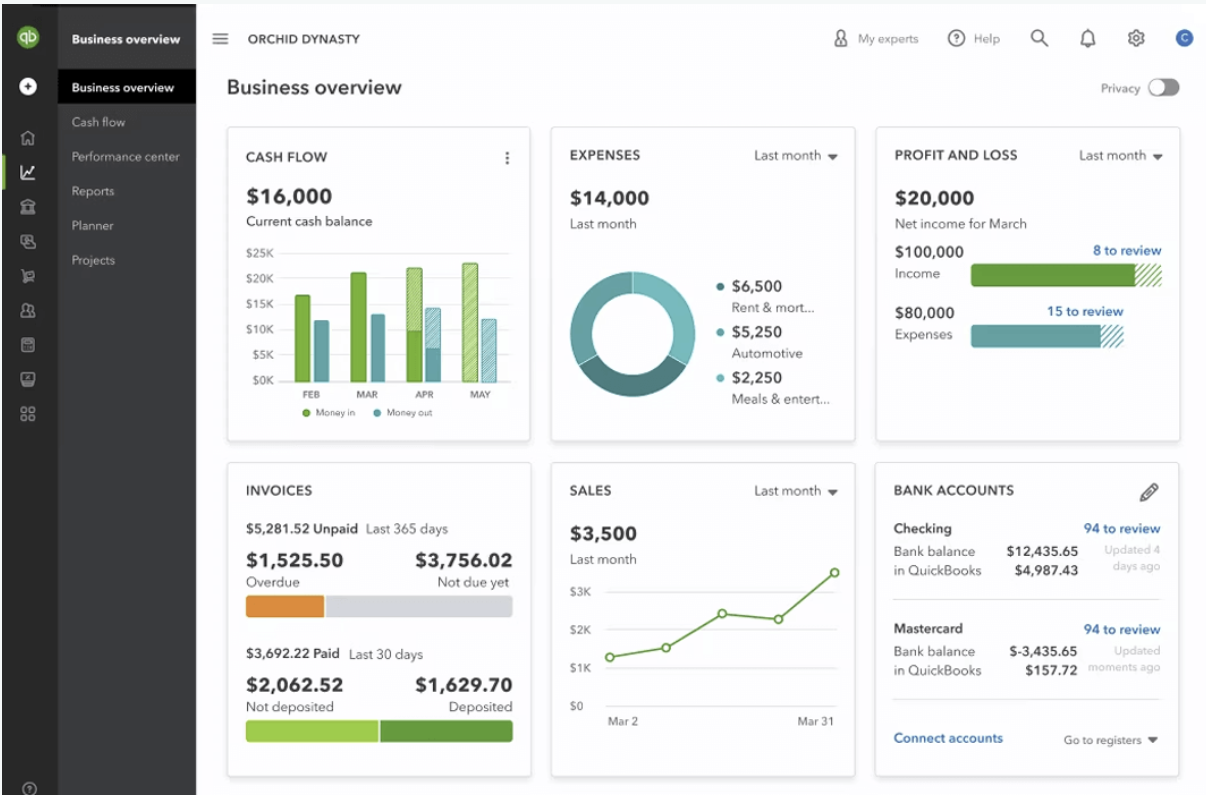
the FIELDBOSS dashboard as shown with Quickbooks integration
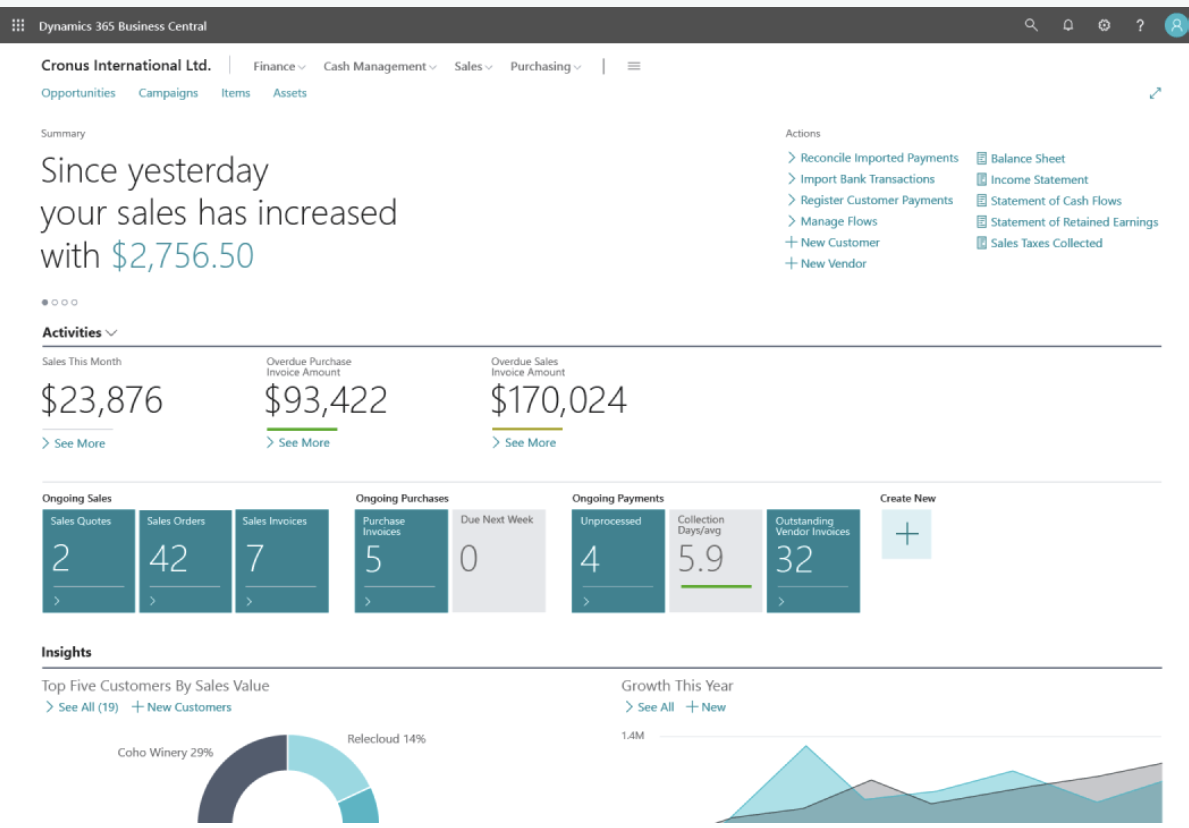
the FIELDBOSS dashboard as shown with Microsoft Dynamics 365 Business Central integraiton
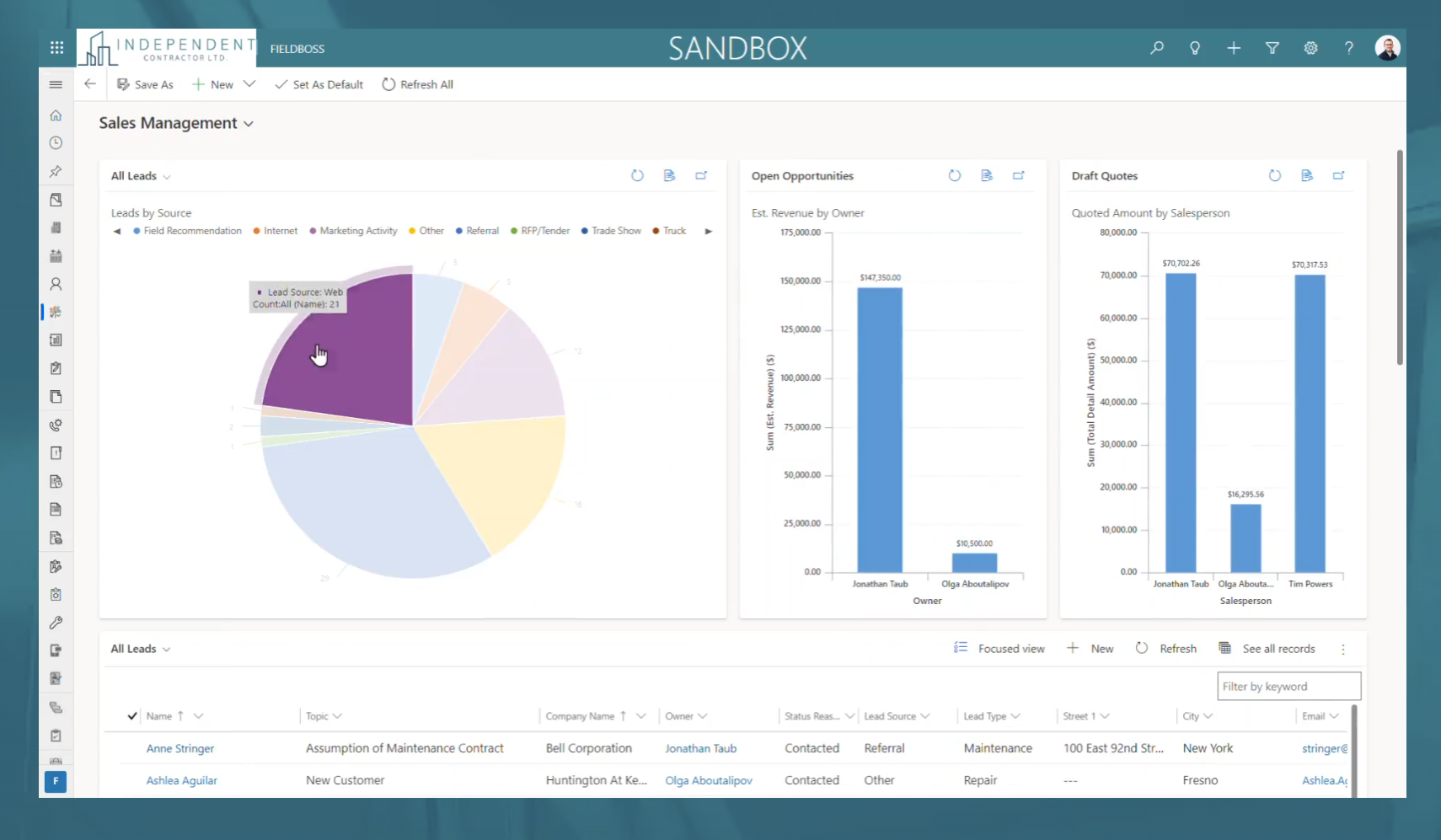
FIELDBOSS example reporting

1 / 3

Success in Partnering with FIELDBOSS

Use Cases and Deployment Scope

We have been lucky to be a partner with FIELDBOSS for the

last nine years. As a small elevator company, the solution has provided us with

the ability to transform the way we do business. Visibility is key in this

industry. With the use of mobile access and real-time contact with our

technicians, unlimited reporting variation, and automation we have been

able to make impactful business decisions that drive success,

productivity, and increased customer satisfaction. Our partnership

with FIELDBOSS is one of complete trust. I often refer to them as part of our

business family, as our success is a direct reflection of what their product

can do.

Pros

  • Automation of processing multi-level tasks
  • Real-time data and communication
  • Users being able to create customized views and reports
  • Evolving and updating their solution
  • Top-notch support service, even in a pinch

Cons

  • Payroll processing
  • User set-up and maintenance

Return on Investment

  • Increased productivity
  • Identifying potential risks
  • Monitoring business trends and adapting to a changing environment

Usability

Other Software Used

Microsoft Dynamics GP
