
TrustRadius: an HG Insights company

Entrinsik Informer

Score10 out of 10

87 Reviews and Ratings

What is Entrinsik Informer?

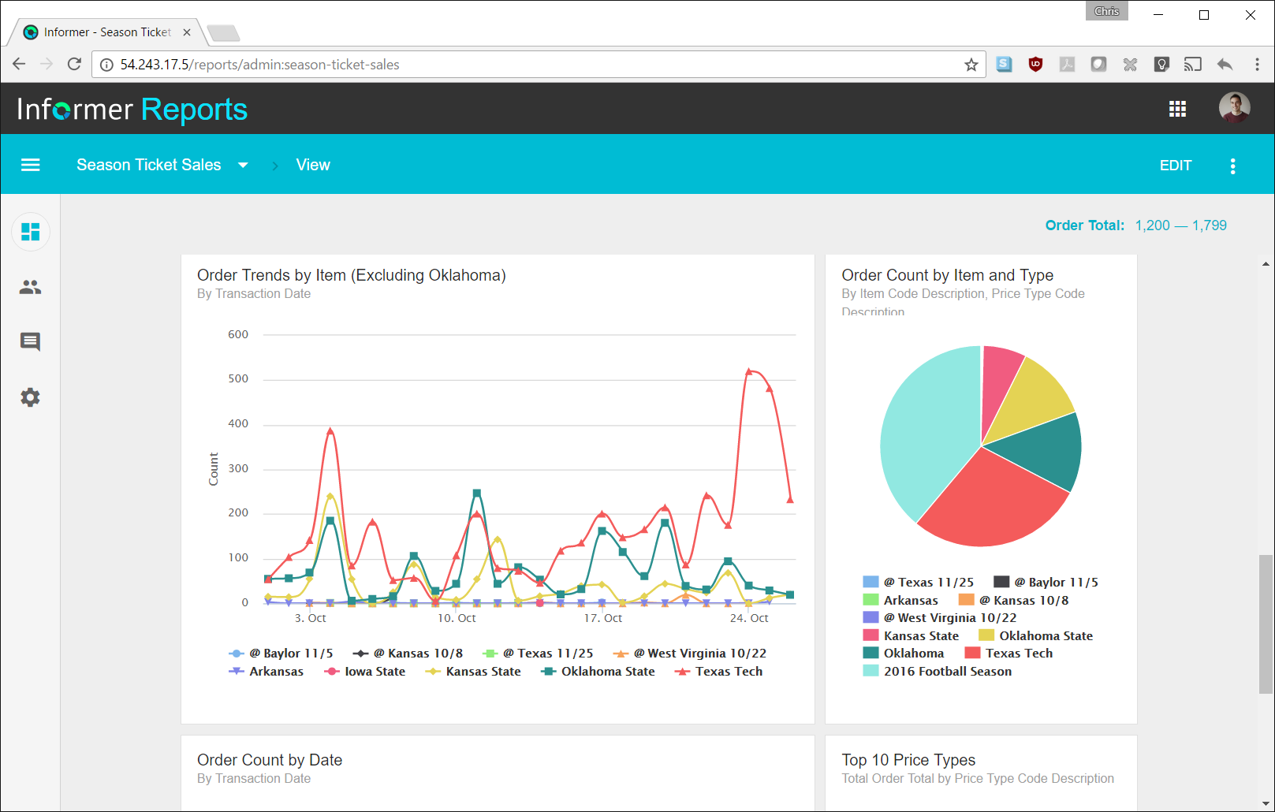
Entrinsik Informer is a web-based reporting and business intelligence application popular in the higher education vertical market. It helps organizations transform real-time data into actionable information by delivering ad-hoc reporting, data analysis, and interactive dashboards.

Media

Entrinsik Informer
Entrinsik Informer
Entrinsik Informer

1 / 3

Top Performing Features

  • Customizable dashboards

    Customizable dashboards are dashboards providing the builder some degree of control over the look and feel and display options.

    Category average: 8.5

  • Drill-down analysis

    Drill down analysis is the ability to get to a further level of detail by going deeper into the hierarchy.

    Category average: 8.4

  • Report sharing and collaboration

    Report sharing and collaboration is the ability to easily share reports with others.

    Category average: 8.6

Areas for Improvement

  • Pre-built visualization formats (heatmaps, scatter plots etc.)

    Pre-built visualization formats are canned visualization types that can be selected to visualize different kinds of data.

    Category average: 8.1

  • Location Analytics / Geographic Visualization

    Location analytics is the visualization of geographical or spatial data.

    Category average: 8

  • Pixel Perfect reports

    Pixel Perfect reports are highly-formatted reports with graphics and ability to preview the report before printing.

    Category average: 8.2

Entrinsik Informer - start your auto-magic experience today!

Use Cases and Deployment Scope

Having Informer is like having EXTRA staff for each departments. It takes care of all reporting needs - for monitoring, mandatory, state, periodic reports - Reports are scheduled and thus, emailed or posted on website automatically.

Pros

  • Reports for Positive Pay, Financial Aid, A/R, Payment Plans
  • Waitlist, DREG, REG Priority, Positive Attendance, Rosters
  • LDAP, Blackboard upload files, Library Systems, Bookstore, @mycod.us
  • Counseling/Advising, SEP, Degree Audit
  • EMS, CFAR, Grades First,
  • Live Excels - Room Schedules, Pre-Req Roster, Grading Requirements (PE)
  • MIS Reports
  • IT Security Reports, Electronic Foot prints
  • Automatic Reports - posted directly to websites

Cons

  • Dashboard Functionality
  • Delivered Reports & Sample Reports, Subroutines, Functionality Repository of Know-How
  • Data Schema - to read and establish Relational Database Relationships automatically

Return on Investment

  • Ease on reporting from multiple-sources
  • Automated Extract and Posting
  • Ability to use Data Lakes vs LIVE Data - to avoid bottle necks
  • Up-to-date security and software patches
  • Excellent Support Team!

Alternatives Considered

iDashboards Enterprise Suite, IBM Cognos Analytics and IBM SPSS Statistics

Other Software Used

Ellucian Colleague, Laserfiche, ConexED

Usability

TOTAL GAME CHANGER!

Pros

  • Gathers live data
  • Automatic scheduled reports
  • Delivery of scheduled reports via email
  • Allows customization of reports and data

Cons

  • Making it easier to find the needed information within the mapped dataset (currently can be like a needle in a haystack)
  • Increase the number of individual reports that can be scheduled at the same time
  • A way to create reports with calculations that do not require the user to enter code

Return on Investment

  • It has saved countless hours of manual work
  • We have saved a salary by not having to hire someone to handle the multitude of reports we need for our business
  • We can know at any point where we are in relation to achieving our business goals

Other Software Used

Microsoft Excel, Microsoft Teams

Usability

Informer, people are using and loving it without realizing they are using it.

Pros

  • Allows the creation of custom fields using JavaScript to provide end users with data directly without the need to do post calculations or cleanup. Many times the results required need a calculation based on the data or a field that is not available for query so being able to code the data into the results helps end users run their reports on their schedule without having to work with a technician.
  • The scheduling functionality allows different departments and users to plan ahead for their needs and either export or email the results. Scheduled reports comes in very handy when you need to export the data to third party companies or to a network location for batch processing. This allows us to provide current data with much more frequency.
  • LiveExcel functionality gives you the ability to connect your query to Microsoft Excel so users do not need to log into the product to run the results. This also allows the creation of VBA Macros to process the data and provide users with the final product on demand.

Cons

  • The product has had its growing pains as newer versions have come out. The transfer of old queries to the newer systems has caused some duplication of mapped files or fields and they have not come up with a tool yet to help merge these duplication.
  • Wish they had better internal reporting so I could easily find the different reports that are using links and the fields they are linking with.
  • I have noticed, being an admin, that the more connections and reports that are available the slower the system becomes when opening it. It would be nice to have nothing come up first and then show more once I drill into the area I want.

Alternatives Considered

Datatel Query Builder

Drowning in Ad-Hoc Reports? Get Entrinsik Informer!

Pros

  • Informer is pretty user-friendly. When teaching other employees how to use Informer, I typically don't have to repeat any steps or further explain how to do certain tasks because of how user-friendly it is.
  • Reports in Informer are kept in a list that can be filtered by user, specific tags, or even by how recent the report was made or run. This makes it very quick and easy to find and run a specific report.
  • Informer has many options for downloading the report output, including text (txt), comma separated values (csv), and even PDF.

Cons

  • There are a lot of reports that we have in Informer that say they have never been run, even though I know they have been run. So that makes it really difficult to determine which reports can be deleted to keep a tidy report list.
  • The only other complaint I have about Informer is that there doesn't seem to be a properly detailed error code/message when the student information system can't be accessed. For example, I am currently trying to move Informer to its own standalone server and I get an error message saying that our license isn't valid. Informer Support sent a new license, which prompted the same message, and the only explanation they have given me is that Informer can't reach the student information system. I would think that if that were the case, the error message would say that instead of an invalid license.

Other Software Used

Dean Evans and Associates Event Management Software, Synoptix

Great Product and Awesome Support!

Pros

  • The ability to schedule using various methods of delivery or on-demand reporting to users in a secure way - Giving users access to the data source and selection and parameters that return what they need to see, but nothing more.
  • The ability to report and link on multiple data sources and types. This makes it far easier for use to link SQL Data with U2 Data and provide functional reporting and analytics without having to create a warehouse in between.
  • Support and Enhancements. They are always providing great things and the releases are far more stable than most other software that is released.

Cons

  • That is pretty difficult as we built the ROI on Informer solving a specific set of roles in the company. It has far exceeded the initial and current specifications, so we couldn't be happier.
  • If I had to pick one thing, it would be to have employees geared to a specific industry for deployment and integration, but they have done a far better job than the others playing in the same ballpark.

Return on Investment

  • Initial ROI was met by having a reporting system that didn't take a huge chunk of resources from the system or Information Technology. The ability to schedule parameterized reports that go out to much of our staff on a weekly and monthly basis.
  • Over time, we found more creative ways to utilize some of the live excel aspects of reporting to build analytical and graphical based reporting and forecasting.
  • The ability to utilize native U2 commands, lists made it easier to port existing reporting and knowledge.