TrustRadius: an HG Insights company

azendoo

Score3.1 out of 10

6 Reviews and Ratings

What is azendoo?

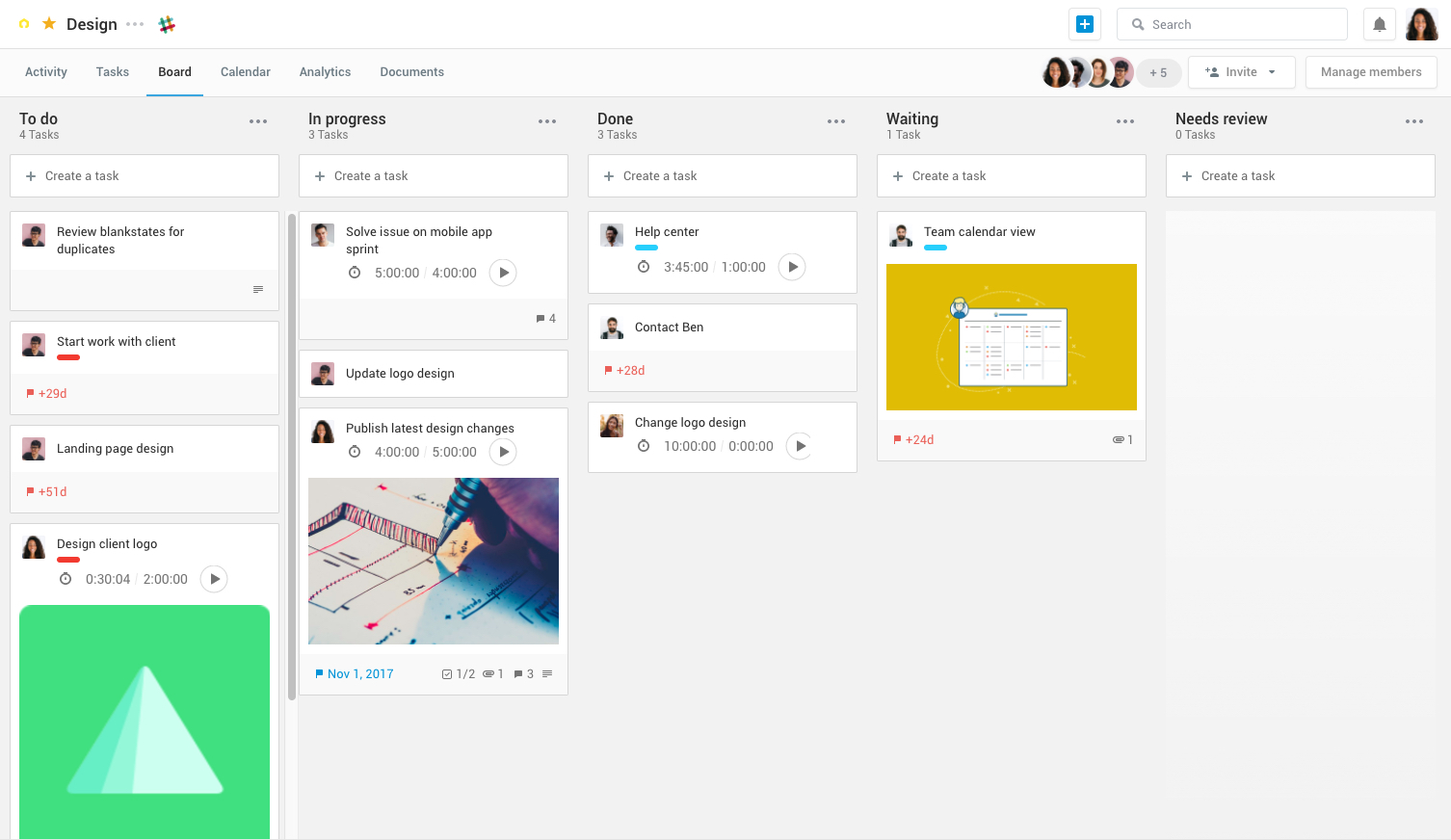
Azendoo is a work management application to help teams work more effectively by giving them the tools to communicate, plan and execute together. Azendoo is designed to make teams collaborate in a more transparent and positive way while making work more enjoyable.


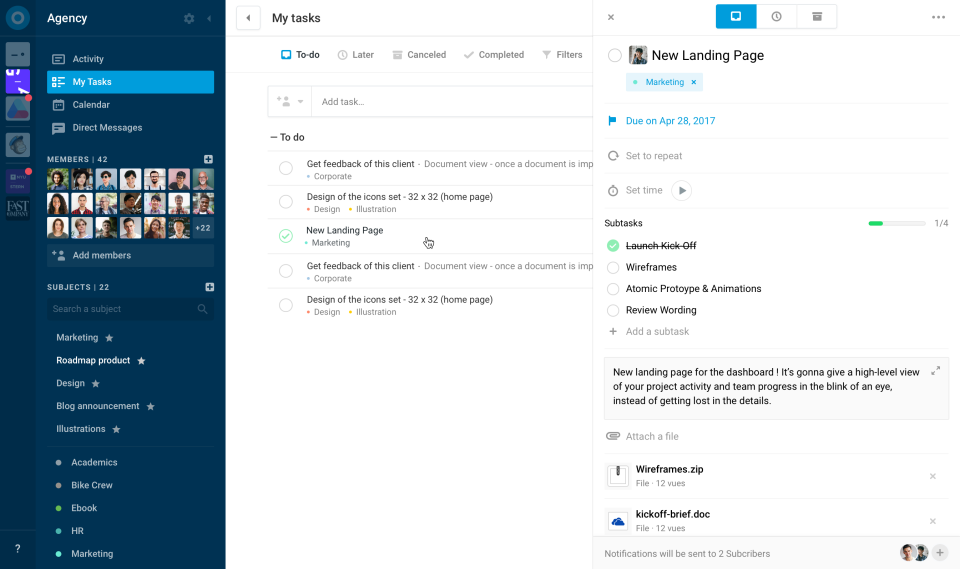
Conversations are held in threads shared on projects to see through every piece of information and eventually take action by creating a task based on a conversation. Tasks allow team members to see all of their work in one place, and shared task lists help organize group projects. Dashboards make reporting on projects easier and Time Tracking is available for budgeting and performance evaluation.


Azendoo integrates with popular work tools such as Zapier, Dropbox, Google Drive, Evernote, Box, OneDrive, Slack and more.


Categories & Use Cases

Media

1 / 4

Top Performing Features

  • Resource Management

    Resource management is workload planning to maximize resources.

    Category average: 8.6

  • Team Collaboration

    Team collaboration capabilities let team members work directly with each other and provide team updates.

    Category average: 9

  • Integration with accounting software

    Real-time, two-way sync with accounting or financial software to facilitate project and financial reporting

    Category average: 8.3

Areas for Improvement

  • Mobile Access

    Mobile access is the ability to access the software from a smartphone or tablet.

    Category average: 8

  • Budget and Expense Management

    Budget and expense management provides the capability to track all expenses by employee or department and link them back to department. It also enables hourly rates to be set.

    Category average: 8.5

  • Scheduling

    Scheduling capabilities allow users to set schedules on tasks, and create timelines and milestones.

    Category average: 8.2

A solution to carry out collaboration and project planning

Pros

  • It is ideal for collaborative work since it allows the exchange of information and knowledge in a very simple way.
  • Its interface is very friendly and easy to use.
  • It offers really adequate characteristics to carry out project management.
  • The support team is really attentive and prepared and if you have any questions, they will respond immediately.
  • It is a software that grows every day so any problem can likely be solved in a brief way.

Cons

  • Despite being integrated with Google Calendar, this integration presents some inconveniences, so working with them together is not very convenient.
  • It requires fairly stable internet access to avoid a slow connection with your platform.
  • When performing searches, it must be done within the limit of work since otherwise no results are found.
  • Its cost can be high but I think it's worth it.
  • It is necessary to introduce it to the team slowly so that they can adapt to the software and thus get the most out of it.

Return on Investment

  • Azendoo has really been an advantage to our company because, thanks to its features that make communication much more feasible and direct, business productivity has increased.
  • The support team is really very attentive so we have not had any problems left unsolved. That has prevented us from delays in project deliveries.

Alternatives Considered

Trello

Other Software Used

Wrike, AWS Cloud9, AWS WAF

Not a bad way to search for a zen (to) do...

Pros

  • Categories - Azendoo sorts to do lists into workspaces in a way that was relatively helpful.
  • Expandable - there are lots of ways to apply/implement azendoo that makes them useful and flexible to those after a productivity app.
  • Shareable - while no one at my office adopted it, the option to share tasks/progress was helpful.

Cons

  • Not cost effective - I can get similar features for less.
  • Clunky - my phone/web apps did not always sync together perfectly.
  • Premium features in azendoo are some features I can get for free in other apps (Evernote, Asana, etc).

Return on Investment

  • I found myself frustrated at some of the costs to upgrade for features and found better outlets.
  • It wasn't totally necessary as I was the only user in the office.
  • It was useful, but it was also another thing to manage, and it was easier to just use Evernote's list feature in the end.

Alternatives Considered

Evernote

Other Software Used

Evernote, Google Drive, Dropbox

azendoo: Great user interface, app, and Google Drive integration

Pros

  • Software Updates - The azendoo interface is constantly being updated with new features which are helpful to our organization. For example, they just rolled out the ability to assign subtasks, so that we don't have to manually update the assignee on each step of a large, multi-step task.
  • Email Notifications - azendoo provides complete customization over the amount of notification emails you receive. Some of us prefer to be emailed with each update made within a task, whereas others prefer just a once-daily notification email.
  • Levels of organization - azendoo provides many tiers of structure within the platform, making it easy for us to layer levels of detail for a single project. For example, at the workspace level we can define where our teams "live" on azendoo, and at the subject level we can categorize projects for tracking purposes. With the new addition of subtasks, we now have an additional layer of organization which helps us keep track of where a task is at in its lifecycle.

Cons

  • Search Function - I consistently find it difficult to find old tasks where I don't immediately know the subject to which it belongs. I would appreciate more advanced search capabilities and a stronger search function in general.
  • Message Feature - We just don't use this feature at our organization, because it's not very robust. We'd prefer more of a "chat" like function, with a pop-up window (something similar to Slack).

Return on Investment

  • azendoo's integration with Google Drive has been valuable to our organization, as we are heavy users of Drive. We've been able to seamlessly attach documents to tasks which has been very helpful from a collaboration perspective.
  • Training new team members - It's relatively easy to get new team members up-to-speed on what's going on in the department, as they can just log into azendoo and catch up on all of our existing projects and things coming down the pipeline.
  • App - azendoo's mobile app has been great for keeping up with progress on items while many of us are out of office or working away from the office. The app has a great user experience and is much easier than keeping tabs via email.

Alternatives Considered

Basecamp