WhenToWork vs. Workday Workforce Management

Overview
ProductRatingMost Used ByProduct SummaryStarting Price
WhenToWork
Score 9.0 out of 10
N/A
WhenToWork is employee scheduling application from the California-based company of the same name.N/A
Workday Workforce Management
Score 8.8 out of 10
N/A
Workday Workforce Management is a workforce operations software that integrates HR, time, and scheduling data, to eliminate disjointed processes that halt day-to-day operations. Consistent with a worker-first approach, Workday provides mobile-first access to personalized pay, time, and schedules, giving workers frictionless on-the-go access. This helps overcome difficulties in retaining workers and keeps them engaged in a competitive labor…N/A
Pricing
WhenToWorkWorkday Workforce Management
Editions & Modules
No answers on this topic
Offerings
Pricing Offerings
WhenToWorkWorkday Workforce Management
Free Trial
NoNo
Free/Freemium Version
NoNo
Premium Consulting/Integration Services
NoNo
Entry-level Setup FeeNo setup feeNo setup fee
Additional Details
More Pricing Information
Community Pulse
WhenToWorkWorkday Workforce Management
Features
WhenToWorkWorkday Workforce Management
Payroll Management
Comparison of Payroll Management features of Product A and Product B
WhenToWork
-
Ratings
Workday Workforce Management
9.3
4 Ratings
12% above category average
Pay calculation00 Ratings9.94 Ratings
Support for external payroll vendors00 Ratings8.82 Ratings
Off-cycle/On-Demand payment00 Ratings9.72 Ratings
Benefit plan administration00 Ratings9.94 Ratings
Direct deposit files00 Ratings9.94 Ratings
Salary revision and increment management00 Ratings9.94 Ratings
Reimbursement management00 Ratings7.01 Ratings
Best Alternatives
WhenToWorkWorkday Workforce Management
Small Businesses
7shifts
7shifts
Score 9.9 out of 10
Dayforce Powerpay
Dayforce Powerpay
Score 9.5 out of 10
Medium-sized Companies
PowerDMS by NEOGOV
PowerDMS by NEOGOV
Score 7.0 out of 10
Paypro Workforce Management
Score 9.7 out of 10
Enterprises
Zoho People
Zoho People
Score 8.4 out of 10
Infor Human Resources
Score 7.1 out of 10
All AlternativesView all alternativesView all alternatives
User Ratings
WhenToWorkWorkday Workforce Management
Likelihood to Recommend
9.0
(3 ratings)
10.0
(4 ratings)
Usability
-
(0 ratings)
10.0
(2 ratings)
Support Rating
10.0
(2 ratings)
-
(0 ratings)
User Testimonials
WhenToWorkWorkday Workforce Management
Likelihood to Recommend
WhenToWork
WhenToWork is he very cost-effective solution that gives our team the capabilities they need without having to leverage in a much more developed workforce management solution. It allows us to manage role-based permissions that support multiple unique teams, supervisors, QA members, and contact center agents. All users can interact with the system on desktop or mobile.
Read full review
Workday
Workday is well suited as am employee because it allows me to easily access pay and goal-setting information at a large org. It also made the process of getting hired and initially onboarded simple. I imagine it could be less helpful at a smaller organization where people have more direct access to folks in payroll
Read full review
Pros
WhenToWork
  • WhenToWork utilizes templates that make scheduling a breeze.
  • WhenToWork allows the user to "drag and drop" entries for quick changes.
Read full review
Workday
  • Collaborate with HR on completed tasks
  • Review and Submit Timesheets for staff
  • Submit personal time off for supervisors to review and approve or decline.
Read full review
Cons
WhenToWork
  • The mobile app is too restrictive and could use a makeover.
  • Would like the program to remember defaults (ie. "my positions", etc.)
Read full review
Workday
  • Cost
  • Requires HRIS Personnel
  • Implementation Time
Read full review
Usability
WhenToWork
No answers on this topic
Workday
The way that the menus are laid out into Home, Personal, Organization, and more makes it fairly simple to find what you are looking for even if you do not know exactly where to find what you are looking for. The "Timely Suggestions" and other recommended tasks also elevate important tasks to your attention
Read full review
Support Rating
WhenToWork
WhenToWork has an easy-to-access and comprehensive Help feature that gives the user quick answers. The tutorials are also a very helpful training tool for the new user.
Read full review
Workday
No answers on this topic
Alternatives Considered
WhenToWork
WhenToWork is much more cost-effective for our team size than other comparable workforce management solutions. It offers many of the same features, like role-based permissions, and mobile access, as the other much more expensive options. We are able to meet our needs across multiple unique contact center teams, with many different levels of access, and still have a cost-effective solution we have used for many years.
Read full review
Workday
Workday is much easier and simpler to use. It's very straightforward and easy to train people on.
Read full review
Return on Investment
WhenToWork
  • N/A. Not a manager, just a user.
Read full review
Workday
  • More staff felt comfortable using Workday Payroll and Workforce Management to complete tasks
  • Having a mobile app made it possible to submit or approve hours when you're on the go and not at your desk in front of a computer.
  • Because of the mobile app, it made it easier for student worker to submit their time when they are at home.
Read full review
ScreenShots

Workday Workforce Management Screenshots
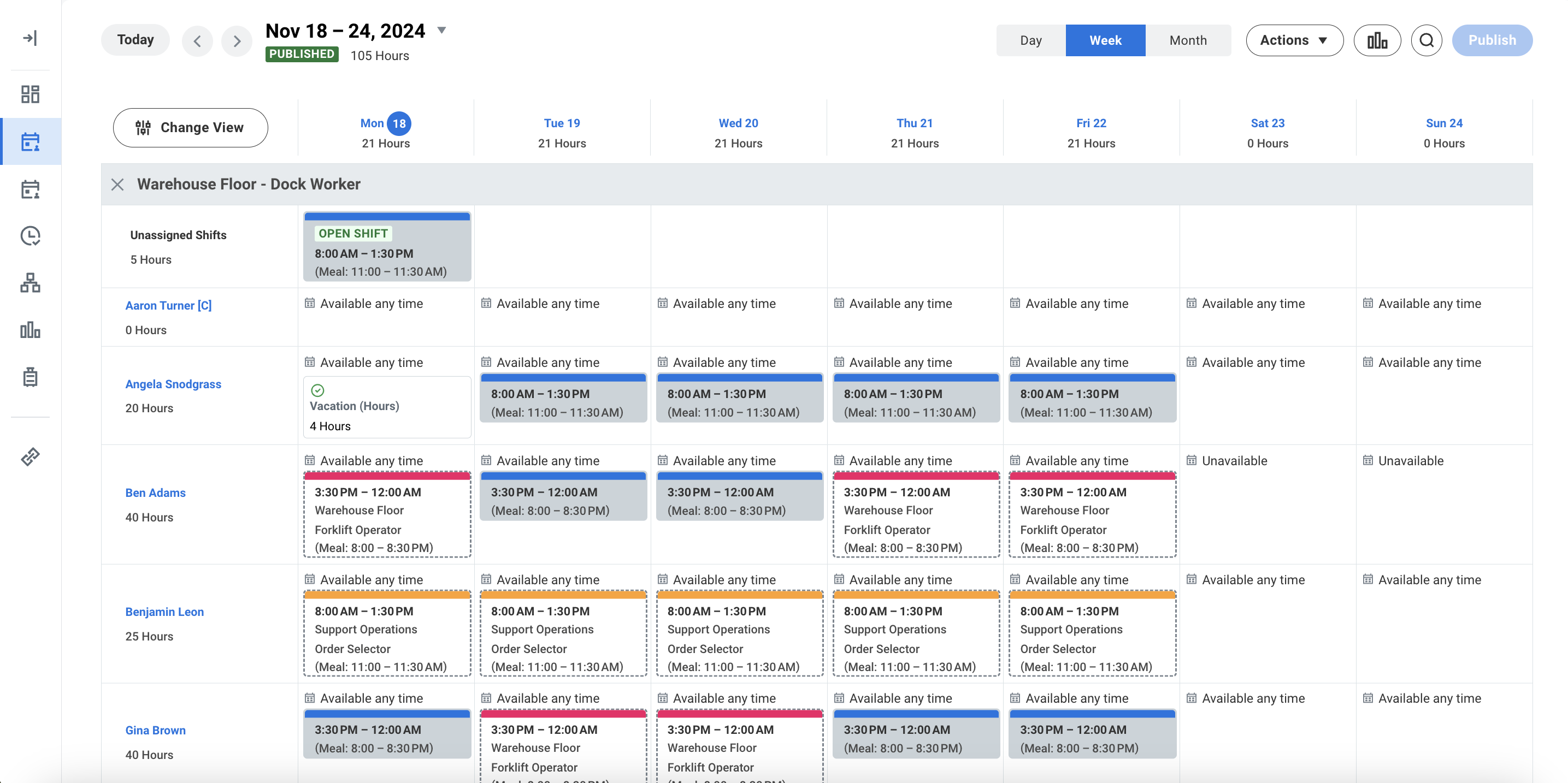
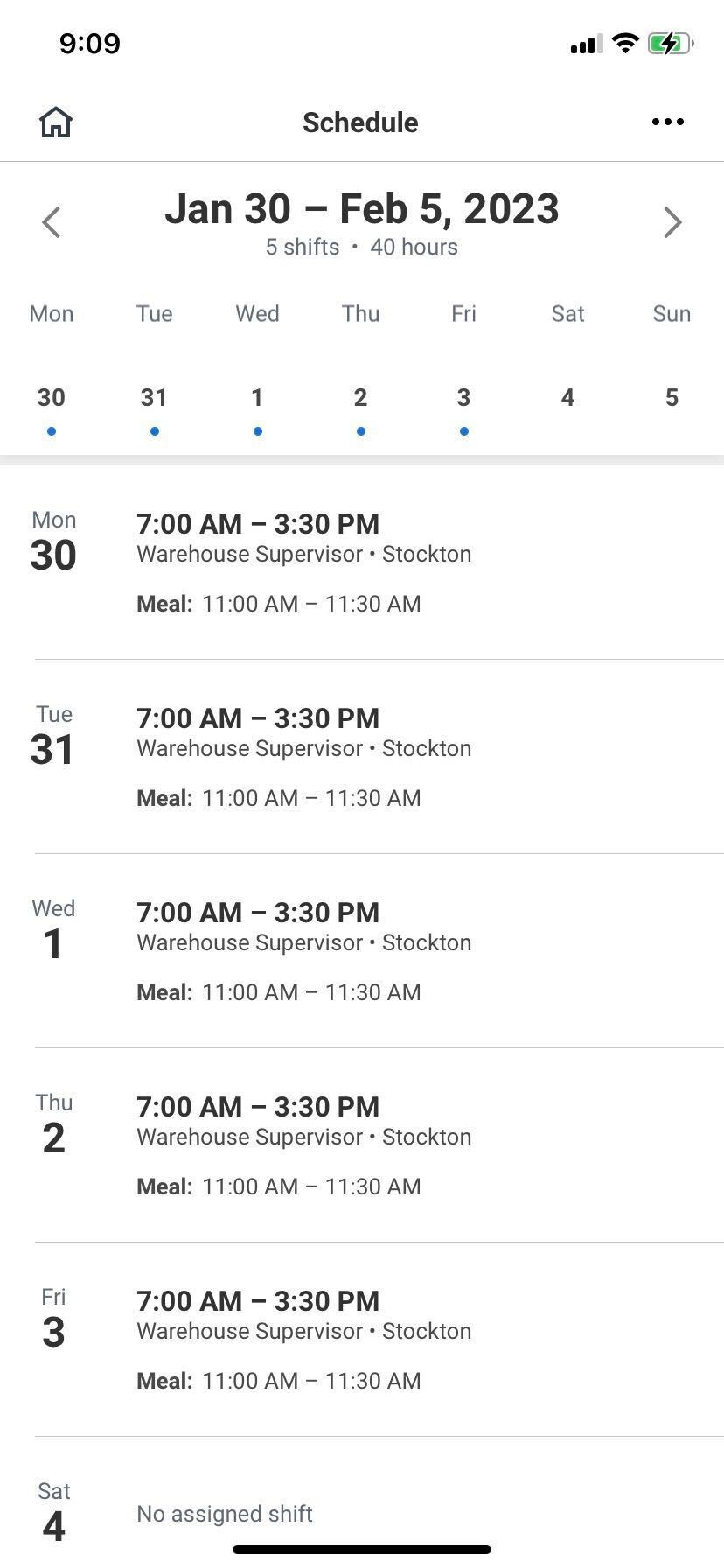
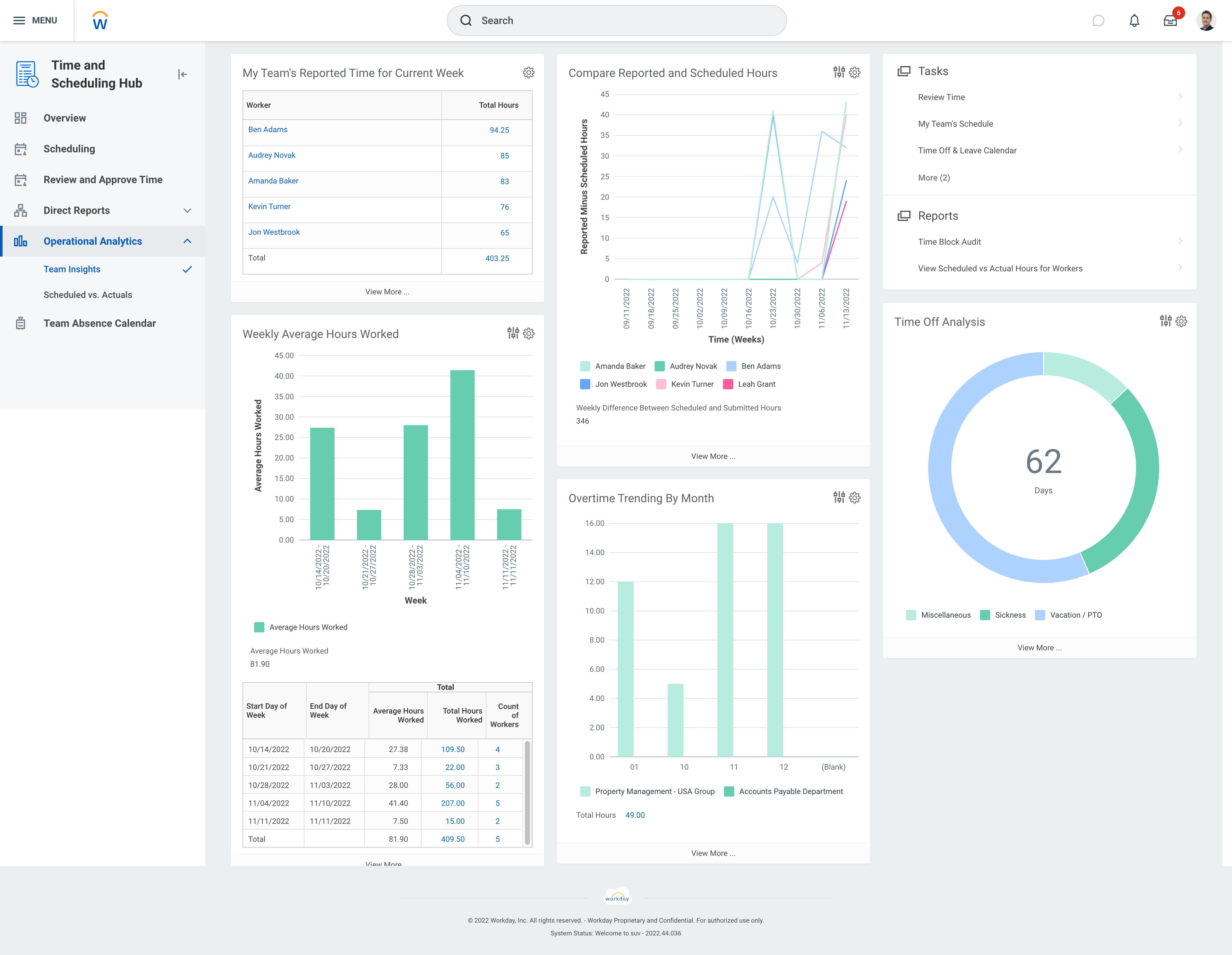
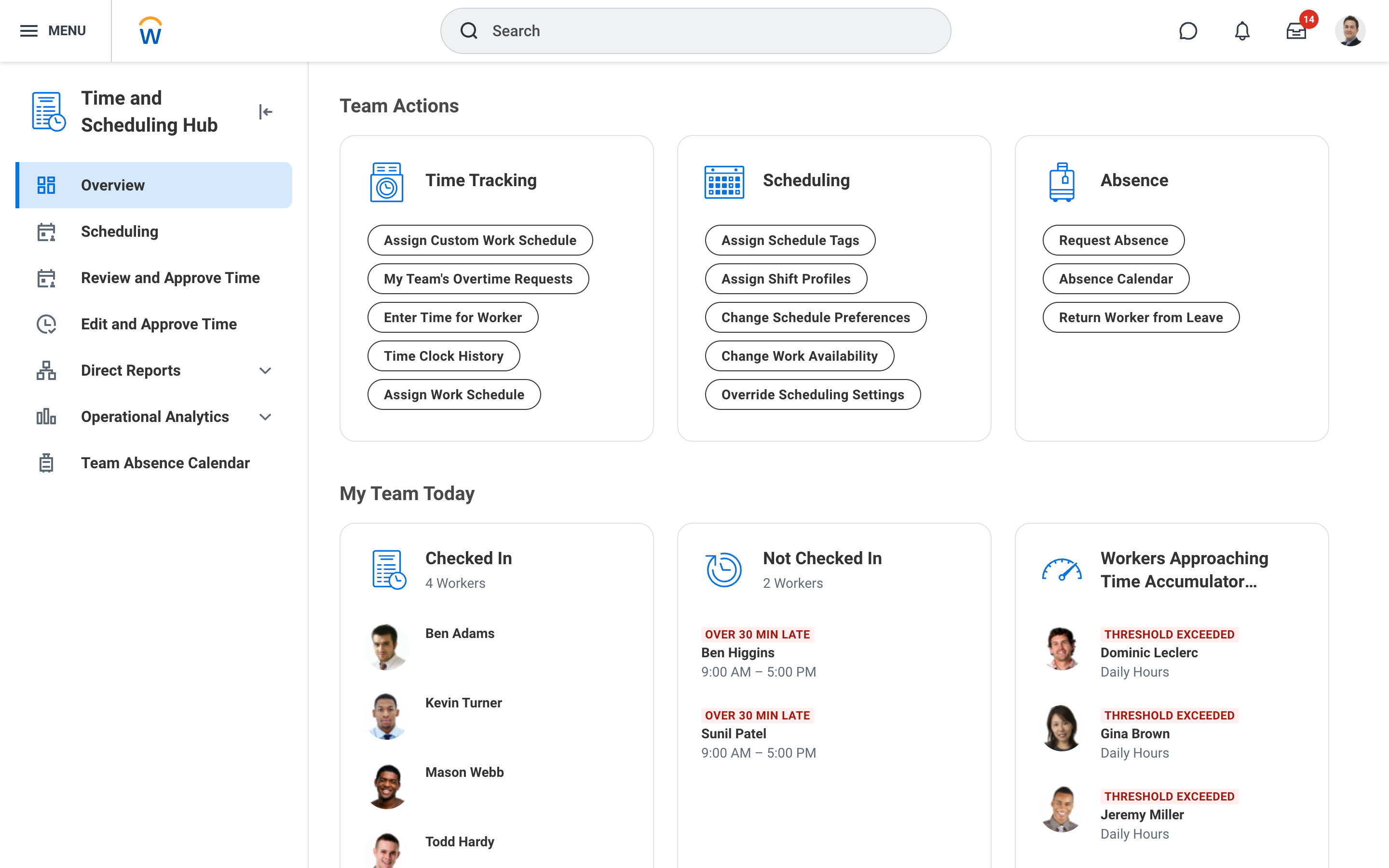
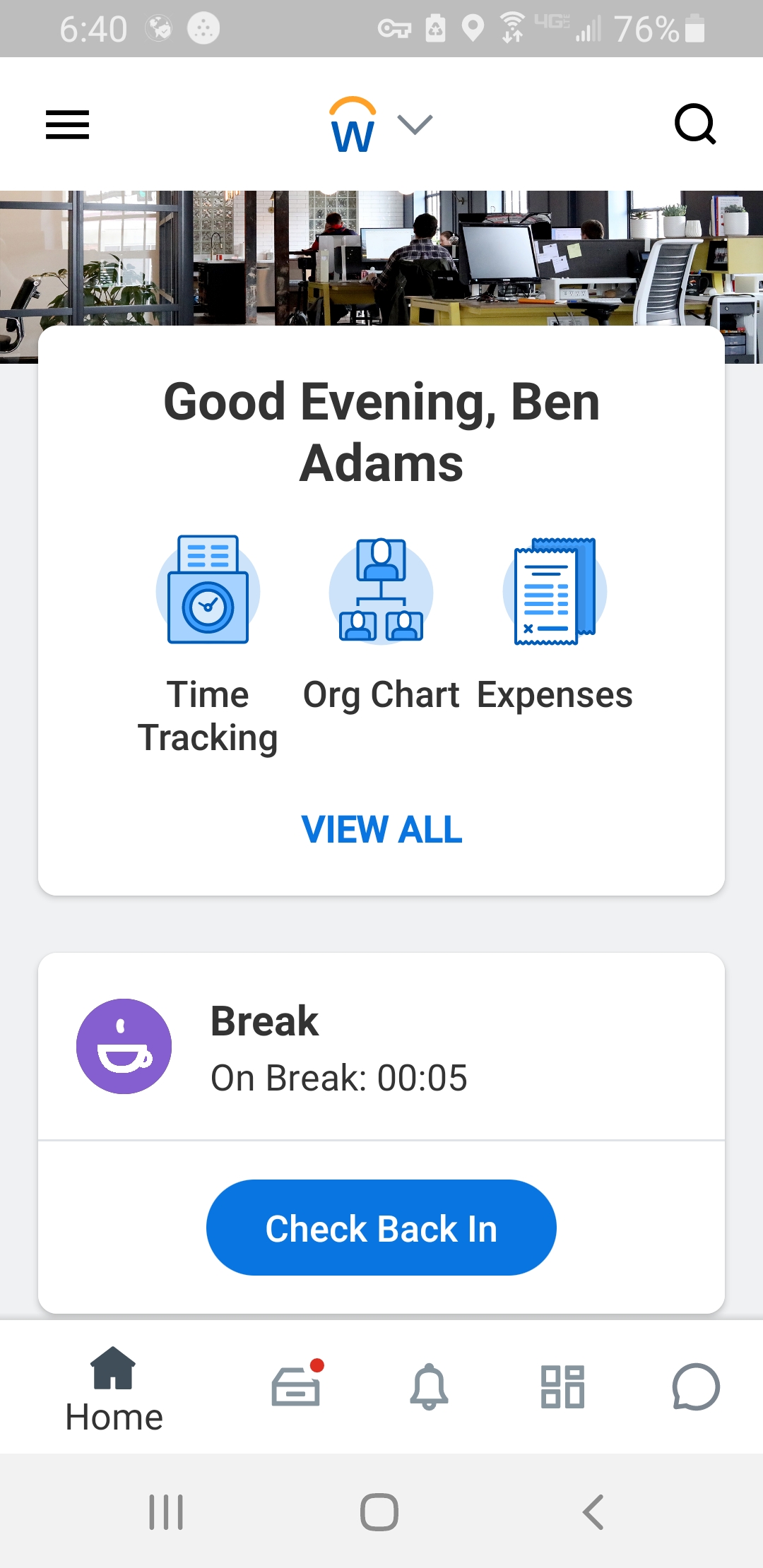
Screenshot of Workday Workforce Management ScheduleScreenshot of Workday Workforce Management Schedule (Mobile)Screenshot of Workday Workforce Management Team InsightsScreenshot of Workday Workforce Management Time and Scheduling HubScreenshot of Workday Workforce Management Time (Mobile)