
Conrad O'Connell
Lead Consultant & Founder
Chose Leadpages

| Product | Rating | Most Used By | Product Summary | Starting Price |
|---|---|---|---|---|
 Leadpages | Small Businesses (1-50 employees) | Leadpages is a landing page software that helps to grow small businesses without tech headaches. Leadpages can be used with or without WordPress, on Leadpages' servers or on the user's own. Leadpages aims to eliminate the high cost of website developers and freelancers when creating a company's most important marketing web pages. Included in all plans: Unlimited landing pages, pop-ups, and alert bars for lead generation and sales Website builder for a… | $49 per month | |
 Unbounce | Mid-Size Companies (51-1,000 employees) | Unbounce is a landing page builder for marketers. Marketers can use the drag and drop platform to create customized, responsive landing pages for their marketing campaigns. | $99 per month |
| Leadpages | Unbounce | |||||||||||||||
|---|---|---|---|---|---|---|---|---|---|---|---|---|---|---|---|---|
| Editions & Modules |
|
| ||||||||||||||
| Offerings |
| |||||||||||||||
| Entry-level Setup Fee | No setup fee | Optional | ||||||||||||||
| Additional Details | Save 25% by choosing an annual plan (3 months free). Standard ($444), Pro ($888), Advanced (Call Us) | All plans include: Unlimited conversions, Unlimited subdomains, 1000+ integrations, Built-in AI copywriting, and Customer support. Discount available for annual pricing. | ||||||||||||||
| More Pricing Information | ||||||||||||||||
| Leadpages | Unbounce | |
|---|---|---|
| Considered Both Products | Leadpages Conrad O'Connell Lead Consultant & Founder Chose Leadpages  Evan Kubitschek Digital Marketing Manager Chose Leadpages  Justin Roodman Product Marketing Manager Chose Leadpages Leadpages' and Unbounce's landing pages are both built using drag-and-drop editors, are mobile friendly (responsive), and feature a reasonable suite of integrations - including Wordpress. Both offer plans that feature A/B testing. The deciding factor for us in choosing …  Javier Velazquez Co-Founder Chose Leadpages Unbounce is a great product, but if you're new to landing page builders and running lead generation campaigns in general, then I would recommend Leadpages due to the pricing and scalability (unlimited pages). You'll soon find out how important landing page design is, and how …  Johanna Goode Marketing and Customer Advocate Chose Leadpages Generally found Leadpages to be more flexible for building content, to better match them to our branding and our website. |  Unbounce Conrad O'Connell Lead Consultant & Founder Chose Unbounce Unbounce is easier to use, better page design options. Not as 'gimmicky' as Leadpages.  Alex Chaidaroglou Inbound Marketer / Growth Hacker Chose Unbounce I believe each tool is good for their own purposes but Unbounce is the most versatile of them. Leadpages is ideal to get your feet wet and have a solid landing page to drive traffic for opt ins in exchange for a lead magnet. Landigi when I tried it was pretty clunky, it might …  Hope Arent Director Of Marketing And Business Development Chose Unbounce  J.P. VanderLinden Director Of Operations Chose Unbounce  Shannon Johlic Director of Marketing, Demand Generation and ABM Chose Unbounce Unbounce is just easier to use than Leadpages and has overall better integrations. The cost is on par with each other... and really, it's just a matter of preference on which platform you use. HOWEVER, I do find that the Unbounce community to be MUCH better and much more …  Gary Shouldis Founder & CEO Chose Unbounce Leadpages is focused mostly on collecting emails, but Unbounce is focused on lead generation of all kinds, and offers a much more robust landing page builder that gives you the ability to create landing pages for any kind of strategy, not just collecting emails. We selected …  Evan Laird Senior Marketing Manager Chose Unbounce  Ashley Mumm Branding Consultant Chose Unbounce LP was not as visually appealing and didn’t seem to have the same level of testing under their belt.  Jeremy Estes Chief Media Buyer Chose Unbounce As far as landing page builders go, in my opinion, Unbounce is the best and easiest to use.  Joshua Long Marketing Consultant Chose Unbounce ClickFunnels might be a slightly easier page builder to build within, but they have outages that are unpredictable and drove me crazy to try to work through when campaigns were running. WordPress has a lot of great themes and page builders available, but they each require their … |
| Leadpages | Unbounce | ||||||||||||||||||
|---|---|---|---|---|---|---|---|---|---|---|---|---|---|---|---|---|---|---|---|
| SEO and Conversion Optimization |
|
| Leadpages | Unbounce | |
|---|---|---|
| Small Businesses |  Zoho LandingPage Score 9.4 out of 10 | Zoho LandingPage Score 9.4 out of 10 |
| Medium-sized Companies |  LocaliQ Score 9.0 out of 10 | LocaliQ Score 9.0 out of 10 |
| Enterprises |  Adobe Marketo Engage Score 8.1 out of 10 | Adobe Marketo Engage Score 8.1 out of 10 |
| All Alternatives | View all alternatives | View all alternatives |
| Leadpages | Unbounce | |
|---|---|---|
| Likelihood to Recommend | 1.0 (30 ratings) | 8.2 (51 ratings) |
| Likelihood to Renew | - (0 ratings) | 7.7 (9 ratings) |
| Usability | 9.0 (1 ratings) | 7.0 (3 ratings) |
| Availability | - (0 ratings) | 9.1 (1 ratings) |
| Support Rating | 6.4 (4 ratings) | 9.6 (4 ratings) |
| Implementation Rating | - (0 ratings) | 6.0 (1 ratings) |
| Leadpages | Unbounce | |
|---|---|---|
| Likelihood to Recommend | Leadpages
 Tim Bost Owner | Unbounce
|
| Pros | Leadpages
| Unbounce
 Jon Law Director |
| Cons | Leadpages
 Michelle Markelz ABM Manager | Unbounce
|
| Likelihood to Renew | Leadpages No answers on this topic | Unbounce
 Christopher Whalen Search Marketing Executive |
| Usability | Leadpages
 John Pohly Real Estate Agent & Author | Unbounce
 Jeremy Poore Director of Business Development |
| Support Rating | Leadpages
| Unbounce
 Michael Dell'Arciprete Director of Customer Acquisition |
| Implementation Rating | Leadpages No answers on this topic | Unbounce
Christopher Whalen Search Marketing Executive |
| Alternatives Considered | Leadpages
 Amy Hayes Owner & Founder | Unbounce
Evan Laird Senior Marketing Manager |
| Return on Investment | Leadpages
 Haley Fox President & CEO | Unbounce
 Danilo Roberto Castillejo Senior Account Manager (Search Engine Marketing) |
| ScreenShots | Leadpages Screenshots 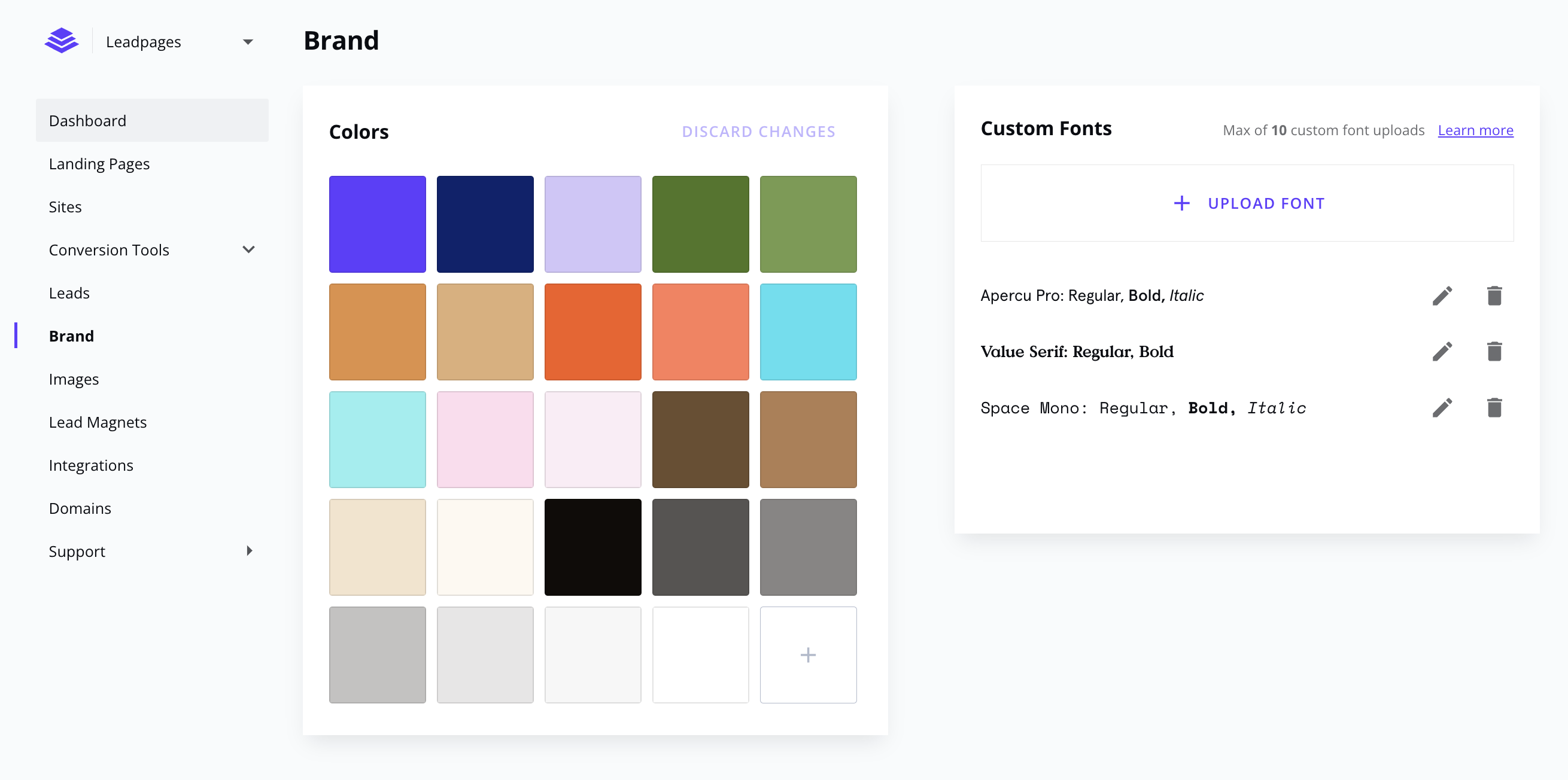     | Unbounce Screenshots   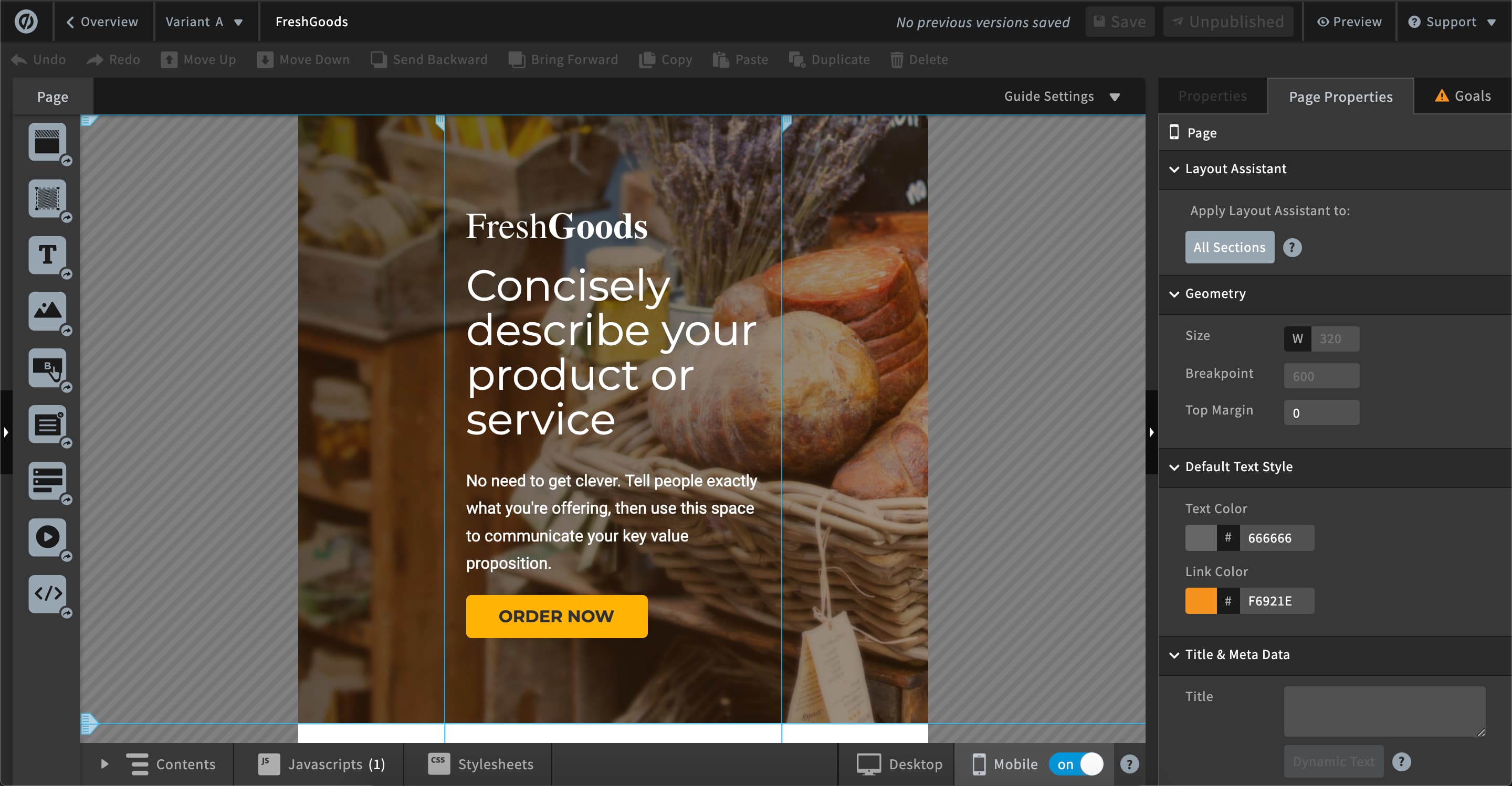  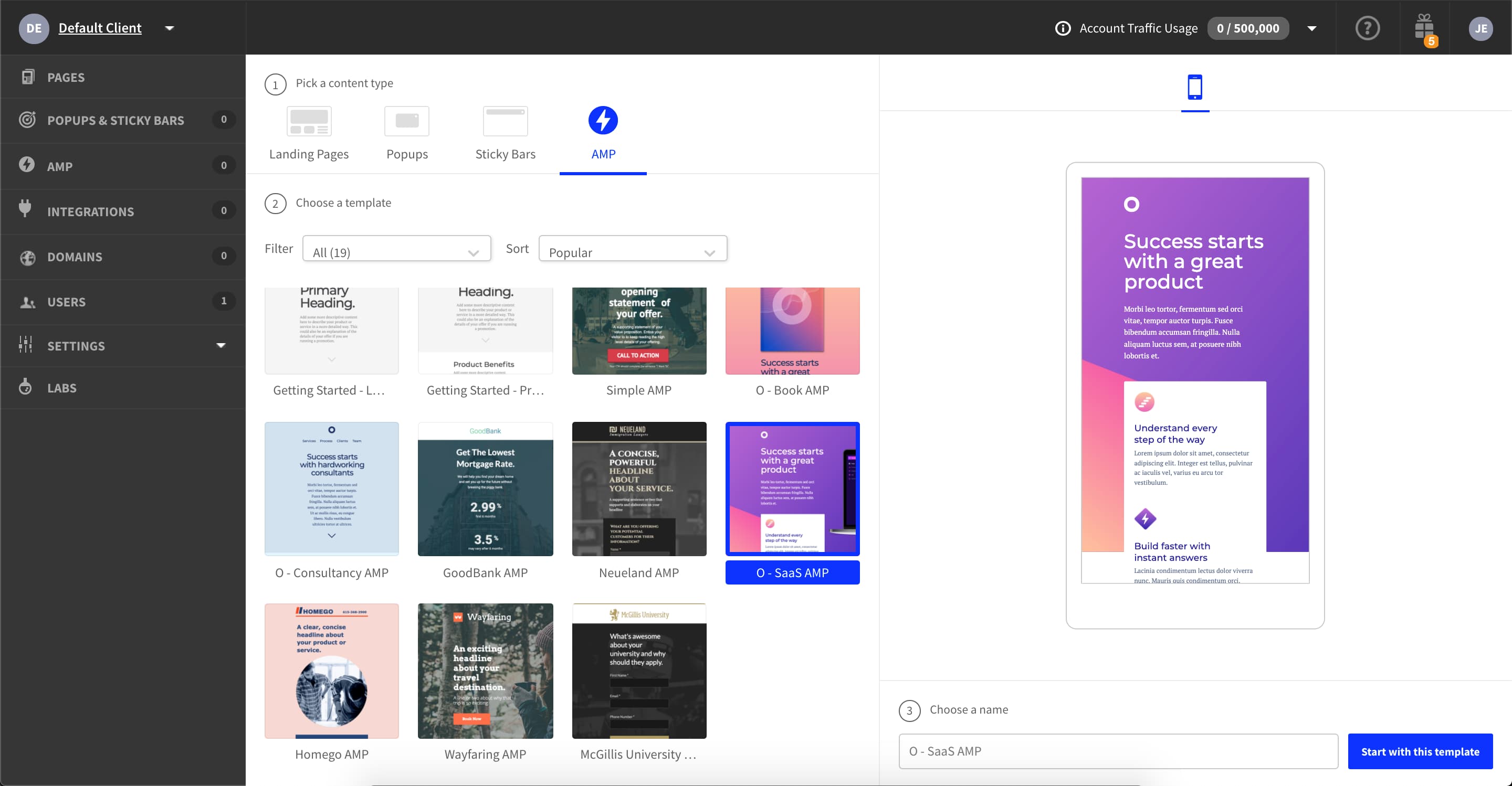 |