PTC offers Windchill, the company's Product Lifecycle Management (PLM) platform that includes BOM (a digital bill of materials) for cost and product quality control via parts-centric source of truth, dynamic and updated product change and configuration management to ensure up-to-date product information, industry standards and requirements validation and control, and role-based data access among other features.
N/A
Teamcenter
Score 8.1 out of 10
N/A
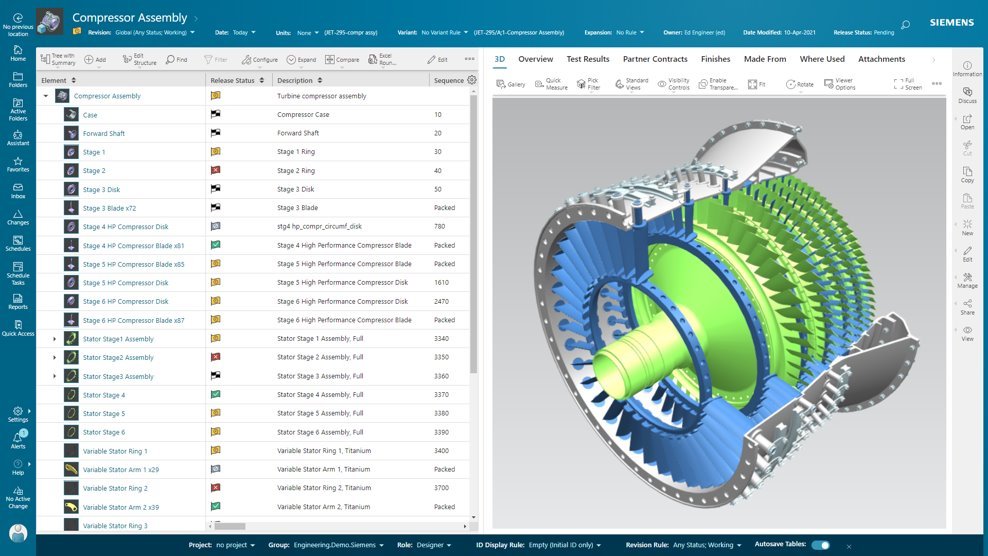
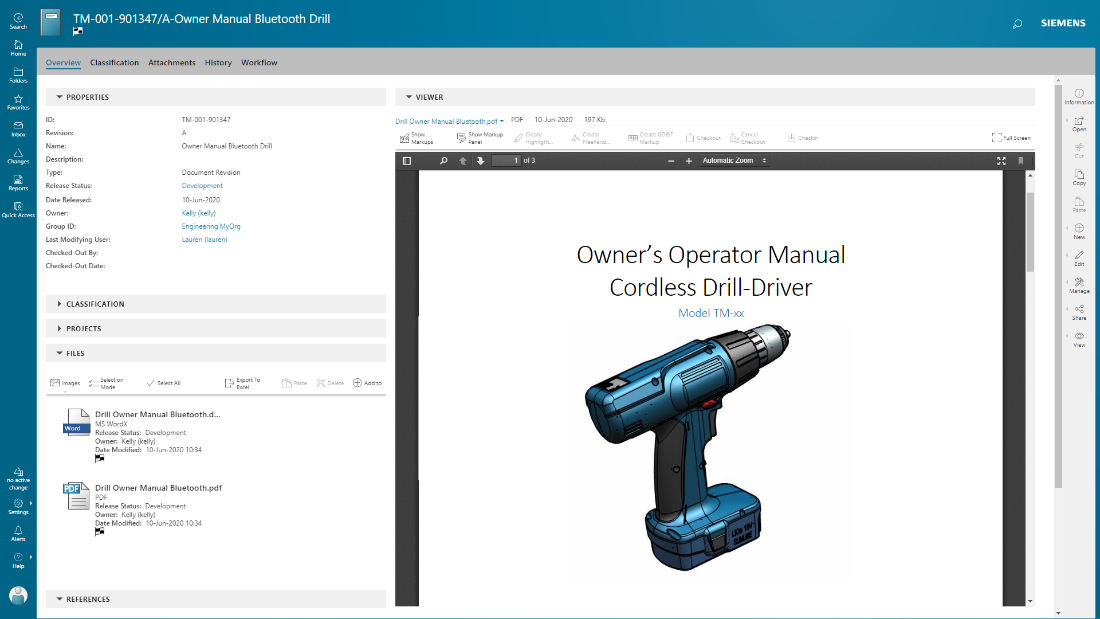
Teamcenter is a product lifecycle management system designed to help organizations integrate and standardize product development processes across functional silos.
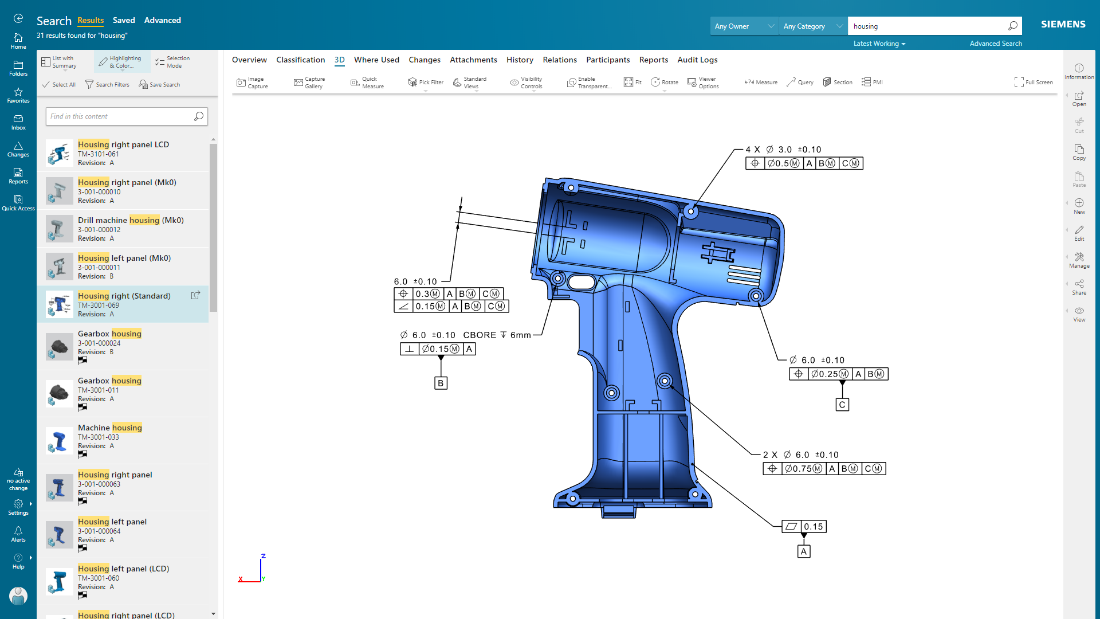
It provides in-depth product information such as Technical Data, CAD model, 2D drawing, ECR document, ECN document. Integration between windchill and creo is seamless. In addition to it, it provides necessary tools for data transfer, distribution, reviewing, and publishing of product data. Moreover, one can manage the complete product life cycle just on the web.
Teamcenter is perfect for working in large-scale projects related to manufacturing and engineering where collaboration and management of data are crucial. It is evident where the complexity of the products is high such as in automobile and aerospace industries. Some of its features may seem too elaborate for the small business with a less complex process and therefore too expensive. It is less useful in organizations that do not have complex PLM needs or have less IT capacity to implement the system.
Data Management: your Parts divided into Item Types.
Data Management: You can easily add pseudo folders to segregate data inside. You don't have to look for anything now.
Change Management: Use the built-in or customize it. Now, you have workflows and can decide who is responsible for every task. It's done automatically.
Project Management - built-in MS Project, can manage tasks and still have a Gantt chart from it.
CAD integration - a lot of time saved when single source of true.
I'm going to be a little blunt here. So the way how MPP and bombs are getting separated out, that is creating some issues when we want to implement end-to-end processes. The bomb team, the manufacturing or the sector manager kind of team, tries to give various features for the materials and bombs related to them, but all of those features are not available for BOP. For example, solution variant creation. When we have a variant based structure, I can create a solution variant for bombs, but I cannot create a solution variant for BOPs and this is, I would say something of a gap that Siemens should address and get it fixed. We have to do customization, but if the product is itself giving us then this is an elegant way to push it further. This is what I would say is the issue.
Because of our current customer needs, we will most likely maintain use of Siemens PLM products for some time. Aside from the initial software cost, we pay for yearly maintenance. Maintaining our yearly maintenance licensing with Siemens, we receive access to all of the latest software releases, as well as premier technical support
Windchill is an extremely verbose and unintuitive system, with masses of unnecessary duplication of fields, convoluted workflows, unclear roles and terrible search capabilities. It is one of the worst software products I have ever seen to propose solving something that is actually factors quicker to do with manual writing and paper work
As previously mentioned, due to the intense amount of features and modules present in the software, the usability of the software suffers greatly. Many of the features are not used in our context, and many of the modules are not purchased, but the options are still present on the interface leading to a lot of clutter, much of which is never used. The interfaces suffer from a lack of design and tend to feel like a conglomerate of Windows 98 elements.
In the time that we have used Teamcenter we have received a good response from the support team, they have great customer service, we have solved the problems that have arisen very quickly, and they are attentive and answer us if we have any questions.
It can be compared directly to any CMS at the base level. SharePoint/Drupal are in this category and support document versioning, search, collections. Furthermore, certainly in SharePoint you can build flows and manage system logic through power automate, SharePoint lists and power apps. Furthermore, it is possible to assign a multitude of roles/groups to SharePoint. SharePoint can present documents in-frame, it can search and so on. Where Windchill proposes to improve upon the CMS is in providing the roles and flows, in this case, specific to a QMS. Unfortunately it does not include the grass roots level build of something like SimplerQMS which incorporates even the generation of the required documents in phase through templates and suggestions. Windchill proposes to address the niche problem of an eQMS, without really providing anything that is implied by the "e" for electronic, meaning faster and more efficient. No, everything in Windchill is manual, intensive and convoluted. I don't have a good word to say about it.
Earlier, some of the companies acquired by my organization were using PTC Windchill, but the overall stability, user experience and depth of functionality which are provided by Teamcenter doesn't match with any other PLM software and thus, all the acquired companies which were earlier using PTC Windchill has now slowly started into moving towards Teamcenter.
Teamcenter is easily on the best scalable solution. The single source of product information allows us to collaborate more effectively on the product lifecycle. Also, being a cloud solution, it is pretty straightforward to scale as the maintenance required is quite low . In addition, the overall cost is also easily manageable for businesses like ours.
Saves time as all of our drawings and business instructions and procedures are housed in a central location with check-in/out capability and version control.
We chose Teamcenter because of its cost-effectiveness, and we can say that it has lived up to our expectations because we have been able to save in other more expensive tools to do what we can do in this one. The ROI has been over 40% because we have integrated it across multiple teams and it has allowed us to reduce the amount of errors in our processes and create a more centralized environment.