SAP Business Technology Platform (SAP BTP) is the company's Platform-as-a-Service (PaaS) offering, that brings together intelligent enterprise applications with database and data management, analytics, integration and extension capabilities into one platform for both cloud and hybrid environments, including hundreds of pre-built integrations for SAP and third-party applications.
N/A
SAP Integration Suite
Score8.5 out of 10
N/A
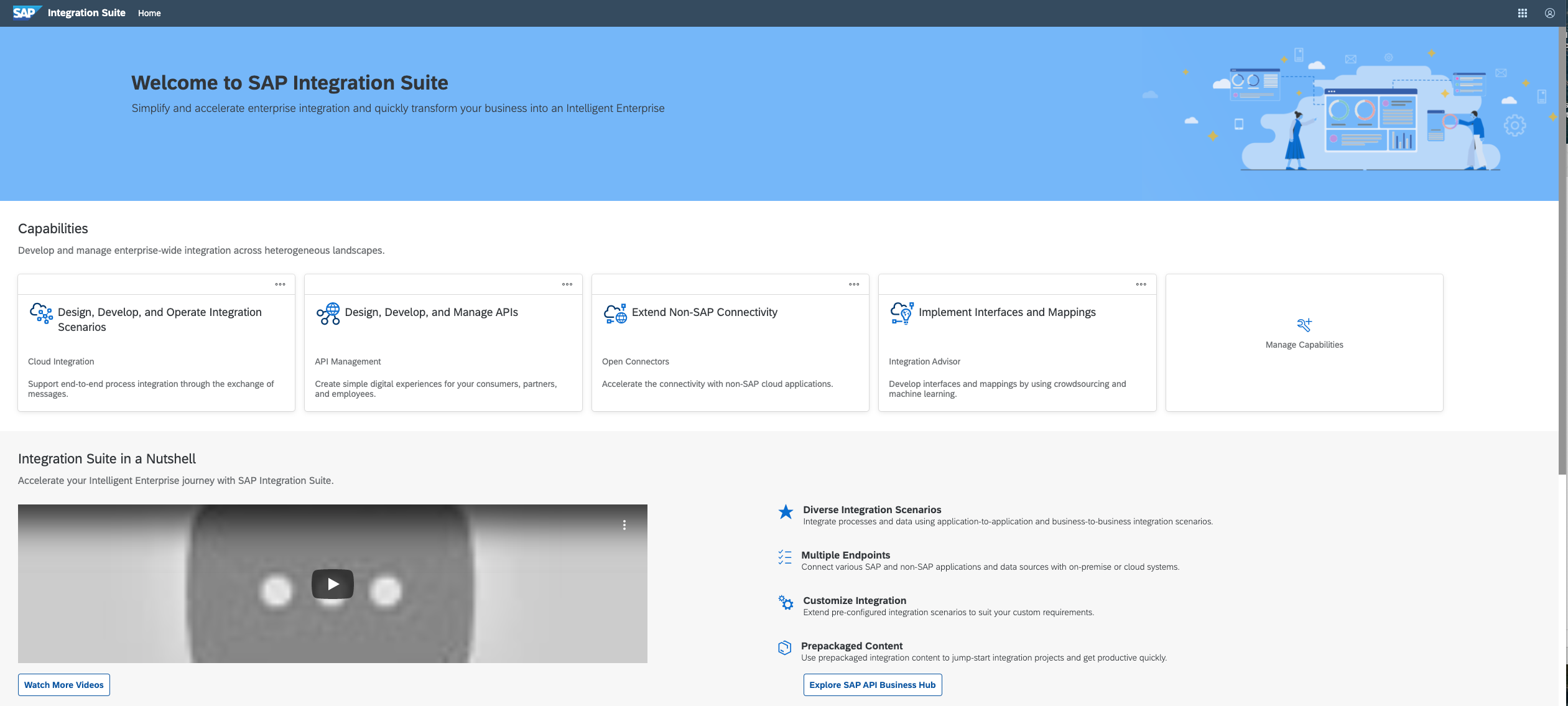
SAP Integration Suite is an integration platform-as-a-service (iPaaS) that helps quickly integrate on-premises and cloud-based processes, services, applications, events, and data. It is used to accelerate innovation, automate more processes, and realize a faster time to value.
$11,199
per year
Pricing
SAP Business Technology Platform
SAP Integration Suite
Editions & Modules
No answers on this topic
No answers on this topic
Offerings
Pricing Offerings
SAP Business Technology Platform
SAP Integration Suite
Free Trial
Yes
Yes
Free/Freemium Version
Yes
No
Premium Consulting/Integration Services
Yes
No
Entry-level Setup Fee
No setup fee
No setup fee
Additional Details
—
Access to free tier services does not expire while there is an active Pay-As-You-Go or CPEA account with SAP. Once a free tier service limit has been reached users have the option to update from a free to a paid service plan in the same account.
A de minimis incentive was given to thank the reviewer for their time. The incentive was not used to bias or drive a particular response, nor was the incentive contingent on a positive endorsement. TR verified that a representative sample of customers was invited. More Info
A de minimis incentive was given to thank the reviewer for their time. The incentive was not used to bias or drive a particular response, nor was the incentive contingent on a positive endorsement. TR verified that a representative sample of customers was invited. More Info
Verified User
Chose SAP Business Technology Platform
You are able to evaluate, build, test and run all your integration stuff ad extensibility.
A de minimis incentive was given to thank the reviewer for their time. The incentive was not used to bias or drive a particular response, nor was the incentive contingent on a positive endorsement. TR verified that a representative sample of customers was invited. More Info
A de minimis incentive was given to thank the reviewer for their time. The incentive was not used to bias or drive a particular response, nor was the incentive contingent on a positive endorsement. TR verified that a representative sample of customers was invited. More Info
Verified User
Chose SAP Business Technology Platform
I like the seamless connectivity between SAP and Non-SAP systems
A de minimis incentive was given to thank the reviewer for their time. The incentive was not used to bias or drive a particular response, nor was the incentive contingent on a positive endorsement. TR verified that a representative sample of customers was invited. More Info
A de minimis incentive was given to thank the reviewer for their time. The incentive was not used to bias or drive a particular response, nor was the incentive contingent on a positive endorsement. More Info
Professional Application Developer in Information Technology at Aveniq (Information Technology & Services, 501-1000 employees)
Chose SAP Business Technology Platform
Unlike the Azure Portal, the SAP Business Technology Platform offers way more services in the area of Business Technology and Processes, which are already pre-built. In addition, thanks to the experience of SAP in this area, the customers can profit with easier migration to the …
A de minimis incentive was given to thank the reviewer for their time. The incentive was not used to bias or drive a particular response, nor was the incentive contingent on a positive endorsement. More Info
Verified User
Chose SAP Business Technology Platform
We want use SAP products wherever possible for tight integration.
A de minimis incentive was given to thank the reviewer for their time. The incentive was not used to bias or drive a particular response, nor was the incentive contingent on a positive endorsement. More Info
A de minimis incentive was given to thank the reviewer for their time. The incentive was not used to bias or drive a particular response, nor was the incentive contingent on a positive endorsement. More Info
SAP Business Technology Platform offers to run the cloud application without worries about availability and accessibility. This is helping us to enable the services that are really suited for us. For example, We have Cloud Identity Services that offer the capability to manage identity directory and also Identity provisioning functionality. Both functionalities helped us to manage the SSO and also enabled the auto-provisioning.
A de minimis incentive was given to thank the reviewer for their time. The incentive was not used to bias or drive a particular response, nor was the incentive contingent on a positive endorsement. More Info
In our case to have a such a poweful middleware in the cloud, give us a lot of benefits such as maintenance and support. In the integration part to be able to connect SAP and Non SAP applications makes SAP Integration Suite a good investment when our master data in this case is in S4HANA. Less appropriate is that sometimes the updates in production tenant failed and they have to downgrade or repair the issues. Affecting the usage of the tool. I guess SAP team have to be more aware of performing the changes and tested well on development environments and then when they know for sure that is the correct way to go with the update put it in production.
A de minimis incentive was given to thank the reviewer for their time. The incentive was not used to bias or drive a particular response, nor was the incentive contingent on a positive endorsement. More Info
Services are operated by SAP with outstanding support, always giving a helping hand even if it is custom code or solution provided on the platform
Services are easily connectable via standard approach to our backend SAP systems in SAP Rise/HEC
Secure access using identities from our existing identity management helping us to safeguard data security from within SAP systems up to custom frontend applications
A de minimis incentive was given to thank the reviewer for their time. The incentive was not used to bias or drive a particular response, nor was the incentive contingent on a positive endorsement. More Info
A de minimis incentive was given to thank the reviewer for their time. The incentive was not used to bias or drive a particular response, nor was the incentive contingent on a positive endorsement. More Info
Provide more pre-built integrations to use within SuccessFactors or other modules instead of everything having to be custom built
Support is unable to provide advice on custom builds so you often have to engage a 3rd party partner
Works best when you have the functional and technical teams working together. Otherwise, the system is too technical for a functional user to create integration and a technical user not always understand the functional perspective
A de minimis incentive was given to thank the reviewer for their time. The incentive was not used to bias or drive a particular response, nor was the incentive contingent on a positive endorsement. TR verified that a representative sample of customers was invited. More Info
Seamless integration with external system and dashboard to monitor the data flow and analysis are very essential for the business. The way the product is designed and modelled lead to minimum business disruptions. Adopting to the new and modern technology was easy. Keeping the central system as clean and adopting project bases development are advantages.
A de minimis incentive was given to thank the reviewer for their time. The incentive was not used to bias or drive a particular response, nor was the incentive contingent on a positive endorsement. TR verified that a representative sample of customers was invited. More Info
SAP Integration Suite is very helpful to us in many ways to manage purchase procedures, stocks, and data of vendors and suppliers. Also, it helps to manage data for service providers. SAP Integration Suite has the tool to conduct training and evaluation. Unique features like the cloud can provide access from any place and by any device is very helpful.
A de minimis incentive was given to thank the reviewer for their time. The incentive was not used to bias or drive a particular response, nor was the incentive contingent on a positive endorsement. More Info
Overall, I feel it is build toward as an SAP centric platform. Which is very proper direction for SAP as it is their competitive advantage. However, as a customer, I like to see the cost of the services to come down with the advance of underlay hardware capabilities. Licensing model can be streamlined for easier budgeting and consumption.
A de minimis incentive was given to thank the reviewer for their time. The incentive was not used to bias or drive a particular response, nor was the incentive contingent on a positive endorsement. TR verified that a representative sample of customers was invited. More Info
A de minimis incentive was given to thank the reviewer for their time. The incentive was not used to bias or drive a particular response, nor was the incentive contingent on a positive endorsement. More Info
I give it 9/10 because its customer support team is responsive and knowledgeable, providing clear guidance on complex issues. We contacted them several times; I want to give one example. When we had a problem with third-party integration, we reached out to them about the issue, and they provided a tailored solution for this.
A de minimis incentive was given to thank the reviewer for their time. The incentive was not used to bias or drive a particular response, nor was the incentive contingent on a positive endorsement. TR verified that a representative sample of customers was invited. More Info
A de minimis incentive was given to thank the reviewer for their time. The incentive was not used to bias or drive a particular response, nor was the incentive contingent on a positive endorsement. TR verified that a representative sample of customers was invited. More Info
Training material in Developers Community or from Learning hub are really good... also most of the time we route through Discovery center... so materials provided by SAP is really good.
A de minimis incentive was given to thank the reviewer for their time. The incentive was not used to bias or drive a particular response, nor was the incentive contingent on a positive endorsement. TR verified that a representative sample of customers was invited. More Info
1. Sometimes the licensing doesn’t make sense, e.g., Difficult to understand the license for ABAP cloud runtime. 2. When SAP Business Technology Platform workflow cost is very high but process automation which offers more features has less cost.
A de minimis incentive was given to thank the reviewer for their time. The incentive was not used to bias or drive a particular response, nor was the incentive contingent on a positive endorsement. More Info
A de minimis incentive was given to thank the reviewer for their time. The incentive was not used to bias or drive a particular response, nor was the incentive contingent on a positive endorsement. More Info
SAP Concur allows our staff to book, reimburse and remain spend audit compliant. Our Concur system takes feed from Workday and interacts with Credit card vendor. It also makes posting to Accounting and does clearing. SAP Business Technology Platform helped in establishing connection with all these different tools in real time. It helps in getting paid to the card service provider through our Bank through interface, which is built on SAP Business Technology Platform.
A de minimis incentive was given to thank the reviewer for their time. The incentive was not used to bias or drive a particular response, nor was the incentive contingent on a positive endorsement. TR verified that a representative sample of customers was invited. More Info
SAP Integration Suite was already part of our SAP stack, part of Business Technology Platform, with out-of-the-box integration with S/4 HANA transactional and ERP system that we are using as our main back-end. Thus, we are achieving significant Total Cost Optimization benefits or running both solutions on the same platform, hosted on Azure cloud.
A de minimis incentive was given to thank the reviewer for their time. The incentive was not used to bias or drive a particular response, nor was the incentive contingent on a positive endorsement. TR verified that a representative sample of customers was invited. More Info
Infusing Generative AI capabilities easily into our solutions with existing talent with minimal learning curve, has been very impactful. We have been able resolve several challenges for our clients with AI capabilities, that we could not, previously.
Integration Suite is quite extensive in capabilities for bringing together the IT landscape into a single ecosystem.
A de minimis incentive was given to thank the reviewer for their time. The incentive was not used to bias or drive a particular response, nor was the incentive contingent on a positive endorsement. TR verified that a representative sample of customers was invited. More Info
A de minimis incentive was given to thank the reviewer for their time. The incentive was not used to bias or drive a particular response, nor was the incentive contingent on a positive endorsement. More Info