Reply.io helps sales teams book more meetings by automating outreach with smart AI. It finds leads, writes personalized messages, handles replies, and books meetings, so you can focus on closing deals. Reply.io's AI SDR learns the product, targets its potential users, and engages across email, LinkedIn, SMS, WhatsApp, and calls. Additionally it: Handles replies, books meetings, and works in multiple languages Has access to 1B+ leads with…
$59
per month per user (1000 active contacts/month)
Salesforce Revenue Cloud
Score8.8 out of 10
Mid-Size Companies (51-1,000 employees)
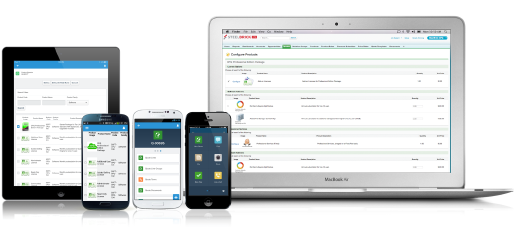
Salesforce Revenue Cloud (formerly Salesforce CPQ or SteelBrick) is built and delivered on the Salesforce Platform and Salesforce1 Mobile App which enables users to create accurate sales quotes quickly and submit error-free orders on the fly from any device.
The reply is an excellent sales management solution. If any company wants to save time and keep their sales team flexible, they should try it first. It is a fantastic tool for delivering multiple emails to any target audience. This is also the best deal for firms who looking for an all-in-one solution, as it provides virtually unlimited email addresses along with CRM and outreach automation.
A de minimis incentive was given to thank the reviewer for their time. The incentive was not used to bias or drive a particular response, nor was the incentive contingent on a positive endorsement. More Info
What I like best is the ease of use to be able to track all opportunities and quotes in my daily sales tracker I also like the fact that you can reorganize the view for your opportunities. For instance, it is very similar to a spreadsheet where you can filter them by date, dollar amount, name, and several other ways. I found this to be less appropriate when we have to do multiple roles while assigning one task to multiple users. Column resizing within the Quote Line Editor is not supported in the Salesforce mobile app.
This product gives me the liberty to very easily and freely navigate all things on my own, which does not require many skills to start working.
This product gives us the leverage of creating our own tailored and personalized templates for our teams in just a matter of minutes.
This program is so automated that it performs everything on its own from LinkedIn to email search, to even booking meetings.
I found the onboarding process pretty great and efficient. I am really happy with the overall customer support. They are some of the nicest people I have met who are there to willingly help me at any time of need and problem.
Their usability is also hands down very good. However, I find their user interface to be slightly less user-friendly, so there is some degree of scope in the improvement of their user intuitiveness and user-friendliness.
A de minimis incentive was given to thank the reviewer for their time. The incentive was not used to bias or drive a particular response, nor was the incentive contingent on a positive endorsement. More Info
Salesforce CPQ easily maps to standard and custom fields within the opportunity in SFDC, allowing you to avoid time spent duplicating effort or copying and pasting deal criteria.
Salesforce CPQ connects directly to pre-determined price book, making it very easy to provide a proposal based on standard cost and/or add discounts to standard cost and reflect those reductions on the order form as appropriate.
Salesforce CPQ provides the ability for administrators to configure workflows for approval based on certain discount %'s on the standard cost, offering a quick and easy way to route automatically through the organization for approval.
A de minimis incentive was given to thank the reviewer for their time. The incentive was not used to bias or drive a particular response, nor was the incentive contingent on a positive endorsement. More Info
Syncing to other programs. You cannot interrelate Reply with other software in a simple way. Zapier is required and even then it’s not perfect.
Similar to syncing, there’s no way to export results of particular campaigns. This is awful. If I send out a campaign to a group, I’d like to export the results to enter into a CRM since I can’t sync the contacts. One of these features must be added ASAP.
Organization. While Reply itself is user-friendly, keeping campaigns and contacts and results organized is not. You cannot organize campaigns or file them away when they are done. Therefore you have to delete campaigns to stay organized and lose results, which you cannot even export.
A de minimis incentive was given to thank the reviewer for their time. The incentive was not used to bias or drive a particular response, nor was the incentive contingent on a positive endorsement. More Info
Our Salesforce is very messy, which tells me it's not super easy to clean up.
I always have a really hard time removing a contacts from an account - it seems like you can't simply remove the relationship so we have lots of people named DO NOT CONTACT or things of that nature.
Sometimes when saving it doesn't seem like things actually save.
A de minimis incentive was given to thank the reviewer for their time. The incentive was not used to bias or drive a particular response, nor was the incentive contingent on a positive endorsement. More Info
I generally receive a reply in no time at all and found not only the support org. but the sales team to be extremely helpful. Additionally I found a great onboarding process with plenty of resources to consume.
There have been some issues with multi-year pricing of certain products and services which we have been assured will be resolved but I guess are still underway, the support team apart from this has not been needed much and in the rare scenarios, it has been needed the resolutions of conflicts has been prompt and quick, so the overall support would have my high regards for being so helpful and customer-oriented so as to assure good performance of their toolset and customer satisfaction.
A de minimis incentive was given to thank the reviewer for their time. The incentive was not used to bias or drive a particular response, nor was the incentive contingent on a positive endorsement. More Info
These tools are great, but they aren't built for what we use Reply for. Reply is perfect for doing these outbound campaigns at scale, whereas with ActiveCampaign and Vitally we were trying to turn the tools into something they are not.
A de minimis incentive was given to thank the reviewer for their time. The incentive was not used to bias or drive a particular response, nor was the incentive contingent on a positive endorsement. More Info
There is no comparison to a fully functional instance of CPQ. Nothing comes close due to the amount of customization and ease of use that CPQ offers once it's fully built out. Other solutions may be easier to build or administer, but for the users and business needs, CPQ is the best solution possible.
A de minimis incentive was given to thank the reviewer for their time. The incentive was not used to bias or drive a particular response, nor was the incentive contingent on a positive endorsement. More Info
A de minimis incentive was given to thank the reviewer for their time. The incentive was not used to bias or drive a particular response, nor was the incentive contingent on a positive endorsement. More Info
Salesforce CPQ has helped a lot with overall visibility to the quote to order process. Reps have more insight into the business and the business has more insight into Sales Rep interactions. This makes troubleshooting issues much easier.
Our reporting capabilities have improved immensely. The ability to easily create fields allows you to capture new data points very easily.
Communication in Salesforce CPQ and Salesforce, in general, is a big improvement for our business. The ability to have a chatter feed on any object is very helpful. This can also be used for feed tracking to give some basic change management controls/history.
A de minimis incentive was given to thank the reviewer for their time. The incentive was not used to bias or drive a particular response, nor was the incentive contingent on a positive endorsement. More Info