Progress MOVEit vs. VisualCron

Overview
ProductRatingMost Used ByProduct SummaryStarting Price
Progress MOVEit
Score 10.0 out of 10
Enterprise companies (1,001+ employees)
Progress MOVEit offers a range of solutions to help companies: Securely transfer files between applications, internal users, external customers or business partners. Automate and administer tasks without advanced programming. Consolidate costs and management while establishing a documented audit trail. Meet internal and external compliance requirements including HIPAA, SOX, GDPR, FINRA, BASEL, PCI and others.N/A
VisualCron
Score 7.0 out of 10
N/A
VisualCron is an automation, Integration and Task Scheduler tool. VisualCron combines many features into one product. VisualCron was founded in 2004. Through scheduling users can set Jobs to run on a specific time or event with the help of Triggers. The Tasks in each Job automate scripts to eliminate human errors. Through various Tasks users can integrate different systems through file transfer, encryption, compression and…N/A
Pricing
Progress MOVEitVisualCron
Editions & Modules
No answers on this topic
Offerings
Pricing Offerings
Progress MOVEitVisualCron
Free Trial
YesYes
Free/Freemium Version
NoNo
Premium Consulting/Integration Services
NoNo
Entry-level Setup FeeOptional$1,499 per Server
Additional Details
More Pricing Information
Community Pulse
Progress MOVEitVisualCron
Features
Progress MOVEitVisualCron
Customization
Comparison of Customization features of Product A and Product B
Progress MOVEit
-
Ratings
VisualCron
3.5
Ratings
54% below category average
API for custom integration00 Ratings4.00 Ratings
Plug-ins00 Ratings3.00 Ratings
Reporting & Analytics
Comparison of Reporting & Analytics features of Product A and Product B
Progress MOVEit
-
Ratings
VisualCron
7.7
Ratings
5% below category average
Dashboards00 Ratings8.00 Ratings
Standard reports00 Ratings8.00 Ratings
Custom reports00 Ratings7.00 Ratings
Process Engine
Comparison of Process Engine features of Product A and Product B
Progress MOVEit
-
Ratings
VisualCron
4.2
Ratings
52% below category average
Process designer00 Ratings7.00 Ratings
Process simulation00 Ratings3.00 Ratings
Business rules engine00 Ratings2.00 Ratings
Process player00 Ratings8.00 Ratings
Form builder00 Ratings4.00 Ratings
Model execution00 Ratings1.00 Ratings
Business Process Automation
Comparison of Business Process Automation features of Product A and Product B
Progress MOVEit
-
Ratings
VisualCron
4.3
Ratings
34% below category average
Business Process Modeling00 Ratings1.00 Ratings
Decision Modeling00 Ratings3.00 Ratings
Code-Based Automation00 Ratings6.00 Ratings
No-Code Automation00 Ratings7.00 Ratings
Best Alternatives
Progress MOVEitVisualCron
Small Businesses
DataMotion
DataMotion
Score 9.3 out of 10
CMW Platform
CMW Platform
Score 8.9 out of 10
Medium-sized Companies
DataMotion
DataMotion
Score 9.3 out of 10
Quixy
Quixy
Score 9.9 out of 10
Enterprises
Fortra's GoAnywhere MFT
Score 9.7 out of 10
CMW Platform
CMW Platform
Score 8.9 out of 10
All AlternativesView all alternativesView all alternatives
User Ratings
Progress MOVEitVisualCron
Likelihood to Recommend
9.0
(0 ratings)
7.0
(0 ratings)
Support Rating
-
(0 ratings)
8.0
(0 ratings)
User Testimonials
Progress MOVEitVisualCron
Likelihood to Recommend
Its exceptional at moving files from their source to various destinations and integrates well with the MoveIt Transfer piece. I have over 250 tasks defined in MoveIt to automate file movements from all different areas of business. I wouldn't recommend MoveIt if you need to do some advanced file parsing / maniuplation. While it does do basic manipulations, there are easier ways to do it.
Read full review
VisualCron does accommodate continuous file processing. Like packing and unpacking compressed files, splitting or merging files, sending E-mail's and executing queries on databases. VisualCron in less suitable for performing very complex operations on files like, arithmetic with numbers, dates or amounts. Very complex job scripts become cluttered. Debugging Job scripts is not easy.
Read full review
Pros
  • Ipswitch MOVEit is very easy to use. Once a user logs into the website they can send a package or email to an other user or someone outside the organization. This has a similar look and feel to a web based email service.
  • For users that are not part of our organization Ipswitch MOVEit effortlessly can create a new account and provide that users with an email and activation instructions. IT does not need to be involved with setting up users.
  • Temporary users are controlled by a policy that will disable and remove accounts based on setting set by administrators. This is a great way to make sure old accounts are removed when not used.
Read full review
  • VisualCron can pack and unpack files from many types of packing methods.
  • Clear job scripts with complex constructions can be written in VisualCron
  • VisualCron provides a clear graphical overview of the situation of all jobs.
  • VisualCron clearly indicates when a job has run into an error.
Read full review
Cons
  • High-Availability features aren't very dependable
  • Version upgrades have caused significant issues (PGP keyring corrupted)
  • MOVEit Transfer does not handle larger files very well
Read full review
  • VisualCron should more specifically indicate the root cause of an error.
  • If copying a file goes wrong, VisualCron reports 'can't copy file'. I expect 'no read permissions from original' or 'no write permissions from destination'.
  • VisualCron offers no way to execute a Job script line by line
  • In VisualCron, nested loops cannot be created.
Read full review
Support Rating
No answers on this topic
Questions and problems can be addressed to VisualCron 's support department via E-mail. I usually get a good answer from them fairly quickly. There is also a VisualCron forum where you can ask questions that will be answered by other VisualCron users.
Read full review
Alternatives Considered
MOVEit automation is configured easily and safely along with a great UI compared to others. We rely on MOVEit to provide the transmission of daily, weekly, and monthly files fast. Not only can this configuration be done locally, but also through a browser.
Read full review
For simple processes, VisualCron is easier to use and maintain. For complicated processes, Quadient Inspire offers more options. The graphical representations of waiting, running or completed jobs is adequate for both products. The logging of job actions is better in Quadient Inpire as in VisualCron.
Read full review
Return on Investment
  • Everything has been positive. It has limited the need to code for file transfers or manually move files which has in turn granted users more time to focus on other tasks.
Read full review
  • With VisualCron, I need 3 times less time to get file processing right.
  • If a VisualCron job goes wrong I need twice as much time to find the problem.
  • Visualcron does not run on Linux but on Windows which can make an upgrade and reboot take up to 6 times as long.
Read full review
ScreenShots

Progress MOVEit Screenshots

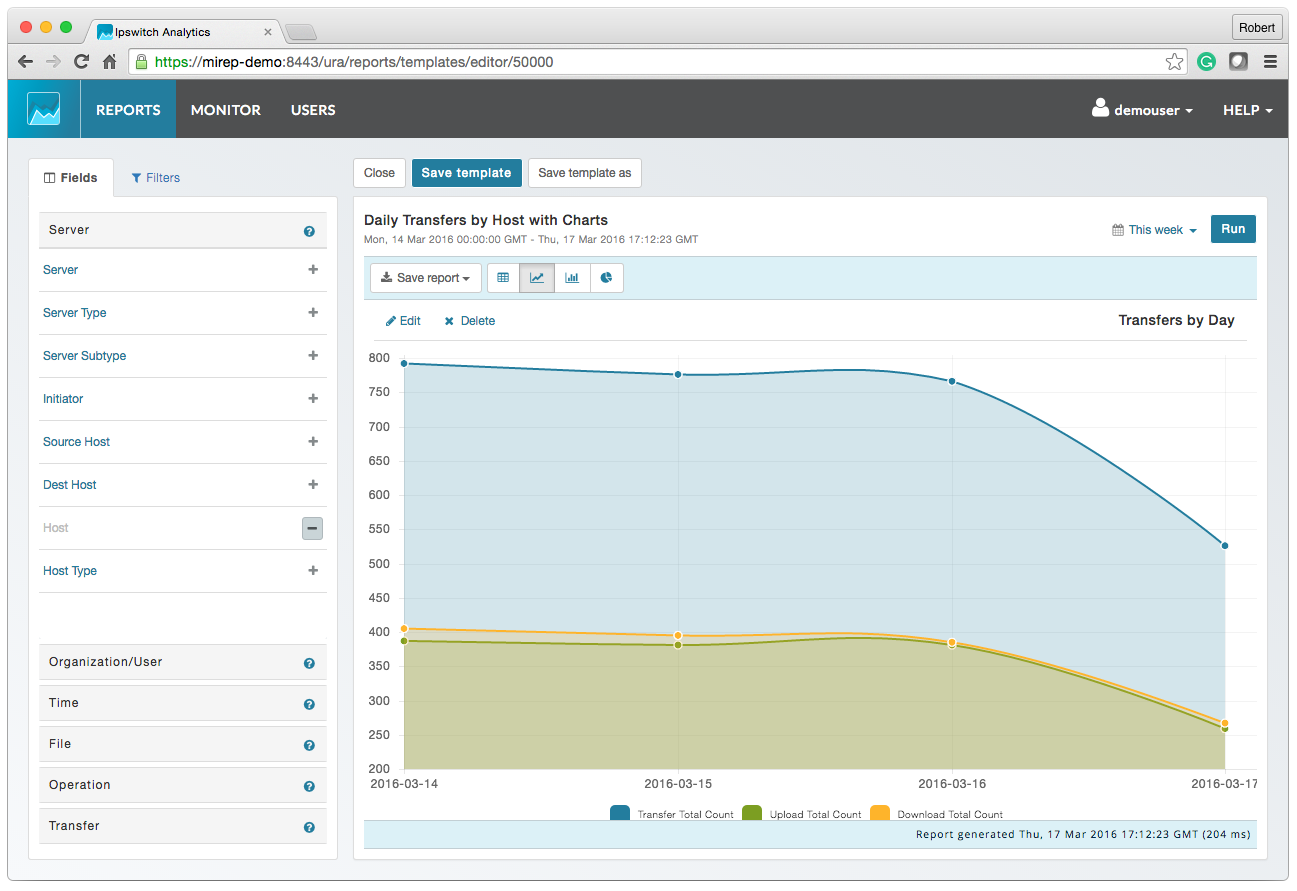
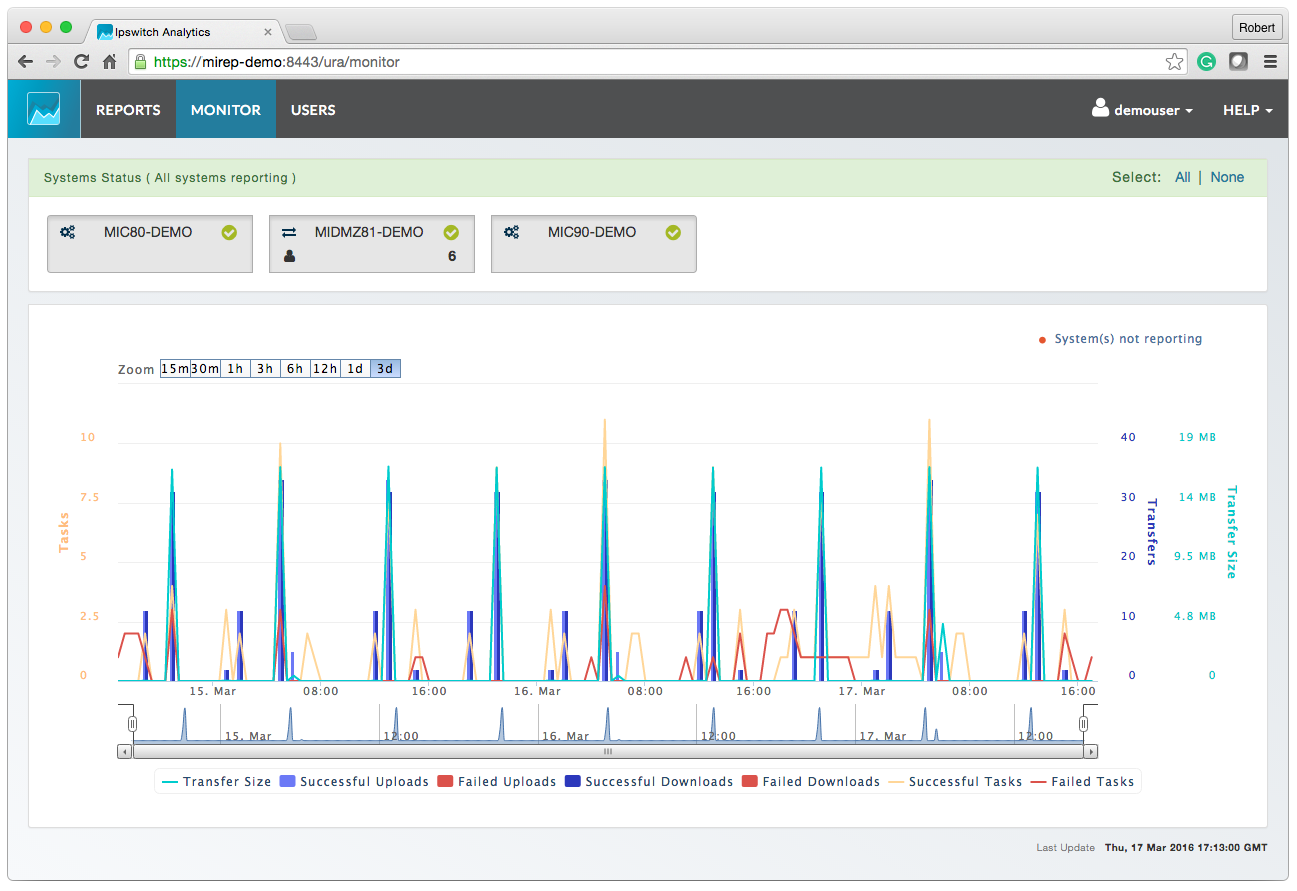
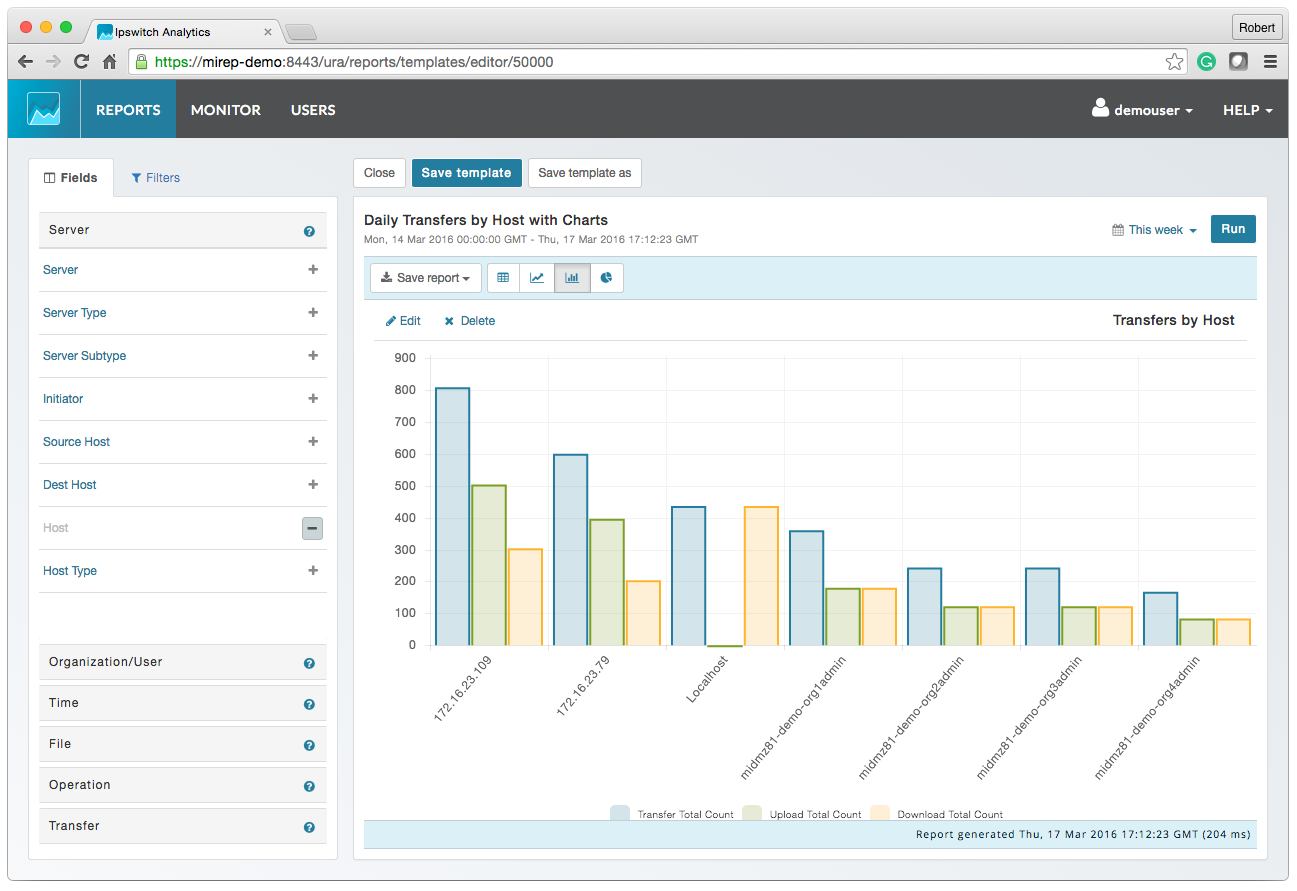
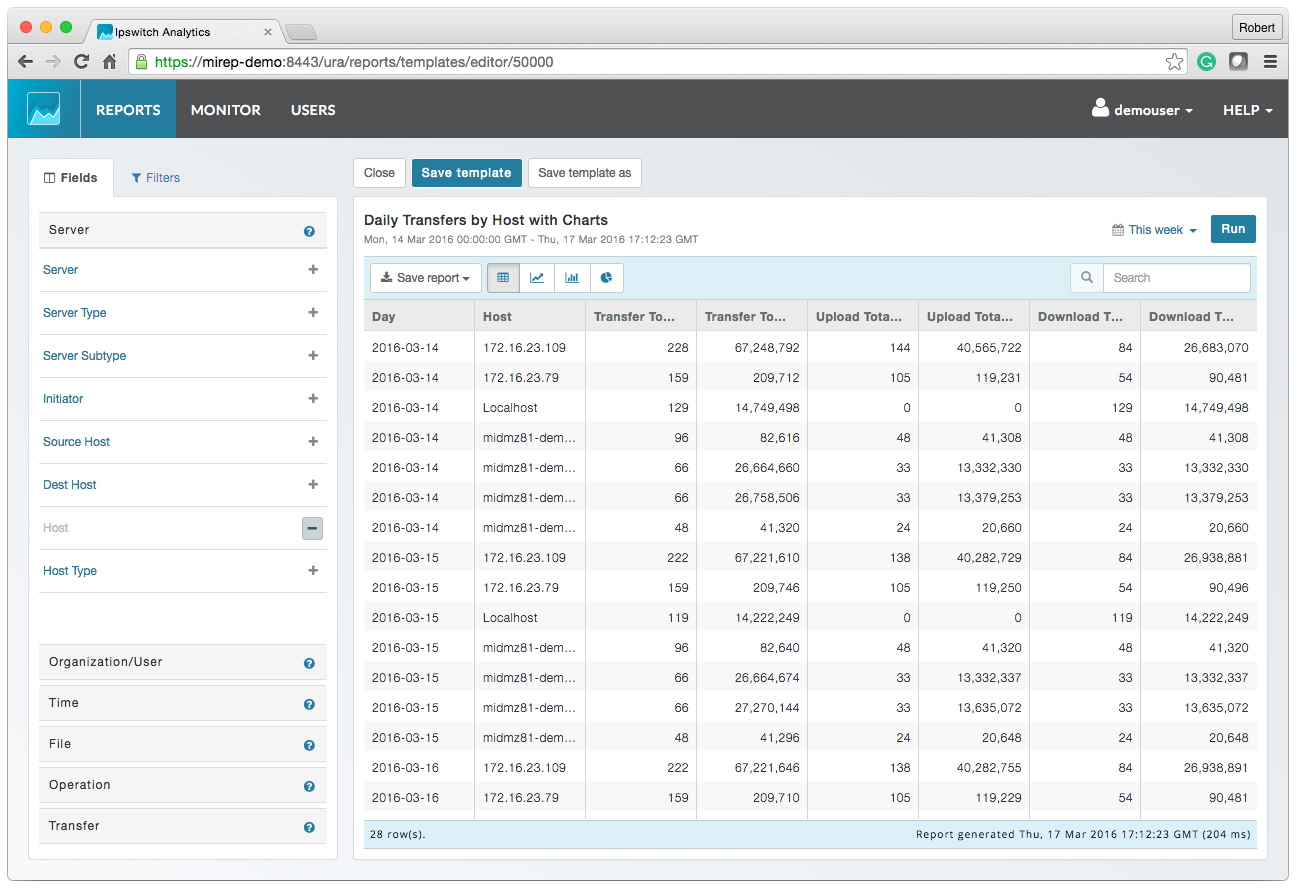
Screenshot of MOVEit AnalyticsScreenshot of MOVEit Automated ReportingScreenshot of MOVEit Data ConsolidationScreenshot of MOVEit AuditsScreenshot of MOVEit TransfersScreenshot of MOVEit Visibility and Control

VisualCron Screenshots

Screenshot of Job - CPU usageScreenshot of Job - execution timeScreenshot of Job - ROI resultScreenshot of Main windowScreenshot of Main window - right clickScreenshot of Output - as table