
Sean Adams
Director of Strategy
Chose Keap

| Product | Rating | Most Used By | Product Summary | Starting Price |
|---|---|---|---|---|
 Keap | N/A | Keap is a small business-focused, comprehensive sales and marketing platform which combines basic contact management, CRM, marketing automation, and e-commerce capabilities into a single, subscription-based SaaS product. | $199 per month | |
 Ontraport | N/A | ONTRAPORT offers customer relations management services that help with content management (creating and hosting webpages), lead tracking, traditional marketing approaches (e-mail, SMS, social media, direct mail), managing online payments, and workflow automation. | $29 per month |
| Keap | Ontraport | |||||||||||||||
|---|---|---|---|---|---|---|---|---|---|---|---|---|---|---|---|---|
| Editions & Modules |
| No answers on this topic | ||||||||||||||
| Offerings |
| |||||||||||||||
| Entry-level Setup Fee | Optional | Optional | ||||||||||||||
| Additional Details | All plans with 1 user and 500 contacts. The price is $30.00 for each additional user. | Ontraport offers a variety of plans to choose from based on the features needed. Pricing adjusts with the number of contacts in the database and users in the account. Monthly or annual plans are available, and all plans start with a 14-day free trial. Ontraport offers a Done-With-You Setup and Training Package for getting set up in the account quickly. Users can also access a free video library with step-by-step instructions on getting started and using every feature of the platform. | ||||||||||||||
| More Pricing Information | ||||||||||||||||
| Keap | Ontraport | |
|---|---|---|
| Considered Both Products |  Keap Sean Adams Director of Strategy Chose Keap  Joshua Long Founder Chose Keap Infusionsoft is much better than Ontraport, even though they play in the same space. The search and segmenting tools are far superior. For clients that don't need shopping cart functionality, I recommend Drip since it can do the same marketing automation as Infusionsoft, for …  Tyler Garns Founder & CEO Chose Keap Keap is definitely the strong leader in this space. As a Keap Certified Partner, our company has implemented Keap for over 500 customers. On occasion, customers come to use other tools such as Ontraport or ActiveCampaign. In all cases, they've been ecstatic with the benefits …  Ashlie Pappas Holistic Health Practitioner / Personal Trainer / Essential Oil Expert Chose Keap The only one that even comes close would be ONTRAPORT, as none of the others do everything in terms of CRM, e-commerce, affiliate, autoresponder, etc. I chose Infusionsoft since I already knew and trusted them through use with another business.  Austin Moorhead CEO (Chief Executive Officer) Chose Keap First off the campaign builder has no equal, the price is competitive, and the Keap community is a phenomenal resource to learn new things.  Wes Schaeffer Chief Whispering Officer Chose Keap Most any sales and marketing automation platform you use will create a positive ROI for you IF you'll use it. So you have to look at the user experience, support, ecosystem, certified partner community, user community, development, third-party integrations, API, and licensing …  Craig Jacobson Co-Founder Chose Keap 1ShoppingCart AWeber- better 360 degree customer view with keap, better segmentation OfficeAutoPilot  Jorge Lazaro Diaz, Membership Website Expert President and Founder Chose Keap Infusionsoft provides more features than either of these other solutions. Because it provides it's own CRM and E-Commerce features, it is more comprehensive in what it provides. These other solutions are solid in different areas where they provide similar features. For example, … |  Ontraport  Charles Kirkland Founder Chose Ontraport They are all different. HubSpot is great but doesn't have the checkout and sales tools. Active Campaign Rocks, but it doesn't have sales and checkouts. Infusionsoft has everything like Ontraport but the support is not where it should be and you have to invest in 3rd party addon …  Jeremy Estes Chief Media Buyer Chose Ontraport I think ONTRAPORT is a decent platform for smaller companies to grow into. It's not as complex as Infusionsoft, and I do feel like you'll use more of it than you would Infusionsoft as a business owner and marketer. I probably wouldn't recommend it to a startup, though because …  Andrew Muller Web & Sales Consultant Chose Ontraport Task management was the main thing that separated ONTRAPORT for me. Keeping things accountable. As well, I felt the campaign builder was slicker, and that the contact management was more robust. Custom fields are very customizable.  Matt Knight Buyers Agent Chose Ontraport I chose Ontraport over Infusionsoft because I believe it is just as powerful but less confusing.  Jen Levitz The Ontraport Expert for Rapid Growth Solopreneurs Chose Ontraport I really liked the robust features presented in a way that made sense to me. I needed a higher level system that I could understand how to use with little or no ramp-up time.  Matthew Watts Director Of Operations Chose Ontraport Ontraport is capable of more than MailChimp and AWeber, both of which I would consider beginner systems. It is also easier to use and understand initially than Infusionsoft, and takes less time to get off the ground when you make the change. It is capable of very complex tasks …  Chad Root President Chose Ontraport Infusionsoft - I chose ONTRAPORT over Infusionsoft because I could make it match up to my clients processes easier. I value the flexibility. On the flip side, Infusionsoft has some eCommerce integration and pre-configured solutions that are appealing. VTrenz, Marketo, Silverpop …  Ari Sherbill Marketing Strategist, Copywriter Chose Ontraport ONTRAPORT was 1000% superior to customer.io - I feel CI was made by techie people who never learned online marketing. I didn't use Infusionsoft long enough to really see which is better. |
| Keap | Ontraport | ||||||||||||||||||||||||||||||
|---|---|---|---|---|---|---|---|---|---|---|---|---|---|---|---|---|---|---|---|---|---|---|---|---|---|---|---|---|---|---|---|
| CRM Project Management |
| ||||||||||||||||||||||||||||||
| Email & Online Marketing |
| ||||||||||||||||||||||||||||||
| Lead Management |
| ||||||||||||||||||||||||||||||
| Campaign Management |
| ||||||||||||||||||||||||||||||
| Reporting & Analytics |
| ||||||||||||||||||||||||||||||
| Platform & Infrastructure |
| ||||||||||||||||||||||||||||||
| Social Media Marketing |
|
| Keap | Ontraport | |
|---|---|---|
| Small Businesses |  Salesmate Score 10.0 out of 10 |  Vbout Score 9.9 out of 10 |
| Medium-sized Companies |  LocaliQ Score 9.0 out of 10 |  PFL Direct Mail Platform Score 9.0 out of 10 |
| Enterprises |  LeadSquared Score 7.2 out of 10 | PFL Direct Mail Platform Score 9.0 out of 10 |
| All Alternatives | View all alternatives | View all alternatives |
| Keap | Ontraport | |
|---|---|---|
| Likelihood to Recommend | 7.2 (209 ratings) | 10.0 (20 ratings) |
| Likelihood to Renew | 9.0 (40 ratings) | 9.1 (8 ratings) |
| Usability | 9.0 (26 ratings) | 7.8 (3 ratings) |
| Availability | 9.1 (6 ratings) | - (0 ratings) |
| Performance | 9.1 (6 ratings) | 7.7 (4 ratings) |
| Support Rating | 9.0 (26 ratings) | 9.0 (3 ratings) |
| In-Person Training | 9.1 (6 ratings) | 9.1 (1 ratings) |
| Online Training | 8.6 (7 ratings) | - (0 ratings) |
| Implementation Rating | 8.0 (8 ratings) | 9.1 (2 ratings) |
| Configurability | 2.0 (1 ratings) | - (0 ratings) |
| Ease of integration | 1.0 (1 ratings) | - (0 ratings) |
| Product Scalability | 9.1 (3 ratings) | 8.2 (1 ratings) |
| Vendor post-sale | 6.0 (1 ratings) | - (0 ratings) |
| Vendor pre-sale | 1.0 (1 ratings) | - (0 ratings) |
| Keap | Ontraport | |
|---|---|---|
| Likelihood to Recommend | Keap
 TJ Nigro CMO (Chief Marketing Officer) | Ontraport
|
| Pros | Keap
| Ontraport
Charles Kirkland Founder |
| Cons | Keap
| Ontraport
Jeremy Estes Chief Media Buyer |
| Likelihood to Renew | Keap
 Tyler Guthrie Marketing Automation Manager | Ontraport
|
| Usability | Keap
 Stacey Stearns Program Specialist | Ontraport
 Eric Foronjy Sales Manager |
| Reliability and Availability | Keap
| Ontraport No answers on this topic |
| Performance | Keap
| Ontraport
 Chris Castillo Business Partner |
| Support Rating | Keap
| Ontraport
|
| In-Person Training | Keap
| Ontraport
 David Jaeger Director of SEM |
| Online Training | Keap
| Ontraport No answers on this topic |
| Implementation Rating | Keap
 Chris LeBrun, MBA, CFRE Consultant / Owner | Ontraport
Chad Root President |
| Alternatives Considered | Keap
| Ontraport
Andrew Muller Web & Sales Consultant |
| Scalability | Keap
| Ontraport
Jen Levitz The Ontraport Expert for Rapid Growth Solopreneurs |
| Return on Investment | Keap
 Ryan Pond Marketing Assistant | Ontraport
Matthew Watts Director Of Operations |
| ScreenShots | Keap Screenshots 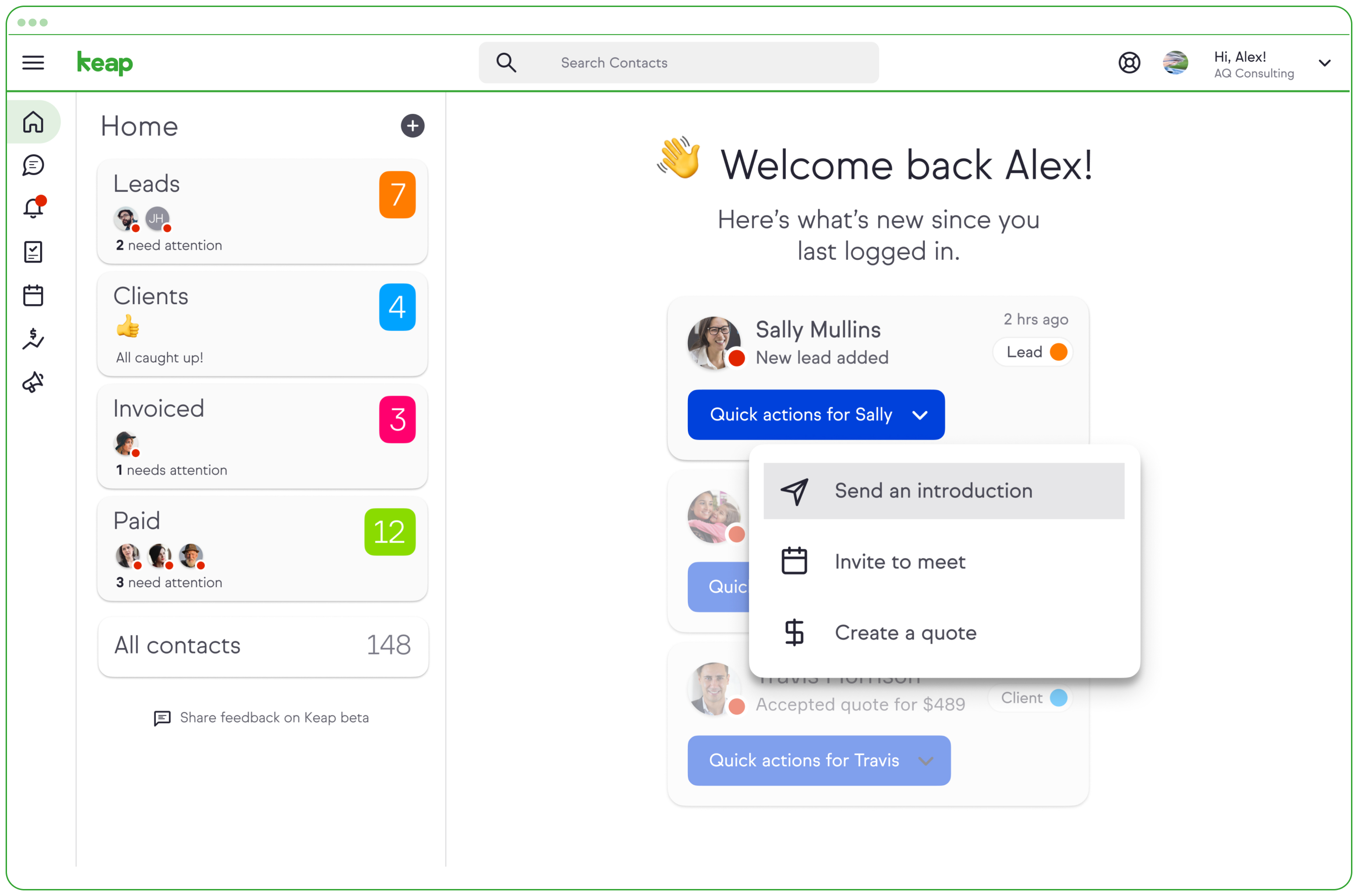  | Ontraport Screenshots 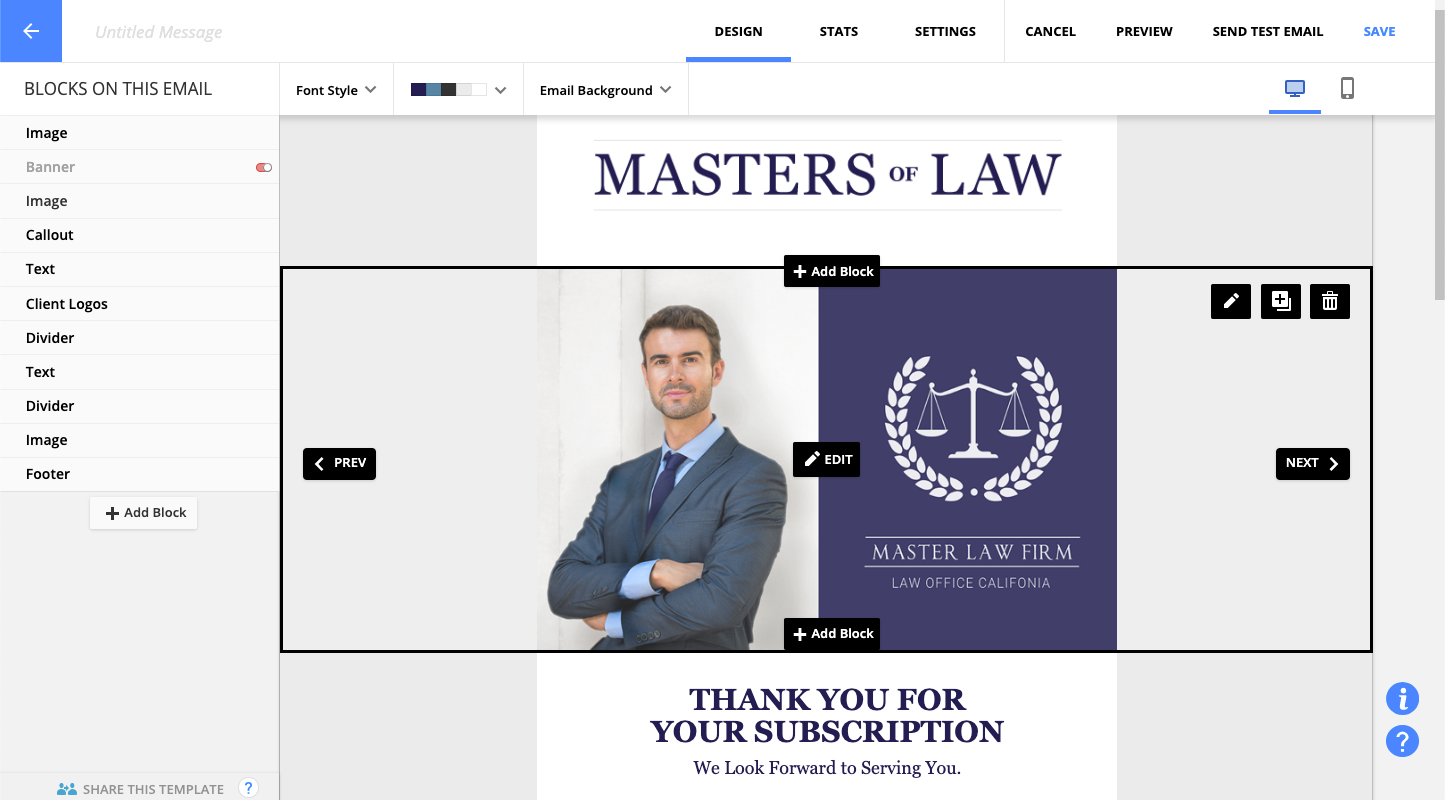  |
