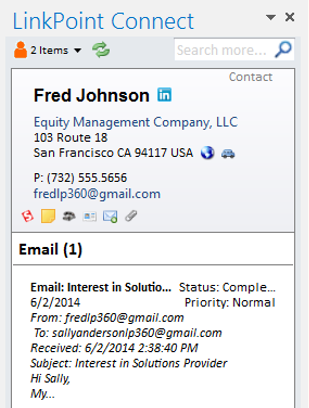
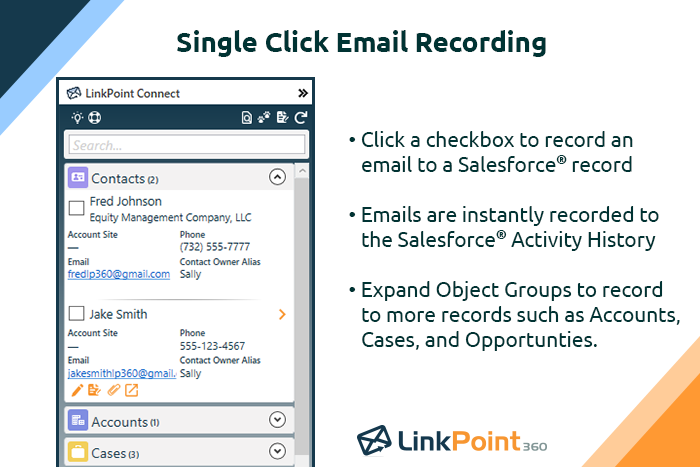
LinkPoint Connect promises to streamline data entry and access by enabling users to instantly view CRM data within their email client. This sales intelligence solution integrates Salesforce and Microsoft Dynamics CRM data in Outlook or IBM Notes. According to the vendor, key capabilities include: View real-time Salesforce data without ever leaving your email. Click on an email, and the LinkPoint Connect Side Panel instantly displays that contact’s information directly from…
$192
per user, per year
Yesware
Score 7.3 out of 10
N/A
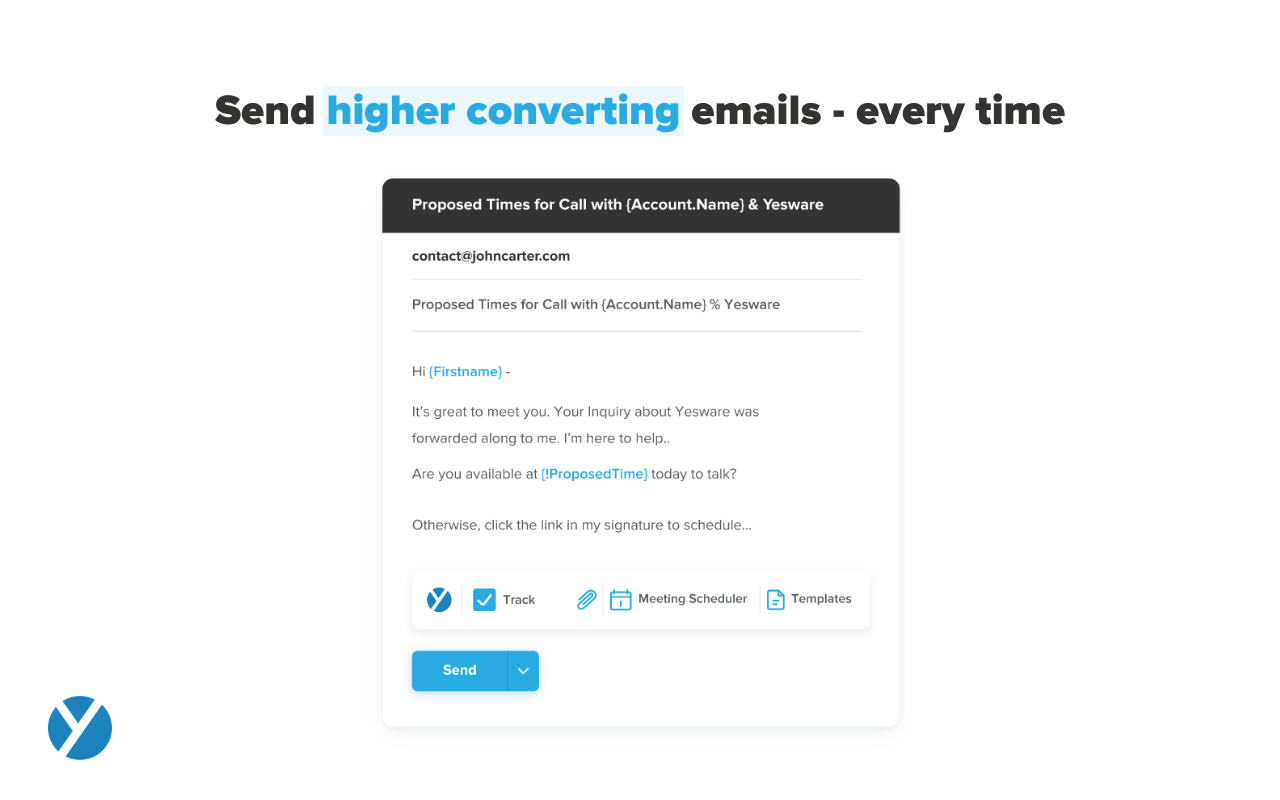
Yesware, from Vendasta since the October 2022 acquisition, is a service for salespeople that helps them close deals faster. An email service tracks email, templates responses and syncs to CRM.
$19
per month
Pricing
LinkPoint Connect
Yesware
Editions & Modules
LinkPoint Connect for Outlook + Salesforce
$192
per user, per year
LinkPoint Connect for Outlook + Microsoft Dynamics CRM
$192
per user, per year
LinkPoint Connect for IBM Notes + Salesforce
$228
per user, per year
LinkPoint Connect for IBM Notes + Microsoft Dynamics CRM
$228
per user, per year
Pro
$19
per month
Premium
$45
per month
Enterprise
$85
per month
Offerings
Pricing Offerings
LinkPoint Connect
Yesware
Free Trial
Yes
Yes
Free/Freemium Version
No
Yes
Premium Consulting/Integration Services
No
No
Entry-level Setup Fee
$16 per user per year
No setup fee
Additional Details
Subscriptions are billed annually. Discounts available for non-profits. Volume discounts available. LinkPoint Connect Solutions are available for Outlook and IBM Notes users. These include preconfigured implementations for Advologix, Apto, Apttus, FinancialForce.com, Jobscience, Navatar, Pardot, Salesforce Shield, and TaskRay.
LinkPoint is great for people who spend a lot of time working inside outlook. It allows you to update and add records directly from outlook and it has some built-in duplicate prevention which is nice if you don’t have duplicate prevention measures in place. It’s fast and stable. A lot of our users were unable to use SFO due to it crashing outlook.
Yesware has had the best deliverability of all the email senders I've used (beating Mixmax, Apollo, GMass). Yesware is perfect for sales teams sending outbound. It's not well suited for sending marketing campaigns/newsletters. It's great for startups/SMBs/early mid-market companies on the Premium team for sales teams <10. I haven't experienced the enterprise option, but for small teams it's hard to beat.
Setup is pretty seamless, at least from an end-user point of view. Essentially you open both Outlook and Salesforce, and then click on the LinkPoint Connect button in Outlook. You are then asked to sign in (provide username/password) to Salesforce. That's all--once my login information was accepted it was set up and syncing emails and calendar items from Outlook to Salesforce. Pretty painless!
Recording/syncing emails to client records is, from my standpoint at least, the core functionality, and LinkPoint does this pretty much flawlessly and with little to no effort or input on my part. This is incredibly important to me as it creates the documentation record I need in Salesforce to provide excellent service to my clients as well as for compliance reasons.
The LinkPoint interface also makes it very easy and efficient to perform additional actions in Salesforce without ever leaving Outlook. New Salesforce tasks, events, follow up reminders, etc. are all easy to set up from the LinkPoint sidebar directly in Outlook with just a few clicks of the mouse. And, in those cases where you need to go a little deeper there is a link in the sidebar that will open up the client record directly in Salesforce in a single action, bypassing the multi-step process normally required (i.e. open the program, search for the client, select and open the record, etc.). This ease of interaction between the two programs has removed barriers and has helped me be more consistent in fully utilizing what Salesforce has to offer. No longer do I move on to the next item on my to-do list with scribbled note that will hopefully remind me to update Salesforce later, when I have a chance...
Personalization- Yesware does a great job at allowing you to customize and edit emails in a way that allows you to send a mass amount, but still have them feel like you spent a lot of time personalizing each one. Allows you to move faster and more efficient.
Tracking and reporting- the tracking and reporting is very detailed, clear and concise. Allowing you to gain insight into how well your emails are doing in terms of open rates, clicks and reply's. This is extremely helpful for testing out different subject lines and email copy to find out what emails are the most successful and why.
It is all around easy to use- does not require much training on the tool, if at all. Easy to navigate and set up through Salesforce. Any member of your team can use it to their advantage and hit the ground running very quickly.
We don't use Yesware's dialer tool because it doesn't measure up to the quality or speed of their competitors
Yesware has kept on a legacy tool, 'MailMerge' which is essentially duplicative to the main tool 'Campaigns', but has one neat feature that allows us to 'CC' another recipient, which is useful we want to reach out to two people at the same account
Yesware makes sure that users don't add the same prospect to multiple email/call campaigns, but it does not offer that safety measure across users, so theoretically, two sales/marketing reps can be reaching out to the same person
I like the product, but due to the limitations I don't love it. I'm curious to revisit other options, particularly in lieu of Yesware's recent price increases (although I'm on a legacy plan). Some of my challenges to be browser related (I'm on an older computer) -- I'll have to see how things go when I receive my new computer. If the glitches (especially with regard to tracking accuracy and send later feature) go away, I'd be much more inclined to renew
Pretty good overall, but again it needs some tweaks to ensure user frustration is kept to a minimum. This would go back to the autosave feature I mentioned which would immediately be a value add but not something that should need a user to move into a paid tier.
Because it deserves this rating. The features and functionality provided are great. Our Sales team is very satisfied with this software as it integrates very well with our other software like Outlook, Salesforce, etc. Yesware provides great follow up with customers, which is essential for sales. Meeting scheduling is also flawless.
Prior to our move to LinkPoint, we used the Salesforce add-in for Outlook. This required manual syncing of email and calendar items and no easy to use interface between the two programs. It was very cumbersome for me to use, to the point where I quit using it altogether some time ago. I found it far less frustrating to just switch back and forth between Outlook and Salesforce and manually perform the requisite actions, create tasks or other items, enter the required data, etc.
WE were looking for a sophisticated tool to solve our outbound efforts and one name keep popping up. Outreach. We tried to set up meetings with them but they discovered us over an email and told us that someone from my org tried to look for their solution however it is not best suited. I replied, that I would still like to look at their tool to understand if this could solve our newly created team for outbound but they decided not to move onto a demo as not having Salesforce kinda was a deal-breaker for them. Hence, we decided to stick to Yesware as we thought it solved our problem, and outreach maybe just looks for Enterprise level customers.
I think net positive ROI from generating meetings that lead to closed deals. Ultimately very difficult to quantify the ROI since it is essentially automating a lot of the manual prospecting done by BDRs/AEs - so ROI is likely higher than just that quantifiable number around deals closed.